
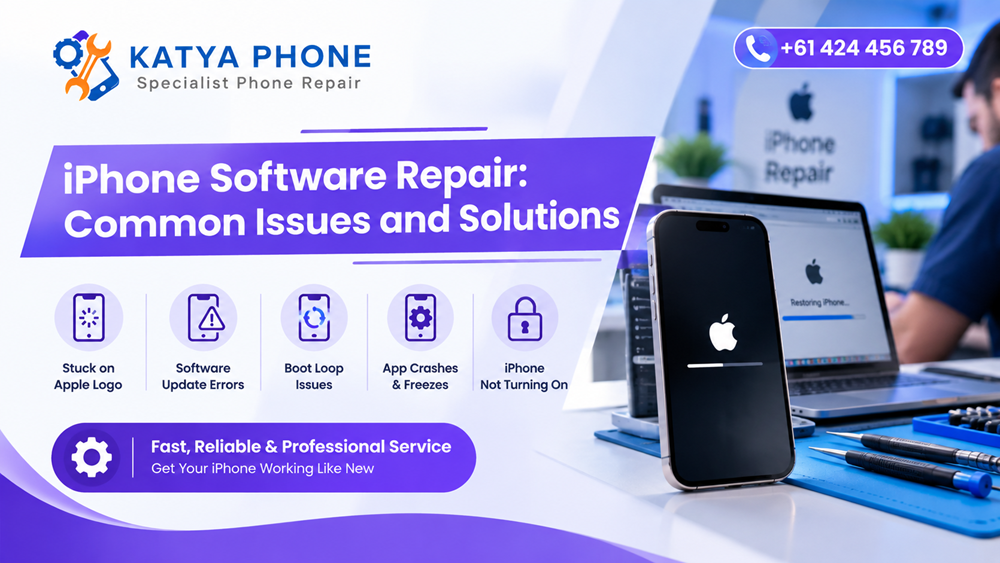
As an example, an iPhone can be completely fine on the outside and become nearly unusable because of a software issue. Apps could close all of a sudden, the screen can freeze, updates may not run through and your phone might continue rebooting for no good reason. Although such issues may seem to be hardware defects on occasion, the honest truth is that most of these solutions can typically result from expert iPhone software repairing.
Aside from buggy iOS updates, failure of backup creation, full storage space on iPhone or corrupted app data, software problems may also occur. That being said, knowing the cause before changing any component can save you both time and money.
This is particularly useful to iPhone users in Australia, where the software must be properly checked if basic troubleshooting has already proven unfruitful. Technician can figure out if the issues lie with iOS, installed applications, saved data or phone hardware. Get details on iPhone 15 Pro Max Repair Caroline.
What Is iPhone Software Repair?
iPhone software repair is not fixing a broken screen, battery or charging port — it is diagnosing and fixing issues with iOS, apps, settings, system files and software configuration.
Depending on the fault, software repair may involve:
- updating or reinstalling iOS
- troubleshooting failed updates
- resolving boot loops
- removing problematic applications
- correcting network or system settings
- dealing with storage-related crashes
- troubleshooting backup or restore problems
- investigating unexpected restarting
- fixing app compatibility issues
However, technicians should diagnose the device before attempting a complete restore because some repair methods can remove stored data.
Common iPhone Software Problems
1. iPhone Freezing or Becoming Unresponsive
One common complaint is an iPhone freezing unexpectedly. You may be scrolling through an app, typing a message or opening the camera when the phone suddenly stops responding.
Low available storage often contributes to this issue. Likewise, a buggy app or damaged software installation can interfere with normal iOS performance.
Restarting the phone may fix an occasional freeze. However, when freezing happens frequently, deeper troubleshooting makes more sense.
2. iPhone Stuck on the Apple Logo
An iPhone stuck on the Apple logo can be particularly frustrating because the device usually cannot reach the Home Screen.
This can happen after:
- an interrupted iOS update
- an unsuccessful software restore
- critically low storage
- software corruption
- certain hardware faults
A forced restart may help in minor cases. Nevertheless, repeated Apple-logo loops usually require professional diagnosis. Looking for a Software Problems Repair Service?
3. iPhone Keeps Restarting
When the iPhone restarts on its own, you might be facing an issue of software instability, a troublesome application or a faulty update.
Users sometimes refer to this problem as the “boot loop”. The phone boots, shows Apple logo and restarts.
But while reinstalling iOS can fix some boot loops, a technician should first verify that batter, charging or internal hardware issues are not affecting the behaviour.
4. iOS Update Failure
Apple releases updates to iOS in order to deliver security fixes, performance improvements and new features. Note that updates do not always finish successfully.
An iPhone software update can fail due to not enough storage, unstable internet or communication with the server fails or an interrupted installation.
Check your Wi-Fi and available storage before you try again. Moreover, keeping the iPhone connected to good power when updating can help minimize interruption risks.
5. Apps Keep Crashing
An app that closes once may simply have encountered a temporary error. On the other hand, apps repeatedly crashing on iPhone can indicate a compatibility, storage or software problem.
Try updating the affected app first. Then check whether an iOS update is available.
If several unrelated apps crash at the same time, the problem may be broader than one application.Get details on iPhone Repair Service in Kings Park.
6. iPhone Running Slowly
Older devices can naturally feel slower as software requirements increase. Still, sudden iPhone performance problems deserve attention.
Possible causes include:
- very little available storage
- background applications
- outdated iOS
- problematic apps
- battery-related performance management
- system errors
Therefore, deleting random files is not always the best first response. Instead, identifying what is consuming resources provides a more useful starting point.
Common Software Issue Comparison
iPhone problem | Possible software cause | First step to try | When to consider repair |
Phone freezing | App or iOS error | Restart device | Freezing happens regularly |
Apple logo loop | Failed update/system issue | Force restart | Device cannot boot normally |
Apps crashing | Compatibility or app bug | Update app | Multiple apps keep crashing |
Slow performance | Low storage/system load | Check storage | Performance stays poor |
Update failure | Storage/network issue | Check Wi-Fi and space | Update repeatedly fails |
Wi-Fi problems | Network settings/software | Restart network connection | Issue continues across networks |
Random restart | System or app fault | Restart/update iOS | Restarts become frequent |
7. Wi-Fi or Bluetooth Software Problems
Every antenna failure is not a connectivity issue. In fact, often the iPhone Wi-Fi problems or Bluetooth faults occur due to incorrect settings or temporary errors in iOS.
For instance, if Wi-Fi is not connecting now then first remove it from the available list of networks and reconnect. In appropriate cases, resetting network settings can also resolve the problem, but saved Wi-Fi passwords will also have to be entered again in this case.
If Bluetooth or Wi-Fi still cannot be enabled after software troubleshooting, hardware inspection may be warranted.
8. Storage Full and iPhone Not Working Properly
There are a few very good reasons against running an iPhone whose storage is almost all gone. You may find that apps fail to open correctly, that the camera has difficulty saving photos and that updates refuse to install.
Go to Settings > General > iPhone Storage to review what is using space.
Photos, videos and large apps often consume the biggest portion. However, you should back up important information before removing valuable files. Read on iPhone Repair Service in Taylors Lakes
Software Repair vs Hardware Repair
The gap between the software repair and hardware repair knowledge prevents useless improvement of component replacements.
Software repair is all of the above plus focus on OS behaviour, system settings, apps and configuration. Unlike hardware, that can be anything physical such as batteries, screens, cameras, buttons, charging ports or internal components.
Sometimes symptoms overlap. Random restarting may arise due to corrupt software, but a dying battery can create the same symptoms. Therefore, proper diagnosis remains important.
Related Services:
» iPhone Repair Service in Caroline Springs
» iPhone Repair Service in Albion
» iPhone Repair Near Ravenhall
Can iPhone Software Repair Cause Data Loss?
It depends on the repair process.
Simple troubleshooting methods may leave personal information untouched. However, reinstalling or restoring iOS can potentially erase the device.
Therefore, whenever possible, create an iCloud or computer backup before significant software work begins. If important data is involved and the phone cannot boot properly, speak with the technician before attempting additional restores yourself. Get details on iPhone Repair Service in Melton.
When Should You Seek Professional iPhone Software Repair?
You should consider professional assistance when basic troubleshooting does not solve the problem, especially when your iPhone:
- repeatedly restarts
- remains stuck on the Apple logo
- cannot complete an iOS update
- freezes every day
- crashes across several apps
- cannot complete a restore
- displays repeated system errors
- becomes unusable after an update
Moreover, if your photos, messages or business files are important, avoid experimenting with repeated resets without understanding the consequences.
Related Articles:
» iPhone Overheating Problems: Causes and Repair Solutions
» iPhone Charging Port Not Working: Causes & Repair Options
» iPhone Screen Repair: Common Damage & What to Know
» iPhone Back Glass Repair: What You Need to Know
» Cracked iPhone Screen: Repair or Replace Your Device?
Final Thoughts
Software bugs can make an apparently fault free iPhone act as if there has been a major hardware failure. The vast majority of hardware problems that may cause freezing, crashing, failed updates and startup issues can in fact be diagnosed remotely without the need for replacing any hardware immediately.
The best way therefore, is to perform basic troubleshooting and safeguard your critical information first then rely on iPhone application fix by some specialist if the problem continues. Similar symptoms can arise for very different reasons, so accurate diagnosis is an important part of the process.
A systematic repair process can enable you to find out if your iPhone requires an iOS fix, settings modification, application troubleshooting, system recovery or a genuine hardware repair.
FAQs : iPhone Software Repair: Common Issues and Solutions
1. Where can I get iPhone software problems checked?
Katya phone helps troubleshoot common iPhone software issues such as freezing, and update difficulties, startup problems, and worse computer performance issues. A correct evaluation allows the technician to know if the software or hardware is at fault before doing any repair work.
2. Why does my iPhone keep freezing?
Low storage, an old iOS version, a third-party app or even an iOS error can cause freezing. First restart your phone and check for storage available. You may need to look for and diagnose further if the problem re-occurs on a frequent basis.
3. Can a software issue make my iPhone restart repeatedly?
Yes. Software corruption, failed updates, unstable apps can lead to restarts. But because battery or other hardware faults can cause similar symptoms, diagnosis is key.
4. Can Katya phone fix an iPhone stuck on the Apple logo?
Katya phones can also help you to check if an iPhone stuck on the Apple logo requires software repair, OS repair or even more powerless hardware detection.
5. Why won't my iPhone install the latest iOS update?
These could include insufficient storage, Wi-Fi instability or an unsuccessful download process, or a previous update that was interrupted. Make sure you have enough storage, internet and battery; then try again.
6. Does Katya phone provide iPhone software repair?
Katya phones help you with software repair iPhone and have the answer for used devices troubleshooting issues. How to: the precise repair method depends on the symptoms, device condition and whether it came from iOS, apps or hardware.
7. Will reinstalling iOS delete my photos?
It can, depending on the method used. Some update procedures retain personal data, while a complete restore can erase the iPhone. Therefore, create a backup whenever possible before undertaking major software repairs.
8. Why are multiple apps suddenly crashing on my iPhone?
Several apps crashing together may point to limited storage, outdated iOS, compatibility problems or broader system instability. Update the apps and iOS first, then monitor whether the crashes continue.
9. Can Katya phone diagnose whether my iPhone problem is software or hardware?
Yes. Katya phone can assess the symptoms to help determine whether the problem appears related to iOS and software or requires further investigation of physical components.
10. Does resetting network settings fix iPhone Wi-Fi problems?
It can solve some connectivity issues that are related to configuration. But also clears the saved Wi-Fi networks and any other related network settings as well. So, note your other Wi-Fi passwords before you reset it.
11. Why is my iPhone very slow even after restarting?
Storage space, heavy-duty apps or software that are not up-to-date, battery health or any other system TLC needed can lead to your device lagging. Storage and iOS updates is a good place to start.
12. When should I take my iPhone to Katya phone for software repair?
An iPhone that regularly freezes, restarts, fails to update, hangs on startup or continues showing software-related errors after normal troubleshooting might indicate a visit to a Katya phone. Having a professional diagnosis may also save you unnecessary resets or hardware replacements.