
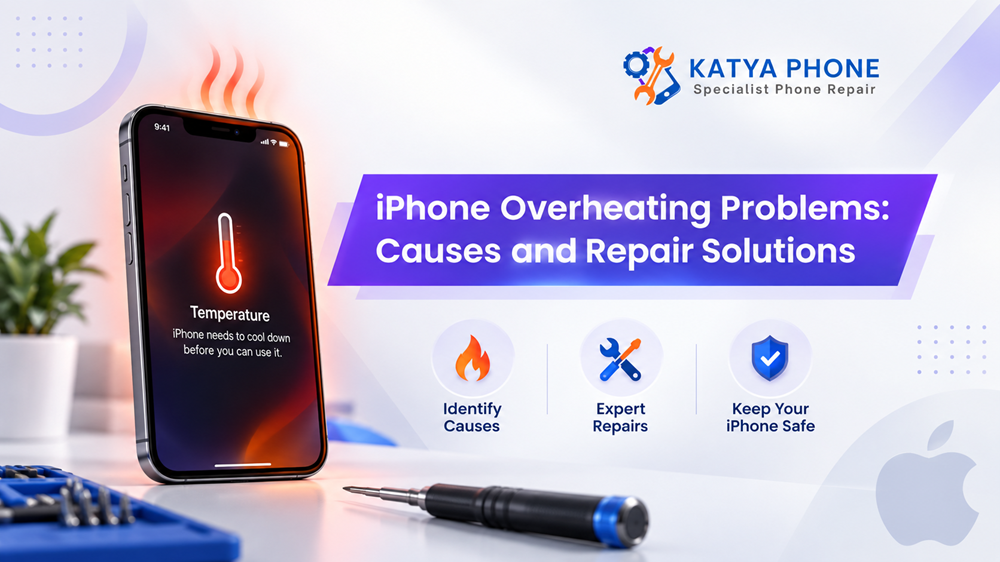
An iPhone may become slightly warm while charging, gaming or during a video call. However, when at an uncomfortable heat level, it wheezes out a temperature alert message, meddles with the slow sucking power of the battery or continuously powers off; these are symptoms of a greater problem.
Longtime iPhone overheat issues deplete battery health, charging capacity and other inner parts in the end. Now if you know the reasons behind your phone getting hot, it will help you in finding out whether just changing a little bit of usage behavior would fix up the issue or do you need to go through professional iPhone repair. Get details on iPhone Service & Repair Centre.
Is It Normal for an iPhone to Get Warm?
Yes, sometimes.
Your iPhone may produce extra heat when its processor, battery or wireless hardware works harder than normal. For example, you may notice warmth while:
- Playing graphics-heavy games
- Using GPS navigation for a long period
- Recording high-resolution video
- Making long video calls
- Restoring an iPhone from backup
- Installing a major software update
- Charging wirelessly
- Using several demanding apps together
Generally, the phone should cool down once the activity ends. However, if your iPhone gets hot during normal use, there could be a software, charging or hardware issue.
Common Causes of iPhone Overheating
1. Too Many Apps Running or Heavy App Usage
Modern iPhones have great multitasking capabilities. However, intensive apps can force the processor to work nonstop.
This category includes well-known apps for gaming, navigation, video editing, social media & camera. Also, a broken App may run tasks in the background even when you are not using it.
If the overheating began after you have installed or updated an app, review the battery usage statistics. An app draining unusually high battery power could also be producing useless heat as well. Read on iPhone 17 Pro Max Repair Service.
2. Battery Problems
An aging or damaged battery is one of the more important causes of iPhone overheating and battery drain.
Lithium-ion batteries naturally lose capacity over time. Consequently, an older battery may need to work harder when delivering power.
Possible battery-related symptoms include:
- Fast battery drain
- Unexpected shutdowns
- Slow or inconsistent charging
- Excessive heat near the back of the phone
- Reduced peak performance
- Swelling in severe cases
A swollen battery requires immediate attention. Avoid pressing the screen back into position or continuing to charge the device.
3. Using the iPhone While Charging
Playing games or running navigation while charging can generate that heat from two sources simultaneously. But the battery itself will already get warm during charging, not to mention the processor as it works too hard and produces more heat.
Consequently, your phone can get quite warm.
If the iPhone already feels hot, best to back off for a while after those high intensive tasks.
4. Faulty or Unsuitable Charging Accessories
Low-quality charging accessories are potentially the cause of heat problems.
Something like a bad cable, broken charger or an unstable power source can result in inconsistent charging. So if your iPhone overheats on charging, try testing it with a third party charger and cable for the iphone.
Also inspect the charging port. A dirty connection with dust or debris may interfere and connive to charge your batteries. Looking for a iPhone 17 Repair Service?
5. Hot Australian Weather
And Australian summers are pretty harsh on electronics.
Keeping an iPhone inside of a parked car, on a sunny windowsill or anywhere near direct sunlight can increase the temperature quickly. Furthermore, in the case of using GPS navigation where an incorrect phone is resting on a dashboard, processors and devices are exposed to its heat and solar light as well.
If you can, keep your iPhone somewhere shaded and with good airflow.
6. Software Bugs or Outdated iOS
Sometimes an iPhone heating problem has nothing to do with damaged hardware.
Software bugs can cause apps or background processes to consume more resources than expected. Likewise, outdated apps may behave poorly after an iOS update.
Restarting the device can clear temporary processes. Furthermore, installing available iOS and app updates may solve bugs causing excessive processor activity.
7. Poor Mobile Signal
This one often gets overlooked.
When reception is weak, your iPhone continually searches for and communicates with nearby mobile towers. Consequently, its modem may consume more power.
If you notice overheating mostly in areas with poor reception, network searching could be contributing to the problem. Get detaisl on iPhone Repair Service in Albion.
Quick Comparison: Common Overheating Causes
Possible cause | Typical warning signs | What you can try |
Heavy app use | Heat while gaming or streaming | Close demanding apps and allow phone to cool |
Battery deterioration | Heat plus rapid battery drain | Check Battery Health and arrange inspection |
Charging issue | Heat mainly during charging | Test another compatible cable/charger |
Software problem | Heat started after update/app installation | Restart and update apps/iOS |
High ambient temperature | Phone hot after sun or car exposure | Move phone to a cooler shaded place |
Weak reception | Heat plus poor mobile signal | Use Wi-Fi where practical |
Internal hardware fault | Frequent unexplained overheating | Arrange professional diagnosis |
What Should You Do When Your iPhone Gets Too Hot?
Do not insist on gaming, recording video or navigation.
The next step is to unplug the charger if it has been charging. Remove a bulky protective case for a bit as well, as some cases can trap heat.
After that, put your phone in a cool and shaded place.
But it still won’t cool your iPhone or refrigerator. Temperature changes can generate moisture inside the device, which could result in further harm.
Normally, do not put this in the fridge rather leave it just at room temperature for them to cool. Get detaisl on iPhone 16 Plus Repair Caroline Springs
How to Prevent an iPhone From Overheating
A few practices can significantly lower brute heat.
First, update the iOS and important applications. Second, in no way leave your telephone exposed to the sun. Moreover, just use reliable charging equipment and do not play hardcore games while the battery is charging.
Also, look under Settings > Battery to see what apps drain the most juice.
Restoring, downloading or deleting the app in question may help if one particular app is glaringly overusing it out of nowhere.
Storage matters too. An iPhone with very little free storage space might have difficulty performing some background tasks. Down the line, keeping the amount of videos, apps and downloads to a minimum by regularly dealing with the unused ones will ensure that your device runs more efficiently.
When Does Overheating Need Professional Repair?
Occasional warmth usually doesn’t indicate serious damage. However, recurring overheating without an obvious reason deserves attention.
Consider having your iPhone inspected if:
- It gets extremely hot during light use
- Battery percentage drops unusually fast
- It repeatedly displays temperature warnings
- Charging frequently stops because of heat
- The phone shuts down unexpectedly
- The battery appears swollen
- Overheating started after a drop or liquid exposure
- The phone becomes hot even when you’re barely using it
A technician can check the battery, charging system and internal components rather than guessing which part caused the issue.
Related Services:
» iPhone Repair Service in Deer Park
» iPhone Repair Service in Sunshine
» iPhone Repair Service in St Albans
» iPhone Repair Service in Kings Park
» iPhone Repair Service in Kealba
Possible iPhone Overheating Repair Solutions
The correct iPhone overheating repair solution depends entirely on the diagnosis.
Diagnosis | Possible solution |
Deteriorated battery | Battery replacement |
Charging port problem | Port cleaning or repair |
Damaged charging component | Component-level diagnosis and repair |
Problematic software | Software troubleshooting or reset |
Liquid damage | Internal inspection and affected-part repair |
Faulty internal component | Component replacement or board-level assessment |
Therefore, replacing the battery isn’t automatically the answer to every overheating problem. Proper diagnosis comes first.
Can Overheating Damage an iPhone Battery?
Lithium-ion batteries do not like being exposed to excessive heat over and over again.
Heat can cause chemical ageing to occur more quickly over time. Over time, you might observe that its capacity to keep a charge for a full day fades well before the end of its lifespan resulting in charger uses being a regular thing.
This means a bad cycle because charging actually generates heat.
And this is why you should never overlook a handset that heats up too much to the point of being outside of what seems normal.
Related Articles:
» iPhone Repair Near Ravenhall | Same-Day Service
» iPhone Charging Port Needs Professional Repair
» iPhone 15 Pro Max Overheating: Is It Normal?
» iPhone screen flickering fix: Causes & Repair options
» Why Is Your iPhone Battery Draining Fast?
» iPhone Microphone Not Working: Causes & Solutions
Final Thoughts
There are reasons why an iPhone may warm up that normal. But repeated or severe overheating is something else. Overheating can be due to issues in the iPhone battery, charging system, software problem, apps or internal hardware.
Performing basic checks like restarting the device, checking battery usage, and software updates which also help you a lot while using a phone in direct sunlight. However, if your device is still warm during normal use, the battery drains quickly or the laptop shuts down even without a heavy workload, it is better to take it for inspection than just try random remedies.
Identifying the real problem early can save you from a relatively minor issue growing into costlier iPhone repairs down the road.
FAQs : iPhone Overheating Problems: Causes and Repair Solutions
1. Why is my iPhone getting hot even when I am not using it?
Even if the phone looks to be idle, background apps, syncing, a software fault or poor reception & gland can also induce warmth. If it overheats again after restarting and performing software updates, Katya Phone will be able to physically inspect the device.
2. Why does my iPhone become hot while charging?
Charging naturally produces some heat. But using your phone too much while it’s charging could cause it to overheat, so might a bad cable or charger as well as a damaged battery or charging-system failure.
3. Should I stop charging my iPhone if it feels hot?
If the phone is hot instead of just warm, that is an obvious sign to disconnect it and let it cool on its own. After it has cooled down, find out why it triggered the heat then charged it again.
4. Can a Katya Phone replace an overheating iPhone battery?
In the event tests reveal that battery degradation is at fault, Katya Phone will identify the right path to diagnose battery repair or replace the device. Diagnosis is crucial since the overheating can also be partly created by some other components.
5. Does closing apps stop iPhone overheating?
Sometimes. Closing a demanding or malfunctioning app can reduce processor usage and heat. However, constantly closing every app isn’t usually necessary. Instead, investigate any app showing unusually high battery consumption.
6. Can a damaged charging cable make my iPhone hot?
Yes, charging accessories can contribute to charging irregularities and excessive heat. Therefore, stop using visibly damaged cables and test the phone with a reliable compatible charger.
7. Where can I get an overheating iPhone checked?
If your device continues heating up without an obvious reason, Katya Phone can inspect the iPhone for battery, charging and other hardware-related issues so the cause can be identified before repair work begins.
8. Can direct sunlight damage my iPhone?
Prolonged exposure to strong sunlight can raise the device temperature significantly. Consequently, avoid leaving your phone on dashboards, outdoor tables or other surfaces exposed to direct Australian sun.
9. Can an iOS update cause temporary overheating?
Yes. After some updates, an iPhone may perform indexing, optimisation and other background activities. As a result, temporary warmth can occur. Persistent severe overheating, however, deserves further investigation.
10. Can Katya Phone fix an iPhone that keeps overheating and shutting down?
Yes, Katya Phone can assess repeated overheating and shutdown symptoms to determine whether they relate to the battery, charging system or another internal issue. The correct repair depends on the diagnostic findings.
11. Does wireless charging make an iPhone hotter?
Because energy transfer generates heat, wireless charging can generate a noticeable amount of heat as compared to some wired charging methods. A little warmth is acceptable of course but you shouldn’t have to be excusing yourself from extreme temperatures everyday.
12. Is it safe to put an overheating iPhone in the fridge?
The answer is no, do not use a refrigerator, freezer, ice pack and other methods of sudden cooling. They can lead to condensation and cause more issues. If the battery temperature is too high, then do not charge it, but unplug the charger, stop using the phone and let it disperse naturally in a cool room-temperature place.
Pingback: iPhone Software Repair: Common Issues & Solutions
Pingback: What to Do When Your iPhone Screen Stops Responding - Katya Phone
Pingback: Professional iPhone Repair Service for Screen and Battery Issues
Pingback: Fast and Reliable iPhone Repair Services for Every Model
Pingback: Water-Damaged iPhone? Expert Repair Solutions That Can Help
Pingback: Why Does Your iPhone Get Hot? Common Reasons Explained