
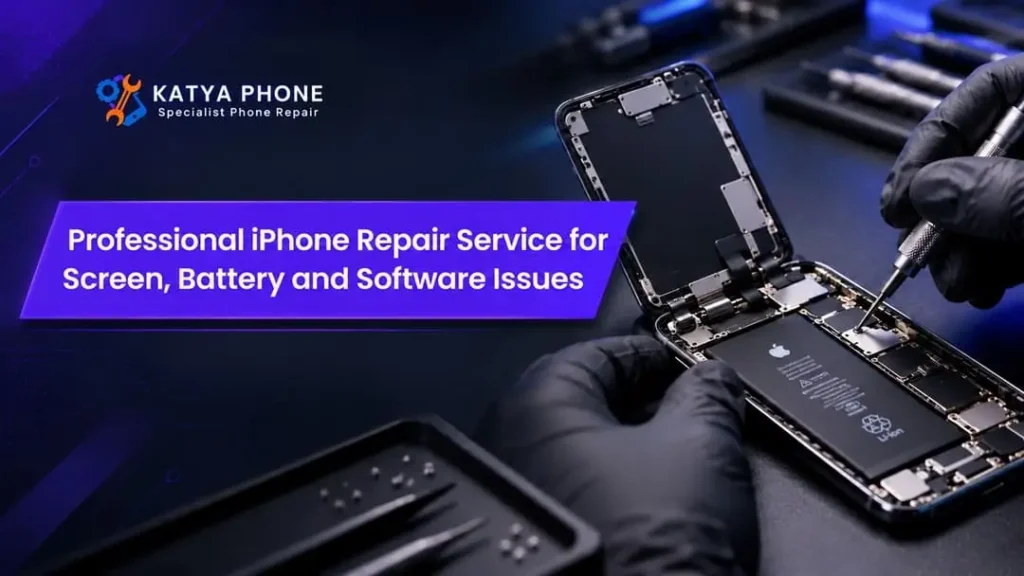
Your iPhone likely does a lot more every day than you might know. You have the morning alarm, work email, banking app and even family photographs all sitting neatly in one box. Thus when the screen cracks, the battery dies fast or an app won’t open at all — mundane tasks soon become hell.
The good news is that there are a number of popular issues which an iPhone repair service can rectify with no other need for you to get another phone.
Katya Phone helps customers with iPhone screen damage, battery issues and software-related issues. Also, knowing the warning signs, repair possibilities and probable causes can help you determine how badly broken your auto is before throwing money at it.
Why Professional iPhone Repair Matters
Not all iPhone issues require a new device. In other cases, a faulty part causes problems. In other cases, outdated software or storage restrictions or incorrect settings get in the way.
Replacing parts is less important than accurately diagnosing the problem though.
An experienced technician can look at the symptoms, check the appropriate parts and give a proper diagnosis.
Additionally, accurate diagnosis ensures avoiding the cost of unnecessarily replacing good components. It also lowers the likelihood of missing a second fault.
When it comes to fixing your iPhone, it has several issues together, for example, overheating and battery drainage accompanied by unexpected shutdowns spells like this professional repair of lightning are very useful. Looking for a iPhone Repair Service in Caroline Springs?
When Should You Replace an iPhone Screen?
If your display is cracked so as to make the screen unreadable, you cannot use touch controls accurately or your device shows persistent faults on the display, consider iPhone screen replacement now.
But if your iPhone has only a small scratch in the screen and works fine, it may not be worth getting a replacement.
Before any repair, inquire about the quality of replacement parts that will be used to repair your device, whether or not you can get your device display repaired and the warranty on repairs. Besides, always have an up-to-date backup of your important information.
iPhone Battery Replacement for Better Daily Performance
Every rechargeable lithium-ion battery gradually loses capacity. As a result, older batteries usually provide shorter operating times.
Signs Your iPhone Battery Needs Attention
- Battery percentage falls unusually quickly.
- Your iPhone switches off unexpectedly.
- Charging takes longer than usual.
- The device becomes unusually hot during normal use.
- Battery Health displays a service recommendation.
- The battery appears swollen or pushes the screen upwards.
How to Check iPhone Battery Health
For most iPhone models, Apple designates 80% of original battery capacity as a critical marker for battery ageing. But it is not just the ability that dictates replacement.
Thus, 83% of maximum capacity is still good enough for a light user. Someone who is addicted to his mobile throughout the day at work, will consider it a greatest hindrance.
So, when it comes to iPhone battery replacement, one should consider both the condition and performance.
iPhone Software Repair and Troubleshooting
A phone can look completely undamaged yet behave strangely.
Apps may close unexpectedly. The screen may freeze. Alternatively, an iOS update might fail halfway through installation.
Fortunately, many iPhone software problems have solutions that do not involve hardware replacement.
Common iPhone Software Problems
| Problem | Possible cause | Recommended first step |
| iPhone freezing | Software conflict or limited storage | Restart and check available storage |
| Apps crashing | Outdated application or iOS version | Update the app and iOS |
| Slow performance | Storage pressure, battery or background activity | Check storage and battery health |
| Failed iOS update | Network, storage or update error | Check requirements and retry safely |
| iPhone stuck on Apple logo | Interrupted startup or software fault | Seek appropriate recovery support |
| Wi-Fi connection problems | Router, settings or device fault | Test another network |
iPhone Charging Port and Power Problems
The battery is not always the thing that does not charge properly.
What it means is that there may be things like broken cables, non-working charging accessories or dirt in the charging port that prevents your device from charging.
An internal electrical fault or moisture build-up may interrupt the normal supply of power as well.
If the charging port is dirty, attempt to clean it. The charging port is not a slit of metal under light, nor its liquid.
Never force the connector in case of inconsistent charging, but have a professional diagnose it. Get details on Phone Charging Port Repair in Caroline Springs.
Repair or Replace Your iPhone: Which Makes More Sense?
The right decision depends on the device’s age, overall condition, expected repair cost and software support.
| Consideration | Repair may be suitable | Replacement may be better |
| Screen condition | Single damaged screen | Extensive damage to multiple components |
| Battery performance | Battery wear with otherwise normal operation | Several major faults alongside ageing |
| Software | Recoverable system issue | Device no longer meets your software needs |
| Repair cost | Reasonable compared with replacement | Cost approaches a comparable replacement |
| Daily usability | Phone meets current needs | Performance or features no longer suit you |
Instead of focusing only on the repair price, consider how much useful life the repair could add.
For example, replacing a worn battery may be practical when the screen, cameras and other features still work properly.
Related Services:
» iPhone Repair in Melton South
What to Do Before Taking Your iPhone for Repair
Firstly back up Contacts, Images and important Files using iCloud or any computer. Then write the problems you have faced and what date.
Also, review your warranty or AppleCare coverage. This will usually qualify you for coverage depending on your device and other circumstances.
Finally, enquire from the technician regarding repair charges and parts replacement along with the appropriate time frame to fix your appliance.
Related Articles:
» iPhone Software Repair: Common Issues and Solutions
» iPhone Ghost Touch After Screen Replacement
» iPhone Camera Not Working? Common Causes & Fixes
» iPhone Overheating Problems: Causes & Repair Solutions
» What to Do When Your iPhone Screen Stops Responding?
Why Choose a Katya Phone for iPhone Repair?
When your phone is not functioning correctly, explanations, and feasible repair tips are everything.
Katya Phone serves as a contact point for customers looking to get help with the iPhone screen repair, battery replacement and software troubleshooting.
Your iPhone small headphones are trained on data until October, 2023: Luckily we use your iPhone for business, study or sending and confirming texts to your loved ones.
Instead of replacing your device right away, make an arrangement and find out the repair alternatives that are accessible to you.
FAQs : Professional iPhone Repair Service
1. Where can I get professional iPhone repair services?
If you’re looking for repair of iPhone screen problems, battery concerns and software issues, you can contact Katya Phone. Please contact the business to verify which models it services and the availability of repaired devices.