
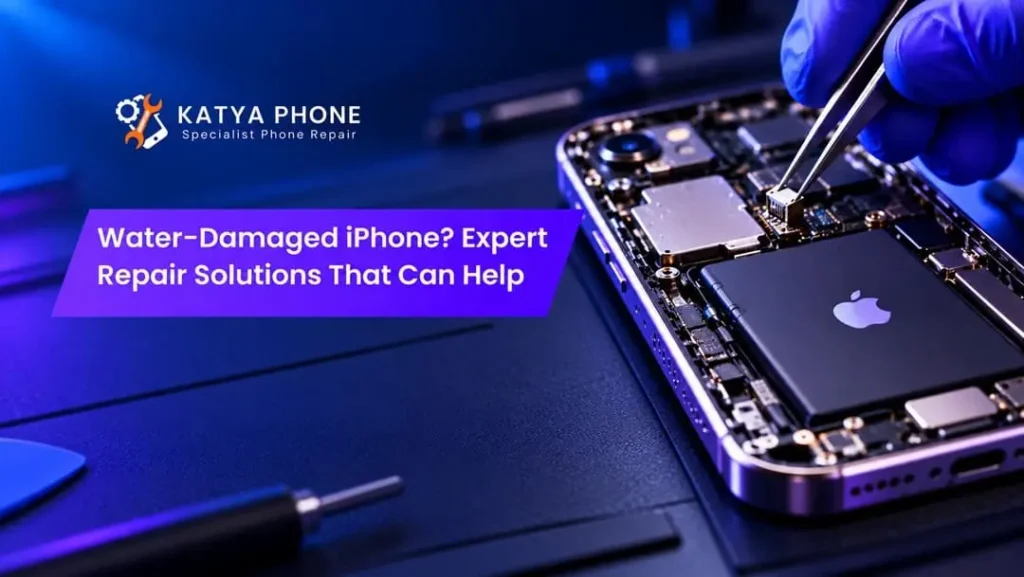
Have you ever accidentally dropped your iPhone in the sink, knocked over a cup of coffee onto it, or been caught out in the rain with your phone exposed? You could have water damaged your iPhone in just seconds and now you are worried about whether your phone works, what happened to all of your photos and contacts, and other important data. Most new models of iPhones are water resistant to an extent; however, no iPhone is completely waterproof. A small amount of moisture inside your phone can cause major issues.
When you get your iPhone wet, luckily, this does not always require you to replace the entire phone. If you act quickly, and use the top professional iPhone repair companies, technicians will be able to repair some of the broken components on your iPhone, treat corrosion, and possibly recover all of your valuable data.
As most individuals utilize their iPhones daily as a means of staying connected, conducting business, and participating in various forms of social interaction, we wish to assist you with identifying if your iPhone has sustained damage, how to prevent additional damage, and what possible repair options exist for your device.
What Happens When Water Gets Inside an iPhone?
Water will enter your phone if there are damaged seals, cracks, speaker holes or a charging port. If water gets into the phone and touches the sensitive internal parts of the phone then the water will cause interference with the electrical signals in the phone and begin to corrode the phone.
Moreover, liquids containing salt, sugar, etc., are also a problem as they leave behind conductive/corrosive residue.
Common internal problems include:
Damage to the motherboard: Water can damage essential electronic circuits and connections.
- The issue with batteries is that exposure to liquids could cause problems with charging, and it may also create a risk of injury.
- The display could malfunction due to water. Water can create a flicker in the screen, discoloration, or an issue with using the touch screen.
- Speaker damage: Moisture may affect sound quality or microphone performance.
- Charging Port Corrosion: Corrosion from exposure to liquid will prevent a device from being able to charge or connect to other devices.
For example, many issues will occur within a few days of the incident. It is possible for a phone to seem working correctly at first and then develop problems later on. Get details on iPhone Repair Service in Caroline Springs.
Common Signs Your iPhone Has Water Damage
Recognising the symptoms early can help you avoid making the damage worse. Sometimes, an iPhone continues working despite moisture affecting internal components.
Look for these warning signs:
Warning sign | Possible cause | Recommended action |
iPhone won’t turn on | Battery or circuit damage | Arrange professional diagnosis |
Screen flickering | Display or connector damage | Request a display inspection |
Charging problems | Moisture or corrosion in the port | Avoid charging until dry |
Distorted speaker sound | Water or residue in speaker components | Allow drying and seek inspection if persistent |
Overheating | Possible electrical or battery damage | Stop using the device |
Camera looks foggy | Moisture near camera components | Arrange internal inspection |
Random shutdowns | Battery or circuit instability | Seek professional assessment |
If your device shows several of these symptoms, iPhone water damage repair may require more than simply drying the outside.
What Should You Do Immediately After Your iPhone Gets Wet?
Your first steps may have a major impact. On the other hand, many popular home remedies can cause more issues than those that are solved.
1. Switch Off Your iPhone
Turn your phone off if you are able to do so safely and you believe that water has gotten into your phone. It is best not to continually restart a malfunctioning phone as the electrical current going through the phone could cause more damage internally.
2. Disconnect Charging Accessories
Remove all charging devices and cables from your phone right now. When you use your phone while it is wet, you could cause damage to the charging port on your device, which could result in an electrical hazard.
3. Dry the Exterior Carefully
With a soft, lint free cloth, gently dab off any excess moisture. Next, lightly tap the device against your hand while keeping the charging port downward to allow for the release of trapped water.
4. Avoid Rice and Hairdryers
Rice is not an effective way to fix an iPhone that has gotten wet. Rice will cause rice particles to get inside of the charging port and heating the iPhone with a hairdryer can damage the sensitive parts of the phone.
Apple suggests allowing a wet connector to dry naturally in an open space with good air circulation instead of using heat or putting foreign objects in it.
5. Seek Professional Assistance
If your phone was submerged, exposed to saltwater or sugary liquids, or develops unusual symptoms, arrange a professional inspection rather than repeatedly testing whether it works. Looking for a iPhone Repair Service in Burnside?
Professional Water-Damaged iPhone Repair Solutions
Technicians may suggest different types of repairs based upon how much damage has occurred to your computer. Although, once a large amount of liquid has entered your system, there is no way for us to ensure a full restoration.
Internal Inspection and Corrosion Treatment
A professional technician will check inside parts of the machine for moisture, mineral build-up, and corrosion. When necessary, special cleaning methods will be used to clean away contamination from spreading throughout the machine.
Motherboard and Circuit Repair
The main board of your cell phone (iPhone) regulates numerous crucial operations of the phone. Thus, any type of corrosion or damaged connections will result in the phone not functioning properly.
Motherboard repairs on iPhones can include using specialized diagnosis equipment, components testing and micro soldering. All of these require the expertise of qualified repair technicians who have the right tools.
Battery Replacement
After being exposed to a liquid, the electrical connection between the battery and other parts of the computer, as well as its overall performance, could be affected. When the technician determines that there has been damage done to the battery by testing it, he/she might suggest that you replace the battery.
Never attempt to recharge or utilize a battery that has swollen, felt warm, or sustained physical damage.
Screen and Charging Port Repairs
Most screen failures from water damage are primarily related to connector damage rather than component failure of the display. Also, most charging issues can be attributed to either corrosion or other problems with the charging port.
The proper diagnosis will help you decide which is the most effective solution: cleaning, replacing or repairing your connector. Looking for a iPhone Battery Replacement in Caroline Springs?
Can a Water-Damaged iPhone Be Repaired Successfully?
The number of iPhones damaged by liquids that can be fixed will depend upon multiple conditions.
The effects of a liquid, how long it is exposed to that liquid, what parts were affected by the liquid and the extent of damage caused by the liquid will determine the results. For example, a minor freshwater splash might result in less damage than a long period of exposure to salt water.
Furthermore, the amount of time that passes from when an event occurs until you are professionally assessed will determine what type of repairs you can have.
Damage situation | Repair outlook | Likely requirement |
Minor splash, no ongoing symptoms | Often favourable | Drying and monitoring |
Wet charging port | Often manageable | Proper drying or connector service |
Screen malfunction | Depends on internal damage | Display and connector diagnosis |
Corroded motherboard | Uncertain | Specialist board-level repair |
Severe saltwater exposure | Often challenging | Extensive inspection and possible data recovery |
These are general assessments, not guaranteed repair outcomes. Actual results depend on inspection and component condition.
Water-Damaged iPhone Repair Cost in Australia
The price for repairing water damaged iPhones in Australia is determined by several factors including the specific model of iPhone, how severely the iPhone was damaged, what replacement parts are required, and the level of difficulty of the repair.
A minor repair to a charging connector may be significantly less expensive than a major repair of the entire motherboard. Additionally, more involved repairs will require greater amounts of labor and specialized equipment.
Ask for a clear explanation of what is wrong with your car before giving permission for it to be repaired. Request a written estimate of how much the repair will cost and if there are any warranties that apply to the repair.
Also, you should compare how much it will cost to fix your phone to how much it is worth. Sometimes, replacing a very broken older phone can be cheaper than fixing it.
Can You Recover Data from a Water-Damaged iPhone?
Losing all those special photos, contact information and other important documents will most likely cause you greater pain than losing your entire cell phone.
If the technicians are able to get back some functionality of the phone so they can read the encrypted storage of the phone, then it might be possible for you to recover your data from the water damaged iPhone.
However, recovery cannot be guaranteed. Damage to key logic-board components could make them unrecoverable.
Check to see if your photos and files have been backed up to iCloud or some other location prior to making any invasive repairs.
If you have a device that has a lot of important personal data on it, please let the technician know that you are most concerned with preserving your data prior to giving permission for any repairs that would potentially cause deletion of or replacement of the device’s storage or logic board.
How to Prevent Future iPhone Water Damage
A few everyday habits can reduce the risk of liquid-related problems.
- When using your device around water (like near the ocean, at a pool, etc.), be sure to protect it with a water-resistant case.
- Keep your phone away from sinks, bathrooms and exposed drink containers.
- Replace cracked screens and damaged housings promptly.
- Avoid charging your phone when its charging port is wet.
- Back up important photos, documents and contacts regularly.
Many iPhones have an IP67 or IP68 water resistance rating. But as you use your phone each day, and possibly repair it at some point in its life, the amount of protection offered by these ratings will likely decrease. So, don’t view your iPhone’s water resistance as being permanently waterproofed.
Related Services:
» iPhone Repair in Taylors Lakes
Why Consider Katya phone for iPhone Water Damage Repair?
When an iPhone stops working due to being exposed to liquid, getting it fixed quickly and properly should become a top concern for you.
At Katya’s Phone you can find out more about what to do if your iPhone needs fixing, learn more about different types of repairs available, and talk to us if you have any worries about your water damaged phone.
The first thing that you need to do if your iPhone is having charging problems, screen issues, or even possible internal damage from water exposure, is identify what exactly caused the problem so you don’t just replace parts without knowing why they were replaced.
If you assess your options for a repair versus a replacement of your telephone, you will be able to make a well informed choice.
Related Articles:
» iPhone Software Repair: Common Issues and Solutions
» iPhone Ghost Touch After Screen Replacement: Causes and Fixes
» iPhone Overheating Problems: Causes & Repair Solutions
» Cracked iPhone Screen: Repair or Replace Your Device?
» iPhone Microphone Not Working: Common Causes & Solutions
Get Your Water-Damaged iPhone Repaired by Experts
A wet cell phone (iPhone) can cause a lot of stress, however, if you take quick action and get an expert opinion on what to do with your phone, you might increase the likelihood that you can recover it. First and foremost, do not charge a wet phone; do not apply too much heat to it; and do not try to make complex repairs to it yourself.
If your iPhone has been damaged by water, call Katya Phone to ask for a Water Damage Assessment for your iPhone, along with possible repairs. To find out what needs to be repaired first, it’s always best to begin with knowing how much harm the water caused.
FAQs : Water-Damaged iPhone Repair
1. Can Katya phone help with a water-damaged iPhone?
Katya phone is available to contact regarding possible repair options for a water-damaged iPhone. Depending upon the condition of the iPhone, there are many potential repairs including evaluating the charging port, display, battery and/or internal circuitry.