
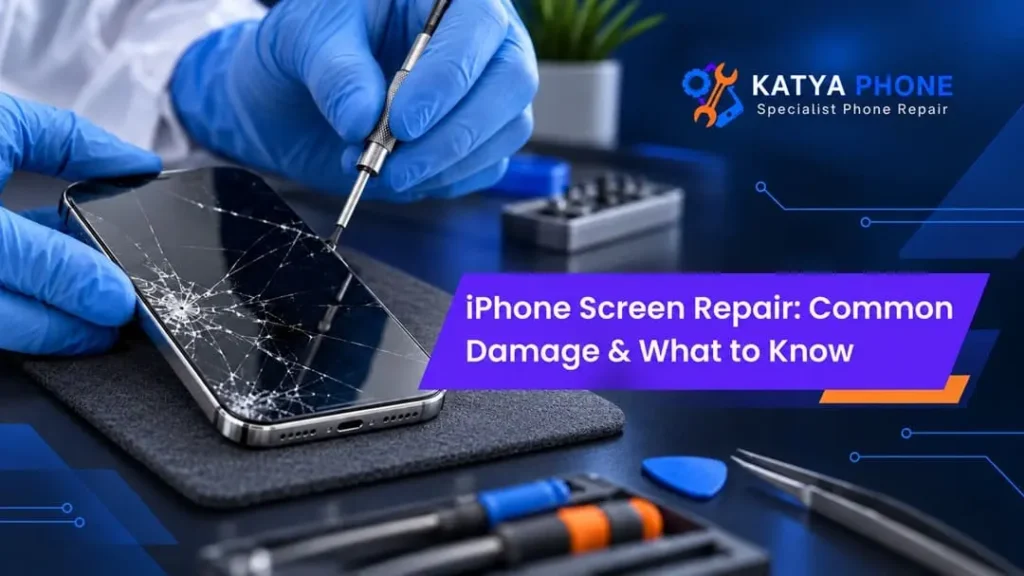
The screen has long been one of the most fragile parts of an iPhone, although it can withstand plenty of everyday life. A single accidental drop on tiles, concrete or the edge of a desk could result in everything from a small crack to a completely unusable display. There are people who, for weeks on end, use a broken phone but putting off an iPhone screen repair can actually worsen the situation.
Also, screen damage is not always strictly ugly cracks. Your iPhone might appear normal on the outer but there is a fault in the touchscreen, OLED or LCD panel underneath. So knowing what kind of damage you are dealing with will be helpful for deciding when to schedule a repair, along with knowing the sort of service process.
Common Types of iPhone Screen Damage
Different accidents create different symptoms. While cracked glass is the most obvious issue, several other screen problems may require professional attention.
1. Cracked or Shattered Front Glass
A cracked display typically results from falling or pressing over a tough surface. Initially, it may appear cosmetic. Nonetheless, with the pressure, temperature changes and continued usage of a container, cracks tend to widen.
Furthermore, smashed glass can leave sharp edges that prevent a regular scrolling experience. Damaged areas may also bring in moisture and dust. Consequently, it is usually smart to get cracked iPhone screen repair sooner rather than later.
2. Touchscreen Not Responding
Sometimes the glass remains relatively intact, yet parts of the touchscreen stop responding.
Common symptoms include:
- Apps not opening when tapped
- Certain areas of the screen becoming unresponsive
- Difficulty typing letters or numbers
- Swipe gestures failing
- The screen responding intermittently
This issue can come from impact damage to the touch-sensitive layer beneath the glass. Therefore, a simple restart may not solve it.
3. Ghost Touch on an iPhone
Ghost touch means the iPhone seems to operate by itself. Apps might open unexpectedly, letters may type without your input, or the screen may scroll on its own.
Although software problems can occasionally contribute, screen damage is a common cause after a drop or impact. Consequently, if ghost touch starts immediately after physical damage, the display assembly should be inspected.
4. Black Screen After a Drop
An iPhone can still ring, vibrate or receive notifications while displaying nothing on the screen.
In this situation, the phone itself might still be operating normally. However, the display panel or internal screen connection may have been damaged.
Therefore, don’t immediately assume the entire phone has failed. A professional assessment can determine whether an iPhone display replacement may restore normal operation.
5. Coloured Lines or Black Spots
Vertical lines, green lines, purple marks, ink-like patches and black spots generally indicate damage below the outer glass.
For example, an iPhone with perfect-looking glass may still develop:
- Green or white vertical lines
- Flickering
- Dark patches
- Colour distortion
- Sections with no visible image
These problems normally point towards LCD or OLED damage rather than surface glass alone.
6. Screen Flickering
A screen that repeatedly becomes brighter, darker or briefly disappears can make an iPhone frustrating to use.
Flickering may result from display damage, connection problems or, occasionally, software faults. Nevertheless, when flickering starts after a drop, pressure or moisture exposure, physical damage becomes more likely. Looking for a iPhone Repair Service in Caroline Springs?
Signs You May Need an iPhone Screen Replacement
Not every small scratch requires repair. However, certain symptoms shouldn’t be ignored.
Screen problem | Typical severity | Repair may be needed? |
Light surface scratches | Low | Usually optional |
Small corner crack | Moderate | Recommended |
Multiple spreading cracks | High | Yes |
Touchscreen failure | High | Yes |
Black spots or coloured lines | High | Yes |
Ghost touch | High | Usually |
Completely black display | High | Assessment required |
Flickering after impact | Moderate to high | Recommended |
Importantly, the visible crack doesn’t always show the full extent of damage. Therefore, technicians generally check both the glass and underlying display.
Can You Keep Using an iPhone With a Cracked Screen?
It may still technically be usable but not always that you should.
First, while glass may be broken or ugly to touch. The cracks can expand after yet another minor impact as a result. Also, compromised weather seals can lower dust and moisture protection.
More importantly, if there is a little bit of crack and it goes (touch not working) along with the flickering/digital lines on display, that means it’s damaged internally.
So, if your phone has more than cosmetic cracking, get an iPhone screen repair service as soon as possible.
Glass Damage vs LCD or OLED Damage
Many customers refer to every screen problem as “broken glass”. However, modern iPhone screens contain several components.
The outer layer protects the display, while the LCD or OLED panel produces the image. Meanwhile, the touch layer detects your input.
Consequently, two phones with similar-looking cracks may require different repairs.
Glass Damage
Typical signs include:
- Visible cracking
- Display image still looks normal
- Touch remains responsive
- No black patches or coloured lines
Display Damage
Typical signs include:
- Black spots
- Green or vertical lines
- Flickering
- No image
- Distorted colours
- Touch problems
An experienced iPhone repair technician can inspect these symptoms before recommending the appropriate repair.
What Happens During an iPhone Screen Repair?
The exact repair process depends on the model and damage. Nevertheless, a professional screen replacement normally involves several careful steps.
First, the technician inspects the phone and confirms whether the screen is responsible for the fault. Next, the damaged display assembly is carefully removed. The replacement screen is then fitted and connected.
After installation, important functions should be tested, including:
- Touch response
- Screen brightness
- Display colours
- Front camera operation
- Speaker function
- Face ID-related components where applicable
- Proximity sensor
- General phone operation
Therefore, choosing an experienced repair provider matters just as much as choosing the replacement component.
How Long Does iPhone Screen Repair Take?
Repair time varies depending on the iPhone model, screen availability and the extent of the damage.
A straightforward iPhone screen replacement may sometimes be completed relatively quickly. However, additional damage to the frame, internal components or connectors can increase the repair time.
Therefore, rather than relying on a fixed estimate, have the phone inspected first. Looking for a iPhone Repair Service in Albanvale?
What to Do Before Taking Your iPhone for Repair
If you can, try to backup your Phone before giving it in.
The important information is generally backed up to iCloud or another backup medium. Also, ensure you know your Apple ID information and passcode in case those are required during testing.
Remove other unnecessary accessories like heavy cases or card holders.
But if your screen has stopped working altogether and you are unable to create a new backup, then do tell the technician about it before the repair.
How to Reduce the Risk of Another Broken Screen
Accidents can’t always be prevented. That said, some effective yet uncomplicated habits may spare us from a second expensive crash.
Use a good-quality protective case that has raised edges surrounding the display. And think about a screen protector too, to keep it from scratches and minor bumps.
Do not leave your phone on balancing surfaces such as edges of desks or kitchen worktops, bathroom sinks. Also, never keep an exposed iPhone in the same pocket or bag compartment with keys and other hard objects.
Small precautions usually make a surprisingly huge impact.
Related Services:
» iPhone Repair Service in Sunshine
» iPhone Repair Service in Sunshine North
» iPhone Repair Service in St Albans
» iPhone Repair Service in Albion
» iPhone Repair Service in Kings Park
Why Professional iPhone Screen Repair Matters
Modern iPhones use tightly integrated components. Therefore, screen replacement requires more than simply removing cracked glass and attaching a new panel.
Incorrect installation may result in poor touch response, display issues, loose connections or damage to nearby components.
A professional iPhone repair service in Australia can inspect the device, identify the actual fault and explain the available repair options.
Ultimately, the goal isn’t simply to make the screen look new again. The replacement should also restore reliable touch response, clear visibility and comfortable everyday use.
Related Articles:
» iPhone Repair Near Ravenhall | Same-Day Service
» iPhone Microphone Not Working: Common Causes & Solutions
» iPhone 16 Power Button Stuck: Quick Fixes and Replacement
» Signs Your iPhone Charging Port Needs Professional Repair
» How Professional Water Damage iPhone Repair Can Save Your Device?
» iPhone Repair Tips to Avoid Costly Damage in the Future
Get Your iPhone Screen Repaired by Experts
An iPhone screen that is cracked can be an annoyance to a point where it makes your device almost unusable. A tiny scratch may not require urgent attention, however spreading cracks reviving ghost touch and black on screen blue lines and non-responsive display should be checked soon.
More importantly, don’t decide the health of a screen by its outer glass. The surface may appear fairly normal, yet underneath the damage is present.
With a proper assessment and professional iPhone screen repair, you will know precisely the issue at hand, allowing you to make an educated decision on whether or not you’re looking at repairing your device.
FAQs : iPhone Screen Repair
1. Where can I get my damaged iPhone screen checked?
Katya phones can inspect common iPhone screen problems such as cracked glass, touch failure, display lines, black spots and damaged displays. An assessment helps identify whether the issue involves the outer glass, display panel or another component.
2. Can a cracked iPhone screen get worse over time?
3. Does a cracked screen always require complete screen replacement?
4. Can Katya phone repair an iPhone with an unresponsive touchscreen?
Katya phones can assess an iPhone when part or all of the touchscreen stops responding. Because the problem may involve the display assembly or another component, diagnosis should come before deciding on replacement.
5. Why does my iPhone show green lines after being dropped?
6. Can Katya phone check an iPhone that has a black screen but still rings?
Yes. Katya phones can assess this type of fault. If the phone rings, vibrates or receives notifications but shows no image, the display or its internal connection may have suffered damage.
7. Is it safe to use an iPhone with shattered glass?
It isn’t ideal. Broken glass can have sharp edges, while cracks may spread further. Therefore, using a severely shattered screen for extended periods isn’t recommended.
8. What causes ghost touch on an iPhone?
9. Does Katya phone replace damaged iPhone displays?
Katya phones can assess damaged iPhone displays and recommend an appropriate repair based on the model and condition of the device. This is particularly useful when you see lines, black areas, flickering or touch problems.
10. How do I know whether a Katya phone needs to replace my screen?
Katya phones can first inspect the device. There are some indications that a smartphone needs screen replacement – severe cracks, ghost touch, black patches, coloured lines, flickering or missing display areas and an unresponsive touchscreen.
11. Should I back up my iPhone before screen repair?
Yes, whenever possible. Important photos, contacts, messages and other information are recent backup. But if the busted screen makes it impossible to generate one, then tell the repair tech.
12. Can a screen protector stop an iPhone screen from breaking?
There are screen protectors that merely minimize scratches and potentially provide some protection against minor impacts. But it also does not promise that the screen will not break if the phone falls hard. It is paired with a tough protective case for more general protection.
Pingback: iPhone Software Repair: Common Issues & Solutions
Pingback: iPhone Touch Screen Not Working? Causes and Fixes
Pingback: What to Do When Your iPhone Screen Stops Responding