
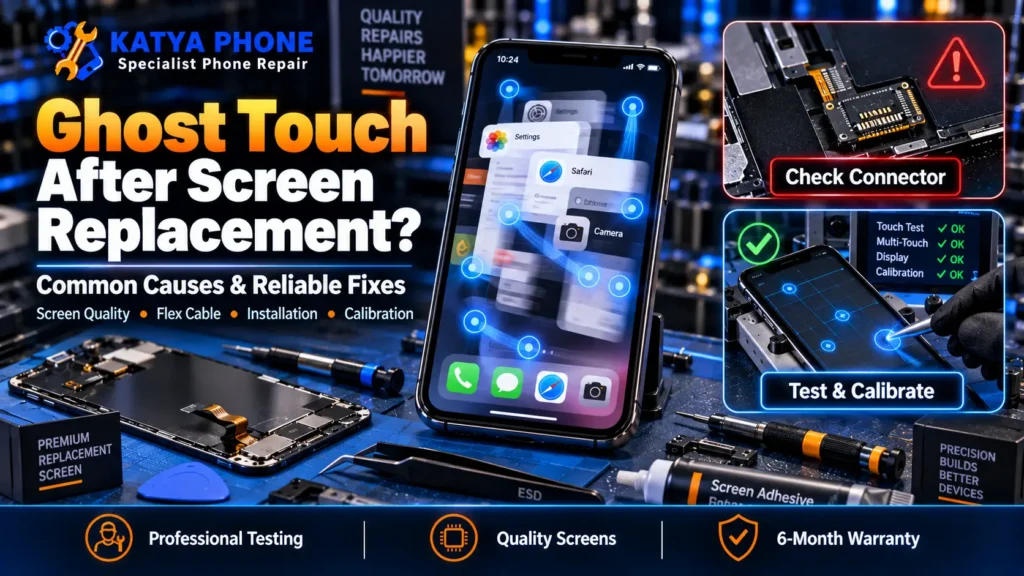
You just paid for a fresh iPhone screen, walked out happy, and within a day the phone starts tapping things on its own. Apps open by themselves, the keyboard types letters you never pressed, and the screen scrolls while it sits on the bench. That is ghost touch, and iPhone ghost touch after screen replacement is one of the most common call-backs we get at the shop. The good news: it is almost always fixable, and if the repair was recent it usually should not cost you a second time.
Ghost touch (also called phantom touch) means the screen registers taps and swipes that no finger made. When it shows up right after a display swap, the cause is usually tied to the repair itself rather than something you did. This guide walks through why it happens, a quick way to tell a hardware fault from a software one, what you can safely try at home, and when the fix should be a free warranty re-do. If you are still weighing up the repair itself, our mobile screen replacement service page explains how we approach it.
What Ghost Touch Actually Is
Ghost touch is false input. The iPhone’s touch layer, called the digitizer, sends the logic board a tap signal even though nothing touched the glass. On a healthy screen the digitizer only reacts to your finger. After a replacement, a poorly seated cable, a low-grade part, or trapped debris can make it fire on its own. That is why the problem often appears within hours or days of a new screen, not months later.
Why It Happens Right After a Screen Replacement
When ghost touch starts the same week as a repair, these are the reasons we usually find at the bench:
- The display connector is not seated cleanly. If the flex cable is slightly off or a pin is bent, the digitizer gets a noisy signal and starts registering phantom taps. This is one of the most common causes after a repair.
- A low-quality aftermarket screen. Cheap copy screens often use a weaker digitizer that can misread oils and condensation from your finger, so the phone taps itself once fingerprints build up.
- A weaker surface coating. Genuine and quality parts have a coating that resists finger oil. Budget screens often skip it, so the glass holds a film that can lead to less reliable touch response.
- The screen was pinched during assembly. Over-tightening, or a frame that is a fraction bent, puts pressure on the panel and triggers erratic touch.
- A faulty digitizer in the new part. Even good suppliers ship the occasional bad screen. It happens, and it is why a proper check matters before you leave.
- A software or charging issue. Less often, an out-of-date iOS build or a cheap non-certified charger causes phantom taps that have nothing to do with the new screen.
Most of these point back to the part or the install. That matters, because it changes who should pay to fix it.
The 60-Second Test: Part or Software?
Before you assume the worst, you can narrow it down fast. Here is a simple check anyone can run:
- Does wiping the screen calm it down? If cleaning the glass stops the ghost touch and it creeps back with use, that points to a cheap screen with a weaker coating, which is a hardware problem.
- Does it only happen while charging? Unplug and try a genuine Apple or certified cable. If the taps stop off-charge, the charger or cable is the culprit, not the screen.
- Does it tap on a blank screen? Restart the phone and open a plain Notes page. If it still taps with nothing else running, that points to hardware.
If the taps survive a clean screen, a good charger and a restart, the new display or its connection is the likely problem, and that is a bench job.
What You Can Safely Try First
A few safe steps rule out the easy causes before you bring the phone in:
- Restart the iPhone. A normal restart clears a lot of minor software hiccups.
- Remove the screen protector. A poorly fitted or cracked protector, or dust trapped underneath, can cause phantom taps. Take it off and test.
- Update iOS. Go to Settings, then General, then Software Update. An old build occasionally causes touch glitches.
- Swap the charger. Use a genuine Apple or certified charger and cable, and test off-charge.
One thing not to do: do not keep using a phone that is tapping and opening apps on its own for banking or passwords, since ghost touch can trigger taps you never intended. And do not pop the screen off yourself to reseat it. Opening a freshly repaired iPhone at home usually voids the repair warranty and can turn a free re-do into a paid job. If none of the safe steps work, get a free check before spending anything.
When It’s a Warranty Job, Don’t Pay Twice
This is the part most guides skip. If ghost touch shows up right after a screen replacement we did, it is covered by our iPhone repair workmanship warranty, 6 months on parts and labour. That means we reseat the connector or replace the faulty part at no charge. You should not be quoted a second full repair for a fault that came from the first one.
If another shop did the repair, bring it in anyway. We will take a look for free, tell you honestly whether it is a loose connector, a bad part or a board issue, and give you a straight quote. Drop into our Caroline Springs shop or call 0451 041 090 for a free check, no appointment needed.
What We See at the Bench
The pattern with post-repair ghost touch is fairly consistent at our bench. Most cases trace back to two things: a connector that was not seated cleanly, or a bargain screen fitted to save a few dollars. We often see phones repaired cheaply elsewhere that worked fine for a day, then started ghosting once the owner’s fingerprints built up on a lower-grade panel.
The twist customers do not expect is that the logic board is usually fine, while the replacement screen or its connection is the real problem. Swap the screen for a quality part, seat it properly, and the phantom taps usually go away. Genuine board-level ghost touch, the kind that survives a good screen, is real but far less common than the internet makes it sound.
Why a Cheap Screen Causes This
Not all replacement screens are equal, and the gap between a quality display assembly and a bottom-tier copy is exactly where ghost touch lives. Budget panels cut corners on the digitizer and the coating, which can be fine on day one and a problem within days. If you want the full breakdown of part types, our guide on OLED vs LCD iPhone screens explains what actually changes between them. When we quote a screen, we tell you which grade of part you are getting and why, so you are not gambling on a mystery panel.
What a Fix Costs
The cost of sorting out iPhone ghost touch after screen replacement depends entirely on the cause. Here is a realistic guide:
| Situation | Approx. cost |
|---|---|
| Warranty re-do (our repair, within 6 months) | No charge |
| Loose connector reseat (out of warranty) | From ~$39 |
| Faulty aftermarket screen redone with a quality part | $99–$549 depending on model |
| Board-level touch fault | Quoted after a free check |
Prices are approximate ranges for iPhone models in Caroline Springs / Melbourne’s west, Australia. Final cost depends on the device’s condition. Always request a free check before authorising any work.
How to Avoid It Next Time
- Ask which grade of screen you are getting before the repair, not after. A quality part with a proper coating is one of the best defences against ghost touch.
- Test the phone before you leave the shop: type a full sentence, open and close a few apps, and scroll a long page.
- Keep the receipt and note the warranty length, so a call-back is a free re-do rather than an argument.
- Use a genuine or certified charger. Cheap chargers cause more touch and battery problems than people realise.
- Fit a clean, well-cut screen protector, and clear any dust before it goes on.
- Keep the phone out of hot cars over a Melbourne summer. Heat softens screen adhesive and can worsen a marginal part.
Why Choose Katya Phone
We have spent years fixing exactly this problem for customers across Caroline Springs, Deer Park, St Albans, Burnside and the wider western suburbs. We look first and quote honestly, we explain which part grade you are paying for, and we back our screen repairs with a 6-month warranty on parts and labour. If your ghost touch came from a repair we did, we make it right at no charge. Drop in or call, no appointment needed for a free check.
Related Articles
More on iPhone screens and repairs from the Katya Phone team:
- iPhone Repair Near Ravenhall | Same-Day Service
- OLED vs LCD iPhone Screen: Which Replacement Is Better?
- iPhone Screen Repair: When Should You Replace the Display?
- Can You Use an iPhone With a Cracked Screen?
- Why Professional iPhone Repair Is Better Than DIY Fixes
- Mobile Screen Replacement Service in Caroline Springs
- iPhone Repair Deer Park
- iPhone Repair St Albans
- iPhone Repair Burnside
iPhone Ghost Touch – Frequently Asked Questions
Why does my iPhone have ghost touch after a screen replacement?
One of the most common causes is a display connector that was not seated cleanly during the repair, followed by a low-quality replacement screen with a weaker digitizer or coating. Because both trace back to the part or the install, ghost touch that appears right after a repair is usually the repair’s fault, not yours.
Is ghost touch after a screen repair covered by warranty?
If we did the repair, yes. Our iPhone screen repairs carry a 6-month warranty on parts and labour, so a ghost touch call-back is a free re-do, whether that means reseating the connector or fitting a better screen. You should never be charged a second full repair for a fault from the first one.
Is iPhone ghost touch covered under Apple's warranty after a third-party screen replacement?
Usually not. Apple’s warranty and AppleCare+ generally do not cover damage or faults arising from third-party repairs or non-genuine parts, so a screen fitted outside Apple’s own service network typically falls outside that cover. Apple may cover ghost touch only if the device still has original parts and the issue is a recognised manufacturing defect. Once a non-Apple screen is fitted, the repairing shop’s warranty is your cover.
How can I tell if ghost touch is the screen or a software problem?
Restart the phone, remove any screen protector, and open a blank Notes page. If it still taps on its own with nothing running, that points to hardware. If wiping the screen stops it briefly, or it only happens on charge, that also points to the part or charger rather than software.
Can a cheap or aftermarket screen cause ghost touch?
Yes, and it is one of the top causes. Budget screens often use weaker digitizers and a lighter surface coating, so the panel can become less reliable once fingerprints build up. A quality part fitted correctly rarely does this.
How long does it take to fix ghost touch on an iPhone?
If it is a loose connector or a screen swap, most fixes are done the same day, often within an hour or two once we have the part in stock. Board-level faults take longer, and we will tell you the timeframe after a free check.
How much does it cost to fix ghost touch after a screen replacement?
If it is under our warranty, nothing. Out of warranty, a connector reseat starts from around $39, and a faulty screen redone with a quality part runs roughly $99 to $549 depending on the model. We always give you a firm quote after a free check.
Can a software glitch cause phantom touches after a screen swap?
Occasionally. An outdated iOS build or a buggy app can cause phantom taps, which is why updating iOS and restarting are worth trying first. But when ghost touch starts right after a screen replacement, hardware is the more likely cause.
Will I lose my data if the screen is redone?
No. Replacing or reseating a screen does not touch your storage, so your photos, messages and apps stay exactly as they are. We still recommend a backup before any repair as good practice.
Which suburbs does Katya Phone cover for iPhone screen repair?
We are based in Caroline Springs and regularly help customers from Deer Park, St Albans, Burnside, Ravenhall, Kings Park, Taylors Lakes and across Melbourne’s west. Walk in or call 0451 041 090 for a free check.
Conclusion
iPhone ghost touch after screen replacement is annoying, but it is rarely the end of the phone. In most cases it comes down to a connector that needs reseating or a lower-grade screen that needs replacing with a proper one, and if the repair was recent it should be sorted at no charge. Run the quick tests, avoid using the phone for anything sensitive while it taps on its own, and get it looked at before paying for anything.
If your iPhone is tapping by itself after a repair, bring it to Katya Phone in Caroline Springs for a free check. We will find the real cause, tell you honestly what it needs, and fix it right. Call 0451 041 090 or drop in, no appointment needed.
Pingback: iPhone Touch Screen Not Working? Causes and Fixes
Pingback: Front Camera Blurry After Screen Replacement? What to Check
Pingback: Professional iPhone Repair Service for Screen and Battery Issues
Pingback: Water-Damaged iPhone? Expert Repair Solutions That Can Help