
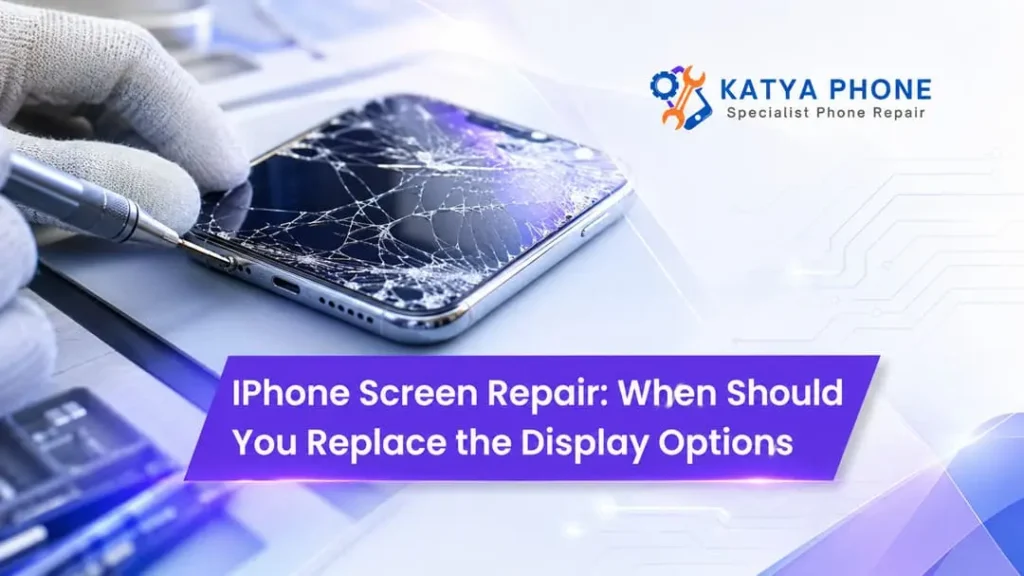
A cracked iPhone display that begins as a nuisance, soon escalates into a serious problem. A small crack on the corner may not hinder the phone from even using it today. But if the crack is spreading, touch response is inconsistent, or coloured lines are appearing across the display following an incident, users could be in real trouble to continue using the device.
The biggest question in the minds of most Australians is not whether, but if the screen has cracked. This is when it needs an iPhone display replacement. Sometimes, a surface blemish can be left unrepaired for minor damage. Conversely, some symptoms are indicative of an urgent need for an iPhone screen replacement.
When you come to Katya Phone, we should test the condition of your display first so that you can have a better insight into whether you’ll require a complete replacement or an alternative repair.
What Does an iPhone Screen Actually Include?
An iPhone screen is more than the glass you touch. Depending on the model, the display assembly generally contains several connected parts, including the outer glass, touch-sensitive layer and LCD or OLED display panel.
Therefore, screen damage can affect more than appearance.
Screen Component | What It Does | Common Damage Symptoms |
Outer glass | Protects the display | Cracks, chips and sharp edges |
Touch layer | Detects finger input | Ghost touch or unresponsive areas |
LCD/OLED panel | Produces the image | Lines, black spots, flickering |
Display connectors | Links screen to the phone | Intermittent or blank display |
Because these components work together, technicians commonly replace the complete display assembly when the inner panel has suffered damage. Get details on iPhone Repair Service in Caroline Springs.
When Should You Replace Your iPhone Display?
Not every scratch requires urgent attention. However, the following signs usually indicate that professional iPhone screen repair should be considered.
1. The Glass Is Badly Cracked
This can sometimes be normal use for a bit of time with just a small hairline crack. However, once a few cracks have opened up on the display, it can be easier to deal more damage.
Cracked glass may also have sharp edges. And, as a result, scrolling, typing and gaming can become painful.
Furthermore, broken glass will leave gaps that can permit moisture dust and dirt of course particles to reach the hardware of products.
In that case, if the display is a spiderweb instead of a smooth sheet, replacement was perhaps just the logical way to go.
2. Part of the Touchscreen No Longer Responds
If tapping or swiping works in only certain areas, the display should be replaced.
For example, you may notice that:
- some keyboard letters cannot be pressed;
- apps do not respond when you tap certain areas;
- scrolling suddenly stops;
- swipe gestures work inconsistently.
These symptoms may indicate damage to the screen’s touch-sensitive layer.
A forced restart can occasionally resolve temporary software problems. However, if the issue started immediately after dropping the phone, physical display damage becomes much more likely.
3. Your iPhone Has Ghost Touch
Ghost touch occurs when an iPhone thinks that someone is touching the screen blindly while there is no one.
Things such as apps opening on their own, random text getting typed out, and the screen scrolling without you doing anything.
Software issues can also cause ghost touch, but a defective display or one that is simply poorly attached can also cause it.
Indeed, uncontrolled touches bring along pragmatic issues. Can type random passcodes, call someone and even mess with sensitive applications.
That is why, you should never ignore the persistent ghost touch.
4. You Can See Green, White or Coloured Lines
Another common indication of damage on the display panel would be vertical or horizontal lines.
On OLED iPhones, broken pixels could draw green, pink or white lines. An LCD shelf that develops rubbish colours, patchy condensation or discolouration.
The first thing to try is to simply restart your iPhone. Another option is that if the lines are still there after resetting, you might have to replace the screen itself.
5. Black Spots Are Spreading Across the Display
A dark patch may be produced after the iPhone receives a strong impact even though it is relatively intact of glass.
The black places show wherever the underlying LCD or OLED panel has, in truth, been harmed.
The spot might appear to be small at first. Although in some situations, it may proliferate slowly and occupy an even greater section of the display..
Hence, a screen with growing black dots is best evaluated by a professional.
6. The Screen Is Flickering
Occasional flickering can sometimes relate to software, brightness settings or particular apps. However, frequent flickering after physical damage may point towards a faulty screen assembly.
You might notice:
- rapid brightness changes;
- sections flashing;
- a screen that temporarily goes black;
- flickering when pressure is applied to the device.
If restarting and updating iOS does not fix the problem, a technician should inspect the phone.
7. The Display Is Completely Black, but the Phone Still Works
Sometimes an iPhone may ring, vibrate or receive notifications even though the screen remains black.
This situation can mean the phone itself is running but the display has failed.
Before arranging repair, try restarting the device using the correct button sequence for your iPhone model. If the display still shows nothing while the phone remains active, screen replacement may solve the issue. Looking for a iPhone Repair Service in Burnside?
Cracked Glass vs Damaged Display: What Is the Difference?
The appearance of the screen can give you some clues.
Condition | Touch Works? | Image Looks Normal? | Replacement May Be Needed? |
Small surface scratch | Yes | Yes | Usually not |
Minor glass crack | Usually | Usually | Depends on severity |
Multiple deep cracks | Maybe | Usually | Often |
Touch failure | No or partly | Usually | Likely |
Coloured lines | Maybe | No | Likely |
Black patches | Maybe | No | Likely |
No display at all | Unknown | No | Often |
However, visual inspection alone cannot always reveal internal damage. For this reason, getting the phone professionally assessed is worthwhile when symptoms become unpredictable.
Can You Keep Using an iPhone With a Cracked Screen?
In practice, there are many who keep using a broken iPhone. Nevertheless, this has drawbacks.
The first reason is that existing cracks can grow after one more little hit. Second, the glass may get sharp and hurt your finger. We also end up exposing devices more to moisture due to decreased screen sealing.
So not getting an iPhone cracked screen fix may become a smaller concern into one that costs you more.
A screen protector can hold minor cracks together temporarily but it should never be considered a long-term solution.
Should You Repair the Screen or Replace the iPhone?
Replacing the entire phone is not always necessary.
If your iPhone performs well, has acceptable battery health and still meets your needs, replacing a damaged screen may make better financial sense than buying another handset.
Consider these factors:
Factor | Screen Repair May Make Sense | Phone Replacement May Make Sense |
Phone performance | Still fast and reliable | Frequently slow or unstable |
Battery | Healthy | Needs replacement as well |
Damage | Mainly screen-related | Multiple major faults |
Age | Still useful and supported | Very old model |
Cost | Repair is reasonable | Repairs approach phone value |
In many situations, repairing one faulty component allows you to continue using your existing device rather than paying for a new iPhone. Looking for a iPhone Repair Service in Deer Park?
Why Professional iPhone Screen Repair Matters
While its replacement might look easy on YouTube, the iPhones currently in your pocket are packed tightly with cables, sensors and tiny components.
Poor touch sensitivity, gaps and accidental damage of internal elements are some of the issues that can arise due to improper repair.
The technician can check the phone and then find out if the problem is really from the display, and also install a new screen for it.
External markers of wear can sometimes be misleading, and overall professional assessment may reveal problems not visible from the outside.
Related Services:
» iPhone Repair Service in Ravenhall
» iPhone Repair Service in Cairnlea
» iPhone Repair Service in Albanvale
» iPhone Repair Service in Deanside
» iPhone Repair Service in Sunshine
What Should You Do Before Taking Your iPhone for Screen Repair?
Always back up important data as much as you can before scheduling the iPhone display replacement.
Backup using iCloud or a Computer. Additionally, ensure that you are familiar with your Apple ID information because it will be needed later.
Taking your case and screen protector off will actually make the device easier to be inspected.
Finally and most importantly, explain as much detail as possible what actually happened to the phone. For example, if it was dropped or splashed with liquid or began flickering for no reason, inform the technician. Such information may expedite and improve the accuracy of diagnosis.
Related Articles:
» iphone Screen Repair Cracked Screen Repair Guide
» iPhone Battery Draining fast Causes and Repair Solutions
» iPhone 13 Camera Black Screen Repair Checklist
» iPhone 16 Power Button Stuck quick Fixes and Replacement
» iPhone 16 pro Max Back glass Replacement
Get Your iPhone Screen Checked at Katya Phone
You need a new phone just because your screen is cracked. But issues like ghost touch, black spots, colored lines or fix empty touch areas indicate more than just a cosmetic crack.
Katya Phone will evaluate your device to identify which solution is right for you.
If your screen is becoming harder and more cumbersome to use, having it checked early on can reduce the level of annoyance and may help stop things from getting worse.
FAQs : iPhone Screen Repair
1. How do I know if my iPhone screen needs replacing?
If you have serious cracks, dead touch areas, ghost touch occurrences and more colours in lines or flickering black patches or completely black screen problems then you need iPhone screen replacement.
2. Can I use my iPhone if the screen is cracked?
3. Does a cracked iPhone screen always need replacement?
4. Why is my iPhone screen showing green lines?
5. What causes black spots on an iPhone screen?
6. What is ghost touch on an iPhone?
7. Can screen damage affect Face ID?
8. Should I repair an older iPhone screen?
9. Can dropping an iPhone damage the display without cracking the glass?
10. Why does my iPhone screen flicker after being dropped?
11. Should I back up my iPhone before screen repair?
Yes. While screen repair typically won’t wipe data, a recent backup can help protect your photos, contacts and other data.
12. Where can I get an iPhone screen repaired?
Professional repair for iPhone screen and display replacement is offered by Katya Phone. A specialist can evaluate the harm with regard to your iPhone make as well as monitor defects plus suggest the best fix.
Pingback: Cracked iPhone Screen: Repair or Replace Your Device? - Katya Phone
Pingback: Google Pixel Green Line on Screen: Repair or Replace?
Pingback: iPhone Ghost Touch After Screen Replacement: Causes & Fixes