
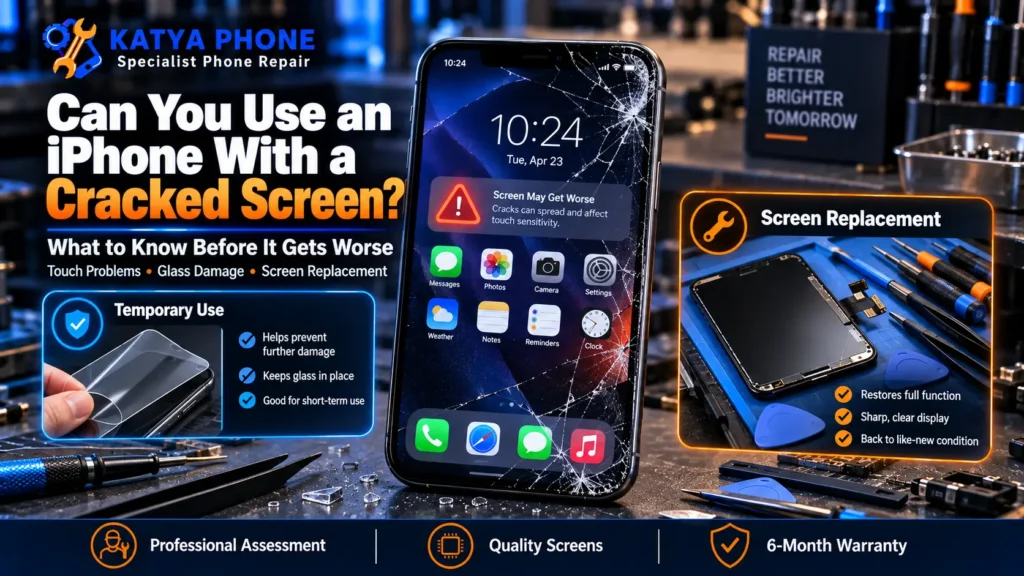
If you have just dropped your phone and you are staring at a spider-web of cracks, the first thing you want to know is simple: can you still use it? The honest answer is more nuanced than a flat yes or no. Apple’s own guidance is to stop using a device with a cracked screen because of the injury risk from the glass. In practice, plenty of people do keep using a phone with a light crack for a few days without trouble, but there is no way to promise a safe number of days just from a description of the crack. If your glass is shattered and you are weighing up whether to rush in or ride it out, our iPhone repair team in Caroline Springs sees this exact situation every week.
This guide walks you through what actually happens when you keep using an iPhone with a cracked screen, how to tell whether your situation can reasonably wait or needs attention now, and how to protect the phone in the meantime so a small crack does not turn into a bigger bill.
The short answer: it depends on the crack, and Apple’s own advice is caution
Apple’s guidance is straightforward: don’t keep using a device with a cracked screen, because glass can come loose and cause injury, and a damaged screen can get worse unpredictably. That is the standard we point customers to first. In the real world, a hairline crack with working touch and a clear display is a different situation to a shattered screen with lifting glass, so a lot comes down to what you are actually looking at.
It helps to know how an iPhone screen is built. It is not one sheet of glass. It is a stack: a protective outer glass layer on top, a touch-sensing layer in the middle, and the display panel underneath that produces the image. When the outer glass cracks, the layers below can be exposed, which is why a phone that looks “fine except for the glass” today can develop touch faults or black patches later.
What actually goes wrong when you keep using it
The glass looking rough is the least of it. Here is what can happen on a phone used for a while with a cracked screen.
- The crack can spread. Cracks tend to follow stress lines from the original impact, and taps, squeezes and temperature changes add pressure along those lines over time. Heat makes this worse: a phone left on a hot car dashboard or in direct sun expands and contracts, which can add extra stress to an existing crack.
- Water resistance shouldn’t be relied on. A crack can compromise the seal that normally keeps moisture out, so a cracked phone’s water resistance is not something to test. Rain, humidity, or condensation from moving between an air-conditioned space and a hot car park can be enough for moisture to reach internal connectors, and over time that can lead to corrosion. If your phone has had any liquid contact since the crack, it is worth a water damage check.
- Touch can go patchy. Cracked glass can create dead zones where the touch layer stops registering properly. People often notice it first when certain letters stop typing or a corner of the keyboard ignores taps.
- Face ID can play up. On Face ID models, cracks near the top of the screen, around the sensor area, can interfere with the infrared array and make Face ID unreliable.
- Sharp glass is a real hazard. Shattered glass can have fine, sharp edges. Held to your ear on a call, or slid in and out of a pocket, it can nick your face, ear or fingers, and small splinters are easy to pick up and hard to see. This is the specific risk behind Apple’s own advice to stop using a damaged device.
- Your eyes work harder. A warped, cracked display can force you to strain to read it, which is tiring and genuinely unsafe if you glance at it while driving.
Signs you can reasonably wait vs signs you shouldn’t
Not every crack is an emergency, but not every crack is safe to sit on either. Here is a practical way to judge which situation you are in.
You may be able to wait a few days if:
- The crack is a small line or a chipped corner, not a full shatter.
- Touch works everywhere and the display looks normal, with no lines or dark patches.
- There are no sharp lifted edges you can catch a finger on.
- The phone has not had any water or rain contact since it cracked.
We see this pattern often: a customer comes in with a single crack across the top corner that hasn’t visibly changed in a week or so. The phone is still fully usable, and the sensible move is simply to book a repair before a second knock or a change in weather makes it worse.
You should get it looked at quickly if:
- The glass is badly shattered or pieces are lifting and sharp.
- Touch is dropping out, ghost-tapping, or the display shows lines, flickering or black spots.
- Face ID has become unreliable since the crack.
- The phone has been rained on, splashed, or the crack sits right over the camera or sensor area.
We also regularly see the other end of this: a phone that sat shattered through a rainy stretch for a few weeks, and by the time it came in the display had developed black patches with early corrosion signs inside. What could have been a straightforward screen replacement needed extra cleaning and testing first, and that pattern is common enough across Caroline Springs, Deer Park, St Albans and the surrounding suburbs that it is worth taking seriously.
If you are not sure which group you are in, that is exactly what a free check is for. We look first, tell you what we find, and give you options before anything is charged.
How to protect a cracked screen until you get it fixed
If your situation falls in the “can probably wait a little” category above, a few habits reduce the risk of it getting worse in the meantime.
- Cover shattered glass with clear tape. A thin layer of clear tape over badly shattered glass can help keep splinters out of your fingers and pocket. It is a stopgap for safety, not a fix.
- Add a tempered glass protector if the surface is still mostly flat. On a light crack it can help hold loose fragments in place. On a heavily shattered screen it won’t sit properly, so don’t force it.
- Keep it away from water. No bathroom shelves, no kitchen benches near the sink, and avoid wiping it with a damp cloth. Once the glass is cracked, water resistance shouldn’t be assumed.
- Avoid charging it while wet. If it has had any moisture contact, dry it fully first, and if in doubt, leave it off and bring it in.
- Back up your data now. If the display is going to fail, it can happen with little warning. A quick iCloud or computer backup means a dead screen doesn’t mean lost photos.
- Keep it out of pockets with keys or coins. Grit and hard edges can work into cracks and speed up the spread.
One thing to avoid: prising the screen off or applying glue or resin from a home kit. These attempts can easily damage the display cable or frame, turning a straightforward professional repair into a more involved and more expensive one.
Not sure how bad it really is? Bring your iPhone into our Caroline Springs shop for a free check. We will tell you honestly whether it can wait, and give you a clear quote before any work starts. Call 0451 041 090 or get a free quote here.
What we see at the bench in Caroline Springs
The most common story isn’t a dramatic smash. It’s a small crack someone lived with for months, until touch started dropping out near the bottom of the screen and typing became a guessing game. A big reason cracks spread faster than people expect is cheap accessories: a thin, decorative case with no raised lip does little when the phone lands face-down, and a bargain screen protector that lifts at the edges lets grit sit against the glass. We often find the case itself was the reason the corner took the full hit.
What a cracked iPhone screen repair costs
Price depends mostly on your model and the screen type you choose, since a newer Pro Max OLED display costs more than an older LCD panel. As a guide for Caroline Springs and Melbourne’s west:
| iPhone model | Screen replacement price (AUD) |
|---|---|
| iPhone X / XR / 11 and older | $99 to $149 |
| iPhone 12 and 13 series | $109 to $349 |
| iPhone 14, 15 and 16 Pro / Pro Max | $149 to $549 |
The lower end of each range is a quality aftermarket incell or LCD-tier screen; the higher end covers OLED or genuine-availability options. We’ll confirm what’s realistic for your exact model at the free check.
Prices are approximate ranges for iPhone screen repair in Caroline Springs and Melbourne’s west, Australia. Final cost depends on the device’s model, condition and screen type chosen. Always request a free check before authorising any work.
Most screen replacements are done the same day, often within 1 to 2 hours when the part is in stock. Every eligible repair is backed by our 6-month warranty on parts and labour. Katya Phone is an independent repair shop and is not an Apple Authorised Service Provider, which does not affect your rights under Australian Consumer Law.
How to avoid cracking the next one
A few specific habits prevent most of the screen damage we see, and they are cheaper than any repair.
- Use a case with a raised lip around the screen. The corners and the front edge take the first hit, so the front rim needs to sit proud of the glass.
- Fit a quality tempered glass protector that sits flush. If it lifts at the edges, replace it, because a lifted protector traps grit and hides damage.
- Replace a cracked protector straight away. A broken protector can mask a crack in the real screen and make touch feel worse.
- Do not leave the phone on a hot car dashboard. Heat stresses both the glass and the adhesive underneath.
- Keep it out of back pockets. Sitting on the phone can bend the frame slightly over time and pre-stress the glass.
- Keep sand, grit and keys away from it. Loose particles can scratch glass and work into any existing crack.
If your phone is already cracked and you are weighing up whether it is even worth fixing, our guide on whether to repair or replace a cracked iPhone walks through when a repair makes sense and when a newer phone is the smarter spend.
Related articles
If you are deciding what to do next, these Katya Phone guides may help:
- iPhone Repair Near Ravenhall | Same-Day Service
- iPhone screen replacement in Caroline Springs
- Cracked iPhone screen: repair or replace your device?
- iPhone screen repair: everything to know before fixing a cracked screen
- The ultimate water damage phone repair guide
- OLED vs LCD iPhone screen: which replacement is better?
Cracked iPhone Screen – Frequently Asked Questions
Is it safe to keep using an iPhone with a cracked screen?
Apple’s own guidance is to stop using a device with a cracked screen because of the injury risk from the glass. In practice, a small crack with working touch and a clear display is a lower-risk situation than a shattered screen, but there is no way to guarantee a safe timeframe just from a description. The safest move is to back up your data and get it checked.
Will a small crack on an iPhone screen get worse over time?
Cracks tend to spread. Glass fractures follow stress lines from the original impact, and everyday taps, squeezes and temperature changes add pressure along those lines over time. A hairline crack can run further across the display within days or weeks, depending on how the phone is used.
Does a cracked screen affect my iPhone's water resistance?
It can. A crack in the front glass may compromise the seal that normally keeps moisture out, so a cracked phone’s water resistance shouldn’t be relied on. Rain, humidity or condensation can be enough for moisture to reach internal parts over time, so it’s best kept away from water.
Can a cracked screen affect touch sensitivity or Face ID?
It can. Cracked glass can create dead zones where the touch layer stops responding, often noticed first when certain keys stop typing. Cracks near the top sensor area can also make Face ID unreliable.
Is it safe to charge an iPhone with a cracked screen?
Charging a dry, cracked phone is generally fine, but avoid charging it if there is any moisture in or around the crack. If the phone has been rained on or splashed, dry it fully and get it checked before charging.
How long can I safely use a cracked iPhone screen before repairing it?
It depends on the crack, not a fixed number of days. A small crack with working touch, a clear display and no water contact is a lower-risk situation you can reasonably manage for a short while. Shattered glass, dropping touch, display faults or any water exposure mean it’s time to get it looked at, not to wait.
Can I put a screen protector over a cracked iPhone screen?
On a lightly cracked screen a tempered glass protector can help hold loose fragments in place. On a badly shattered screen it won’t sit flat, so it’s not worth forcing. A thin layer of clear tape is a better short-term option for shattered glass.
How much does it cost to repair a cracked iPhone screen in Caroline Springs?
iPhone screen repair in Caroline Springs typically ranges from about $99 for older models up to around $549 for newer Pro Max displays with OLED or genuine-availability options, depending on the model and screen type. We confirm the exact price with a free check first, and most repairs are done the same day.
Is it worth repairing a cracked screen or replacing the phone?
For most iPhones a screen repair is far cheaper than a new phone and makes sense if the rest of the device is healthy. Replacement only tends to win when the phone is very old or has other major faults. Our repair-or-replace guide walks through how to decide.
Can I still sell or trade in an iPhone with a cracked screen?
You can, but a cracked screen lowers the trade-in or resale value significantly, and many buyers and trade-in programs reject visibly damaged phones. Repairing the screen first often returns more than the repair costs, especially on newer models.
The bottom line
A cracked iPhone screen isn’t automatically an emergency, but it isn’t something to ignore either. Apple’s own advice is to stop using a damaged device because of the injury risk, and the practical reality is that a small, stable crack is a different situation to a shattered screen with dropping touch or water exposure. The crack itself won’t get better on its own, and the longer it’s left, the more likely a simple glass repair turns into something bigger.
If your screen is cracked, back up your data, keep it dry, and get it checked so you know which situation you’re actually in. At Katya Phone in Caroline Springs we look first, explain what we find, and give you a clear quote before anything is charged. We help customers across Burnside, Deer Park, St Albans, Sunshine, Melton and Taylors Lakes who just want a straight answer.
Drop in or call 0451 041 090. No appointment is needed for a free check, and most screen repairs are done the same day.
Pingback: iPhone Ghost Touch After Screen Replacement: Causes & Fixes
Pingback: Samsung S23 Ultra Screen Replacement: Cost & Options (AU)
Pingback: Fast and Reliable iPhone Repair Services for Every Model - Katya Phone
Pingback: iPhone Touchscreen Not Responding? Causes & Fixes