
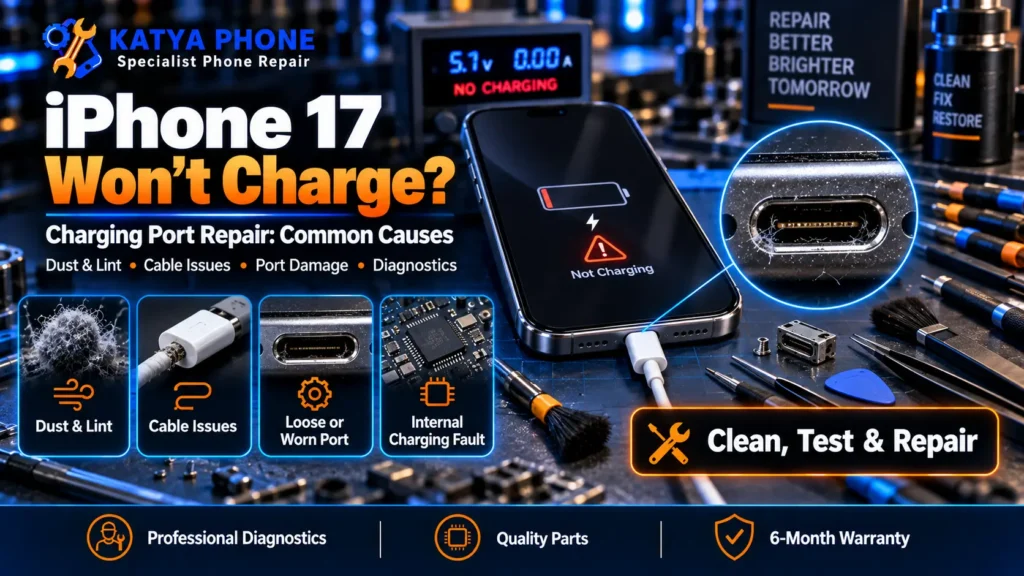
If your iPhone 17 has suddenly stopped charging properly, the honest answer is that it’s often not the charging port at all — it’s lint in the port or a tired cable. But when it is the port, an iPhone 17 charging port repair can often be completed the same day after the fault has been confirmed, subject to parts availability. Here’s how to tell the difference, what it costs in Caroline Springs, and what a proper check actually involves before you pay for anything.
Signs Your iPhone 17 Charging Port Needs a Look
A few patterns show up again and again on the bench with this model:
- The cable only charges at a certain angle, or you have to hold it in place
- Charging starts, then cuts out a few seconds later
- Nothing happens at all — no charging symbol, no sound, no vibration
- You can see lint, sand or debris sitting inside the port under a light
- The phone gets warm near the port while you’re trying to charge it
Any one of these is worth a free check rather than guessing, especially before you spend money on a new cable or a repair you might not need.
Three Reasons an iPhone 17 Won’t Charge (It’s Not Always the Port)
At the bench, iPhone 17 charging complaints usually break down into three causes: a blocked or dusty port, a worn cable or adapter, or genuine damage inside the port itself. In Melbourne’s west, the port issue is often just lint from school bags, prams and pockets working its way in over a few months. A cable that’s been left in a hot car over summer can also lose its grip inside the connector long before the port itself is at fault.
Working out which of the three it is takes about five minutes with the right light and a magnified look — and it changes everything about what happens next.
The Safe Way to Check Before You Pay for Anything
Before assuming the worst, a few quick checks can save you a trip:
- Try a different cable and a different wall adapter, ideally ones you know work on another phone
- If your iPhone 17 supports MagSafe or Qi wireless charging, try that as a temporary fix while you sort out the cable side
- Look into the port under good light for visible lint, sand or a bent pin — without pushing anything into it
Do not insert a pin, needle, toothpick or compressed air into the charging port. If debris is compacted inside, professional cleaning is safer and helps avoid damaging the internal contacts.
If charging still won’t hold after that, the cause is more likely inside the port, and that’s where a bench check earns its keep rather than another cable purchase.
If none of the quick checks bring your charging back, it’s worth bringing the phone in for a free check before you commit to anything — we’ll tell you plainly whether it’s a clean, a repair, or something else entirely.
Why the iPhone 17’s USB-C Port Is a Different Job to Older iPhones
Apple has used USB-C across the iPhone line since the iPhone 15, and the iPhone 17 is no different. Because the iPhone 17 uses a USB-C port, charging problems can involve the port assembly, charging flex, debris or internal damage. Proper testing is important before replacing any part — which is exactly why we check for a simpler cause first rather than jumping straight to a full replacement quote.
Repair or Replace: What Actually Fixes It
If the fault is debris or light corrosion, a careful clean can often restore reliable charging without touching any hardware. If the port’s internal pins are bent, worn down, or the connector itself has come loose from repeated cable insertion, a full charging port replacement is the more reliable fix — a clean won’t hold on physically damaged pins for long.
Does a Third-Party Repair Void Your Apple Warranty?
If your iPhone 17 is still covered by Apple’s Limited Warranty or AppleCare+, contact Apple or an Apple Authorised Service Provider before arranging a third-party repair. Apple may not cover damage caused by an unauthorised repair, although Australian Consumer Law provides separate consumer rights where applicable.
iPhone 17 Charging Port Repair Cost in Caroline Springs
Prices below are indicative starting ranges in AUD. We give you a firm quote after a free check, before any work starts.
| Service | Price Range (AUD) | Typical Turnaround |
| Charging Port Clean / Inspection | From $49 | Same-day, often while you wait |
| iPhone 17 Charging Port Repair (Replacement) | $149 – $199 | Same-day / 1 day |
Apple doesn’t publish a separate charging port price for the iPhone 17 — it’s typically grouped under their broader out-of-warranty “other damage” fee, quoted only after their own inspection. We quote our price upfront, before we touch your phone.
Why Choose Katya Phone
We bring 15+ years’ experience to phone and laptop repairs in Caroline Springs, and USB-C charging issues are something we see on new-model iPhones every week. Every charging port repair is backed by our 180-day warranty on the part and the labour, and walk-ins are always welcome — no appointment needed for a free check.
Related Articles
- iPhone 17 Repair Service in Caroline Springs
- iPhone 17 Battery Draining Fast? Causes, Fixes & When to Replace It
- iPhone 17 Pro Max Battery Replacement: Signs You Need It
- iPhone 13 Won’t Charge? Loose Port Fixes and Repair Costs
- iPhone Charging Port Not Working: Causes & Repair Options
Whatever’s causing your iPhone 17 to stop charging, sorting it early is easier and cheaper than waiting until it fails completely at the worst possible moment. We’re in Caroline Springs and look after customers right across Burnside, Deer Park, Ravenhall, Taylors Hill, St Albans and Sunshine — walk in any time for a free check, no appointment needed.
iPhone 17 Charging Port Repair – Frequently Asked Questions
How much does it cost to fix an iPhone 17 charging port?
A charging port clean starts from about $49, and a full charging port replacement runs $149 to $199 in Caroline Springs. We confirm the exact price after a free check, before any work starts.
What are the signs my iPhone 17 charging port needs repair?
The most common signs are a cable that only charges at an angle, charging that cuts in and out, or no response at all when you plug in. Visible lint sitting inside the port is another giveaway.
How long does an iPhone 17 charging port repair take?
Most charging port repairs are completed the same day once the fault has been confirmed, subject to parts availability. A clean can take as little as 15 to 30 minutes, and a full replacement is usually done within the day.
Is it better to repair or replace the charging port?
If the issue is debris or light corrosion, a clean usually solves it. If the pins are bent or worn from years of cable use, replacement is the more reliable fix, since a clean won’t hold on physical damage.
Will a third-party repair void my Apple warranty?
If you’re still covered by Apple’s Limited Warranty or AppleCare+, check with Apple or an Apple Authorised Service Provider first — Apple may not cover damage caused by an unauthorised repair. Australian Consumer Law provides separate consumer rights where applicable.
Do you offer a warranty on charging port repairs?
Yes, every charging port repair is backed by our 180-day warranty on parts and labour.
Can I clean the port myself before bringing it in?
A visual check under good light is fine. Avoid inserting a pin, needle, toothpick or compressed air into the port — if debris is compacted inside, professional cleaning is safer and helps avoid damaging the internal contacts.
Is there a temporary fix while I wait?
Try a different cable and adapter first. If your iPhone 17 supports MagSafe or Qi wireless charging, that can keep you going until the port itself is sorted.
Will I lose my data during a charging port repair?
No. A charging port repair doesn’t touch your photos, apps or settings. We still recommend a quick backup before any repair, as good practice.
Do I need an appointment?
No, walk-ins are welcome for a free charging port check, no appointment needed. We’re in Caroline Springs and also see customers from Burnside, Deer Park, Ravenhall, Taylors Hill and St Albans.
Pingback: iPhone 16e Charging Port Issues: Why It Won’t Charge | Katya Phone