
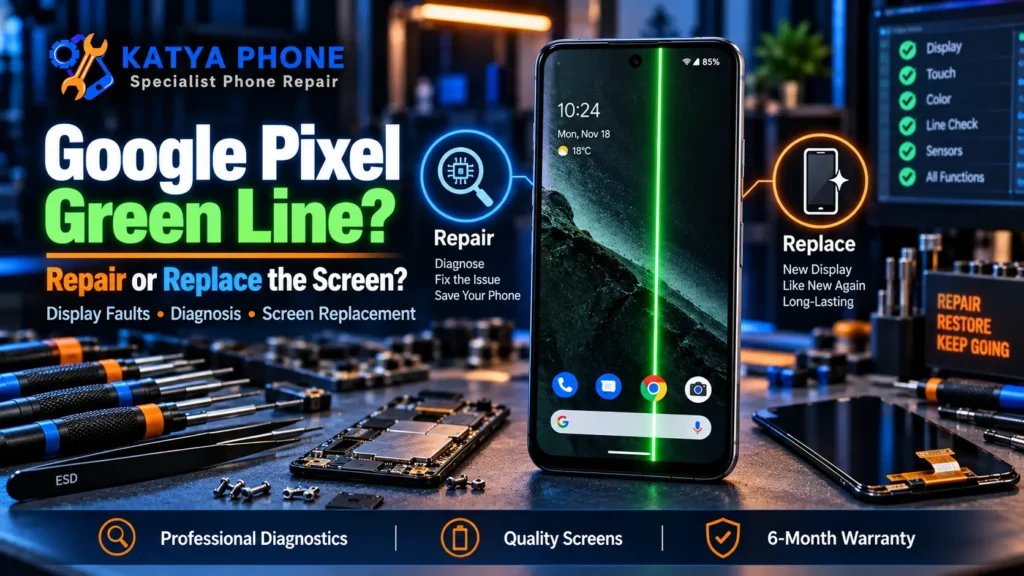
A bright green line running down your Google Pixel screen has a way of ruining your morning. One day the display is perfect, the next there’s a vivid vertical stripe that won’t budge no matter how many times you restart. If that’s you right now, here’s the honest answer first: on a Pixel, a persistent Google Pixel green line is almost always a hardware fault in the OLED panel, not a software glitch you can tap your way out of. The good news is there’s a 10-second test that tells you for sure, and depending on your model, Google itself may replace the screen for free.
We see this every few weeks at our Caroline Springs bench, usually on a Pixel 6, 7 or 8 that was working fine until a software update, a minor knock, or sometimes nothing obvious at all. This guide walks you through how to tell a hardware line from a software one, what Google’s repair program covers, and when paying for a Google Pixel repair makes more sense than replacing the phone.
Is the Green Line a Hardware or Software Problem?
Take a screenshot of the affected screen, then look at that screenshot on the same phone (or email it to another device). If the green line does not show up in the screenshot, the panel itself is failing and no update will fix it. If the line does appear in the screenshot, you’re likely looking at a rarer software or graphics issue that a reboot or update can clear.
That one test saves people a lot of wasted troubleshooting. A screenshot captures what the phone is drawing, not what the panel is physically displaying, so a fault that lives in the OLED hardware simply won’t be recorded.
Inside a Pixel’s OLED display, the green sub-pixels sit aligned in vertical columns. When a signal line to one of those columns breaks, from a cracked panel, a stressed ribbon cable, or a failing driver chip, that column gets stuck showing only green. That’s why the line is so often green rather than red or blue, and why it runs top to bottom rather than across.
What Actually Causes a Green Line on a Pixel
There isn’t one single cause, which is part of why it catches people off guard. These are the ones we come across most:
- Panel or ribbon-cable damage after a drop. Even a knock that leaves no crack can fracture the fine signal lines feeding a pixel column.
- A manufacturing weakness in the OLED panel. Certain Pixel batches developed the fault with no drop at all, which is exactly why Google set up a repair program.
- Heat stress during a software update. The update doesn’t break the screen, but the heat it generates can push an already-weak panel over the edge, so the line seems to appear “right after” an update.
- Pressure in a pocket or bag. Constant pressure against the panel, a tight pocket or a packed school bag, slowly stresses the display edge.
- A previous screen replacement that’s working loose. We regularly see Pixels where a line appeared a week or two after a cheap third-party screen was fitted and the connector wasn’t seated properly.
- A failing display driver IC. The chip that controls voltage across each scan line can drop out, leaving one line permanently lit.
In 15 years of repairs, the cause that surprises people most is the “no reason at all” one. They’re certain they never dropped it, and they’re often right. Some of these panels simply fail on their own, which is why the warranty angle below matters so much.
Try These Before Assuming the Worst
If your Pixel wasn’t dropped or exposed to water, it’s worth ruling out the rare software cause before you spend anything. Work through these in order.
- Step 1 – Force restart. Hold Power and Volume Up together for about 30 seconds. This clears temporary display glitches and costs you nothing.
- Step 2 – Take the screenshot test. As above. If the line isn’t in the screenshot, skip straight to a professional check; the following steps won’t help a hardware fault.
- Step 3 – Install any pending update. On the rare software-driven line, a system or display-driver update can clear it. Charge the phone first and let it cool.
- Step 4 – Boot into Safe Mode. If the line disappears in Safe Mode, a rogue app is involved, not the panel. If it stays, the hardware is confirmed.
One thing not to do: don’t press, bend, or “massage” the screen to make the line go away. It occasionally seems to help for a minute, but you’re flexing an already-damaged panel and you can turn a single line into a spreading patch of dead pixels.
If none of these work, get a free check before spending anything. Bring the phone in and we’ll confirm whether it’s the panel, the cable, or the board without charging you for a look.
Check Google’s Warranty and Repair Program First
Before you pay anyone, this is the step that can save you the entire cost. Google acknowledged the green-line and display-flicker defect and set up an extended repair program for eligible Pixel 8 devices, offering one free display replacement within three years of the original purchase date. Eligibility is checked by IMEI or serial number, and phones with cracked glass or liquid damage are excluded.
Other models such as the Pixel 7, 7 Pro, 8 Pro and newer aren’t automatically in that program, but they may still be covered under Google’s standard warranty or under Australian Consumer Law if the fault appeared early and the phone wasn’t physically damaged. Australian Consumer Law guarantees apply on top of any manufacturer warranty, and a display that fails without a drop can reasonably fall under them. It’s always worth checking your coverage before authorising a paid repair.
If your Pixel is out of warranty, was dropped, or has a cracked panel, the program won’t apply, and that’s where a straightforward paid screen replacement comes in.
What a Pixel Screen Replacement Involves
A stuck green line that fails the screenshot test needs a new display assembly. On a Pixel that means replacing the whole bonded panel, glass, OLED and digitiser together, because the layers are laminated and can’t be safely separated for a line fault like this one.
Pixel screens sit at the premium end. When we have the correct part in stock, a Pixel screen repair is often a same-day job, and we test touch across the entire panel before handing it back so you’re not left with dead zones after the swap. Most screen replacements take between 30 and 120 minutes at the bench once the right part is on hand.
Whether you’re in Caroline Springs, Deer Park, Burnside or out towards Melton, it’s the same approach: we look at the phone first, confirm the fault, and quote before any work starts.
Why Cheap DIY Screens Cause More Green Lines
It’s tempting to order a $60 panel online and fit it yourself, and we understand why. But a green line is one of the repairs where DIY goes wrong most often:
- The Pixel’s display connectors are tiny and easy to seat crooked, which produces a fresh line within days, the exact problem we see when a self-fitted screen comes back in.
- Cheaper aftermarket panels vary a lot in quality; a bargain part can arrive with its own line or develop one quickly.
- Opening a Pixel without releasing the adhesive properly cracks the new panel or damages the fingerprint sensor underneath.
- Fitting a non-original screen yourself can end any remaining warranty or program eligibility you had.
The savings rarely outweigh the risk of turning a single-line fault into a phone that needs two screens instead of one.
How Much Does It Cost to Fix a Pixel Green Line?
Cost depends on your exact model and whether the fault is the panel alone or the panel plus other impact damage. As a guide for Pixel screen replacement in Caroline Springs and Melbourne’s west:
| Repair | Approx. price (AUD) |
|---|---|
| Pixel screen replacement (green line / OLED fault) | $149 – $399 |
| Pixel screen + frame or added drop damage | Quoted after a free check |
| Free check to confirm panel vs board fault | $0 |
Prices are approximate ranges for Google Pixel models in Caroline Springs / Melbourne’s west, Australia. Final cost depends on the device’s condition and screen type. Always request a free check before authorising any work, and if your phone qualifies for Google’s program, that replacement may cost you nothing.
How to Lower the Odds of It Happening Again
- Use a case with a raised lip above the screen. The lip, not just the back panel, is what protects the display edge where these lines start.
- Keep the phone out of tight pockets and packed bags where constant edge pressure builds up.
- Don’t leave a Pixel on a hot car dashboard over a Melbourne summer; heat stresses OLED panels and adhesive alike.
- Let the phone cool and charge before installing a big system update, so update heat isn’t stacked on a warm battery.
- If you ever replace the screen, insist on a quality panel fitted properly. A cheap one is the fastest route back to a green line.
- Fit a proper tempered-glass protector; it won’t stop a panel fault, but it reduces the drop damage that triggers one.
Why Choose Katya Phone for Your Pixel
We’ve spent 15 years fixing phones in Melbourne’s west, and Pixel display faults are a repair we handle regularly rather than occasionally. We take a look first with a free check, tell you honestly whether it’s a warranty job, a quick fix, or a screen replacement, and quote before we start.
We fit quality parts, test the whole panel before return, and back our screen repairs with warranty. We’re local to Caroline Springs and serve Burnside, Deer Park, Ravenhall, St Albans, Taylors Lakes and out towards Melton. Drop in or call, no appointment needed for a free check.
Related Articles
More repair guides from our bench that pair well with this one:
Google Pixel Green Line - Frequently Asked Questions
Can a green line on a Pixel be fixed without replacing the screen?
Usually no. A persistent green line is a hardware fault in the OLED panel, so a screen replacement is the reliable fix. Only a rare software-driven line clears with a restart or update, and the screenshot test tells you which one you have.
How do I know if it's hardware or software?
Take a screenshot and view it on the phone. If the green line doesn’t show in the screenshot, it’s a hardware panel fault. If it does show, it’s likely software and an update or reboot may clear it.
Will Google fix my Pixel green line for free?
Eligible Pixel 8 devices qualify for Google’s extended repair program, one free display replacement within three years of purchase, checked by IMEI. Cracked or liquid-damaged phones are excluded. Other models may be covered under standard warranty or Australian Consumer Law.
How much does a Pixel green line repair cost?
For out-of-warranty phones, Pixel screen replacement in Caroline Springs typically runs about $149 to $399 depending on the model. We give you a free quote once we confirm your exact device.
How long does a Pixel screen replacement take?
Most screen replacements take 30 to 120 minutes at the bench once we have the correct part. When Pixel screens are in stock, it’s often a same-day repair.
Did a software update cause the green line?
Not directly. Updates don’t damage OLED panels, but the heat generated while installing one can push an already-weak panel over the edge, so the line seems to appear straight after an update.
Is it safe to keep using a Pixel with a green line?
It won’t harm the phone, but these faults often spread over time from one line to a wider band of dead pixels. It’s best to get it checked before it worsens, especially if it may still be under warranty.
Will I lose my data during a screen replacement?
No. A screen replacement doesn’t touch your storage, so your photos, apps and messages stay put. We still recommend a backup before any repair, just as good practice.
Why is the line green and not another colour?
Pixel OLED panels align their green sub-pixels in vertical columns. When the signal to one column breaks, that column stays stuck on green, which is why the fault shows as a vertical green line.
Do you repair Pixels for people outside Caroline Springs?
Yes. We’re in Caroline Springs and regularly help customers from Burnside, Deer Park, Ravenhall, St Albans, Taylors Lakes and out towards Melton. Walk in or call for a free check.
Worried about a green line on your Pixel? Bring it into Katya Phone in Caroline Springs for a free check. We’ll tell you honestly whether it’s a warranty job, a quick software fix, or a screen replacement, and quote before any work starts. Call 0451 041 090 or walk in, no appointment needed.
Pingback: Samsung S25 Edge Green Line: Causes & Repair Options