
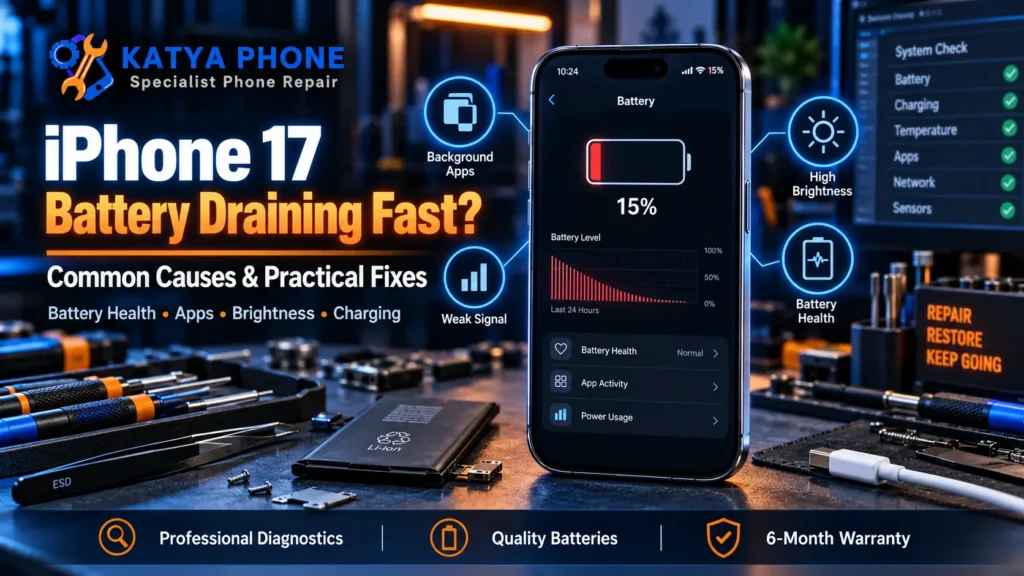
You have just picked up an iPhone 17, and by mid-afternoon the battery is already halfway gone. It feels wrong on a phone this new, and the first thought is usually “is the battery faulty?”. Here is the reassuring part: on a phone this new, fast drain is almost always software or settings, not a dead cell. This guide walks through why an iPhone 17 battery draining fast happens, the fixes you can do yourself today, and the point where it is worth a free check at our iPhone 17 repair shop in Caroline Springs.
First, is it actually a problem?
If your iPhone 17 is only a few days old, some heavy drain is completely normal. After you set it up or restore from a backup, the phone works hard in the background: indexing your photos for search, syncing iCloud, downloading apps and messages, and learning your habits. This settles down on its own, usually within a few days to a week. So before changing anything, give a brand-new phone a little time and judge the battery once it has calmed down.
The usual software causes
Once the phone has settled, most fast-drain complaints trace back to a handful of everyday culprits. On supported Pro models, features such as the Always-On display and ProMotion 120Hz can contribute to higher battery usage. Background App Refresh keeps apps updating when you are not using them. Location Services running for lots of apps, push email set to fetch constantly, high screen brightness, and a weak mobile signal (the phone works harder to hold the connection) all add up. Very often a single misbehaving app after a migration or an iOS update is the real cause, and a fresh update or reinstall clears it.
Fixes you can try today
Start where the phone tells you to look. Open Settings, then Battery, and check the list of what has used the most power over the last 24 hours and 10 days. If one app is dominating, that is your suspect. From there, the changes that make the biggest difference are turning on Low Power Mode when you are running low, installing the latest iOS update (Apple often fixes battery bugs this way), trimming Background App Refresh to only the apps you care about, and reviewing which apps really need your location “Always”. Lowering brightness or letting auto-brightness do its job helps, and on Pro models you can ease the Always-On display. If one app is the clear offender, delete and reinstall it, or wait for its next update.
How to check your battery health
Go to Settings, then Battery, then Battery Health and Charging. Check the Maximum Capacity figure and look for any service or performance-management warning. On an iPhone 17 this should read close to 100 percent, so anything noticeably lower, or a warning message, is a sign worth having looked at.
Check for signal problems
If you are in an area with weak mobile reception, your iPhone keeps working harder to search for a stronger signal, and that uses more power. Try connecting to Wi-Fi where possible, or turn on Airplane Mode for a while when you do not need mobile service. If the drain clearly eases on Wi-Fi or in Airplane Mode, poor reception is a big part of the problem rather than the battery itself.
Heat, chargers and Melbourne summers
Batteries drain and age faster when they get hot. Gaming or navigating while the phone is on charge, leaving it on the dashboard on a warm Melbourne-west day, or using a poor-quality or uncertified charger or cable can all push the phone to heat up and burn through charge. Keep the phone out of direct sun, take heavy tasks off the charger, and stick to good-quality, certified cables and adapters. This will not fix a genuine fault, but it removes the most common everyday cause of a phone that feels like it is draining while it charges.
When it is not software: the hardware side
Because an iPhone 17 is physically new, a worn-out battery cell is unlikely, so genuine battery faults are rare this early. They do happen though. Using the Battery Health steps above, a new iPhone should read close to 100 percent maximum capacity. Signs worth taking seriously are the phone shutting down while it still shows plenty of charge, the back or screen lifting (a sign of a swelling battery), or fast drain that started right after a drop or a splash of water. Any of those is worth a proper look rather than another settings change. Our guide on when it is time for a new iPhone battery covers the warning signs in more detail, and for the Pro Max specifically see our iPhone 17 Pro Max battery replacement guide.
iPhone 17 battery help in Caroline Springs
If you have tried the settings above and the drain has not improved, bring it in for a free check. We will look at the battery health, check for a rogue app or setting, and only recommend a battery replacement if the phone actually needs one. iPhone 17 battery replacement pricing may start from around $159, depending on the exact model, battery availability and part quality, and every battery replacement carries our 180-day warranty on parts and labour.
Guide price only. Prices may change depending on model availability and part quality. We confirm the exact price after we identify your model, and a battery is only recommended if the phone needs one. If the phone is still covered by Apple or retailer warranty, check with the original seller first, especially if there is no physical or liquid damage.
The bottom line
On a phone as new as the iPhone 17, fast battery drain is far more likely to be a setting, a background app, or heat than a faulty battery. Give a new phone a few days to settle, work through the Battery screen and the fixes above, and keep it cool. If the drain sticks around or you see a shutdown-with-charge-left, that is the moment to get it checked rather than keep guessing.
Related Articles
iPhone 17 Battery Draining Fast – Frequently Asked Questions
Why is my iPhone 17 battery draining so fast?
On a phone this new, fast drain is almost always software, not a faulty battery. The usual causes are background app refresh, location services, high brightness, the always-on or 120Hz display on Pro models, a weak signal, or a single misbehaving app after setup or an update. Heat makes all of it worse.
Is it normal for a brand-new iPhone 17 to drain quickly at first?
Yes. For the first few days after setup or a restore, the phone indexes photos, syncs iCloud and downloads apps in the background, which uses extra power. This usually settles within a few days to a week, so judge the battery once it has calmed down.
How do I check my iPhone 17 battery health?
Go to Settings, then Battery, then Battery Health and Charging. A new iPhone should read close to 100 percent maximum capacity. The Battery screen also shows which apps used the most power over the last 24 hours and 10 days, which points you to the cause.
Does updating iOS fix iPhone 17 battery drain?
Often, yes. Apple regularly fixes battery bugs in iOS updates, so installing the latest version is one of the first things to try. If the drain started right after an update, a following update or an app update usually clears it.
What settings reduce iPhone 17 battery drain the most?
The biggest wins are Low Power Mode when you are running low, trimming Background App Refresh to only the apps you need, reviewing which apps use your location “Always”, lowering brightness, and easing the always-on display on Pro models.
When should I replace the battery instead of changing settings?
If you have worked through the settings and the phone still drains fast, or it shuts down while showing plenty of charge, or the drain began after a drop or water, it is worth a check. On a phone this new a genuine battery fault is rare but not impossible.
How much does an iPhone 17 battery replacement cost in Australia?
Guide pricing at Katya Phone starts from around $159 and depends on the exact iPhone 17 model. Apple’s own out-of-warranty battery service is around $169 for the iPhone 17 and $199 for the Pro models. We confirm the price after identifying your model.
Are third-party replacement batteries reliable for the iPhone 17?
A quality replacement fitted correctly is reliable for everyday use, and ours carry a 180-day warranty on parts and labour. Very cheap no-name cells are the ones to avoid. We tell you what we are fitting before we start.
Is fast battery drain covered by warranty?
If your iPhone 17 is within Apple’s warranty or AppleCare+, a genuine battery fault may be covered by Apple, and battery service is free under AppleCare+ once capacity drops below 80 percent. Everyday drain from settings or apps is not a fault, so it is not a warranty matter.
Where can I get my iPhone 17 battery checked near me?
Bring it in for a free check at Katya Phone in Caroline Springs. We serve Caroline Springs and the surrounding Melbourne-west suburbs, with walk-ins welcome and same-day battery replacement when the part is in stock.
Get your iPhone 17 checked
Still losing charge too fast after trying the fixes above? Pop into Katya Phone in Caroline Springs for a free battery check. We will tell you whether it is a setting, an app, or the battery itself, and give you a firm price before any work starts. Call 0451 041 090 or walk in. Caroline Springs and surrounding Melbourne-west suburbs, walk-ins welcome.
Pingback: iPhone 17 Charging Port Repair: Why It Won't Charge