
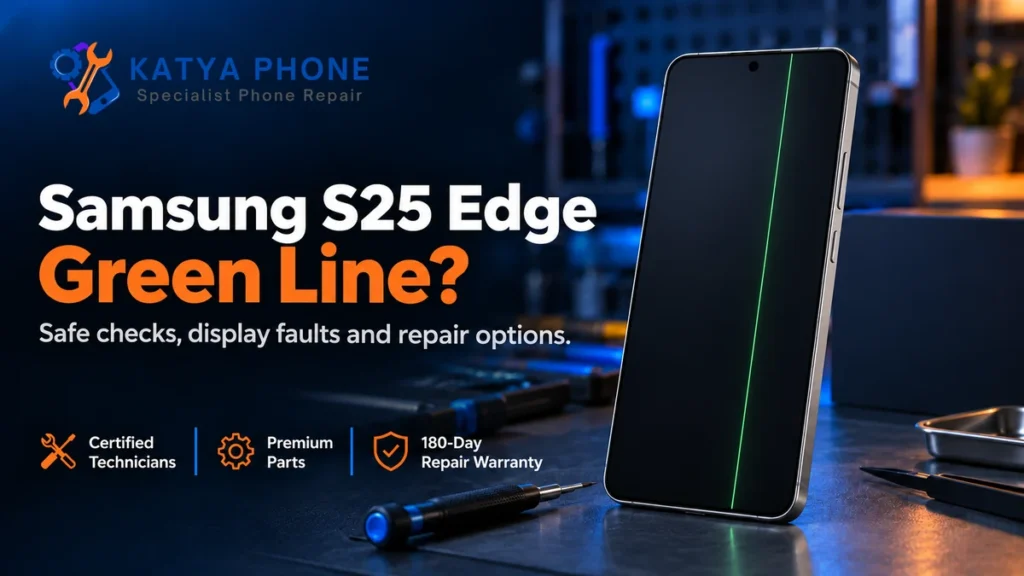
A persistent S25 Edge green line across different apps can point to a fault in the phone’s display hardware, but the symptom alone does not identify the failed part. Back up accessible data, record when the line appears and try a few non-destructive checks. If it stays after a restart and in Safe mode, arrange an assessment before paying for a replacement screen.
This guide is for the Samsung Galaxy S25 Edge, rather than the S25 Ultra or older Galaxy Edge phones. If you need local help, Katya Phone offers Samsung screen replacement in Caroline Springs, with a check and a model-specific quote before repair.
First, confirm the model and the type of green mark
The Galaxy S25 Edge has a 6.7-inch QHD+ Dynamic AMOLED 2X display. Its screen assembly must match the Edge model; an S25 Ultra repair price or replacement part should not be treated as interchangeable. Check Settings > About phone and give the repairer the model number, not just “Samsung S25”.
A narrow vertical line running through the picture is different from the small green privacy indicator near the top of the screen. That indicator appears when an app uses the camera or microphone. A green tint across the whole display, a line visible in one app only and a fixed line across every screen also need different checks.
What can cause a green line on the S25 Edge?
Samsung’s display guidance identifies several possible sources of abnormal display behaviour, including temporary system errors, software or app issues and physical damage. With a fixed line, a technician may need to check the display assembly and its connections. Looking at the line cannot establish whether the panel, a connection or another fault is responsible.
Tell the repairer about any drop, pressure, liquid exposure, previous repair or recent software change, even if the outer glass looks intact. Unbroken glass does not rule out damage beneath it. Equally, a line appearing after an update does not prove that the update caused a hardware failure.
Search results and individual online reports are not a reliable failure-rate study. There is no verified S25 Edge defect percentage used in this guide, and a fault on one device should not be presented as a problem affecting every S25 Edge.
Safe checks to try before booking a repair
If the phone is unusually hot, swollen, wet or physically damaged, stop using it and seek advice rather than continuing these checks. Do not press on the line, bend the phone, heat it or put it in a freezer.
1. Save your data and photograph the symptom
While the display and touch still work, back up important files and confirm that the backup completed. Use another phone to photograph the line. Note whether it is constant, changes with the picture or appears only in a particular app.
2. Restart and compare different screens
Restart using the phone’s power menu, then compare the lock screen, Settings and another app. If the phone is unresponsive, Samsung’s guidance uses the Side and Volume Down keys together to force a restart. Watch whether the line is already visible during startup, without repeatedly restarting a damaged device.
3. View a screenshot on another device
Briefly press the Side and Volume Down keys together to capture a screenshot, then view the saved image on another working screen. If the image looks normal there but the line remains on the S25 Edge itself, that suggests a problem in the phone’s local display path. It is a useful clue, not a complete diagnosis or proof that a new screen will resolve every fault.
4. Check whether an app is involved
Safe mode temporarily disables most downloaded apps. From the power menu, touch and hold Power off and choose Safe mode where offered. If the line disappears, investigate recently installed or updated apps; if it remains, report that result to the repairer. Restart normally to leave Safe mode.
5. Avoid a rushed factory reset
Check for an official software update if the phone is stable and backed up. A factory reset deletes personal data and is not a guaranteed fix for a persistent line. Ask support or the repairer whether it is relevant before erasing the phone, particularly when the line is visible during startup.
Choose the right repair route in Australia
Start with Samsung or the retailer when coverage may apply
If the line appeared without an obvious incident, contact Samsung Australia or the retailer with your proof of purchase, model number and symptom photographs. Ask them to assess warranty eligibility before arranging a paid independent repair. Australian consumer guarantees can also apply after a manufacturer’s warranty expires; the appropriate remedy depends on the circumstances.
Do not assume that an overseas “free green-line replacement” offer covers an Australian S25 Edge. Ask Samsung to confirm the exact model, purchase region, condition and applicable terms. A free repair cannot be promised from an online headline alone.
Consider an independent assessment and quote
If you choose an independent repair, the first question is whether the fault is limited to the screen assembly. Replacing only the outer glass would not address a confirmed fault inside the display panel. If further internal damage is found, ask what can be repaired and whether the cost is worthwhile before authorising work.
You can read our Samsung repair and model guide for broader repair options. Katya Phone is an independent repair business; a genuine Samsung part option is subject to availability and confirmation for the individual job.
What affects an S25 Edge screen repair quote?
Ask for a quote based on the exact model and assessment. A generic S-series price or an S25 Ultra quote may involve a different part and should not be used as your S25 Edge repair price.
- Fault and condition: display-only damage can differ from a damaged frame, liquid exposure or another internal fault.
- Part supplied: ask what screen option is available, its source and whether it is new or refurbished.
- Function checks: confirm how touch response, brightness and the fingerprint reader will be checked after fitting.
- Availability and timing: confirm whether the suitable Edge part is in stock or needs ordering.
- Warranty: ask what the repair warranty covers and which exclusions apply.
Walk-ins are welcome at Katya Phone in Caroline Springs. Calling ahead with your S25 Edge model number helps us discuss suitable parts and repair options before you travel.
Protect your data before handing over the phone
Back up first. If the phone is accessible and the feature is available, search Settings for Maintenance mode and follow its prompts. This mode restricts access to personal information during servicing; it is not a backup and does not guarantee that data will survive a repair.
Explain if you can no longer unlock the phone or access important files. Katya Phone’s data recovery service depends on the device powering on and its data being accessible, so recovery should not be assumed when the display or device has failed.
How Katya Phone can help
We can check the fault, discuss the repair options and provide a quote before paid work. If deeper damage makes a repair impractical or poor value, we explain that honestly. No Fix No Fee means no fee is charged when the device cannot be repaired.
Repairs include a six-month repair warranty, excluding water damage and subsequent physical damage such as new cracks or accidental breakage. Suitable parts, device condition and workload affect turnaround; an S25 Edge repair time needs confirmation for your device.
Related Articles
These guides explain related display faults and Samsung repair choices:
- Galaxy S25 Ultra Green Line on Screen: Repair Options — for the Ultra model, which uses a different screen assembly.
- Samsung S24 Ultra Screen Replacement: Cost and Repair Options — a separate model guide, not an S25 Edge quote.
- Google Pixel Green Line on Screen: Repair or Replace? — another device guide explaining display-fault decisions.
Serving nearby suburbs too
Our workshop is in Caroline Springs. For visiting information from nearby areas:
S25 Edge Green Line – Frequently Asked Questions
Does every Galaxy S25 Edge develop a green line?
No. A fault on one device or an online report does not establish how often it happens across all S25 Edge phones. This guide does not claim a confirmed model-wide defect or failure percentage.
Can a restart or software update remove an S25 Edge green line?
It may help if the display behaviour comes from a temporary software or app issue. A persistent line caused by a hardware fault will need assessment, so an update should not be promised as a repair.
What does a clean screenshot tell me about the line?
If a screenshot looks normal on another device while the line remains on your phone, it suggests a fault in the S25 Edge’s local display path. It does not identify the exact failed component or confirm a screen replacement without testing.
Is a small green dot the same as a green line?
No. A small green indicator near the top of the screen can show that the camera or microphone is in use. A fixed line extending through the picture is a different symptom and should be checked separately.
Can replacing the outer glass fix a green line?
Outer-glass replacement will not address a confirmed fault inside the display panel. A technician needs to check whether the problem is the display assembly, a connection or another fault before recommending parts.
Will Samsung repair an S25 Edge green line for free in Australia?
Eligibility needs to be confirmed by Samsung or the retailer for your device and circumstances. Ask about warranty and Australian consumer guarantees, and do not assume an overseas free-replacement offer applies to an Australian S25 Edge.
How much does S25 Edge green-line repair cost?
The quote depends on the fault, exact model, condition and suitable part. Contact Katya Phone for a check and a model-specific quote; an S25 Ultra price should not be treated as an S25 Edge price.
Can I keep using the phone while the line is visible?
If it remains cool and otherwise works, use the opportunity to back up and arrange an assessment. Stop using it and seek advice if it is unusually hot, swollen, wet or damaged, or if display and touch problems are worsening.
Will a screen repair erase my data?
Data preservation cannot be guaranteed during repair. Back up accessible data first and use Maintenance mode where available to restrict access to personal information; that mode does not replace a backup.
How long will an S25 Edge screen repair take?
Timing depends on assessment, the availability of a suitable Edge screen and any additional faults. Call ahead with your model number so Katya Phone can discuss availability and the likely turnaround for your device.
Get the line checked before choosing a repair
A persistent green line deserves a careful assessment rather than repeated resets or pressure on the screen. Back up what you can, keep a record of the symptom and check the manufacturer or retailer route when coverage may apply.
For independent help with your Galaxy S25 Edge, visit Katya Phone in Caroline Springs. Call 0451 041 090 or contact us to discuss the fault, suitable parts and a quote before repair.