
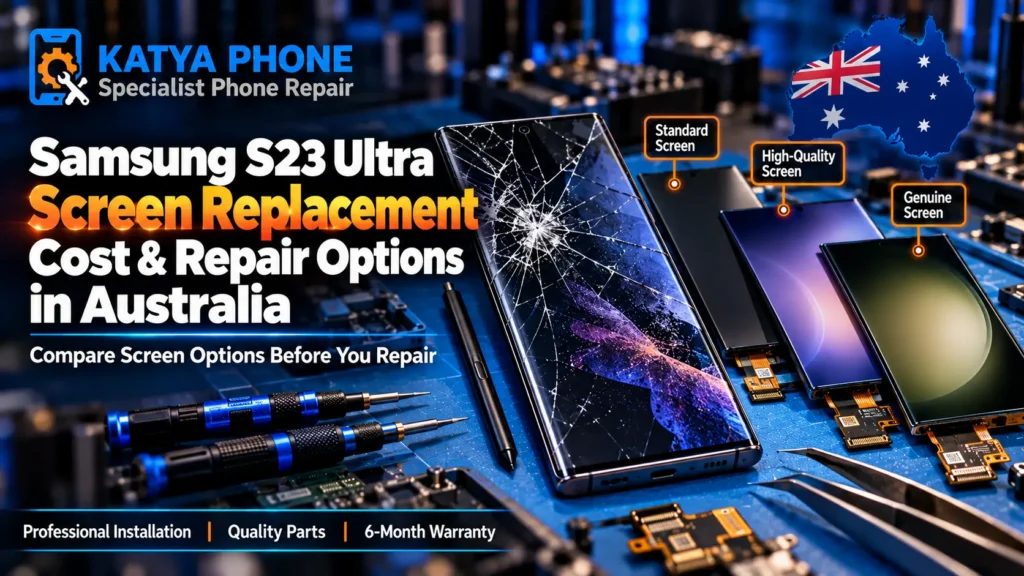
A dropped Galaxy S23 Ultra usually lands the same way: screen-down, on a corner, off a café table or the edge of a pram. The curved glass takes the hit, and suddenly there’s a spiderweb across that big 6.8-inch display — or worse, a green line, black patch or a dead strip where the touch stopped working. The good news first: a Samsung S23 Ultra screen replacement can restore normal display and touch function when the damage is limited to the screen assembly, and it costs a fraction of a new Ultra. Most are done the same day when the part is in stock.
What follows is a straight answer on what it costs, how long it takes, the genuine-versus-aftermarket choice that actually matters on this model, and when a cracked screen is safe to keep using for a day or two. If the touch has stopped working completely or you’re seeing lines creep across the panel, it’s worth getting a Samsung screen replacement sorted before the damage spreads deeper into the display.
What a Cracked S23 Ultra Screen Actually Means
Not every crack is the same repair. The S23 Ultra uses a fused Dynamic AMOLED 2X panel — the glass, the display and the touch digitiser are bonded into one assembly, with the S-Pen layer underneath. That’s why “just the glass” almost never applies here the way it might on an older flat phone.
Here’s what we see most at the bench, roughly in order:
- Cracked glass, display still perfect — picture and touch both fine. Tempting to leave, but once the glass is cracked, moisture and grit can get in through the damage.
- Cracked with touch dead or patchy — you tap and nothing happens, or only part of the screen responds. The digitiser’s gone and the assembly needs replacing.
- Green or pink line down the panel — often appears a day or two after a knock, sometimes with no visible crack. That’s the AMOLED failing internally.
- Black screen, phone still alive — it rings, vibrates and charges but shows nothing. The display’s dead even though the phone works.
- Ink-like black blot spreading from a corner — bruised AMOLED. It grows. Don’t wait on this one.
Knowing which of these you’ve got changes the price and the urgency, so a quick look-over comes first — which brings us to the real question everyone asks.
How Much Does a Samsung S23 Ultra Screen Replacement Cost?
Prices vary across Australia by repairer, part availability and screen grade. In Melbourne’s west, typical S23 Ultra screen replacement pricing runs from around $250 for a quality aftermarket AMOLED panel, up to $380–$500 for a genuine Samsung display. The gap comes down to the panel grade you choose, and on a flagship like the Ultra that choice is worth understanding before you decide.
| Screen option | S23 Ultra price (AUD) | Best for |
|---|---|---|
| Quality aftermarket AMOLED | $250 – $300 | Everyday use, best value |
| Genuine Samsung / Service Pack (where available) | $380 – $500 | Closest match to original brightness, colour and S-Pen feel |
Prices are approximate ranges for the Samsung Galaxy S23 Ultra in Caroline Springs / Melbourne’s west, Australia. Final cost depends on the device’s condition. Always request a free check before authorising any work.
The aftermarket option gets most people back to normal at a sensible price. The genuine panel is the one to pick if you lean on the camera, the stylus or the colour accuracy and want it feeling exactly like it did out of the box. We’ll tell you honestly which one suits how you use the phone — not just push the dearer part.
How Long Does It Take?
Most S23 Ultra screen replacements take about 45 minutes to a couple of hours at the bench once the right panel is in hand, and we usually have you walking out the same day. The Ultra takes a little longer than a plain flat phone because the curved glass needs careful heat and adhesive work to seat properly and keep the edges sealed. If your exact model or colour needs a part ordered in, that’s typically a day or two — we’ll tell you upfront rather than leave you guessing.
Should You Repair It Yourself?
The short version: on an S23 Ultra, DIY is the one model we’d steer you away from. Here’s the honest reasoning, not a sales pitch:
- The curved, fused glass cracks further the moment you apply uneven heat. We’ve seen plenty of half-finished home jobs come in worse than they arrived.
- A cheap flat aftermarket panel won’t sit right on a curved frame — you lose the edge feel and often the seal.
- The S-Pen digitiser sits under the display. Get the layering wrong and the stylus stops tracking properly.
- Fingerprint sensor and proximity flex cables are easy to tear on reassembly, turning one fault into three.
The savings rarely outweigh the risk of turning a minor fix into a major one. If you’ve already started and hit a wall, bring it in as-is — we’d rather see it early.
Can You Keep Using It With a Cracked Screen?
If the display and touch still work and it’s a clean hairline crack, you can usually limp along for a day or two — but put a layer of tape over the crack and keep it dry. Once the glass is cracked, moisture and dust can enter through the damaged areas and potentially cause further problems, so the sooner it’s sorted the better. If you’re seeing any lines, flicker, dead touch zones or a spreading black patch, stop using it and get it looked at. Those are signs the panel is actively failing. There’s more on this in our guide to whether a cracked screen is safe to keep using — the same principles apply to Samsung.
Genuine vs Aftermarket: What Really Changes on the Ultra
On a mid-range phone the panel choice barely matters. On the S23 Ultra it genuinely does, because so much of what you paid for lives in that screen — the brightness, the colour accuracy, the 120Hz smoothness and the S-Pen tracking.
A genuine Samsung / Samsung Service Pack option, where available, is the original Samsung panel: it matches the factory brightness and colour, and the stylus feels exactly right. A quality aftermarket AMOLED gets you most of the way there for noticeably less — colours and sharpness are good, brightness is close, and for everyday use most people are happy. What we avoid fitting are the cheapest no-name panels, which can look dimmer, wash out in sunlight and sometimes track the S-Pen poorly. You’ll always know which grade we’re fitting before any work starts — that’s part of the Samsung repair approach here.
What Happens to Your Data During Screen Replacement?
A standard screen replacement doesn’t normally require your photos, apps or settings to be erased — it’s a hardware repair, not a reset. We still suggest backing up before any repair as good practice, and if your Galaxy supports Maintenance Mode you can switch it on before handing the phone over to limit access to your photos, messages and accounts while we test. If the screen’s too broken to enable it, just tell us and we’ll talk through the safest option.
A Quick Word on Water Resistance
The S23 Ultra ships IP68-rated, but opening any phone breaks the original factory seal. On reassembly we apply fresh adhesive and carefully reseal the device — but the original IP rating can’t be guaranteed after any screen repair. Keep it away from water for the first 24 hours while the adhesive cures, and treat it as splash-resistant rather than swim-proof afterwards.
Need it sorted today? Drop in or call Katya Phone on 0451 041 090 for a free check — no appointment needed, and no charge to look first.
Why Choose Katya Phone
Fifteen years at the bench means we’ve replaced more curved Samsung displays than we can count — we know where the Ultra’s adhesive traps heat and where the flex cables hide. We look first and quote free, so you know the exact price and panel grade before anything happens. You get genuine and quality aftermarket options explained honestly, a 180-day warranty on the screen, and a local Caroline Springs shop that also looks after customers coming in from Burnside, Deer Park, Taylors Hill, Hillside and Fraser Rise. Walk in or call — no appointment needed for a free check.
Related Articles
Dealing with a specific Galaxy fault or weighing up your options? These go deeper:
Samsung S23 Ultra Screen Replacement – Frequently Asked Questions
How much does a Samsung S23 Ultra screen replacement cost?
A Samsung S23 Ultra screen replacement costs from around $250 for a quality aftermarket AMOLED panel, up to $380–$500 for a genuine Samsung display. The final price depends on the panel grade you choose. Ask for a free quote before any work starts.
How long does an S23 Ultra screen replacement take?
Most are done in about 45 minutes to a couple of hours once the right panel is on hand, and usually the same day. The curved glass needs careful heat and adhesive work, so the Ultra takes a little longer than a flat phone.
Will I lose my data during a screen replacement?
No. A standard screen replacement is a hardware repair and doesn’t normally require your photos, apps or settings to be erased. We still recommend backing up first as good practice, and you can enable Maintenance Mode before handing the phone over.
What's the difference between genuine and aftermarket S23 Ultra screens?
A genuine Samsung / Service Pack display (where available) is the original Samsung panel, matching factory brightness, colour and S-Pen feel. A quality aftermarket AMOLED gets close for less and suits everyday use. We avoid cheap no-name panels that dim or track the stylus poorly.
Is it worth replacing an S23 Ultra screen, or should I upgrade?
For a phone this capable, a screen replacement at $250–$500 is far cheaper than a new Ultra and restores normal display and touch when the damage is limited to the screen. Unless there’s separate major damage, repairing is almost always the better value.
Can I replace the S23 Ultra screen myself?
We’d strongly advise against it. The curved fused glass, the S-Pen digitiser under the display and the delicate flex cables make DIY the riskiest of any recent Samsung. A failed attempt usually costs more to fix than the original crack.
Can I still use my S23 Ultra with a cracked screen?
If the display and touch still work and it’s a clean hairline crack, you can for a day or two — tape the crack and keep it dry. Stop if you see lines, flicker, dead touch zones or a spreading black patch.
Do you repair green lines or black screens, not just cracks?
Yes. Green or pink lines, flickering, black screens, ink-like blots and dead touch zones all point to the AMOLED or digitiser and are fixed with a screen assembly replacement. We check the exact fault first.
Is the S23 Ultra still water resistant after a screen replacement?
Opening any phone breaks the original factory seal. We apply fresh adhesive and carefully reseal the device, but the original IP68 rating can’t be guaranteed afterwards. Keep it away from water for 24 hours while the adhesive cures.
Do you offer S23 Ultra screen replacement near me in Caroline Springs?
Yes. We’re a local Caroline Springs repair shop and also serve customers from Burnside, Deer Park, Taylors Hill, Hillside and Fraser Rise. Walk in or call 0451 041 090 for a free check — no appointment needed.
How much does Samsung charge to replace an S23 Ultra screen in Australia?
Samsung doesn’t publish one fixed price — the cost depends on the type of repair and Samsung’s final assessment, and Samsung offers an official Repair Cost Estimator for a guide. Going through Samsung is usually the dearer route; an independent repair with a genuine or quality aftermarket panel is typically more affordable. Ask us for a free quote to compare.
A cracked S23 Ultra feels like a disaster, but it’s one of the most routine repairs we do. You’ve got a clear choice — quality aftermarket from around $250, or genuine from $380–$500 — and either way you walk out with the phone working properly, usually the same day.
Bring your S23 Ultra to Katya Phone in Caroline Springs for a free check and an honest quote before anything happens. Drop in or call 0451 041 090 — no appointment needed.