
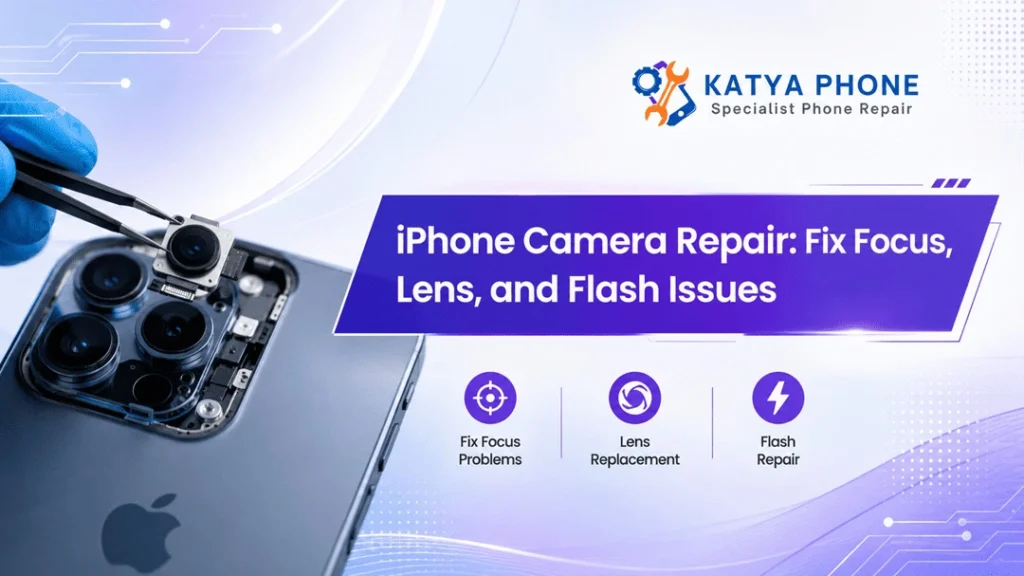
Your iPhone camera helps you capture family moments, scan documents, attend video calls and create social media contents. So, when the camera randomly stops focusing, displays blurry images or functions of the flash no longer works it becomes a little annoying.
Certain malfunctions are mere products of a dirty lens or an improper configuration. But other problems could signal a broken camera module hardware or a loose internal cable connection, or impact damage. The iPhone camera repair guide below details the signs of a problem you may have, its probable causes and as far as their most practical repairs.
At Katya Phone, technicians carefully examine camera issues before providing a solution. That way, you don’t need to replace parts unnecessarily and get your phone back in working order.
Common iPhone Camera Problems
A camera fault will not always present itself in the same fashion. A phone may make very blurry photos, while another may show the completely black screen. Just like the front camera still works while the rear one malfunctions.
Common warning signs include:
- The camera struggles to focus
- Photos appear blurry or shaky
- The lens makes a clicking or buzzing sound
- The camera app opens to a black screen
- The flash does not activate
- The camera freezes or closes unexpectedly
- Portrait mode stops detecting subjects
- One camera lens works while another fails
- Photos show dark spots, lines or strange colours
- The camera glass looks cracked or scratched
These can be caused by software and physical damage needs to be dealt with by someone who knows what they are doing. So, it’s always a good idea to check the basic causes before doing something next. Get details on Phone Camera Repair in Caroline Springs.
Why Is My iPhone Camera Not Focusing?
The focus problem of iPhone cameras might arise for various reasons. Camera glass may be covered in fingerprints, dust or grease. A very small amount of dirt can render images soft or fuzzy.
In addition, some thick phone cases or poorly fitted lens protectors can partially block the camera. Remove the case and test the camera again. If the focus improves, the accessory may be causing the problem.
You also have to touch on the screen over your subject to focus the point of focus. Next, if you can’t make out the subject, touch and hold your finger down anywhere on it until you see the AE/AF Lock message appear. They also block you from selecting your point of focus when taking the photo
The camera keeps flickering between going in and out of focus rapidly, which may have damaged the optical image stabilisation (OIS) system. Put differently, heavy vibration or a harsh fall may misalign the internal workings of the camera.
Blurry Photos and Shaking Camera Images
Not all blurry photos mean the camera has failed. In the cases when there’s low light, the camera is compelled to utilize a slower shutter speed. This is why even slight hand movements can lead to a blur.
Before arranging a repair, try these simple checks:
- Clean the lens with a soft microfibre cloth.
- Remove any camera lens protector.
- Restart the iPhone.
- Update iOS when an update is available.
- Test the camera in bright daylight.
- Switch between the front and rear cameras.
- Try recording a short video.
When the camera cut image shake even holding still, that means there is something wrong with the non-abnormal stabilisation system.A clicking sound in the camera area is usually due to an internal mechanical issue rather than any simple software problem. Looking for a Phone Charging Port Repair in Caroline Springs?
Cracked or Scratched Camera Lens Glass
The external camera glass is made to protect the sensitive camera module beneath. It does, however, get very close to the edge on a lot of iPhone models, so drops can still chip or crack it.
A tiny cracked screen might not necessarily halt your camera in its tracks. Open an entry point for dust and moisture to penetrate into the camera space. This eventually leads to cloudy images and dark marks, or even long-lasting damage to the camera module.
When this happens, the camera itself will still work but it’s possible to need a camera lens glass replacement.Technicians should check the internal lens before replacing only the outer glass. Even if dust is sucked in the module or focus no longer works correctly, a complete camera replacement may be necessary.
Camera issue | Possible cause | Common repair option |
Blurry images | Dirty glass, scratched lens or focus fault | Cleaning, lens glass repair or camera replacement |
Shaking image | Stabilisation damage | Rear camera replacement |
Black camera screen | Software fault, connector issue or failed module | Diagnosis, reconnection or module replacement |
Cracked camera glass | Drop or impact damage | Camera lens glass replacement |
Flash not working | Settings, overheating, battery or hardware issue | Software check, flash flex or related repair |
Dark spots in photos | Dust inside the camera area | Internal cleaning or camera replacement |
What Causes an iPhone Camera Black Screen?
A black screen is seen when the camera app cannot communicate with the camera hardware. In some cases, closing and reopening the app will solve the issue. Rebooting iPhone Also a temporary software mistake may be wiped out by restarting it.
You also can test the camera using another app, like a social media app or an app such as FaceTime. If it can work in one app while not on another, the issue may be due to something linked with app permissions or related software.
If all the applications show a black screen, it is most likely a failure of the camera module or its internal connector. It can often result from a drop, exposure to moisture or earlier repairs. A technician opens the phone to check the connection and perform a function test of the rear camera with parts that are suitable. Get details on iPhone Repair in Caroline Springs.
Why Is the iPhone Flash Not Working?
The camera flash has the same functions as the iPhone torch. So by testing the torch from the Control centre we can identify the type of fault.
Camera settings are to be checked if the torch works but the camera flash does not enable it. When the device overheats, it may most certainly cause the flash to be disabled.
This is a common method to check if the problem lies in flash assembly, rear camera etc. If torch and camera flash neither work, it may have serious issues like battery condition or issue with internal circuitry. Multiple components can be impacted by severe impact damage simultaneously.
Flash symptom | What to check first | When repair may be needed |
Flash works occasionally | Temperature and camera settings | If the fault continues after cooling and restarting |
Torch works, camera flash fails | Flash mode and app settings | If all camera apps show the same issue |
Torch and flash both fail | Restart, battery level and iOS | If neither function returns |
Flash appears weak | Dirty lens area or battery condition | If brightness remains unusually low |
Can Software Fix an iPhone Camera Fault?
Software troubleshooting can solve temporary freezes, permission problems and app-related errors. Therefore, try restarting the phone, updating iOS and checking camera permissions before arranging hardware repair.
You may also reset all settings through the iPhone settings menu. This action does not remove personal photos or apps, although it resets Wi-Fi networks, keyboard preferences and several system settings.
However, software cannot repair a cracked lens, damaged stabiliser or failed camera sensor. If the phone suffered a heavy drop or the camera makes mechanical noises, repeated resets probably won’t solve it. Looking for a iPhone Repair in Taylors Lakes?
Should You Replace the Camera or Only the Lens Glass?
The correct repair depends on where the damage has occurred.
A lens glass replacement may suit an iPhone that still focuses properly and produces clear images despite cracked external glass. In contrast, a full rear camera repair may be necessary when the photos stay blurry, the image shakes or the camera refuses to open.
A proper inspection makes a big difference here. Replacing the camera glass alone while leaving a damaged module underneath can waste both time and money. Therefore, Katya Phone technicians test the camera before confirming the repair method.
Why Choose Professional iPhone Camera Repair?
Modern iPhone camera modules contain small sensors, stabilisation parts and delicate connectors. As a result, home repairs can easily cause more damage.
Professional repair offers several advantages:
- Accurate fault diagnosis
- Proper tools for safe disassembly
- Inspection for hidden impact or liquid damage
- Correct replacement of damaged components
- Camera testing before reassembly
- Reduced risk of dust entering the lens area
Moreover, a trained technician can determine whether the camera problem relates to the lens, module, flash, software or another internal part.
Related Services:
» iPhone Repair in Thornhill Park
» iPhone Repair in Melton West
How to Protect Your iPhone Camera After Repair
After completing an iPhone camera repair, use a case with a raised edge around the camera section. This design helps stop the lens from touching tables and hard surfaces.
Also, softly wipe the vicinity of the camera. Do not use sharp objects, rough clothes and hard cleaning chemicals. While lens protectors can boost protection, cheap models might reduce picture quality or muck up a flash photo.
Finally, if you can, avoid placing the phone to the better-strong vibration. Some mounts, or machinery may introduce continuous vibration to sensitive camera stabilisation components.
Related Articles:
» Phone Front Camera Repair: Common Problems & Easy Solutions
» How Phone Camera Repair Can Bring Your Photos Back to Life?
» Phone Camera Repair: From Blurry Lenses to Hardware Failures
» iPhone Camera Glass Cracked? Repair Options
» Professional Phone Camera Repair: What You Should Know?
Get Your iPhone Camera Working Again
A broken camera can cause more than just photographic woes. It might interfere with the scanning of QR codes, making video calls, mobile banking authentications and uploading documents. So the rationality in fixing the flaw prior to it compounding out of control.
If your iPhone has a little focus, cracked camera lens problem, black camera screen or flash problem you can have it checked by the repairman and be recommended for an appropriate fix for your phone at Katya Phone. Arranging a timely repair can also avoid additional damage to the camera because of dust, moisture and broken glass accessible to it.
FAQs: iPhone Camera Repair
1. Why does my iPhone camera keep going in and out of focus?
It could be a dirty lens, a case blocking the camera or even an autofocus system malfunctioning. We recommend cleaning it and restarting the game, otherwise the camera module needs to be checked.
2. Can a cracked iPhone camera lens be replaced?
3. Why is my iPhone camera shaking?
4. Why does my camera show a black screen?
5. Can restarting my iPhone fix the camera?
6. Why is my iPhone flash not working?
7. Will a camera lens protector affect photo quality?
Many low quality protectors are leading to a glare, reducing sharpness or interfering with flash. Hence, go for a screen protector that fits well, i.e., your specific model of iPhone.
Pingback: What to Do When Your iPhone Screen Stops Responding