
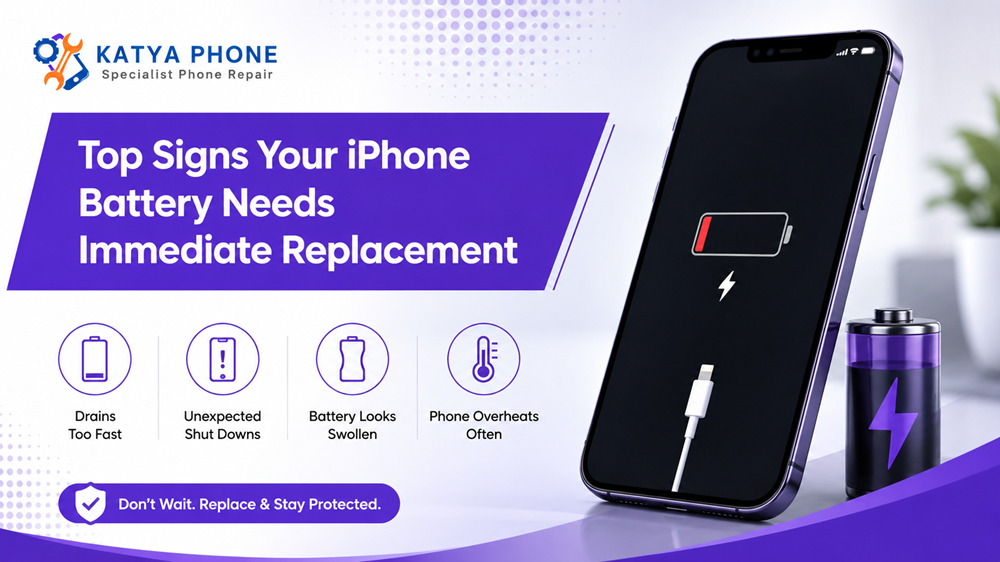
Your iPhone may still look perfectly fine, yet the battery inside it could be struggling. At first, you might charge the phone a little more often. Then, suddenly, it starts switching off during calls, slowing down when you open apps, or losing 20 per cent charge before breakfast.
This issue is not always due to an old iPhone. Most times replacing an iPhone battery will do the trick of getting reliable performance back without the expense of purchasing a new device.
No battery known to man will last forever, and this is exactly what rechargeable batteries do. The scientific aging of a lithium-ion battery used in an iPhone is such that it progressively holds less energy and may provide lower peak power. As a result, you can expect depleted battery performance or even unexpected shutdowns and slower speeds.
However, when do you know it’s time for it to be checked urgently? Here are the signs that you should not take lightly.
1. Your iPhone Battery Drains Extremely Fast
Under normal usage, a good battery should typically last quite some time. Are you witnessing the battery discharging rapidly while just checking the messages or casually browsing and making a few phone calls — It can indicate that battery has lost considerable amount of its original condition.
In other words, your phone could be at 90 per cent in the morning and crash below 40 per cent before noon. High power usage could even stem from background apps, a poor cell signal and extreme screen brightness royalnews.com. But continuously fast draining can also indicate iPhone battery degradation.
Check which apps are consuming power by going to:
Settings > Battery
This section shows battery use by app and activity. If there’s no obvious power-hungry app, yet the battery continues draining unusually fast, arrange a battery assessment. Get details on iPhone Repair Service in Brookfield.
2. Battery Health Shows “Service” or a Replacement Recommendation
Your iPhone includes a built-in battery health checker. Depending on the model, open:
Settings > Battery > Battery Health
or:
Settings > Battery > Battery Health & Charging
The screen may display the battery’s maximum capacity, peak performance information and whether replacement is recommended. On iPhone 15 and later models with supported software, you may also see cycle count, manufacturing date and first-use information.
When “Service” appears beside Battery Health, Apple recommends considering battery replacement to restore capacity and performance.
Battery-health percentages shouldn’t be viewed in isolation, though. An iPhone showing reduced maximum capacity but still lasting all day may not feel urgent. On the other hand, a phone with shutdowns, overheating or swelling needs prompt professional attention, regardless of the percentage shown.
3. Your iPhone Shuts Down Unexpectedly
Unexpected shutdowns are one of the clearest signs of a failing iPhone battery.
You could be literally 25 or 30 per cent charged, then the phone dies out of nowhere – it freezes while taking a photo, opening up a navigation app or answering a video call. Connected to a charger and then it powers back on straight away.
This is because an old battery has difficulty supplying the necessary jolt of power for intensive work. Consequently, the iPhone shuts down to prevent internal hardware damage.
A software bug could cause an individual or isolated shutdown. However, multiple shutdowns typically warrant a thorough battery evaluation.
4. The Battery Percentage Jumps or Drops Randomly
Does your iPhone fall from 40 per cent to 15 per cent within seconds? Or perhaps the charge stays at 1 per cent for an unusually long time.
Erratic readings may mean the battery has stopped reporting or delivering power consistently. In some cases, restarting the phone or updating iOS can fix a reading if it’s off. However, if the percentage keeps on jumping after doing basic troubleshooting, you might need to change your battery.
5. Your iPhone Feels Slower Than It Used To
Batteries can make a phone last much shorter even from the day the device came out into the market. It can also affect performance.
This could be the result of apps taking longer to launch, hapless animations, and slowdowns while playing games, editing video or multitasking. In less technical terms, you have an older battery that is incapable of reliably supplying the burst of power needed by the iPhone; Apple says it can and does create a performance management system when this happens.
6. Your iPhone Gets Hot During Basic Use
Some warmth is normal while charging, recording video, using GPS or playing a graphics-heavy game. Still, your iPhone shouldn’t become uncomfortably hot while performing simple tasks.
Excessive heat may come from:
Possible cause | What you may notice | Recommended action |
Ageing battery | Heat during basic use or charging | Arrange a battery inspection |
Damaged charger | Heat near the charging port | Stop using the charger |
Heavy app activity | Heat during gaming or video calls | Close the app and let the phone cool |
Software process | Heat after an update | Allow time for background processing |
Internal hardware fault | Persistent heat with rapid drain | Seek professional repair promptly |
If the phone becomes very hot, disconnect it from power, remove the case and allow it to cool naturally. Don’t place it inside a freezer or directly in front of extreme cold, as sudden temperature changes can cause further damage. Get details on iPhone Repair in Thornhill Park.
7. The Screen or Back Panel Is Lifting
Sometimes a swollen iPhone battery will manifest as a bulging display that’s actually lifting off the phone’s frame, or a back panel that has developed an abnormal bulge. This issue requires immediate attention.
Do not try to push the screen back in place. Of the older models: do not puncture the battery, do not bend and continue to charge. Lithium-ion battery is a delicate device and if mismanaged could lead to combustion, fire or act with extreme danger. Only trained technicians should be working on iPhone batteries.
power down the system immediately and take it to a competent repair specialist at the soonest opportunity.
8. Charging Takes Too Long or Stops Unexpectedly
An old battery will charge very slowly, hit 100 per cent or stop charging at random percentages. However, before you go ahead to replace it, do check on your charging cable, power adaptor and charging port.
And Optimised Battery Charging might (at times) postpone a charge past 80 per cent until it makes sense to do so. It allows keeping your iPhone from sitting too long at a full battery, helping maintain battery longevity and health.
Charge will stretch from the cable to the adaptor, if you have tried using a known-good cable and adapter and it is still not charging as expected then make time for inspection.
9. You Need to Charge the Phone Several Times a Day
Charging more frequently doesn’t automatically mean the battery has failed. Heavy users who stream videos, use mobile data, play games or run navigation naturally consume more power.
Still, if your usage hasn’t changed and the phone now needs two or three charges every day, its capacity has probably declined. Apple notes that needing to charge a rechargeable device increasingly often can indicate it’s time for battery service.
10. The Phone Only Works While Connected to Power
An immediate iPhone shutdown immediately after charging news may be a serious battery or power error. So the battery may simply not be able to charge anymore in this situation.
That’s why it’s crucial to get professional testing; a charging-port trouble, damaged connector or logic-board fault can all display the same symptoms. Still, an exhausted or dead battery is—together with other reasons—the most common.
Related Services:
» iPhone Repair in Caroline Springs
» iPhone Repair in Melton West
Quick Battery Warning Guide
Warning sign | Urgency | What to do |
Faster-than-normal drain | Medium | Check battery usage and health |
“Service” notification | High | Arrange a battery assessment |
Unexpected shutdowns | High | Back up the phone and seek repair |
Overheating during light use | High | Stop charging and get it checked |
Screen lifting or battery swelling | Immediate | Turn off the phone and avoid charging |
Phone works only when plugged in | Immediate | Arrange professional diagnosis |
Random percentage changes | Medium | Restart, update and test the battery |
Should You Replace the Battery or Buy Another iPhone?
Battery replacement often makes sense when the phone remains in good overall condition. In fact, a new battery may improve daily runtime, stability and performance at a lower cost than upgrading the entire device.
Replacement is usually worthwhile when:
- The display and cameras still work properly.
- The phone supports the apps you use.
- Storage space remains sufficient.
- There’s no major liquid or logic-board damage.
- Battery problems are the main concern.
Conversely, replacement may be less practical when the phone has several expensive faults or no longer supports the software you need.
Related Articles:
» Phone Power Button Repair: Signs You Need a Replacement
» iPhone 17 Pro Max Screen Replacement: Everything You Need to Know
» Professional iPhone Repair Services: Screen and Battery Solutions
» iPhone 11 Back Glass Replacement Price and Repair Guide
» iPhone Camera Glass Cracked? Repair Options
Get Your iPhone Battery Checked at Katya Phone
Battery problems rarely improve by themselves. Instead, they generally become more disruptive as the battery continues ageing.
At Katya Phone, we can inspect your device, check its battery condition and identify whether the issue comes from the battery, charging system, software or another internal component. Therefore, you receive a clearer repair recommendation rather than guessing and replacing parts unnecessarily.
If your phone drains rapidly, switches off unexpectedly, overheats or shows signs of swelling, don’t keep putting it off. Arrange an iPhone battery replacement in Caroline Springs and get your device working reliably again.
FAQs: Top Signs Your iPhone Battery Needs Immediate Replacement
1. How do I know whether my iPhone battery needs replacing?
Check for rapid power drain, unexpected shutdowns, overheating, unstable battery percentages and a “Service” message under Battery Health. A technician can confirm the cause through diagnostic testing.
2. Where can I check iPhone battery health?
Open Settings > Battery > Battery Health & Charging on many earlier models. On supported newer models, open Settings > Battery > Battery Health.
3. Is 80 per cent battery health bad?
That means that it retains significantly less energy than when it was new. The replacement decision should also consider real world runtime, shutdowns and even performance.
4. Why does my iPhone turn off when it still has charge?
An older battery may no longer be able to deliver sufficient peak power for intensive tasks. This causes the phone to switch off even if the display shows charge remaining.
5. Can replacing the battery make my iPhone faster?
It may improve performance when battery ageing has triggered performance management or power instability. Nevertheless, storage, software and hardware faults can also cause slowness.
6. Is an overheating iPhone battery dangerous?
Persistent or extreme heat shouldn’t be ignored. Stop charging the phone, let it cool and arrange an inspection, particularly if the screen or back panel has started lifting.
7. Can I replace an iPhone battery myself?
Battery replacement is not only just sensitive components, but it is also major adhesive and potential safety hazard. So the best idea is to go with a trained repair technician instead of performing an unsupported home repair.
8. Why does my iPhone stop charging at 80 per cent?
Optimised Battery Charging or a set charge limit can delay charging to alleviate stress on the battery over time. But, charging may also be interrupted by overheating, charger faults or battery issues.
9. How long does an iPhone battery replacement take?
Repair time is dependent on the model, battery availability and if the phone has other damage. Request a time frame when you visit the repair centre after inspection.
10. Will battery replacement delete my data?
Battery replacement doesn’t normally erase data. Even so, back up important photos, contacts and files before any repair as a sensible precaution.
11. Why is my new battery draining quickly?
Temporary drain is caused by background syncing, a software update, screen brightness set to high, bad network reception or a power-hungry app. Take to the technician for testing if it continues.
12. Where can I get an iPhone battery replacement in Caroline Springs?
Katya Phone can assess iPhone battery and charging problems in Caroline Springs. A proper diagnosis helps determine whether you need a new battery, charging-port service or another repair.
Pingback: iPhone Signal Problems: Signs Your Device Needs Repair
Pingback: iPhone Battery Replacement: When Is It Time for a New Battery?
Pingback: How to Keep Your iPhone Running Longer with Proper Repairs
Pingback: iPhone Losing Performance? Repair Solutions That Help