
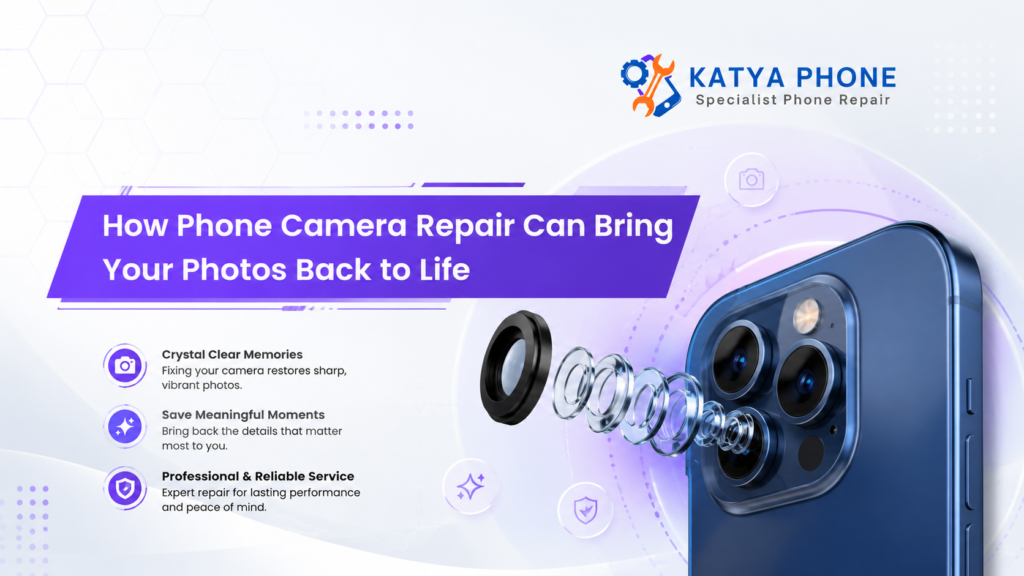
There is no way your phone camera does much more than snapping a few quick pics. It is a chronicle of family gatherings, vacations, work projects, social media and the random banalities of your daily life you will never get to recreate. So when suddenly every image is either a little hazy, too dark or has weird colors it can be very annoying.
A broken camera does not always need a new phone, thankfully. Usually, professional phone camera repair enables you to recover sharp images, true colours and smooth focusing without the need of replacing your whole device.
When you bring your phone to Katya Phone, the technicians check on the camera system, find out where the actual damage lies and suggest a viable repair. Your photos could be bright and detailed again once that damaged part is repaired.
Signs Your Phone Camera Needs Repair
Camera problems do not always appear overnight. Sometimes, image quality slowly becomes worse, which makes the issue easy to ignore at first.
Common warning signs include:
- Photos remain blurry after cleaning the lens
- The camera cannot focus on nearby or distant objects
- Black spots, lines or shadows appear in images
- The camera app shows a black screen
- Images look shaky despite holding the phone still
- The camera makes clicking or buzzing sounds
- The flash does not work correctly
- Colours appear faded, yellow or unusually dark
- The lens glass has cracks, chips or deep scratches
- The camera app freezes or closes without warning
A dirty lens can certainly affect image quality. However, if cleaning the outside glass makes no difference, the issue may sit inside the camera assembly. That is when professional phone camera repair becomes important. Get details on Nokia Phone service.
Why Phone Photos Become Blurry or Lifeless
Many different components come together every time you snap a picture. It directs light toward the sensor, the autofocus mechanism adjusts clarity, and it is all culminated by a software on your phone to give out the final image. So if one part is damaged, it can influence the whole output.
Scratched or Cracked Camera Lens
Weather sealed outer lens glass. Protects the camera from dust/moisture and direct impact with surroundings. On the other hand, keys, coins and ad hoc cold surfaces can scratch it and leave marks for free.
A simple scratch can cause light to be diffused. Consequently, photographs can display glare, haze or soft spots — particularly in the direction of bright objects.
Replacing the phone camera lens can rebuild that glass surface needed for sharper images.
Autofocus Failure
Modern phones use small motors and sensors to focus faster. Those parts can move or shift out of place after a fall. This means that the camera may repeatedly search for focus or may result in photographing an unclear image.
This problem is usually clearly seen in scanned documents, product photographs and macro or close-up shooting.
Damaged Image Sensor
This is the camera sensor that converts light into digital representation. A blackened patch, lines of colour creeping through them or some very unusual dots/huge grain can all show up in photos if the sensor has been banged about, exposed to humidity or has developed an electronic fault.
Finally, remember that most sensor faults will require an entire camera module replacement instead of a simple lens repair.
Optical Image Stabilisation Damage
Optical image stabilisation, or OIS for short, is found in many smartphones. This function minimises hand movement blur. But an impact hard enough to distort the stabilisation mechanism can cause damage.
In such cases the camera can shake, shudder or even produce a low rattling sound. Even with a steady hand, videos can still appear jumpy.
Moisture and Condensation
Steam, rain and even some water soaking into the surrounding areas of the camera can create moisture in that area. You could then see fog under the lens or cloudy pictures.
Condensation will disappear from time to time but moisture can leave a residue or start corrosion. That is why early inspections can turn a small problem into an expensive fault. Read on Sony Phone Repair.
Camera Problem and Likely Repair
Camera symptom | Possible cause | Common repair approach |
Blurry photos at all distances | Scratched lens or damaged camera module | Lens glass or module replacement |
Camera will not focus | Autofocus motor failure | Rear or front camera replacement |
Shaky photos and videos | Damaged stabilisation system | Camera module replacement |
Black camera screen | Software, connector or module fault | Diagnosis, reconnection or replacement |
Fog beneath the lens | Moisture inside the camera area | Internal cleaning and moisture treatment |
Dark spots in photos | Dust or sensor damage | Internal cleaning or camera replacement |
Flash not synchronising | Flash circuit or software issue | Testing and component repair |
The table gives a general guide only. A technician should still test the phone because similar symptoms can come from different faults.
How Professional Phone Camera Repair Works
A proper diagnosis is a prerequisite to a great repair, not guesswork. Without determining a cause, replacing components can make both poor financial sense, as well as leave the real issue unaddressed.
1. Initial Camera Testing
The front and rear cameras, flash, autofocus, zoom and portrait mode and video recording all get the once-over by the technician. They can also compare the results with different visibilities.
Which helps to find out whether the fault is coming from camera hardware, lens glass and internal connection or software
2. External Lens Inspection
The next step is a check of the lens cover for cracks, scratches and slices. In case the damage is limited to just the protective glass, only then a camera lens replacement may fix your issue without changing out the entire camera.
3. Internal Inspection
If the outer lens is fine, you may have to open up the phone. The technician probes around the camera cable connector and notes that whether or not the module gouged into position, with the components in its vicinity having visible impact notches signs of moisture.
You are working with a fragile unit here, so careful handling is the name of the game.
4. Repair or Component Replacement
According to the fault, you may have to replace a lens cover, reseat a loose connection, remove internal dust or fit a compatible camera module back in.
5. Final Quality Check
After repairing it, they test focusing speed, colour accuracy, zooming ability, video stability and performance as a portrait camera and flash. That last check validates that the camera is functioning consistently, rather than only for a single image. Looking for a iPhone Service in Deer Park?
Repairing the Lens Versus Replacing the Camera Module
Customers sometimes assume that a cracked lens means the entire camera needs replacement. However, that is not always true.
Repair option | Best suited to | Main advantage |
Lens glass replacement | Cracked or scratched protective glass | Lower cost when the camera itself still works |
Internal camera cleaning | Dust, debris or light moisture residue | May restore clarity without replacing the module |
Camera module replacement | Autofocus, sensor or stabilisation failure | Repairs faults inside the complete camera unit |
Software troubleshooting | App crashes, settings issues or update faults | Avoids unnecessary hardware replacement |
A proper inspection helps separate a surface-level fault from internal camera damage.
Can Software Problems Affect Camera Quality?
Yes. Not every camera issue comes from broken hardware. A failed system update, corrupted camera app, full storage or incorrect settings may cause freezing, slow processing or poor image results.
Before arranging a repair, try these basic steps:
- Restart the phone.
- Clean the lens with a soft microfibre cloth.
- Check available storage space.
- Install pending system updates.
- Reset the camera settings.
- Test the camera through another trusted app.
- Remove any case or lens protector that covers the camera area.
However, do not keep resetting the device if you notice cracked glass, internal fogging, shaking or unusual mechanical noises. Those signs usually point towards physical damage. Get details on iPhone Service in Rockbank.
Why DIY Camera Repair Can Make Things Worse
Online videos may make camera replacement appear simple. In reality, modern smartphones contain fragile connectors, adhesives and moisture-resistant seals.
An incorrect repair attempt can:
- Tear a camera or display cable
- Damage the motherboard
- Allow dust into the lens area
- Reduce water resistance
- Crack the rear glass
- Cause face recognition problems
- Turn a repairable issue into a larger fault
Moreover, low-quality replacement cameras may focus slowly or produce colours that do not match the original unit. Professional technicians use suitable tools and test the device after fitting the component.
Related Services:
» iPhone Repair in Melton South
» iPhone Repair in Sunshine West
Benefits of Professional Phone Camera Repair
Choosing an experienced repair service offers several practical advantages.
Better photo quality: A working lens and camera module can restore sharper details, natural colours and improved low-light results.
More reliable focusing: The camera can lock onto faces, documents and objects without repeatedly moving in and out of focus.
Smoother video: Repairing a faulty stabilisation system can reduce shaking during video calls and recordings.
Lower replacement cost: Repairing the camera usually costs less than purchasing another premium smartphone.
Reduced electronic waste: Keeping your existing phone for longer also reduces unnecessary e-waste.
Improved resale value: A phone with a fully functioning camera is easier to sell or trade later.
When Should You Book a Camera Repair?
If this issue does not persist even after some basic cleaning and restart, you shall need to book an inspection. You should also be quick if this has broken because an open crack will lead to dust and moisture entering the camera.
Also get help when the phone still turns on, after water contact. Moisture damage often develops slowly. Focusing up-front may help protect the camera and other internals.
Related Articles:
» Phone Camera Repair: From Blurry Lenses to Hardware Failures
» iPhone Camera Glass Cracked? Repair Options
» Professional Phone Camera Repair: What You Should Know
» Phone Power Button Repair: Signs You Need a Replacement
» Before You Pay for iPhone Screen Repair
Bring Your Photos Back to Life with Katya Phone
A failing camera can make a capable smartphone feel old and unreliable. Yet the rest of the device may still work perfectly. Rather than replacing the entire phone, consider a professional diagnosis.
Katya Phone offers phone camera repair for common problems, including cracked lens glass, blurry photo, autofocus failure, camera shaking, black screens and moisture-related faults. In this case, you should have a technician who can evaluate the damage, make your repair options and restore performance to your camera.
Clear photos matter. You only have one chance to get a special moment after all.
FAQs: Phone Camera Repair
1. Why is my phone camera blurry even after cleaning it?
It is that the outer lens has now been scratched or even the motor moving the focus does not work. The internal dust, moisture and camera sensor damage can also cause permanent blur.
2. Can a cracked phone camera lens be repaired?
Yes. In such cases, it is enough for a technician to replace the broken protective glass covering the lens, provided that the camera module itself remains functional.
3. Do I need to replace the whole phone because of camera damage?
Generally not, because most of the time glass is involved to repair some camera faults (glass, connectors or an entire camera module).
4. Why does my phone camera keep going in and out of focus?
When the focus ring takes a constant back and forth motion, typically this means an autofocusing problem. Sometimes it is because of impact damage, software glitches or just a cheap lens protector.
5. Can dropping a phone damage the camera without cracking the lens?
Yes. A drop can damage the autofocus motor, image sensor or optical stabilisation system while leaving the outside glass intact.
6. Why does my camera shake when I open the app?
A shaking camera may have a damaged optical image stabilisation mechanism. The complete camera module may need replacement.
7. Can water damage affect a phone camera?
Yes. Moisture can create fog, stains, corrosion or electrical faults inside the camera area. Prompt inspection gives the phone a better chance of recovery.
8. Will camera repair delete my photos?
A hardware camera repair does not normally delete stored photos. However, backing up important data before any repair remains a sensible precaution.
9. Why are there black dots in all my photos?
The black dots can be due to dust inside the camera, some damage in latest versions of the sensor or it could also be marks on the lens. Only a technician can show you the precise source.
10. Can the front selfie camera be repaired?
Yes. They can fix or substitute many broken front camera modules. But models with face-sensing systems need extra caution when being serviced.
11. Is camera repair cheaper than buying a new phone?
In many cases, yes. The price will vary based on the type of phone, the broken part and new part quality.
12. How can I protect my phone camera after repair?
Use an elevated protective cover, avoid putting the lens up against keys and rough surfaces, and clean it with a gentle microfibre cloth only. And keep away from ill-fitting lens protectors that hinder focusing or flash.