
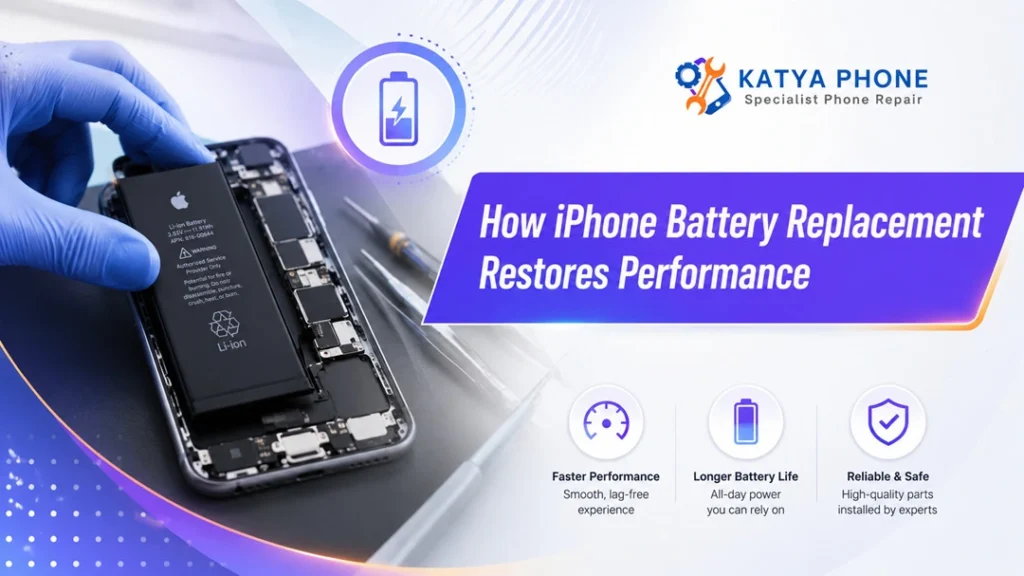
It’s easy to have an iPhone that looks almost new, but functions like a device well past its peak good years. Apps will take a long time to open, battery percentage can suddenly decrease and the phone may turn off before it actually reaches zero. But often, the issue is not really with the iPhone itself. The ageing battery is.
Getting a battery replacement performed by professionals will bring back smooth performance, longer usage times before having to charge it again and overall make it a much more reliable device. Before you go out and buy a new phone, replacing that worn battery can help give your current iPhone a useful second act.
Why iPhone Batteries Lose Performance
All the iPhones come with inbuilt, re-chargeable lithium ion batteries. These are decent batteries, but they will not last forever. After the phone has completed a charge cycle each time, the chemical ageing of the battery occurs on a micro scale.
Charging from 0% to 100% at once does not equal a full charging cycle. Like if you use 50% of the battery today, then another 50% tomorrow that would be one cycle.
This gradual decline in battery storage, however, is not what it was when it was fresh. Overheating, constant charging habits, heavy gaming and video streaming or some other type of daily stress can contribute to faster wear. Thus, an aging battery may not be able to provide any power that can be required during intense stages. Get details on iPhone Repair in Caroline Springs.
Common Signs Your iPhone Battery Needs Replacing
Battery wear does not always appear as one obvious fault. Instead, users may notice several smaller performance problems.
Typical warning signs include:
- The battery drains quickly, even with light use
- The iPhone shuts down unexpectedly
- Battery percentage jumps or changes suddenly
- Apps take longer to open
- The phone becomes warm during normal use
- Charging takes longer than before
- The device only works properly while connected to a charger
- Battery Health shows a service warning
- The screen or back panel begins lifting due to battery swelling
A bloated iPhone battery requires a swift response. Using or charging a phone with a swollen battery may result in damage to the display, casing or internal hardware, too. In such cases, turn the device off and sorry for the disruption again and arrange a professional evaluation as soon as possible.
How a Weak Battery Can Slow Down an iPhone
When most people think of battery health, they all associate it with duration of how long the phone runs before charging. The battery also fuels the processor, display, cameras, wireless radios and a whole bunch of other components.
Your iPhone may manage performance when an ageing battery cannot deliver its peak power reliably to prevent an unexpected shutdown. This may lead to slower application launches, less responsiveness and longer processing times for users.
An upgrade does not replace the battery, processor or storage of the phone. However, it enables the device to run more consistently — particularly when power-related performance throttled due to poor battery health. Looking for a iPhone Repair in Burnside?
Performance Before and After Battery Replacement
The results will vary according to the iPhone model, battery condition and any other hardware problems. Still, the comparison below shows what users commonly experience.
Performance area | Before battery replacement | After battery replacement |
Daily battery life | Frequent charging required | Longer use between charges |
App performance | Delayed or inconsistent | Smoother and more stable |
Unexpected shutdowns | May happen under load | Usually reduced or resolved |
Battery percentage | Can fall suddenly | More predictable readings |
Heat during use | May become warm quickly | Often operates more normally |
Portable use | Charger or power bank needed | Greater freedom during the day |
Device lifespan | Replacement phone considered | Existing phone remains practical |
Importantly, battery replacement will not repair unrelated faults such as damaged charging ports, faulty logic boards, broken screens or liquid damage. Therefore, a proper diagnosis matters before the repair begins.
How iPhone Battery Replacement Improves Daily Use
Longer battery life
The most noticeable improvement is usually longer operating time. A healthy replacement battery can hold more charge than a heavily degraded one. Therefore, the phone may last through work, travel, calls and everyday browsing with fewer top-ups.
Fewer unexpected shutdowns
A worn battery may fail when the phone demands extra power, even when the display shows remaining charge. After replacement, stable power delivery can greatly reduce these sudden shutdowns.
More reliable performance
A weak battery can make an iPhone feel inconsistent. It might run normally one moment, then slow down while gaming, using navigation or recording video. A fresh battery helps provide steadier power during these higher-demand activities.
Improved charging behaviour
Battery replacement may also make charging more predictable. The device should move through its battery percentage more consistently, rather than remaining stuck at one level or falling rapidly after being unplugged.
Better value from the existing phone
Buying a new iPhone involves a significant expense. By comparison, professional iPhone battery replacement can be a practical option when the screen, cameras, processor and other functions remain in good condition. Get details on iPhone Repair in Cairnlea.
iPhone Battery Health Explained
Users can view battery information by opening:
Settings > Battery > Battery Health & Charging
The Maximum Capacity figure compares the battery’s current capacity with its original capacity when new. A lower percentage usually means the phone holds less charge.
However, the percentage should not be the only factor considered. An iPhone may require battery service even when the reported number appears reasonable, particularly if it shuts down, overheats or loses charge rapidly.
Battery condition | What you may notice | Recommended action |
Strong condition | Normal use and predictable charging | Continue monitoring |
Moderate wear | Shorter battery life | Plan replacement when inconvenient |
Heavy degradation | Fast drain or reduced performance | Arrange battery assessment |
Service warning | Reliability concerns | Consider prompt replacement |
Swelling | Screen or back panel lifting | Stop using and seek repair urgently |
Why Professional Battery Replacement Matters
An iPhone battery is not a couple of screws away. New iPhones have a nanometer-sized display cable, glued down by adhesives and packed with small internal components. Using incorrect tools or putting too much force(mx) will destroy the screen, the cameras,charging assembly or even we can say motherboard.
A trained technician can:
- Inspect the device before opening it
- Confirm whether the battery is causing the fault
- Use suitable tools and safe removal methods
- Check for swelling or internal damage
- Install a compatible replacement battery
- Test charging, temperature and general operation
- Reassemble the phone carefully
Further, it minimizes the risk of punching the old battery while a professional repair is done. Some lithium-ion batteries can emit heat, smoke or hazardous material when damaged, so it’s not always worth the risk to try and remove a battery yourself. Looking for a iPhone Repair in Cairnlea?
Battery Replacement Versus Buying a New iPhone
If your iPhone still works and has not experienced any catastrophic damage, a new battery makes logical sense.
Consideration | Replace the battery | Buy a new iPhone |
Upfront expense | Generally lower | Significantly higher |
Data transfer | Usually not required | Often required |
Environmental impact | Extends device life | Creates more electronic waste |
Performance improvement | Restores battery-related performance | Provides newer hardware |
Best suited for | Functional phone with poor battery | Very old or badly damaged phone |
However, if the phone has several serious faults, limited software support or insufficient storage, upgrading may offer better long-term value. A repair technician can help identify whether battery replacement is worthwhile.
Related Services:
» iPhone Repair in Taylors Lakes
» iPhone Repair in Melton West
How to Protect the New iPhone Battery
Then, some simple habits may help you reduce wear on your notebook even after changing the battery.
When it needs to be stored, never leave the phone in a hot car or direct sunlight. Use only high quality charging cables and power adaptors. Leave the charging port clean and don not run any demanding apps when the phone becomes hot as much as possible.
It does not have to hold 100% the whole day. In fact, heating the battery repeatedly and charging it in a sustained heavy load is one of the factors that lead to battery ageing. Rather, charge it as the opportunity presents and turn on optimised charging if your phone has that feature.
Related Articles:
» Top Signs Your iPhone Battery Needs Immediate Replacement
» iPhone Camera Repair Guide: Fix Focus, Lens & Flash Issues
» iPhone Charging Port Repair: Fix Charging Issues Quickly
» How Professional Water Damage iPhone Repair Can Save Your Device?
» Fast and Affordable iPhone Cracked Screen Repair for Every Model
Choose Katya Phone for iPhone Battery Replacement
When battery problems begin affecting calls, work, navigation or daily communication, replacing the battery can make a noticeable difference. Katya Phone iPhone battery replacement services can help identify battery-related faults and restore the dependable performance you expect from your device.
Replacing the battery can revive an old, slow iPhone and make it usable again – without the dreaded sudden shutdowns or reduced runtime. More importantly, it can also stop you from having to replace a phone that’s still got plenty of life left in it.
Get a battery check-up at the professional level before concluding that your iPhone is too old. Sometimes it just takes a single worn-out component to turn a frustrating phone into a reliable one.
FAQs: How iPhone Battery Replacement Restores Performance
1. Does replacing an iPhone battery improve performance?
Yes. A new battery can improve stability and responsiveness when an ageing battery cannot provide consistent power. However, it will not fix performance problems caused by storage limitations, software faults or damaged components.
2. How do I know my iPhone battery needs replacement?
Typical symptoms include battery drains quickly, spontaneous shutdowns, overheat of the device, slow operation as well as a Battery Health service message. If the battery is swollen, you have to get it checked by a professional immediately.
3. Will my iPhone become faster after a battery replacement?
4. At what battery health percentage should I replace my iPhone battery?
5. Will battery replacement delete my iPhone data?
6. How long does an iPhone battery replacement take?
7. Can a damaged battery cause an iPhone to overheat?
8. Is it safe to keep using an iPhone with a swollen battery?
9. Is replacing the battery better than buying a new iPhone?
10. Why does my iPhone shut down with battery remaining?
An old battery may be unable to supply enough peak power, even though the software shows charge remaining. Battery replacement may solve the issue if no other hardware fault exists.
11. Can I replace an iPhone battery myself?
12. Where can I arrange iPhone battery replacement?
Contact Katya Phone for an iPhone battery inspection and replacement service. A technician can check the battery condition, identify related faults and recommend the most suitable repair.
Pingback: iPhone Battery Replacement: When Is It Time for a New Battery?
Pingback: iPhone Camera Not Working? Common Causes & Fixes
Pingback: How to Keep Your iPhone Running Longer with Proper Repairs
Pingback: When Should You Replace Your iPhone Battery?