
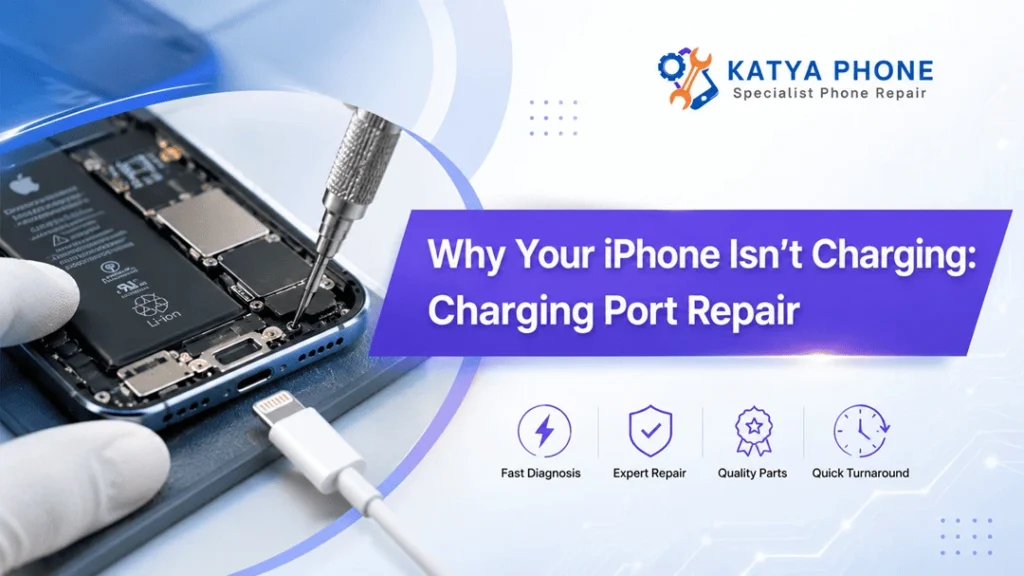
You plug in your iPhone before going to sleep, but the battery percentage never budges. Maybe the phone charges only at a specific angle of power delivery cable. In other instances, the charging symbol briefly shows for a few seconds and later disappears.
These are annoying issues to face when your phone has work messages on it, banking apps, travel details and family contact lines. But a dead battery does not always mean the battery is itself faulty. A lot of the time, however, the actual problem lies with the iPhone charging port, cable or software.
By identifying what is really behind the problem it makes sense to replace the battery or buy another phone. Knowing how to fix the charging port on an iPhone in most cases would lead to a stable charge, and prevent the need for expensive hardware replacements.
Common Signs of an iPhone Charging Port Problem
A damaged charging port doesn’t always stop working overnight. Instead, it may show small warning signs for weeks.
Look out for these symptoms:
- Your iPhone charges only when the cable is held at an angle
- The cable feels loose inside the port
- Charging starts and stops repeatedly
- The phone displays an “Accessory Not Supported” message
- The device charges much slower than usual
- A computer cannot detect your iPhone
- The charging connector becomes unusually warm
- Wireless charging works, but cable charging doesn’t
- You can see dust, lint or corrosion inside the port
Apple states that unsupported-accessory alerts may show up when the charging accessory is malfunctioning, not compatible, or unapproved. But this alert also shows a warning about debris or damage inside the iPhone charger port. Get details on iPhone Repair in Caroline Springs.
Why Is My iPhone Not Charging?
Many different faults can generate almost identical symptoms. So checking the easiest causes first might save an unnecessary repair.
1. Dust and Pocket Lint Inside the Port
Your iPhone spends most of it time in pockets, handbags, automobiles and places of work. And in this way, small pieces of fabric as well as dust and dirt can accumulate within the Lightning or USB-C connector.
The rubble collects at the bottom of the connector. The connector could still fit in the port but just won’t sink deep enough to ensure a good electrical connection.
This is, perhaps, one of the leading reasons why an iPhone charging cable may not make a secure connection.
The port may appear clean from the outside but trapped lint may only be visible on close inspection. Do not poke the connector with metal pins, sewing needles or sharp tools. This could either bender the inner contacts or create a short circuit.
2. A Damaged Charging Cable
Charging cables bend thousands of times during normal use. Consequently, the internal wiring may break even when the outer coating still looks acceptable.
Check for:
- Cracks near either connector
- Bent or discoloured pins
- Exposed wiring
- Loose connector heads
- Unusual heat during charging
Before sending the phone for repairs, try a proven cable. Apple advises that guilty Lightning accessories still in use include non-certified cables and chargers, which can fail to charge the device or could run hot, fit poorly or harden the gadget.
3. Faulty Power Adaptor or Wall Socket
Sometimes, the iPhone charging port gets blamed for a problem elsewhere. For instance, a worn power adaptor may deliver inconsistent power. Similarly, a loose wall socket, overloaded power board or damaged extension lead may interrupt charging.
Connect the phone to another adaptor and wall outlet. Additionally, test the cable through a computer or compatible power bank. If the iPhone charges normally from another source, the port may be fine.
4. Moisture Inside the Charging Port
Newer iPhones can detect liquid in the Lightning or USB-C connector. This would assist the device to prevent cable charging temporarily, limiting the risk of corrosion and permanent connector damage.
If you see a liquid-detection warning:
- Disconnect the charging cable.
- Place the phone in a dry area with airflow.
- Allow the connector to dry naturally.
- Avoid inserting paper, cotton buds or other objects.
- Do not use direct heat or compressed air.
Apple advises users not to charge an iPhone through a wet connector. If the liquid warning appears every time a dry cable is connected, the device may require professional service.
5. Physical Damage to the Port
Repeated force, accidental drops and aggressive cable removal can loosen or damage the connector.
For example, pulling the cable sideways may weaken the port over time. Likewise, forcing an incorrect connector into the phone can bend its internal contacts.
Once the contacts become worn or damaged, cleaning alone won’t solve the issue. At that stage, a technician may need to repair or replace the iPhone charging port assembly.
6. Battery or Internal Power Fault
Not every charging problem comes from the port. A chemically aged battery may charge slowly, drain quickly or fail to retain power. Furthermore, a damaged charging circuit or logic board component may prevent the battery from receiving power.
A proper diagnosis should test the cable, adaptor, port, battery and charging circuit. Otherwise, replacing parts by guesswork can waste money without fixing the fault.
7. Charging Has Paused at 80 Per Cent
An iPhone that stops at 80 per cent may not be broken.
Optimised Battery Charging can delay charging beyond 80 per cent in certain situations to reduce battery wear. On supported models, users may also set a specific Charge Limit. Additionally, iOS may restrict charging when the device becomes too warm.
Check the Battery settings before booking a repair, particularly when the phone charges normally until it reaches 80 per cent. Looking for a iPhone Repair in Taylors Lakes?
Quick Charging Problem Comparison
Charging symptom | Possible cause | Recommended action |
Cable feels loose | Dust, lint or worn port | Arrange safe port inspection and cleaning |
Charges at one angle | Damaged contacts or cable | Test another cable, then inspect port |
No charging response | Cable, adaptor, battery or port fault | Complete diagnostic testing |
Liquid warning appears | Moisture or corrosion | Disconnect cable and let port dry |
Stops at 80% | Charge Limit, heat or optimised charging | Check Battery settings and temperature |
“Accessory not supported” | Uncertified cable, debris or port damage | Try a certified cable and inspect connector |
Wireless charging works only | Physical port or cable fault | Test cable and book charging-port assessment |
Charges very slowly | Weak adaptor, damaged cable, heat or debris | Test accessories and clean port professionally |
What Does iPhone Charging Port Repair Involve?
The repair process depends on the cause of the charging problem.
First, the technician should inspect the port under magnification. They can then test charging performance with compatible cables, adaptors and diagnostic equipment. If compacted debris is responsible, a careful professional clean may restore normal charging without replacing any parts.
However, when the port contains bent contacts, corrosion or structural damage, the charging assembly may need replacement. Depending on the iPhone model, this assembly can also connect with microphones, antennas or other internal components. Therefore, the repair requires proper disassembly rather than simply pulling the connector out.
A professional service generally includes:
- Visual inspection of the Lightning or USB-C port
- Charging-current testing
- Cable and power-adaptor testing
- Battery health assessment
- Internal inspection where required
- Cleaning or replacement of the charging assembly
- Final testing for charging, data transfer and microphone operation
Cleaning Versus Charging Port Replacement
Service | Suitable for | What it addresses |
External inspection | Intermittent or slow charging | Identifies visible dirt and physical damage |
Professional port clean | Compacted dust and pocket lint | Restores cable contact without part replacement |
Charging port replacement | Bent pins, corrosion or loose connector | Replaces the damaged hardware assembly |
Battery replacement | Poor battery health or rapid power loss | Restores battery capacity and performance |
Board-level diagnosis | No power after basic parts test correctly | Finds charging-circuit or logic-board faults |
Can You Clean an iPhone Charging Port Yourself?
You may gently inspect the opening under good lighting. However, DIY cleaning carries some risk.
Metal tools can scratch contacts or bridge electrical pins. Meanwhile, excessive pressure can push debris deeper into the phone. Liquids and household cleaners may also create corrosion.
Therefore, stop if the material feels firmly packed or if the contacts look bent. A quick professional clean usually costs much less than repairing a port damaged during a home cleaning attempt. Get details on iPhone Repair in Cairnlea.
When Should You Book a Charging Port Repair?
Arrange an assessment when:
- Different working cables fail to charge the phone
- The cable keeps falling out
- Charging works only at a certain angle
- The port shows corrosion or physical damage
- The iPhone repeatedly displays accessory warnings
- The phone suffered a drop or liquid exposure
- The connector becomes hot
- A computer no longer recognises the device
- Cleaning doesn’t improve the connection
Continuing to force a cable into a damaged port may make the fault worse. Moreover, unstable charging can leave you with an unusable phone at the worst possible time.
Related Services:
» iPhone Repair in Sunshine North
How to Reduce Future Charging Port Damage
A few everyday habits can protect the connector:
- Remove cables by holding the plug rather than pulling the wire
- Keep the iPhone away from loose dirt, sand and moisture
- Use good-quality, compatible charging accessories
- Replace frayed or bent cables promptly
- Avoid using the phone heavily while the connector is under sideways pressure
- Never force a cable that doesn’t fit smoothly
- Keep the phone cool while charging
- Have the port checked when charging becomes inconsistent
Apple says high temperatures can also reduce battery quality and lead the phone to slow or stop charging altogether. Please do not charge the device in extremely hot places, especially in a closed car.
Related Articles:
» Top Signs Your iPhone Battery Needs Immediate Replacement
» iPhone Camera Glass Cracked? Repair Options
» iPhone 12 Pro Screen Replacement: Everything You Need to Know Before Repair
» iPhone 14 Pro Max Screen Replacement Caroline Springs
» iPhone 16 Data Recovery After Water Damage: Best Chances
Get Your iPhone Charging Properly Again
A broken charging port can turn an otherwise trustworthy iPhone into something almost useless. However, the issue might be more straightforward than it seems. Though at times, all the phone requires is a removal of compacted lint. It can be a faulty cable replacement, battery service and in other scenarios, it will involve complete iPhone charging port repair.
Katya Phone can inspect the device, identify the actual cause and recommend a suitable repair rather than replacing parts unnecessarily. A careful diagnosis helps protect your phone, your data and your budget.
Book an iPhone charging repair assessment with Katya Phone and get back to dependable, hassle-free charging.
Pingback: Why Your iPhone Won’t Turn On: Common Causes & Solutions