
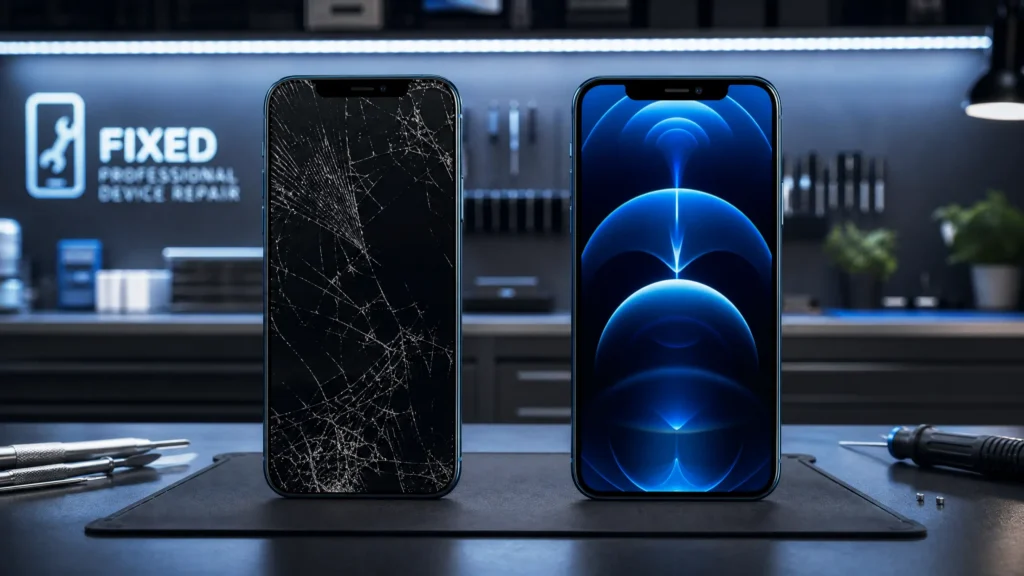
Is your iPhone 12 Pro screen cracked, unresponsive, or showing strange colors? A damaged screen can be frustrating, hindering your daily tasks and diminishing your phone’s aesthetic appeal. This comprehensive guide will walk you through everything you need to know about iPhone 12 Pro screen replacement, from understanding the problem to finding the best solution and preventing future damage.
Understanding Your iPhone 12 Pro’s Display
The iPhone 12 Pro features a 6.1-inch Super Retina XDR OLED display, renowned for its vibrant colors, deep blacks, and incredible brightness. This advanced screen is integrated with critical components like the Face ID sensor and True Tone technology, requiring careful handling during any repair.
Common Causes of iPhone 12 Pro Screen Damage
Screen damage often results from everyday mishaps. Understanding these common causes can help you be more careful:
•Accidental Drops: The most frequent cause, leading to shattered glass or damaged OLED panels.
•Impact with Hard Objects: Direct impact from items in your pocket or bag can cause cracks.
•Pressure: Sitting on your phone or placing heavy objects on it can cause internal screen damage.
•Water Exposure: Severe exposure can affect internal display components, causing discoloration or unresponsiveness.
Signs Your iPhone 12 Pro Screen Needs Replacement
It’s not always a clear crack that signals a need for iPhone 12 Pro screen replacement. Here are common symptoms:
•Visible Cracks or Shatters: From hairline fractures to spiderweb patterns.
•Unresponsive Touchscreen: Parts or all of the screen no longer respond to touch input.
•Dead Pixels or Discoloration: Black spots, colored lines (like the green line), or distorted color patches.
•Flickering Screen: The screen intermittently flashes, dims, or changes brightness.
•Black Screen or No Display: The phone powers on, but the screen remains black.
What to Do When Your iPhone 12 Pro Screen is Damaged: Basic Troubleshooting
Before rushing to a repair shop, try these basic troubleshooting steps. They might resolve minor software glitches or help diagnose the problem.
1. Force Restart Your iPhone 12 Pro
A force restart can fix temporary software bugs causing screen unresponsiveness or glitches. It won’t erase data. To do it: Quickly press and release Volume Up, then Volume Down. Then, press and hold the Side button until the Apple logo appears.
2. Check for Software Updates
Display issues can sometimes be linked to outdated software. Ensure your iPhone is running the latest iOS version. To do it: Go to Settings > General > Software Update. Download and install if available.
3. Clean Your Screen
Smudges, dirt, or debris can interfere with touch responsiveness. Use a soft, lint-free cloth to gently clean your screen.
4. Adjust Display Settings
If experiencing brightness or color issues, check your display settings. To do it: Go to Settings > Display & Brightness. Adjust the brightness slider and toggle True Tone and Night Shift.
When to Seek Professional iPhone 12 Pro Screen Replacement
While basic troubleshooting can resolve minor glitches, severe physical damage almost always requires professional iPhone 12 Pro screen replacement. It’s time for experts when:
•Visible Cracks or Shattered Glass: Broken glass is unsightly, dangerous, and compromises water resistance.
•Unresponsive Touchscreen After Restart: If a force restart doesn’t restore touch, it’s likely a hardware issue.
•Persistent Display Anomalies: Green lines, black spots, severe discoloration, or a completely black screen indicate a damaged OLED panel.
•Compromised Water Resistance: A cracked screen significantly diminishes your phone’s water resistance.
Attempting DIY repairs for significant screen damage on an iPhone 12 Pro is generally not recommended. The device is complex, and improper handling can lead to further damage to delicate internal components.
The iPhone 12 Pro Screen Replacement Process: What to Expect
When you bring your damaged iPhone 12 Pro to a professional repair service, here’s a general overview:
1. Diagnosis and Quote
The technician will assess the damage, confirm the screen needs replacement, and provide a quote based on your chosen screen type (OEM vs. aftermarket).
2. Disassembly
Specialized tools are used to carefully open the iPhone and separate the screen assembly. The battery is disconnected for safety.
3. Component Transfer
Crucial components like the earpiece speaker, ambient light sensor, and proximity sensor (vital for Face ID and True Tone) are meticulously transferred from your original screen to the new one. This step is critical for retaining full functionality.
4. New Screen Installation
The new screen assembly is connected and carefully reassembled, ensuring all flex cables are properly seated.
5. Testing and Calibration
After installation, the phone undergoes rigorous testing for touch responsiveness, display quality, True Tone, and Face ID. Specialized programming tools may be used to transfer display data, ensuring True Tone works correctly and avoiding unwanted “non-genuine part” messages.
OEM vs. Aftermarket Screens: Making the Right Choice for Your iPhone 12 Pro
When considering iPhone 12 Pro screen replacement, you’ll encounter two main types: OEM (Original Equipment Manufacturer) and aftermarket. Understanding the differences is crucial.
1. OEM Screens (Original Equipment Manufacturer)
These are screens manufactured by Apple or authorized suppliers, offering identical display quality, color accuracy, brightness, and touch responsiveness as your original screen. They are the best choice for optimal performance.
•Pros: Identical quality, full functionality (True Tone, Face ID), optimal durability.
•Cons: Highest cost, typically available through Apple Authorized Service Providers or reputable independent shops with genuine parts.
2. Aftermarket Screens
Manufactured by third-party companies, aftermarket screens vary widely in quality and price. High-quality options (Soft OLED) can be very close to OEM, while cheaper ones (Hard OLED or LCD) may compromise display quality, brightness, and color accuracy.
•Pros: More affordable, widely available.
•Cons: Quality varies, potential loss of True Tone (without proper programming), possible issues with brightness/color, and may not be as durable.
| Feature | OEM Screen | High-Quality Aftermarket (Soft OLED) | Budget Aftermarket (Hard OLED/LCD) |
| Display Quality | Identical to original (Super Retina XDR) | Very close to original, vibrant colors | Noticeable difference, less vibrant, lower contrast |
| Brightness | Full original brightness | Close to original | Lower brightness |
| Color Accuracy | Perfect True Tone functionality | True Tone can be restored with programming | True Tone often lost |
| Durability | High, designed to Apple standards | Good, but may not match OEM | Variable, generally lower |
| Cost | Highest | Moderate | Lowest |
| Face ID | Fully functional (if transferred correctly) | Fully functional (if transferred correctly) | Fully functional (if transferred correctly) |
How Much Does iPhone 12 Pro Screen Replacement Cost?
The cost of iPhone 12 Pro screen replacement varies based on:
•Type of Screen: OEM screens are most expensive.
•Repair Provider: Apple Authorized Service Providers typically charge more than independent shops.
•Warranty/Insurance: AppleCare+ or device insurance can significantly reduce costs.
Estimated Cost Ranges (AUD):
Independent Repair Shops (Budget Aftermarket): Can be as low as $120 – $150 AUD, though quality may vary.
Apple Authorized Service: Approximately $439 AUD.
Independent Repair Shops (High-Quality/Soft OLED): Typically $280 – $320 AUD.
How Long Does iPhone 12 Pro Screen Replacement Take?
For a professional technician, iPhone 12 Pro screen replacement is routine. Most independent repair shops complete it within 30 minutes to 1 hour. Apple Store repairs might take 1.5 to 2 hours. This means same-day service is often possible.
Tips to Prevent Future iPhone 12 Pro Screen Damage
Protect your new screen with these essential tips:
•Invest in a High-Quality Case: A good case with raised edges absorbs impact.
•Use a Screen Protector: Tempered glass adds an extra layer of defense against scratches and minor impacts.
•Handle with Care: Avoid placing your phone with keys or in precarious positions.
•Avoid Extreme Temperatures: Extreme heat or cold can affect the screen’s adhesive or internal components.
•Regular Cleaning: Keep your screen clean with a microfiber cloth to prevent abrasive particles.
Conclusion: Get Your iPhone 12 Pro Screen Replaced by Experts
A damaged iPhone 12 Pro screen doesn’t have to mean the end of your device. Professional iPhone 12 Pro screen replacement can restore your phone to its original glory. While DIY and budget options exist, for the best results and peace of mind, trust experienced technicians with quality parts.
Don’t let a cracked screen disrupt your digital life. If you’re experiencing any issues, seek professional help. Our certified technicians provide fast, reliable, and high-quality iPhone 12 Pro screen replacement services. Contact us today for a free quote or visit our store!
Related Articles:
» iPhone 15 Back Glass Replacement: Cost, Process & Best Solution
» iPhone Repair Service in Burnside
» Top Benefits of Professional Cracked Screen Repair
» Mobile Phone Repair: Fix Screen and Battery
» iPhone Repair Service in Ardeer
» Smartphone Charging Port Repair in Caroline Springs
» Smartphone Power Button Repair in Caroline Springs
Frequently Asked Questions (FAQs) about iPhone 12 Pro Screen Replacement
A1: A professional repair shop will reapply the water-resistant seal. While this restores a significant level of water resistance, the original factory seal is difficult to perfectly replicate. We advise caution around water after any screen repair.
A2: While DIY kits exist, iPhone 12 Pro screen replacement is complex, requiring specialized tools and expertise. Improper handling can damage internal components. Professional repair is highly recommended.
A3: The iPhone 12 Pro uses an OLED (Organic Light-Emitting Diode) screen, offering superior contrast, deeper blacks, and better power efficiency than LCD. Replacing an OLED with an LCD will significantly drop display quality.
A4: A high-quality screen offers vibrant colors, accurate touch, and proper brightness. After repair, test Face ID, True Tone, and touch sensitivity. A reputable shop provides a warranty.
A5: If Face ID or True Tone fails after iPhone 12 Pro screen replacement, it indicates an incorrect repair or missed component transfers/programming. A professional technician should diagnose and rectify this, often by transferring the original earpiece assembly or using specialized tools.
A6: For most screen damage, repairing is more cost-effective than replacing the entire iPhone 12 Pro, especially if the phone is otherwise in good condition. Consider the overall device condition and repair cost versus a new phone.
Pingback: iPhone 12 Battery Replacement: Is It Worth It in 2026?