
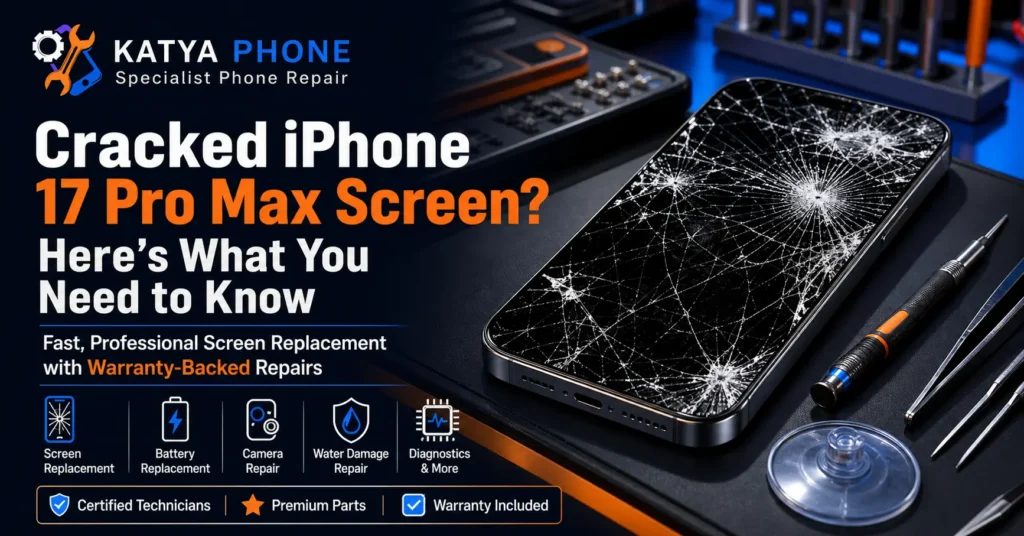
Just last week, a customer walked into our Caroline Springs shop holding their new iPhone 17 Pro Max like it was a fragile piece of glass. They hadn’t dropped it on concrete, and they hadn’t run it over with a car. It had slipped off the arm of the couch onto the carpet—a drop of barely two feet. But because it landed perfectly on the bottom corner, the incredible 6.9-inch display was webbed with cracks, and the touch response was completely dead on the left side.
When you need an iPhone 17 Pro Max screen replacement, the initial feeling is usually a mix of frustration and worry. It is a premium device, and seeing that beautiful, high-refresh-rate screen shattered is never a good moment. In our 15 years of repairing phones, we have seen every type of break imaginable. You are likely wondering if it is just the top glass that is broken, if the internal display panel is damaged, or if it is just a software glitch causing the touchscreen to stop responding.
We will walk you through exactly what happens when your screen gets damaged, how to tell if you actually need a physical repair, and what to look out for so you don’t end up paying for a whole new phone when a simple screen swap is all you need. If you’re dealing with a different iPhone 17 Pro Max issue — battery, charging, camera, or the Camera Control button — see our full iPhone 17 Pro Max Repair Hub.
What Actually Causes This Problem?
When an iPhone 17 Pro Max touchscreen stops responding or cracks, the cause is usually physical, but not always in the way you might think.
- Corner Impacts: This is the absolute killer. The corners of the phone handle the highest concentration of force during a drop. Even with Apple’s Ceramic Shield, a hard impact on the corner transfers shock directly into the glass, causing it to shatter outward.
- Pressure Damage: We frequently see phones that were placed in a tight back pocket and then sat on. The slow, bending pressure can crack the internal display panel without breaking the top glass.
- Swelling Batteries: In our workshop, this issue often appears when an old or faulty battery begins to swell. As it expands inside the device, it pushes up against the screen from the inside, eventually cracking the display or separating it from the frame.
- Extreme Temperature Shifts: Leaving your phone in a freezing car and then moving it directly in front of a blazing heater can cause the glass to expand and contract too quickly, leading to spontaneous micro-cracks.
- Water Ingress: While the iPhone 17 Pro Max has strong water resistance, microscopic cracks can let moisture sneak in, which shorts out the digitizer (the layer that reads your touch).
In 15 years of repairs, the most surprising cause we see is repeated minor drops. People think their screen broke from a small fall on a soft surface, but it actually broke because the glass had been weakened by dozens of previous minor impacts over the months prior.
Signs You Might NOT Need a Screen Replacement
Before you assume the worst about your iPhone 17 Pro Max, let’s look at the symptoms.
Signs it’s probably NOT a hardware issue:
- The screen is completely black, but the phone still vibrates when you toggle the mute switch or plug it in. This is sometimes just a system crash requiring a hard reset.
- The touch screen is unresponsive only in one specific app.
- The display dims suddenly but recovers when the device cools down.
Signs you probably do need a professional repair:
- There are bright green lines running vertically down the display.
- You can see ink-like black bleeds spreading across the screen (this means the internal display panel is crushed).
- A customer recently told us their phone was typing messages by itself; this “ghost touch” means the digitizer is physically damaged and needs a replacement.
- There is visible, deep cracked glass that is lifting away from the frame.
Step-by-Step Troubleshooting Guide
If your screen looks physically intact but is acting up, try these steps before seeking a repair.
Step 1: Perform a Hard Reset
Press and quickly release the Volume Up button. Press and quickly release the Volume Down button. Then, press and hold the Side Power button until the Apple logo appears. This fixes a surprising number of black screens.
Step 2: Clean the Screen and Your Hands
It sounds simple, but grease, dirt, or slight moisture on the screen can confuse the highly sensitive digitizer. Wipe it down with a clean, dry microfiber cloth.
Step 3: Remove the Screen Protector and Case
A chipped or low-quality glass screen protector can sometimes register false touches or block your real touches. Peel it off carefully and test the screen again.
Step 4: Update iOS via a Computer
If your screen doesn’t respond at all, plug your iPhone 17 Pro Max into a computer and use Finder or iTunes to check for and install the latest software updates.
Warning: Do not attempt to press hard on a cracked screen to force it to work, as this will push glass shards into the internal camera and Face ID sensors.
If none of these work, get a free check before spending anything.
What We Commonly See at Katya Phone
At our bench, the iPhone 17 Pro Max screen replacement is a delicate process because of the advanced display technology. We commonly see phones that look identical to the one in our story above—a minor drop causing maximum damage because the impact point was completely unprotected.
One of the most common mistakes customers make before coming in is putting clear tape over a badly shattered screen and continuing to use it for weeks. While this stops you from cutting your fingers, the pressure from daily typing pushes microscopic glass dust into the internal components. By the time we open it up, we have to meticulously clean the inside to prevent secondary damage to the battery and cameras.
We also notice that cheap, ultra-thin plastic cases are often the culprit. They offer scratch protection but zero shock absorption. A repair observation only a 15-year technician would know is that the frame of the phone actually absorbs the shock, and if your case doesn’t have a rigid bumper, the energy transfers straight to the display panel.
The biggest twist we encounter? Customers assume their phone is completely destroyed because the screen is black and flashing green, but once we connect a new display replacement for iPhone 17 Pro Max, the phone boots up perfectly, and all their photos and data are exactly where they left them.
Why DIY Repair Is Risky
With parts available online, you might be tempted to try an iPhone 17 Pro Max screen replacement at home.
- The internal flex cables connecting the screen to the logic board are incredibly fragile and easy to tear if you don’t know the exact angle to open the device.
- You must carefully transfer the Face ID sensors. If you damage these sensors, you will permanently lose Face ID functionality, as Apple pairs these specific sensors to the motherboard.
- The water resistance seal must be perfectly scraped clean and reapplied; otherwise, the phone will be vulnerable to the slightest bit of moisture.
- Cheap third-party screens often lack the 120Hz ProMotion refresh rate, making your premium phone feel sluggish and cheap.
The savings rarely outweigh the risk of turning a minor fix into a major one.
Repair Cost Factors
| Repair Type | Apple Out-of-Warranty | Katya Phone |
|---|---|---|
| iPhone 17 Pro Max Screen | ~$645+ | $169 – $699 |
| iPhone 17 Pro / 17 | ~$449 – $549 | $169 – $699 |
| Battery Replacement | ~$169+ | $159 – $219 |
| Charging Port | ~$199+ | $149 – $199 |
Prices are indicative starting ranges (AUD) — aftermarket parts sit at the lower end, genuine parts at the higher end. We provide a firm quote before starting any repair.
Prevention Tips
Keeping your iPhone 17 Pro Max safe is easier than dealing with a broken screen.
- Use a case with a raised lip: Ensure the front edges of the case sit higher than the glass. If the phone falls flat on its face, the case hits the ground, not the screen.
- Invest in tempered glass: A good 9H tempered glass protector absorbs the impact force and breaks so your actual screen doesn’t have to.
- Avoid extreme heat: Never leave your phone on the dashboard of your car in the Australian summer. Heat weakens the adhesive holding the screen layers together.
- Don’t sleep with your phone in bed: You are highly likely to roll over onto the device, applying uneven pressure that cracks the display panel from the inside.
- Regularly clean the charging port: If the port is full of lint, the charger won’t sit flush, and a sideways bump on the cable can lever against the internal frame, putting pressure on the bottom edge of the screen.
- Check your battery health: If your battery health is low and the phone gets unusually hot, bring it in. A swelling battery will eventually destroy your display.
Why Choose Katya Phone
When your premium device needs care, you want someone who knows exactly what they are doing. With over 15 years of experience in the industry, our team has seen every hardware fault and system error out there.
We believe in a look-first approach. We offer a free check and assessment so you know exactly what is wrong and what it will cost before we start any work. We communicate honestly—if your phone isn’t worth fixing, we will tell you straight.
We offer both genuine and aftermarket parts to suit your budget and always stand by our work with a solid 180-day warranty. We are proud to be a local presence in Caroline Springs, regularly serving customers from Burnside, Deer Park, Taylors Lakes, and across Melbourne’s west.
Drop in or call us—no appointment needed for a free check.
Book Your Repair Today
Don’t let a cracked screen ruin your day. Bring your device to Katya Phone for a fast, reliable iPhone 17 Pro Max screen replacement.
Katya Phone | 0451 041 090 | katyaphone.com.au
Related Articles
Explore more tips and services to keep your devices running perfectly:
- iPhone 17 Pro Max Repair Service (Screen, Battery, Charging & More)
- iPhone Repair Service in Deer Park
- Smartphone Water Damage Repair in Caroline Springs
- iPhone 11 Back Glass Replacement Cost
- Samsung Z flip 5 Inner Screen Replacement
- iPhone Repair Service in Burnside
- iPhone Battery Replacement Guide
For other iPhone models, see our complete iPhone screen replacement service in Caroline Springs, including screen options, pricing guidance and warranty details.
FAQ
Most screen replacements take about 30 to 45 minutes in our workshop. We keep common parts in stock so we can get your phone back to you on the same day.
No, a screen replacement does not erase your data. However, we always recommend backing up your phone to iCloud or a computer before bringing it in, just to be safe.
Yes, using a cracked screen can lead to glass splinters in your fingers. Furthermore, the cracks allow moisture and dust to enter the phone, which can cause severe internal damage over time.
We offer high-quality aftermarket parts that look and feel great, as well as premium refurbished original screens depending on availability and your budget. We discuss all options with you during the free check.
If the drop damaged the TrueDepth camera system, replacing the screen won’t fix the Face ID. We take a look first to identify exactly which components were damaged in the fall.
We are located in Caroline Springs and proudly serve the surrounding areas, including Burnside, Deer Park, Ravenhall, Cairnlea, St Albans, and all across Melbourne's west.
If your iPhone 17 Pro Max is still under Apple's standard warranty or AppleCare+, having the screen replaced by a non-Apple provider will void that specific coverage. We're upfront about this — if preserving your Apple warranty matters to you, we'll tell you honestly whether an independent repair makes sense for your situation.
Genuine (refurbished original) screens match Apple's exact specs for colour, brightness and touch response. High-quality aftermarket screens — including OLED options — get very close, at a lower price point. We talk through both options with you during the free check so you can choose based on budget and how long you plan to keep the phone.
Every screen replacement at Katya Phone comes with a 180-day warranty covering parts and labour. If anything isn't right with the repair, bring it back and we'll sort it out.
Pingback: OLED vs LCD iPhone Screen: Which Replacement Is Better?