
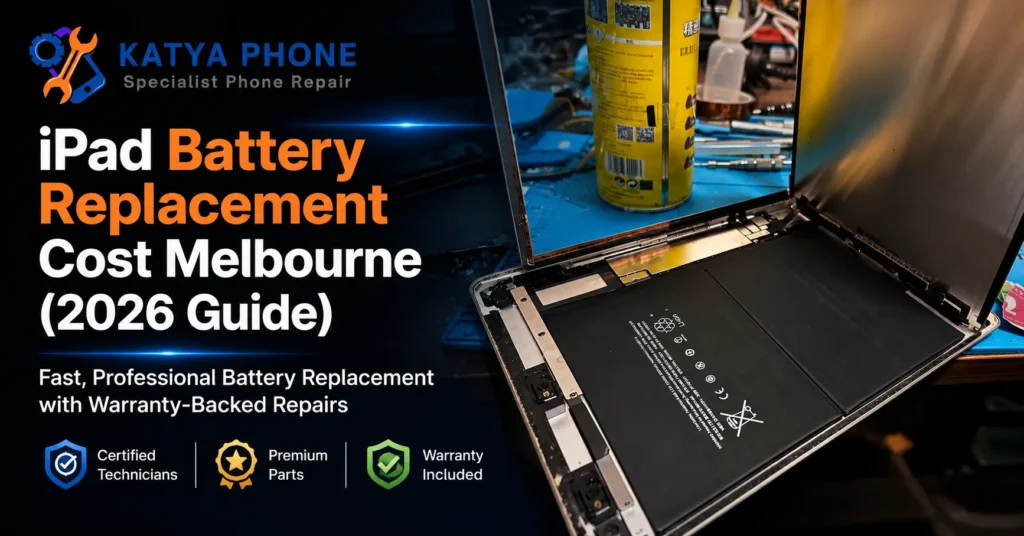
A worn iPad battery rarely dies all at once. It fades. One month it lasts most of the day, the next it drops from 60% to dead while you are halfway through a movie, and by the time it lands on our bench it is shutting off at 30% and lying about the percentage. If you are trying to work out the iPad battery replacement cost before you commit, here is the honest short answer: at Katya Phone in Caroline Springs, most iPad battery replacements land between $119 and $329, depending on the model and how the tablet is sealed.
That range assumes a clean device — no cracked glass, no bent frame, no earlier repair that disturbed the adhesive. Those extras are exactly what changes a quote, and most price guides skip over them. This one will not. We will walk through what actually drives the price, how to tell a tired battery from a charging fault, and when a replacement is worth it versus a new tablet. If you would rather just get a number for your exact model, our tablet repair Caroline Springs team gives a free check before any work starts.
What Changes the iPad Battery Replacement Cost?
The battery cell itself is only part of the job. On an iPad, the price is driven far more by how hard the tablet is to open safely and reseal. Here is what moves the final number:
- The model. An older iPad mini or standard iPad opens and reseals more predictably than a large iPad Pro, where the display is thinner and the battery is glued down harder.
- Screen bonding. iPad screens are held on with strong adhesive, not clips. Getting the display off cleanly without cracking it takes time and controlled heat, and that labour is baked into the price.
- Battery adhesive. The cell is stuck to the chassis with heavy-duty strips. On some models these release cleanly; on others they fight every millimetre.
- Existing damage. A lifted screen, a hairline crack, a slightly bent enclosure, or liquid marks all turn a straightforward battery job into something more involved.
- Part quality. A quality replacement cell matched to your model’s original capacity costs more than a bargain-bin battery that fades within a year.
After 15 years at the bench, the one that surprises customers most is the second-repair tax. If someone has been inside the iPad before and rushed the reseal, we often spend longer undoing their shortcut than doing the battery itself.
iPad Battery Replacement — Price Guide
| iPad type | Typical battery replacement (AUD) |
|---|---|
| iPad mini / older standard iPad | $119 – $189 |
| iPad (recent) / iPad Air | $149 – $249 |
| iPad Pro (11″ / 12.9″) | $229 – $329 |
Prices are approximate ranges for iPad models in Caroline Springs / Melbourne’s west, Australia. Final cost depends on the device’s condition. Always request a free check before authorising any work.
Is It Really the Battery? How to Tell
Before you pay for anything, it is worth being sure the battery is the culprit and not the charger, the port, or a software glitch. A genuinely worn iPad battery usually shows a cluster of these signs, not just one.
Signs it probably is the battery:
- It drains from full to flat in a few hours of light use, when it used to last most of the day.
- It shuts down suddenly at 20–30%, then jumps back to life once plugged in.
- The percentage leaps around — 100% to 60% in minutes, then stuck.
- The screen or case is visibly lifting or bulging, which points to a swollen cell.
- The tablet is 3–5 years old and has clearly slowed down.
Signs it might not be the battery at all:
- It only misbehaves with one particular cable or charger — that is usually the accessory, not the tablet.
- It charges fine but is slow and laggy — often a software or storage issue.
- It will not charge past a certain point but holds charge well otherwise — that can be a charging port packed with lint.
We had a customer from Deer Park certain her iPad Air needed a new battery because it kept dying at 40%. It turned out the charging port was clogged with pocket lint and it was barely sipping power overnight. A two-minute clean fixed it, no battery required. That is why we look first before quoting anything.
A Practical Order to Try Things First
Step 1 — Check the battery health. On newer iPads (iPadOS 17.5 and up), go to Settings > Battery > Battery Health. If maximum capacity is under 80%, the cell is genuinely worn.
Step 2 — Swap the cable and charger. Try a known-good charger and a different outlet before blaming the tablet. Cheap third-party cables fail far more often than the iPad does.
Step 3 — Restart and update. A full restart and an iPadOS update clears the software gremlins that sometimes masquerade as battery drain.
Step 4 — Look at the port. Shine a light into the charging port. If you see packed lint or dust, that alone can stop proper charging. Do not dig at it with metal.
One thing NOT to do: never keep charging a visibly swollen iPad and never press the bulge down. A swollen lithium cell is a genuine safety hazard and needs careful removal.
If none of these work, get a free check before spending anything. Bring it into our Caroline Springs repair shop and we will tell you straight whether it is the battery or something simpler.
What We Find at the Bench
The pattern we see most often is people budgeting for a clean battery swap, then learning the tablet has a second issue that was hiding behind the battery problem. A hairline crack along the edge of the glass. A frame that took a knock in a school bag and sits very slightly proud. Both mean the display has to come off and go back on with extra care, and that changes the quote.
The other common one is cheap charging habits doing slow damage. A no-name fast charger pushing the wrong voltage, or leaving the iPad on the dashboard through a Melbourne summer, cooks the cell far faster than normal use. Heat is the quiet killer of tablet batteries, and cars in Caroline Springs get brutal in January.
Here is something only years at the bench teaches you: a battery reading 82% capacity can still feel worse than one reading 78%, because raw capacity is not the whole story. Internal resistance and how the cell holds voltage under load matter just as much. That is why we test behaviour, not just the headline number, before we tell you a replacement is worth it.
Need a straight answer for your model? Send us the model name or drop in — no appointment needed for a free check.
Why DIY iPad Battery Swaps Go Wrong
We understand the temptation. A kit online looks cheap and the video makes it look like ten minutes. In practice, iPads are one of the least forgiving devices to open.
- The screen is bonded with strong adhesive and cracks easily if the heat or angle is slightly off — now you owe a screen and a battery.
- Delicate ribbon cables sit right where you pry; one nick and Face ID, the home button, or the touch layer can stop working.
- Old adhesive rarely reseals properly by hand, so the tablet is left open to dust and moisture.
- A punctured or bent battery during removal is a real fire risk, not a scare story.
- Cheap kit batteries often ship at low quality and fade within months.
The savings rarely outweigh the risk of turning a minor fix into a major one.
Simple Ways to Make an iPad Battery Last Longer
- Keep it out of hot cars. Heat degrades lithium cells faster than anything else, and a dashboard in a Melbourne summer is the worst place for it.
- Charge to around 80% for daily use rather than constantly topping to 100% and draining to zero.
- Use a charger and cable rated for your model — cheap accessories deliver unstable power that stresses the battery.
- Wipe the charging port area weekly so lint does not pack in and interfere with charging.
- Turn down background app refresh and screen brightness, which quietly drain the cell all day.
- Do not leave it plugged in at 100% for days on end in a hot room.
- Use a case with some airflow rather than a thick sealed cover that traps heat during charging.
The non-obvious one, from years of seeing what actually breaks tablets: the single biggest battery killer we see is not heavy use, it is heat plus cheap chargers together. Fix those two and most iPads comfortably reach four or five years.
Why Choose Katya Phone
We have spent 15 years fixing phones and tablets for Caroline Springs and the surrounding suburbs, from Burnside and Deer Park to Taylors Hill, Hillside and Sydenham. That experience shows in the small things — clean adhesive work, proper resealing, and honest advice about whether a repair is worth it.
We look first and quote before we touch anything, so there are no surprises. We explain the part options for your model, we do not use confusing tech talk, and we back our work with a warranty. Katya Phone is an independent repair shop, not an Apple Authorised Service Provider, which usually means faster turnaround and friendlier pricing for out-of-warranty tablets.
Drop in or call — no appointment needed for a free check.
Related Articles
More repair guides and services from Katya Phone you might find useful:
- Tablet Repair in Caroline Springs — screen, battery, charging and water-damage help for all tablets
- Cracked iPad Screen in Caroline Springs? Everything You Need to Know
- Smartphone Battery Replacement in Caroline Springs
- MacBook Battery Replacement Cost in Melbourne (2026 Guide)
iPad Battery Replacement – Frequently Asked Questions
How much does iPad battery replacement cost in Australia?
Most iPad battery replacements in Melbourne’s west sit between $119 and $329, depending on the model and how the tablet is sealed. Larger iPad Pro models sit at the higher end because they are harder to open and reseal. You get a free quote for your exact model before any work begins.
What is included in the price?
The quote covers the replacement battery, the labour to open and reseal the tablet safely, and testing afterwards to confirm it charges and holds power correctly. If your iPad has extra damage like a cracked screen or bent frame, we tell you upfront before starting.
How long does an iPad battery replacement take?
For most models we allow 2 to 4 hours, because the screen adhesive and battery glue need time and controlled heat to remove and reseal properly. Some models are same-day; others need the part ordered in, which can push turnaround to 24–72 hours. We give you a clear timeframe when you drop it off.
Will I lose my data during a battery replacement?
A battery replacement does not normally touch your storage, so your apps, photos and files stay in place. That said, no honest repairer can promise 100% data safety on any hardware job, so backing up to iCloud or a computer beforehand is always the smart move.
How do I know if my iPad needs a new battery or just a charger?
If it drains fast, shuts off at 20–30%, or the case is bulging, the battery is the likely cause. If it only misbehaves with one cable, or charges fine but runs slow, it is more likely the charger, the port, or software. A free check settles it quickly.
Is it worth replacing an iPad battery or should I buy a new one?
For most iPads under about five years old, a battery replacement is far cheaper than a new tablet and restores normal performance. If the device is very old, cracked, or already slow for other reasons, we will tell you honestly when a replacement is not worth it.
Do you use genuine Apple batteries?
As an independent shop, we fit quality replacement cells matched to your model’s original capacity and voltage, not bargain-bin batteries that fade within months. We are not an Apple Authorised Service Provider, so we do not fit Apple-branded genuine cells, but we are upfront about exactly what we use.
Do you offer a warranty on iPad battery replacements?
Yes. We back our battery replacements with a warranty on the part and the labour, so if the cell we install has an issue within the warranty period, we sort it out. Ask us for the current warranty terms when you get your quote.
Which suburbs do you serve for iPad battery replacement?
We are based in Caroline Springs and regularly help customers from Burnside, Deer Park, Ravenhall, Cairnlea, St Albans, Kings Park, Taylors Hill, Hillside, Sydenham, Delahey, Fraser Rise and Plumpton. Walk in any day — no appointment needed for a free check.
Get a Straight Answer on Your iPad
A tired iPad battery does not have to mean a new tablet. For most models, a quality replacement brings back a full day of use for a fraction of the price of upgrading — and the honest iPad battery replacement cost only becomes clear once someone actually looks at your device. That is the part worth doing right.
Bring your iPad into Katya Phone in Caroline Springs and we will run a free check, tell you whether it is genuinely the battery, and give you a clear quote before we touch anything. No appointment needed, no confusing tech talk, just a straight answer. Call us on 0451 041 090 or drop in — we also help customers right across Melbourne’s western suburbs.
Pingback: iPad Not Charging? Causes & Fixes (Caroline Springs)
Pingback: iPad Battery Draining Fast? Causes & Fixes | Katya Phone