
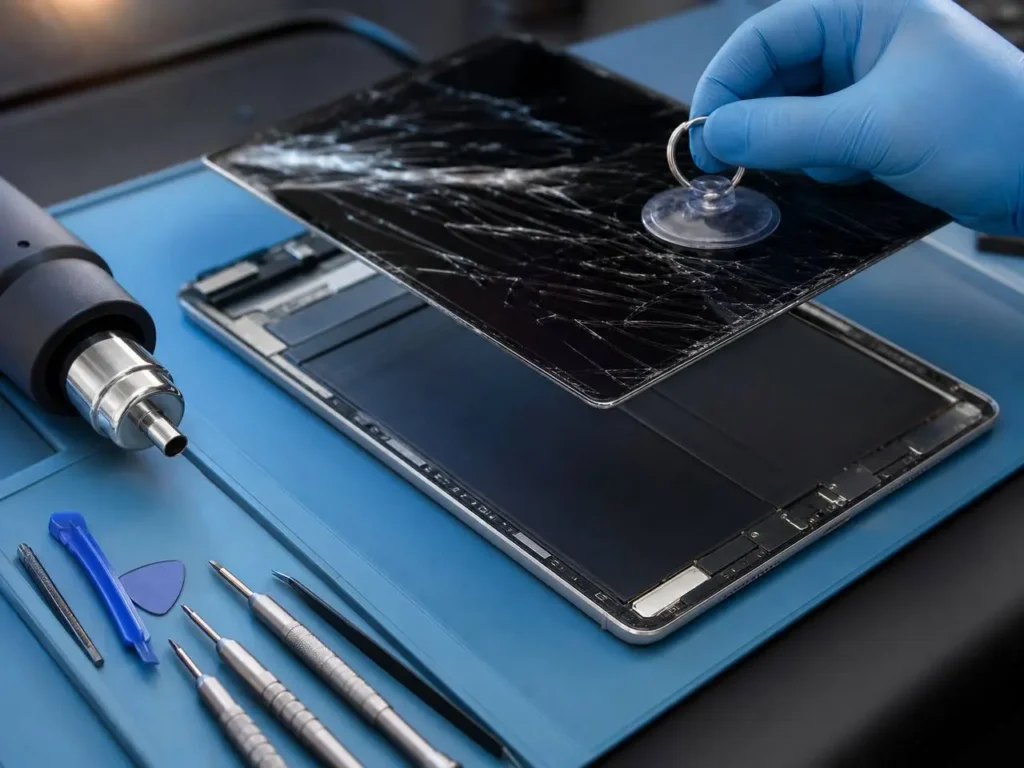
You set your iPad down for just a second — and crack. That sickening spiderweb of broken glass staring back at you is every iPad owner’s nightmare. Whether it slipped off the couch, tumbled out of a school bag, or took a tumble in the kitchen, a cracked iPad screen can turn a productive day into a stressful one.
If you are looking for professional ipad screen repair in Caroline Springs or the surrounding western suburbs of Melbourne, the good news is that ipad screen repair doesn’t have to be expensive, slow, or complicated. In this guide, we’ll walk you through everything — from what causes screen damage to when it’s time to call a professional — and show you why local, expert repair is your best option.
What Exactly Happens When Your iPad Screen Breaks?
Modern iPad screens are made of two layers: the glass digitiser (the part you touch) and the LCD or OLED display underneath (the part that shows the image). When you drop your iPad, one or both of these layers can crack or shatter.
Even if the screen looks “just cracked,” internal damage can affect touch sensitivity, colour accuracy, and overall performance. This is why getting a proper iPad screen repair — not just a quick cosmetic fix — matters so much.
Common Causes of iPad Screen Damage
- Dropping the iPad onto a hard surface (tiles, concrete, timber floors)
- Sitting or stepping on the device accidentally
- Pressure from a heavy bag or backpack
- Water or liquid exposure causing internal damage
- Impacts from the corner or edge of the device
- Manufacturing defects or stress fractures over time
- Extreme temperatures (leaving it in a hot car, for example)
Pro Tip from a Technician: Corner drops are the most dangerous. When an iPad hits a corner first, the force concentrates in one spot and spreads across the screen — which is why even a short drop can cause a full-screen crack.
Signs Your iPad Screen Needs Attention
Sometimes screen damage isn’t obvious. Watch out for these warning signs:
- Visible cracks, chips, or shattered glass on the screen surface
- Black spots, dead pixels, or lines appearing on the display
- Touchscreen not responding or responding inaccurately
- Screen flickering or going dark randomly
- Colour distortion or a purple/green tint on part of the screen
- Glass lifting or separating from the frame
- Sharp glass edges that could cut your fingers
Important: Don’t ignore sharp glass edges. A damaged screen left unrepaired can worsen over time and become a safety hazard — especially for children.
What You Can Do First (Basic Checks)
Step 1 — Assess the damage
Before anything else, turn your iPad on. Can you still see the display? Is the touchscreen responding? If the screen still works and the crack is small, you might have a bit more time — but it’s still worth getting it looked at soon.
Step 2 — Protect the screen temporarily
Apply a clear screen protector or even clear tape over small cracks to stop them spreading and to protect your fingers from sharp glass edges. This is a temporary fix only — not a repair.
Step 3 — Back up your data
Before handing your iPad in for repair, back it up via iCloud or iTunes. This protects your photos, apps, and files in the rare case of complications during repair.
Step 4 — Avoid DIY repairs unless you’re experienced
YouTube tutorials make iPad screen replacement look easy — and it’s not. iPad screens are glued and clamped tightly, and home repairs often cause additional damage, void your warranty, or result in a screen that doesn’t sit flush. Save yourself the headache.
Pro Tip: If you’re in Caroline Springs and unsure about the damage, many reputable local repair shops offer a free diagnostic check before you commit to any repair. Always ask for this first.
When to See a Professional Technician
You should visit a professional for iPad screen repair when:
- The screen is cracked, shattered, or lifting from the frame
- The display shows lines, discolouration, or black spots
- Touch functionality is affected — even partially
- The device has also been exposed to water or heat
- You’ve already attempted a DIY fix that hasn’t worked
- You need the repair done quickly — especially for school or work use
A qualified technician in Caroline Springs can typically complete an iPad screen repair on the same day, using quality replacement parts that restore your screen to near-original condition.
Tips to Prevent Future iPad Screen Damage
- Use a quality case: A rugged case with raised edges protects the screen when the iPad falls face-down.
- Apply a tempered glass screen protector: This absorbs impact and can sacrifice itself so the actual screen doesn’t crack.
- Store it safely: Use a padded sleeve when putting your iPad in a bag.
- Keep it away from table edges: Most drops happen when a device is perched on the edge of a table or couch armrest.
- Keep liquids away: Even small spills can work their way under the screen and cause long-term damage.
- Use it at a desk or stable surface: Especially with young children around
Conclusion
A broken screen is a race against time. Whether it is a small crack or a total blackout, getting an expert ipad screen repair ensures your device remains functional for years to come. At Katya Phone, we pride ourselves on providing fast and reliable service in the Caroline Springs and Melbourne areas.
Ready to fix your iPad? Don’t wait for the damage to get worse. Bring your device to Katya Phone today for a professional diagnostic. We’ll help you get back to work and play in no time!
Related Articles:
» iPhone Repair Service in Burnside
» Samsung Smartphone Repair in Caroline Springs
» iPhone Repair Service in Albanvale
» iPhone Repair Service in Kings Park
» iPhone Repair Service in Ardeer
Frequently Asked Questions
Most iPad screen repairs are completed within 1–2 hours when parts are in stock. Some complex models may require same-day or next-day turnaround.
Apple’s warranty doesn’t typically cover accidental damage. Third-party repairs may affect your Apple warranty, but many local repairers offer their own repair guarantee. Always ask before proceeding.
In most cases, yes — especially if the device is still running well. Screen repair is almost always cheaper than buying a new iPad. A technician can advise you on whether repair is cost-effective for your specific model.
Prices vary depending on the iPad model and the extent of the damage. Most screen repairs range from $99 to $299. Ask for a quote upfront — a trustworthy repair shop will always be transparent about pricing.
Many local repair shops in Caroline Springs accept walk-ins, but booking ahead ensures faster service and that parts are available for your specific iPad model.
Don’t Let a Cracked Screen Slow You Down
Get your iPad screen repaired fast by trusted local technicians in Caroline Springs. Same-day service available — free diagnostic included.
Pingback: iPad Battery Replacement Cost Melbourne (2026 Guide)