
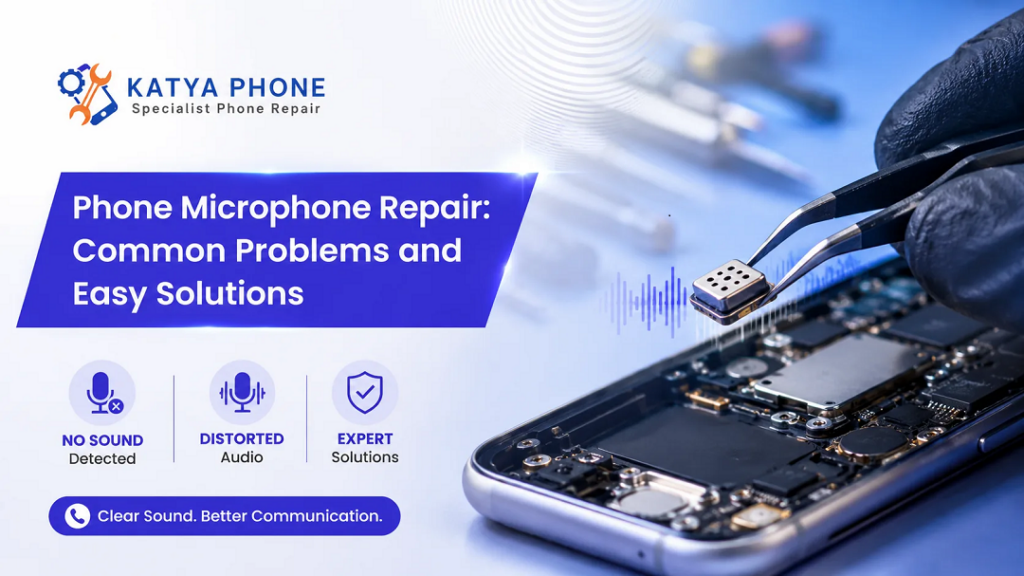
Not only about calls, but a broken phone microphone will hinder almost everything related to the voice. For the other person they can hear you loud and clear but will keep repeating; “I can’t hear you” or “You sound very far away!”. Most of the time it is not an issue with the mobile network at all. It can be dust, humidity, software issues or broken microphone.
At Katya Phone, we service customers with phone microphone repair, iPhone microphone repair, Samsung microphone repair and other mobile audio problems. Not all microphones are created equal, and a clear mic is appreciated every day in your work calls, WhatsApp voice notes, video recording or even online meetings..
Here is an explanation of the most common phone microphone problems, which easy checks you can perform at home, and when it is better to call a specialist for phone repair.
Why Your Phone Microphone Is So Important
Modern smartphones use more than one microphone. Usually, one microphone handles normal phone calls, while others support noise cancellation, speakerphone, video recording, and voice commands. Therefore, one feature may work while another does not.
For example, your normal call microphone may fail, but your speakerphone may still work. Similarly, your camera video may record sound poorly, although voice calls seem fine. Because of this, mobile microphone repair needs proper testing, not guesswork.
A faulty microphone can affect:
Phone Feature | Common Problem You May Notice |
Phone calls | Other person cannot hear you clearly |
Speakerphone | Voice sounds distant or muffled |
Voice notes | Recording is too low or unclear |
Video recording | Audio cuts out or sounds noisy |
Siri / Google Assistant | Voice command does not respond |
Online meetings | Your voice keeps dropping |
So, before replacing the phone, it is worth checking whether a simple microphone repair service can solve the issue. Looking for a Xiaomi Phone Repair Service
Common Phone Microphone Problems
1. People Cannot Hear You During Calls
One of the para most common signs of a broken mobile phone microphone. You might hear the caller just fine, but your voice may appear loud and clear to you yet sounds very low, broken or completely silent from their side.
This is typically due to a blocked bottom mic, liquid damage, internal connection interruption or software conflicts. So even if the phone just simply fell, the mic flex cable might have moved or broken.
2. Your Voice Sounds Muffled
A muted voice often comes from dust, lint, makeup or debris that gets stuck in the holes of the microphone. Microphone openings are tiny, so just a little blockade can impact on sound quality
Gently check the mic opening close to the charging port before assuming that the part is a total loss. But do not push sharp pins inside it as it may tear the internal mesh or the microphone.
3. Microphone Works Only on Speakerphone
If your microphone works during speakerphone phone calls but not throughout typical calls, it’s possible your telephone has more than one mic and certainly considered one of them is not operating properly. The same is the case here with the microphone repair of mobile devices, i.e., it can be an issue in taking NFC repair into consideration.
In this case, a technician will check each mic individually. Then, without unnecessary tasks, only the exact defective piece is repaired or changed.
4. Voice Notes Are Blank or Very Low
Most of the customers realize microphone problems when using applications like WhatsApp, Messenger, Instagram or Voice recorder. If your voice note appears to record silence, a robotic sound or an extremely quiet audio clip then the app might not be receiving proper microphone access.
In some cases, it is a software problem. On the other hand, if all apps are recorded at low sound then you should check your mic hardware.
5. Crackling or Static Noise
Crackling sound when on call or during recording – This may indicate liquid exposure, internal corrosion, or a failing microphone component. A little moisture on it itself can cause audio distortion.
Cheaper charging cables, dust close to the charging port, or old repair damage can also lead to noise. Should the static noise persist, a professional diagnosis is best practice. Get details on Mobile Back Glass Replacement in Caroline Springs
Easy Solutions You Can Try First
It can be a microphones issue, that doesn’t have to be fixed immediately, Try these easy tasks before you purchase at a shop
Restart Your Phone
Restarting clears temporary software errors. It sounds basic, but the simple fix is to restart your computer — this will often resolve mic issues that arise from apps freezing up or causing conflicts in the background.
Clean the Microphone Area Carefully
Gently brush around the mic opening with a soft dry brush Never use water, metal pins or high pressure air. And again remove your phone case and the screen protector if they cover any of your microphone holes.
Check App Permissions
Check your phone settings and which app have permission to access the microphone. To accomplish this, obviously applications like WhatsApp, Zoom or Instagram Messenger or Google Meet are given access to the microphone.
Test With Different Apps
Attempt a voiced memo, voice the traditional phone name, voice on speakerphone, and move as far as to report a brief video. If the mic doesn’t work in all of these tests, it’s probably a hardware issue. Get details on Smartphone Charging Port Repair in Caroline Springs
Remove Bluetooth Devices
There are times when the phone connects with earbuds, car audio, or a smartwatch without your knowledge. In this case, the microphone of the uploading device may not be used anyhow. Disable Bluetooth, and test it again.
Update the Software
Audio bugs can be caused by outdated software. So, install any update that are pending with your system and app. If the issue begins following an update, a technician can test firmware or settings to see if they were to blame.
When You Need Professional Phone Microphone Repair
Professional Phone Microphone Repair If cleaning and settings do not work Trained technician can safely key open the device, test microphone circuit or see if liquid damage has occurred, inspect charging port area and so on replacing the failed part accordingly.
You should visit a repair expert if:
Warning Sign | What It May Mean |
No sound during calls | Faulty microphone or flex cable |
Sound works only sometimes | Loose connection or internal damage |
Phone had water exposure | Corrosion around audio components |
Microphone hole looks blocked | Dirt, dust, or damaged mesh |
Phone was dropped recently | Internal part may be cracked or shifted |
All apps record poor sound | Hardware fault likely |
At Katya Phone, we aim to give practical advice first. If the microphone only needs cleaning or a setting adjustment, we will let you know. If the part needs replacing, we explain the repair clearly before moving ahead.
Phone Microphone Repair vs Phone Replacement
Many people think they need a new phone when the microphone fails. Thankfully, that is not always true. In most cases, microphone repair costs much less than buying a new phone.
Option | Best For | Main Benefit |
Cleaning | Dust or lint blockage | Quick and affordable |
Software fix | App permission or update issue | No parts needed |
Microphone replacement | Hardware failure | Restores clear sound |
Full phone replacement | Severe board damage or old device | New device warranty |
So, if your phone still works well apart from the microphone, repair is usually the smarter option.
Related service:
» Mobile Microphone Repair Service in Caroline Springs
» Smartphone Software Problems Repair Service in Caroline Springs
» OPPO Phone Repair Service in Caroline Springs
» Smartphone Water Damage Repair Service
» Smartphone Power Button Repair
Why Choose a Katya Phone?
Choosing the right repair shop matters because microphones are small and delicate. A poor repair can affect charging, speaker sound, FaceTime, video recording, and call quality.
Katya Phone provides careful diagnosis for phone audio repair, microphone replacement, speaker and microphone issues, and mobile phone repair. We work with popular brands, including iPhone, Samsung, Google Pixel, Oppo, Motorola, and more.
Most importantly, we focus on honest repair advice. If your phone does not need a part replacement, we do not push one. Instead, we help you choose the right solution based on the actual fault.
Tips to Prevent Future Microphone Problems
Although some faults happen suddenly, a few habits can protect your phone microphone.
Avoid exposing your phone to water, steam and wet benches or tables. Do not also keep it in pockets or pouches that have dust and dirt; preferably avoid putting them without a case. Gently clean it every now and then on the area of where the microphone is. In addition, do not peel the dirt off the microphone hole with sharp objects. A good phone case helps reduce builds up around small openings if you work around dusty areas.
Also, check out that charge port or water damage early on every one. A common problem is that as the microphone is often nearby to the charging port, one can affect another.
Final Thoughts
In a phone, which has started to go wrong, its mic can make it almost unusable when you want to take calls and meetings, or send voice notes or videos. But the solution could be easier than you think, In some cases though all it takes to be back on track is a clean, app permission, or even a software update. However, if it works but the microphone is broken down then professional phone microphone repair will provide you with clear sound without the need of replacing your whole phone.
Bring it to Katya Phone for a proper check if your phone voice is muffled, low, crackly or silent. Fast diagnosis can save you time, stress and possibly the financial expense of a new device.
Related Articles
» Galaxy A55 microphone not working
» Common Phone Problems and Fixes
FAQs About Phone Camera Repair
1. Why is my phone camera blurry?
Blurry camera: Prints Fingerprints Dust Dirty camera cracked glass. Maybe the auto-focus system has broken or damaged internal components of the camera.
2. Can a scratched camera lens be repaired?
The glass exterior of the camera is often repairable. However, if the camera module itself is scratched or otherwise damaged, you will need to replace it.
3. Why does my camera shake when I open it?
Camera shaking even in the case of bad stabilisation, particularly after a drop or other strong vibration.
4. How long does phone camera repair take?
Simple camera glass replacement may take around 30–60 minutes. Camera module replacement may take longer, depending on the model.
5. Can water damage affect the phone camera?
Yes. Humidity can fog the lens, corrode connectors and ruin cameras.
6. Why is my camera showing a black screen?
A blank black camera screen you may get from an app issue, a software glitch, a damaged cable, or failed camera module.
7. Can I use my phone if the camera glass is cracked?
You can, but it is risky. Dust or water particles can get in and damage the camera module.
8. Do I need to replace the whole phone for camera failure?
Usually, no. Most camera faults can be fixed with glass replacement, cleaning, or camera module repair.
9. Why does my front camera not work?
The front camera may fail due to software bugs, drop damage, water damage, or a faulty front camera module.
10. Will camera repair affect photo quality?
A good-quality repair should restore normal camera performance. However, low-quality parts may affect focus, colour, or sharpness.
11. Can Katya Phone repair both iPhone and Samsung cameras?
Yes, Katya Phone can inspect and repair camera issues on many popular phone models, including iPhone and Samsung devices.
12. How do I know if my camera issue is software or hardware?
If restarting, updating, and testing another app does not fix it, or if the phone had a drop or liquid exposure, it is likely hardware related.
Pingback: iPhone Microphone Not Working: Causes & Repair Solutions