
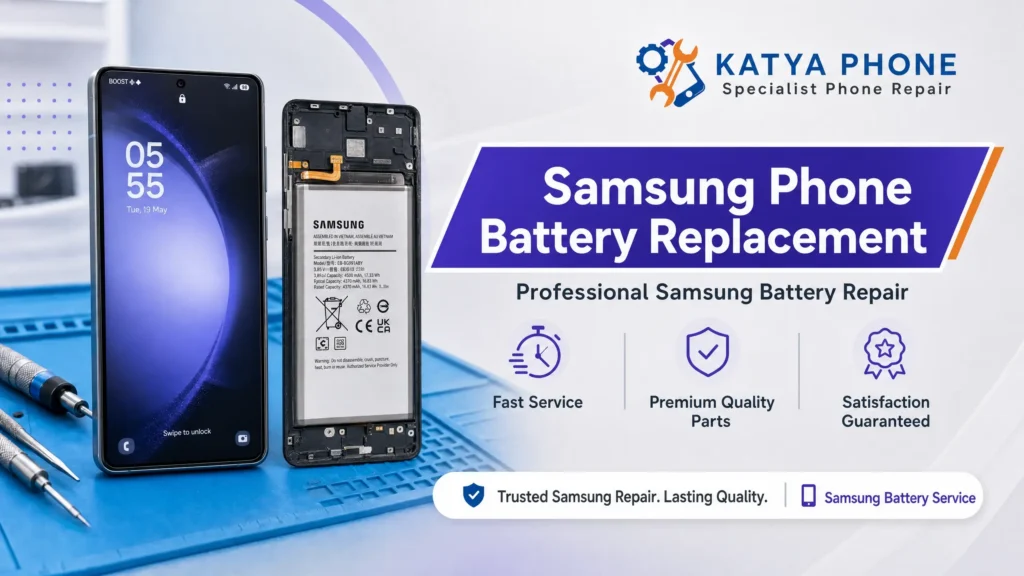
We have all been there. You plug your phone in overnight, head out for a day of shopping or work, and by lunchtime, your battery icon is already blinking red. Or worse, your phone completely shuts down while you are in the middle of an important call, despite claiming it still has 15% battery left.
As smartphones have become faster, brighter, and more powerful, our reliance on their lithium-ion power cells has grown exponentially. If you are constantly tethered to a portable power bank or hunting for a spare wall socket, you are likely dealing with a degraded power cell that is begging for a Samsung Phone Battery Replacement.
Because modern Samsung Galaxy devices are high-performance machines with tightly sealed glass back panels, addressing a failing battery isn’t as simple as sliding off a plastic cover like the old days. In this comprehensive guide by our Mobile Repair in Caroline Springs centre, we will break down exactly how smartphone batteries age, help you identify the critical warning signs of a failing cell, and walk you through the safest, most cost-effective path to restore your phone’s all-day battery life.
Understanding the Issue: How Lithium-Ion Batteries Degrade
Every modern Samsung phone, from the budget-friendly Galaxy A series to the flagship Galaxy S and cutting-edge Z Fold models, relies on Lithium-ion (Li-ion) battery technology. These batteries are highly efficient, light, and charge quickly, but they have a finite lifespan.
As you use your phone, chemical reactions occur inside the battery to store and release electrical energy. Over time, these reactions leave behind microscopic structural changes that permanently diminish the battery’s overall capacity. On average, a premium smartphone battery is engineered to retain roughly 80% of its original health after 500 complete charge cycles (roughly 18 to 24 months of daily usage). Past this point, performance drops off a cliff.
Common Causes of Accelerated Battery Failure
While normal chemical aging is inevitable, several environmental factors can cause a Samsung battery to fail prematurely:
Extreme Thermal Exposure: Excessive heat is a silent killer for lithium cells. Leaving your phone resting on a hot car dashboard under the blazing Melbourne summer sun cooks the internal chemicals, destroying battery capacity instantly.
Substandard Third-Party Chargers: Cheap, uncertified charging bricks and cables lack basic voltage regulation circuits. They pump unstable, fluctuating currents into your phone, degrading the internal power management chip (PMIC) and heating up the battery.
Deep Discharge Habits: Regularly letting your phone run completely down to 0% before plugging it back in puts immense physical strain on the cell structure.
Ambient Moisture and Humidity: Steam from hot bathrooms can creep under the factory adhesive seals, causing microscopic corrosion on the sensitive battery management flex cables.
Signs and Symptoms That Your Samsung Needs a New Battery
If you aren’t sure whether your battery is genuinely failing or if a background app is simply hogging resources, look out for these definitive hardware red flags:
1. The Sudden Percentage Drop
Your phone reads 30% battery remaining, but five minutes later it suddenly plummets to 5%, or cuts out completely without warning. This occurs because the degraded cell can no longer maintain a stable voltage output under processing loads.
2. Extreme Overheating While Charging
It is normal for a phone to feel slightly warm while fast-charging. However, if the back panel becomes uncomfortably hot to the touch during a basic top-up, the battery’s internal resistance has spiked, indicating a failing cell.
3. The Back Glass is Lifting (The Dangerous Sign)
If you look at your phone from the side and notice the rear glass panel starting to separate or lift away from the middle frame, stop charging it immediately. This is caused by a swelling battery. Internal gas build-up expands the pouch, creating a severe fire and puncture hazard.
Step-by-Step Solutions: Software Tweaks vs. Hardware Repair
Before booking a workbench diagnostic, execute these sequential steps to rule out software glitching.
Step 1: Run a Hardware Diagnostic Check
Samsung includes a built-in battery assessment tool within its software ecosystem.
Open the native Samsung Members app on your device.
Navigate to Support > Phone Diagnostics.
Select Battery Status. If the application returns a status reading of “Action Required” or “Bad,” a physical hardware replacement is necessary.
Step 2: Clear background System Cache
Sometimes a corrupted system file keeps your processor running at 100% in the background, mimicking a dead battery. Turn your phone off, hold the Volume Up and Power buttons simultaneously until the recovery menu appears, and select Wipe Cache Partition. Restart the phone and monitor the drain rate.
Step 3: Professional Component Replacement
If the diagnostics report bad health or your back panel is visibly warped, software tweaks cannot fix a physically degraded chemical cell. The phone must be handled by a technician using controlled heat platforms and specialized suction gear to remove the fragile glass without damaging surrounding mainboard components.
Samsung Phone Battery Replacement Cost Factors in Australia
The total cost to replace your battery in Australia depends entirely on your specific model series and the avenue of repair you choose. Foldable screens and advanced flagships carry tighter internal architecture, demanding significantly more bench time.
Estimated Price Comparison Table (AUD)
| Samsung Galaxy Device Series | Independent Specialist (Premium OEM-Grade Parts) | Official Samsung Out-of-Warranty Service |
| Galaxy A Series (e.g., A15, A34, A54) | $79 – $110 | $99 – $149 |
| Galaxy S Series Flagships (e.g., S22, S23, S24) | $99 – $140 | $115 – $180 |
| Galaxy Ultra / Note Series (e.g., S23 Ultra, Note 20) | $110 – $150 | $130 – $220 |
| Galaxy Z Fold / Z Flip Series (Dual Battery Systems) | $180 – $260 | $240 – $320+ |
Note: Prices are realistic local benchmarks for 2026 inclusive of professional labour and waste disposal fees for lithium components.
Why Professional Repair Matters for Samsung Electronics
It can be tempting to order a cheap battery kit online to attempt a home repair, but modern Samsung devices are highly integrated machines.
The Hidden Risks of DIY Battery Swaps:
Puncture and Thermal Runaway: Samsung glues their batteries down with incredibly strong industrial adhesive patches. Prying the battery out with a metal tool or screwdriver can easily puncture the soft lithium pouch, causing an immediate chemical fire.
Delicate Mainboard Ribbons: On most modern Galaxy devices, the main display flex cable and mainboard interconnect traces run directly underneath or over the top of the battery pouch. One slip of a plastic tool can slice a cable, turning a simple battery swap into a costly screen or board rebuild.
Losing Factory Alignment Gaskets: A proper repair shop completely cleans away the old, squished adhesive lines and installs fresh, pre-cut structural seals. Skipping this leaves your back panel rattling or falling off entirely over time.
Pro Tips to Prolong Your New Battery’s Lifespan
Activate “Protect Battery” Mode: Go to Settings > Battery and enable the maximum charge ceiling feature. This limits your maximum daily charge to 80% or 85%, reducing the high-voltage stress that rapidly ages lithium cells.
Ditch the Bedside Overnight Charge: Leaving your device sitting plugged into a live wall socket for 8 hours straight keeps the chemical cells at maximum stress levels and generates constant ambient heat.
Charge Between 20% and 80%: Think of your battery health like a rubber band; it experiences the least structural tension when kept between 20% and 80% capacity.
Why Choose Katya Phone for Your Samsung Repair?
At Katya Phone, we treat your smartphone with the clinical precision it deserves. We don’t slash through cables or glue panels back together blindly.
15+ Years of International Hardware Expertise: Our lead technician specializes in micro-soldering, board-level fault diagnostics, and complex hardware restoration for the Caroline Springs, Melbourne community.
Premium Quality Component Sourcing: We only install premium-grade, high-capacity cells that perfectly match original safety standards, capacity specifications, and thermal limits.
Honest, Clear Pricing: We inspect your device to ensure your fast drain isn’t caused by a shorted motherboard chip, ensuring you never pay for a replacement part you don’t actually need.
Conclusion: Give Your Device a Fresh Lease on Life
You don’t need to spend thousands of dollars buying a brand-new smartphone just because your current model can’t hold a charge anymore. Investing in a professional Samsung Phone Battery Replacement is a fraction of the cost of an upgrade. This directly extends the active lifespan of your reliable phone.
Is your phone constantly running out of juice? Don’t risk a dangerous swollen battery disaster. Contact Katya Phone in Caroline Springs, Melbourne today for a transparent quote and an ultra-fast turnaround time!
Related Articles:
» iPhone Repair Service in Burnside
» iPhone Repair Service in Deer Park
Frequently Asked Questions (FAQs)
A1: No. A battery replacement is a strict hardware swap and does not affect your internal storage chips or data partitions. However, we always recommend keeping a standard cloud backup as a golden rule for any device opening.
A2: For standard Galaxy S and A series devices, a precision battery swap, old adhesive cleanup, and structural resealing takes roughly 30 to 60 minutes at our workbench.
A3: While we use precision-cut industrial gaskets to match factory seals as closely as possible, we do not guarantee the device will remain 100% waterproof. Opening any device permanently alters its original factory liquid defence, but our seals will fully protect your phone against daily splashes and humidity.
A4: Yes, provided it is a high-quality certified adapter from a reputable brand. If your old charger has frayed plastic coatings or makes a faint high-pitched buzzing noise, discard it immediately to protect your new battery.
A5: This is completely normal software behavior. New chemical cells need to complete 2 to 3 full charge-and-discharge cycles for the Android operating system to accurately calibrate its digital gas gauge and match the physical cell limits.