
Is your iPhone acting like it has a “sweet spot” just to start charging?
It starts with a little wiggle of the cable. Then, it only charges at a certain angle. Finally, nothing. At Katya Phone, we know that a faulty charging port isn’t just a minor nuance—it’s a gateway to a dead phone and lost connectivity.
With over 15 years of deep-tech experience in the Melbourne and Caroline Springs area, we don’t just “swap parts.” We diagnose, restore, and guarantee your iPhone’s power health using industry-leading precision.
Recognizing the Red Flags: Symptoms of a Failing Port
Before you assume your battery is dead, look for these specific warning signs that point directly to the charging port:
- The “Wiggle” Test: If you have to prop your phone up or bend the cable to get a connection, the internal pins are likely bent or the housing is loose.
- Intermittent Connection: Your iPhone “chirps” repeatedly as it connects and disconnects, which can actually degrade your battery health over time.
- Debris Obstruction: The cable doesn’t “click” firmly into place or feels “mushy” when inserted.
- Temperature Warnings: A damaged port can sometimes cause the bottom of the phone to heat up during charging—a major safety red flag.
The Anatomy of Failure: Why Do Ports Give Out?
As a specialist who has opened thousands of iPhones, I’ve identified the three primary “killers” of the charging assembly:
1. Micro-Debris Compaction
Every time you put your phone in your pocket, lint, dust, and hair enter the port. Each time you plug in the cable, you “stamp” that debris into the back of the port. Eventually, it forms a hard layer that prevents the pins from making electrical contact.
2. Structural Pin Damage
The internal “tongue” of an iPhone port is lined with microscopic copper pins. Using “knock-off” cables (which often have slightly thicker connectors) or forceful insertion can bridge these pins, causing a short circuit that can damage the U2 Charging IC on your logic board.
3. Electrochemical Corrosion
Even a single drop of rain or high humidity can cause a tiny spark of oxidation on the gold-plated pins. This creates “pitting,” which increases electrical resistance and prevents fast charging.
The Danger of “DIY” Fixes: Why a Toothpick Isn’t the Answer
It’s tempting to grab a needle or a toothpick, but here is why that often leads to a $500 mistake:
- Static Discharge: Metal tools can discharge static electricity directly into the charging circuit.
- Pin Alignment: One slip can snap a pin, turning a simple “cleaning job” into a mandatory “port replacement.”
- The “Long Screw” Risk: iPhones are held together by screws of varying lengths. If a DIYer puts a 1.3mm screw into a 1.1mm hole, it can pierce the logic board, killing the phone permanently.
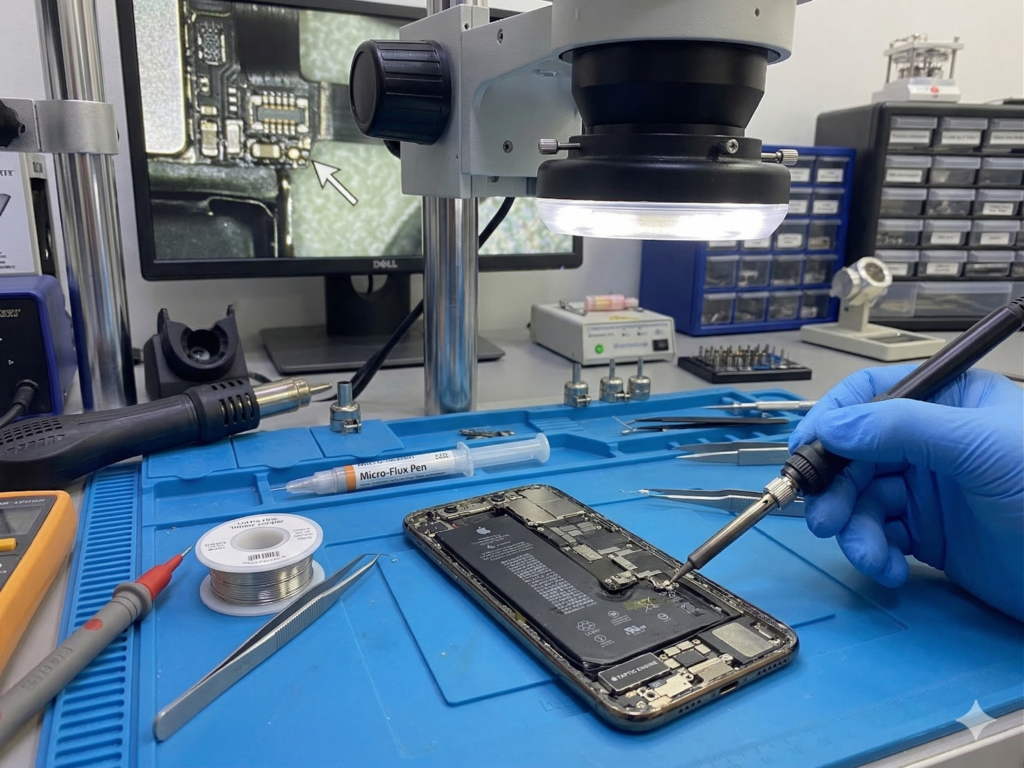
At Katya Phone, we use surgical-grade tweezers and high-powered microscopes to ensure your board remains untouched.
Related Articles
» iPhone Repair Service in St Albans
» iPhone Repair Service in Sunshine
» Mobile Repair in Caroline Springs.
» Mobile Screen Replacement in Caroline Springs
» iPhone Repair in Melton West
Choose Katya Phone for Trusted Charging Port Repair
When your phone stops charging, you need more than a quick fix. You need a connection that clicks perfectly, works reliably, and lasts. At Katya Phone, we offer fast, professional solutions for faulty iPhone charging ports, so you can stop “wiggling” the cable and get back to your life without the stress of a dying battery.
Whether it’s a loose connection, a port packed with debris, or a total refusal to recognize the charger, our team provides expert support with high-quality service. Because, after all, your phone should power up as easily as the day you bought it—simple as that.
Frequently Asked Questions (FAQ)
Pricing is transparent and based on your specific model—from the classic iPhone 6 to the latest iPhone 16 Pro Max. Because we value honesty, we only charge for what you need. If it’s just a cleaning, you won’t pay for a full replacement.
No. A port repair is a hardware-specific procedure. Your photos, messages, and apps remain 100% safe. However, we always recommend a routine backup as a best practice.
We let the microscope decide. If the pins are intact and it’s just compacted lint, a professional cleaning will restore it to 100% functionality. If the pins are corroded or snapped, we perform a precision replacement of the entire flex cable.