
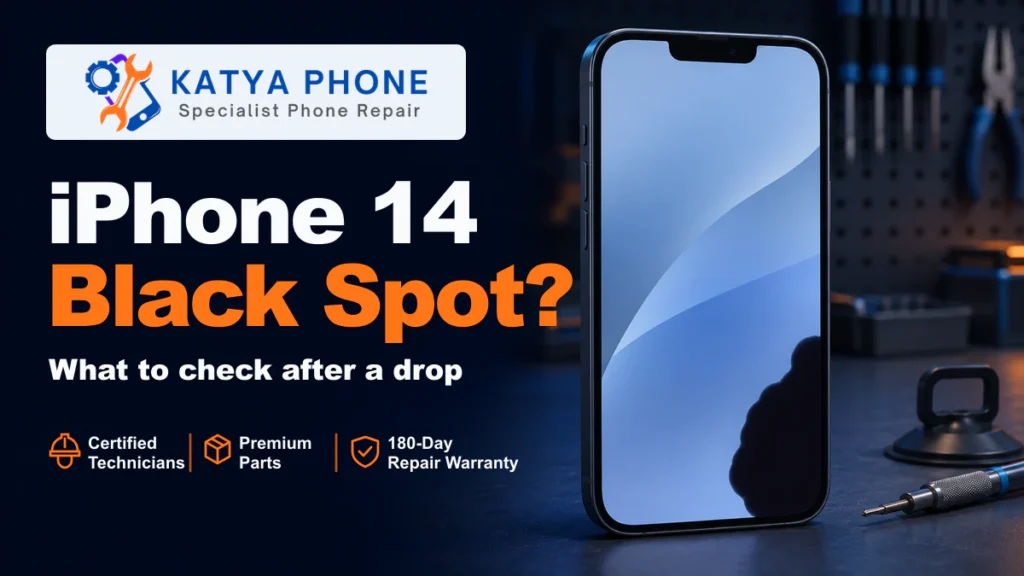
If a black spot appeared on your iPhone 14 screen after a drop and stays in the same place across apps, the impact may have damaged the display beneath the glass. That can happen even when the front glass looks intact and touch still works. If the phone is safe to use, back it up while it still responds. Arrange an iPhone 14 screen assessment for a spot that stays visible after the drop.
Check for damage before using the phone
Stop using the phone if the glass is cracked, the frame is bent or you suspect battery damage. If the screen or back is lifting, or you notice an unusual chemical smell, leaking or swelling, stop using and charging it. Get advice before handling or bringing it in. If the phone is extremely hot, hissing, giving off fumes or smoking, move away, call Triple Zero (000) and ask for fire.
If the phone is safe to handle and still responds, use iCloud or a computer to make a backup. A screen fault can make the phone harder to unlock or use if the picture or touch gets worse.
Why a black spot can appear under intact glass
The standard iPhone 14 came with a 6.1-inch OLED display beneath its Ceramic Shield front cover. The cover protects the screen, and the OLED panel produces the picture. An impact can damage the panel even when the outer surface looks fine. Where the damaged pixels fail to light up, part of the picture can look like a dark stain.
Look at where the mark sits. A scuff on a protector may be visible in reflected light with the screen off. A display patch usually obscures part of the picture when the screen is on. You can have a display fault and still be able to tap and swipe around it.
Three quick checks for the black spot
Only try these checks if the phone is safe to use and the screen responds.
- Compare two screens. Open Settings or another app with a light background. See whether the patch stays in the same physical place as the content changes. If you only see it in one photo, open that photo on another device to check whether the mark is in the image itself.
- Notice what happens to touch. Use a normal tap or scroll near the spot. Make a note if touches stop registering, the screen taps on its own or coloured lines appear. Avoid pressing on the patch to see if it changes.
- View a screenshot on another device. Press the side and volume-up buttons together and release them, then open the screenshot on a different phone or computer. If the screenshot is clear but the patch is still visible on the iPhone, that points towards the phone’s display hardware. A photo taken with another device can show the actual patch to a repairer.
When to get the screen checked
Arrange a screen assessment if the patch stays put after a drop, even if it’s small. Get it checked promptly if it grows, you see lines or flickering, touch starts missing taps or the picture cuts out. If it goes completely black but the phone still rings or vibrates, tell the repairer. That detail helps them assess whether the phone is running without a usable display.
When you ask about iPhone screen replacement, mention where the phone landed, when the spot appeared and whether it’s changing. A photo can help explain the symptom if the display looks different by the time you bring it in.
What a screen assessment can tell you
At Katya Phone in Caroline Springs, we check the model, the display and touch symptoms, and whether the frame took damage in the fall. If the OLED panel is damaged, the usual repair is to replace the complete screen assembly. If the impact affected the frame or another component, we’ll explain what else needs checking before you decide on the repair.
Confirm the exact model when you get in touch. The iPhone 14, iPhone 14 Pro and iPhone 14 Pro Max have different screens, so the part and quote depend on which phone you have.
Related Articles
Use these guides to compare your repair options or find the page for your model.
- iPhone 14 screen replacement costs and what to expect
- Phone screen problems including cracks, flickering and black spots
- iPhone 14 Pro repair
- iPhone 14 Pro Max repair
Serving nearby suburbs too
Our workshop is in Caroline Springs. If you’re coming from a nearby suburb, see your local service page.
iPhone 14 Black Spots – Frequently Asked Questions
Can the OLED be damaged if the glass looks fine?
Yes. The cover glass and the display panel serve different purposes. A fixed dark patch after a drop can come from the panel under the glass, even while the screen still responds to touch.
Will the black spot spread?
It can grow after an impact, and there’s no reliable way to predict how fast it might change. If the phone is safe to use, take a photo with another device so you have a record. A growing patch is a reason to arrange a prompt assessment.
Does the spot show up in a screenshot?
A physical display patch generally won’t be visible in a screenshot viewed on another device. If the mark appears in the saved image as well, check whether it’s part of that app or image. The screenshot check can narrow down the problem, but a repairer still needs to identify the affected part.
Can a restart, reset or pixel-fix app remove the spot?
A restart can clear a temporary software glitch. A reset or pixel-fix app won’t repair pixels damaged by a drop. Avoid using pressure or heat on the screen.
Can replacing the outer glass fix the black patch?
Changing the outer glass alone won’t restore the picture if the OLED panel is damaged. Katya Phone replaces the complete screen assembly when an assessment confirms that the screen needs replacing.
Does a black spot mean the battery is swollen?
A black patch by itself usually points to a problem with the display. A new gap around the screen or back, swelling or extreme heat needs separate attention. Stop using and charging the phone if you see those warning signs.
What if the screen goes black but the iPhone still rings?
The iPhone may still be running with a failed display. Tell the repairer that it still rings and mention the drop, the patch and any touch problems you noticed before losing the picture.
Will I lose my photos if the screen is replaced?
A screen replacement normally doesn’t erase your photos or files. Back up first if the phone is safe and usable. If you can’t unlock it or access your data, tell the repairer before work starts.
How much does it cost to fix a black spot on an iPhone 14 screen?
The quote depends on the exact model, the screen option and whether the drop damaged anything else. The iPhone 14 screen replacement guide above gives the standard model’s indicative prices. Katya Phone can confirm the options after checking the phone.
Get the screen assessed
If you’ve got a persistent black spot after a drop, call Katya Phone on 0451 041 090 or send a repair enquiry. Tell us your iPhone model, when the spot appeared and whether touch still works so we know what to check at our Caroline Springs workshop.