
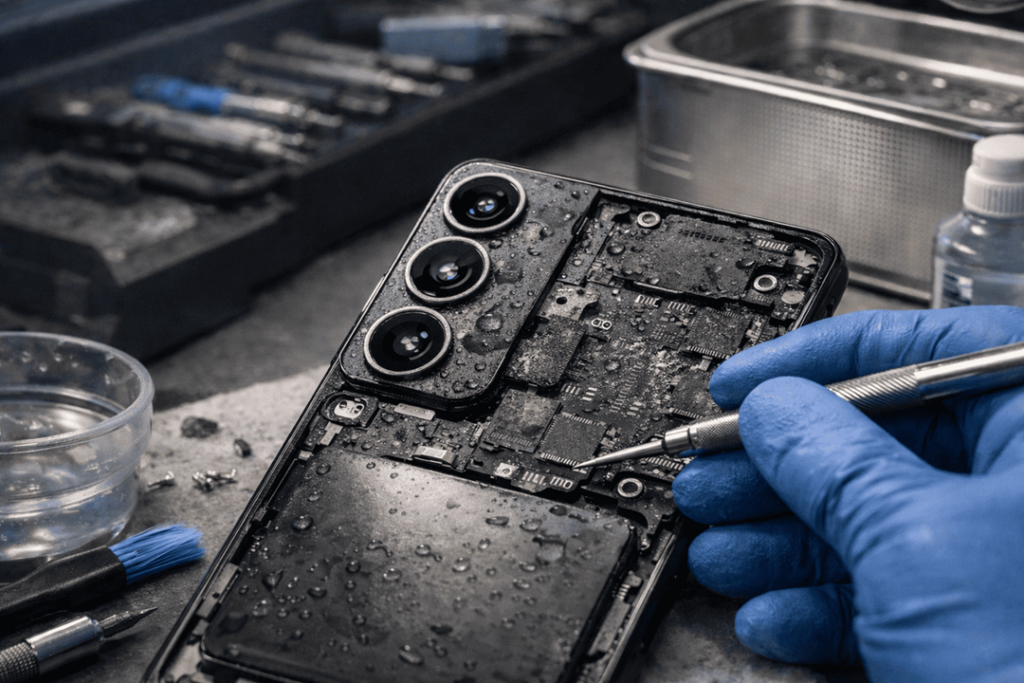
A wet phone can go from “likely fine” to “totally dead” within a few hours. And that is precisely why the right step at the right time matters when it comes to Galaxy S26 water damage repair. If your phone tumbled into a sink, was caught in heavy rain or ended up inside a pool, quickly doing the right thing is more important than trying random tricks learned on the internet.
In busy Melbourne suburbs, where people fall foul of sudden downpours or drop their phones near a bathroom hand basin or spill coffee and water in the mornings, we see devices that have been damaged by water at Katya Phone. And even though the Samsung Galaxy S26 might be having good waterproof capabilities, real-world exposure to water will create charging failure, speaker noise or issues, and screen flicker along with disabled motherboard due to liquid corrosion.
The biggest mistake? Waiting too long. Even if a Galaxy S26 continues working after being exposed to water, moisture can be trapped inside the charging port, under shields or around connectors. Then, corrosion starts. Later, the phone can fail to charge, overheat, reboot at random or lose touch response. So drying out the outside is not enough to make a proper repair. It’s about stopping internal injury from worsening.
Is the Galaxy S26 Really Waterproof?
Many people assume the phone is fully waterproof. It is not. In real-world conditions, water resistance is not the same as permanent protection.
Water resistance can weaken over time because of:
- accidental drops
- worn adhesive seals
- previous repairs
- heat exposure
- tiny frame bends
- dust build-up around ports
So, even if the phone survived water once, it may not survive the next splash. That is why Galaxy S26 liquid damage repair should always be taken seriously. Get details on Mobile Repair in Caroline Springs.
What Actually Works After Water Damage
When a Samsung Galaxy S26 gets wet, the first few actions matter a lot. Some steps help. Others make the damage worse.
Steps that actually work
- Turn the phone off immediately
- Remove the case
- Dry the exterior with a soft cloth
- Do not charge it
- Keep it upright if water entered through the charging port
- Take it for professional inspection as soon as possible
These actions reduce the chance of short circuits and stop fresh moisture from being pushed deeper into the phone.
What Does Not Work
A lot of water-damage advice online sounds useful, but it can be pretty misleading.
Common myths to avoid
- putting the phone in rice
- blasting it with a hair dryer
- charging it “just to test”
- shaking it hard
- leaving it on a sunny windowsill for hours
- spraying alcohol inside the charging port without proper disassembly
Rice does not remove trapped moisture from sealed internal layers. A hair dryer can push water deeper or damage internal parts with heat. Charging a wet device can turn a small repair into a major board issue. So yeah, some DIY tricks feel smart at the time, but they usually cost more later. Looking for a Samsung Smartphone Repair in Caroline Springs?
Signs Your Galaxy S26 Has Water Damage
Not every wet phone dies straight away. In many cases, the problems appear later.
Watch for these warning signs
- charging port not working
- moisture detected warning
- screen flickering
- speaker sounds muffled
- camera fogging
- touchscreen lag
- battery draining fast
- phone overheating
- random restarts
- no network or SIM errors
If you notice even one of these after liquid exposure, you should book a Galaxy S26 repair before corrosion spreads.
Professional Water Damage Repair: What Technicians Actually Do
Real Samsung water damage repair is much more than surface drying. A proper technician will open the device, inspect the internals, and check which components are affected.
A typical repair process includes
- external and internal damage assessment
- disassembly of the phone
- battery isolation for safety
- inspection for corrosion on the logic board
- ultrasonic or specialist board cleaning where needed
- port and connector testing
- screen, speaker, microphone, and camera checks
- charging system diagnostics
- reassembly and final testing
The fixes are sometimes simple, like cleaning up lint in the charging port and replacing adhesive seals. In such cases, the repairs may include changing your battery or screen or sub-board for damaged parts if it gets serious. Get details on Smartphone Water Damage Repair in Caroline Springs.
Repair vs Replacement: What Makes Sense?
The right answer will come down to how quickly the phone made it into a repair shop, and how much moisture got inside.
| Issue | What Often Works | Risk Level | Repair Outlook |
| Moisture in charging port | Port cleaning and drying | Low | Usually good |
| Muffled speaker | Internal cleaning or speaker replacement | Medium | Often repairable |
| Screen flicker after liquid exposure | Screen test and possible replacement | Medium to High | Depends on board damage |
| Battery heating after water contact | Battery replacement and board check | High | Repair possible if caught early |
| Phone not turning on | Board cleaning and diagnostics | High | Depends on corrosion extent |
| Severe motherboard corrosion | Advanced board repair | Very High | Case by case |
This is why fast action matters. The earlier the repair, the better the odds.
How Long Should You Wait Before Getting It Checked?
Honestly, you should not wait. Although the device may appear normal, liquid can remain trapped inside. Corrosion is not visible from day one. In some instances, the phone continues to function for a couple of days before suddenly shutting down.
That delay often confuses people. They believe the water was not harmful. It usually wasn’t. It was just slow damage.
Can Data Be Saved After Water Damage?
In many cases, yes. If the phone can still be powered on, data backup should occur right away. If it fails to power on, a technician can recover data from the board if that doesn’t seem badly affected.
That said, data recovery becomes harder when:
- the phone was repeatedly charged while wet
- salt water was involved
- the device was left for days without inspection
- corrosion reached storage or power circuits
Therefore, if photos, contacts, work files, or banking access matter, treat Galaxy S26 water damage as urgent. Get details on Smartphone Charging Port Repair in Caroline Springs.
How to Lower the Repair Cost
You cannot always avoid repair, but you can reduce the damage.
Do this straight away
- switch it off
- avoid chargers and cables
- do not press buttons repeatedly
- do not use heat
- get professional help quickly
A quick response may turn a major board job into a smaller, cheaper repair. That makes a huge difference. Looking for a Smartphone Software Problems Repair in Caroline Springs?
Why Professional Repair Beats DIY
DIY water damage fixes usually deal with what you can see. Professional repair deals with what you cannot see. That is the big difference.
A qualified repair shop can:
- inspect hidden corrosion
- test the Galaxy S26 charging port
- check the battery safely
- find speaker, mic, and camera damage
- clean the board properly
- replace damaged parts before failure spreads
So, while home drying may help a little, proper Galaxy S26 water damage repair gives the phone a real chance.
Related Articles:
» iPhone Repair Service in Brooklyn
» iPhone Repair Service in Derrimut
» iPhone Repair Service in Melton
» iPhone Repair Service in Brookfield
» iPhone Repair Service in Rockbank
What Really Works When Your Galaxy S26 Gets Wet
For Galaxy S26 water damage repair, the only things that actually work are fast action, no charging or rice myths and a purely professional internal inspection. Water resistance helps, of course, but it doesn’t make your phone indestructible. Every hour is critical once liquid gets inside.
If your Samsung Galaxy S26 has gotten wet, the best course of action is easy: switch it off, keep it dry on the outside, and have it checked if you don’t want corrosion to hide somewhere inside turning a repairable device into a deceased one. Many phones are salvageable, if the reaction is swift and restoration done correctly.
FAQs About Galaxy S26 Water Damage Repair
1. Can a Galaxy S26 survive water damage?
Yes, sometimes it can. But survival will depend on the amount of liquid that got into the phone, and how soon it was checked.
2. Is the Galaxy S26 waterproof or water resistant?
It is water resistant as it is not fully waterproof. Even water resistance can diminish with time.
3. Should I put my Galaxy S26 in rice?
No. Rice does not absorb internal moisture well, and may actually hold up proper repair.
4. Can I charge my Galaxy S26 after it gets wet?
Not at all You can short-circuit a wet phone, and do even more damage
5. What is the first thing to do after water exposure?
Power down the phone, gently dry the outside and do not attempt to charge it.
6. How do I know if my Galaxy S26 has water damage?
Screen flicker, speaker malfunctions, charging problems, overheating and moisture warning are some common signs.
7. Can water damage be repaired without replacing parts?
Yes, in some cases. If caught in time, cleaning and diagnostics may suffice.
8. Will water damage affect battery life?
Yes, it can. Exposure to water can lead to fast battery drain, overheating or charging failure.
9. Can a charging port be repaired after water damage?
Yes. Depending on how bad it is, if the charge port can be cleaned or tested, replaced.
10. How long should I wait before taking it to a repair shop?
You should not wait. The sooner a person seeks help, the more likely successful repair can occur.
11. Can data be recovered from a water-damaged Galaxy S26?
Often, though yes, particularly if the phone is treated promptly and board damage limited.
12. Is professional Galaxy S26 water damage repair worth it?
It absolutely can, particularly if the phone still retains value and the damage is noticed fairly early on. This further eliminates the possibility of some failure and will possibly save your data too.