
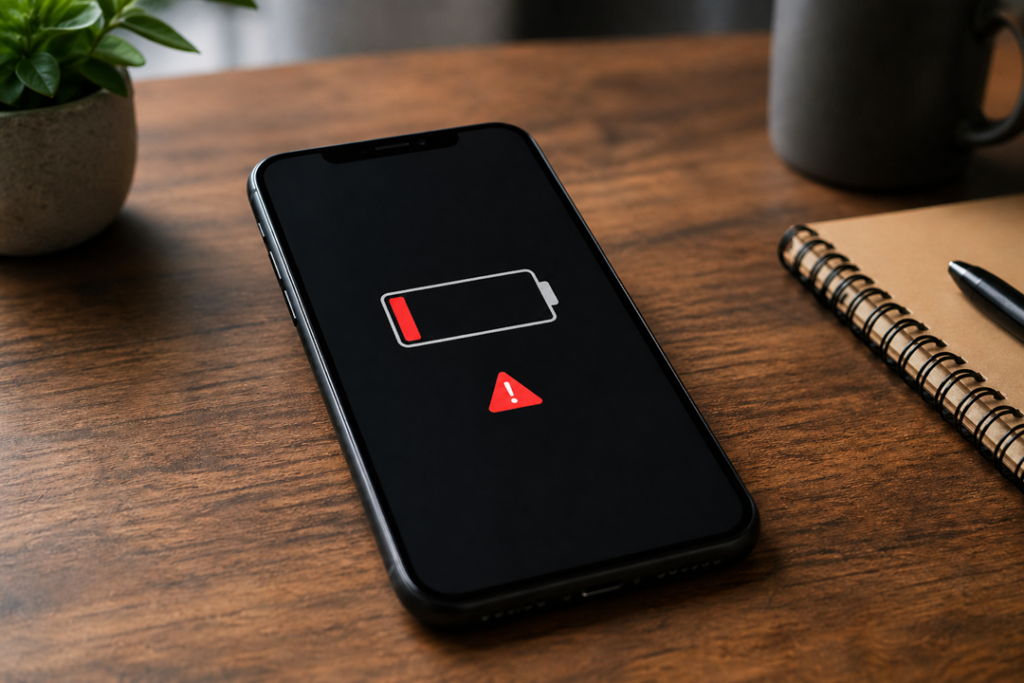
If you feel the battery of your phone isn’t lasting as long as it has in the past, well, that could be very true. They said that even in the absence of heavy use, suddenly all power is lost. The good news is you won’t need a fresh device right away, though. By applying some easy changes, you can enhance your phone battery lifespan and make it healthy again.
The guide here details realistic and simple things that can be done to improve the performance of your phone so we can maximize the use we get when each charge.
Why Is Your Battery Draining So Fast?
Understanding the problem before jumping into solutions Here are a few reasons behind fast battery discharge:
- Background apps running constantly
- High screen brightness
- Poor network signals
- Outdated software
- Battery ageing over time
That, along with those reasons can make your phone work harder than needed and in turn, lose some efficiency. Get details on Mobile Repair in Caroline Springs.
1. Adjust Screen Settings for Instant Gains
Your display consumes more power than any other component. Therefore, optimising it makes a noticeable difference.
Quick fixes:
- Lower your screen brightness
- Enable auto-brightness
- Reduce screen timeout to 30 seconds
| Setting | Battery Impact | Suggested Change |
| High brightness | Very High | Reduce to 50% |
| Long screen timeout | Moderate | Set to 30 sec |
| Always-on display | High | Turn off |
As a result, your phone conserves energy without affecting usability too much.
2. Manage Background Apps Effectively
Many apps are running something in the background while you are not using it. Consequently, they drain the battery and under-perform.
Steps to fix this:
- Close unused apps regularly
- Restrict background activity in settings
- Uninstall apps you rarely use
Many apps are running something in the background while you are not using it. Consequently, they drain the battery and under-perform. Looking for a Smartphone Battery Replacement in Caroline Springs?
3. Turn Off Unused Connectivity Features
There are features such as Bluetooth, GPS and Wi-Fi scanning which continuously scan for connections. Very useful, but they run the battery down fast.
Disable when not needed:
- Bluetooth
- Location services
- Wi-Fi scanning
- Mobile hotspot
For example, disabling GPS when you are inside can substantially enhance battery performance.
4. Enable Battery Saver Mode
Most smartphones include a built-in battery saver mode, which limits background activity and reduces visual effects.
| Mode Type | Performance Impact | Battery Saving |
| Normal Mode | Full performance | Low saving |
| Battery Saver | Slightly reduced | Moderate |
| Ultra Saver | Limited features | Maximum |
Therefore, switching to battery saver during the day can extend usage without major inconvenience. Get details on Smartphone Charging Port Repair in Caroline Springs.
5. Update Your Software Regularly
Software updates often include battery optimisation improvements. Even though updates may seem minor, they fix bugs that affect performance.
Benefits of updates:
- Improved power efficiency
- Better app compatibility
- Security enhancements
So, always keep your phone updated to the latest version.
6. Reduce Push Notifications
Constant notifications wake your phone repeatedly, which consumes battery.
What you can do:
- Disable notifications for non-essential apps
- Use manual refresh instead of auto-sync
- Limit email syncing frequency
As a result, your phone stays idle longer, saving energy.
7. Optimise App Usage
Some apps are naturally more power-hungry, especially social media and streaming platforms.
Tips:
- Use lite versions of apps
- Avoid prolonged video streaming on mobile data
- Close apps after use
In contrast, lighter apps reduce strain on both battery and processor.
8. Check Battery Health
Over time, batteries degrade. If your phone is older than two years, battery wear might be the issue.
| Battery Condition | Performance Level | Recommended Action |
| 90–100% health | Excellent | No action needed |
| 70–89% health | Good | Monitor usage |
| Below 70% | Poor | Replace battery |
Thus, replacing an ageing battery can restore your device’s performance significantly. Looking for a Smartphone Power Button Repair in Caroline Springs?
9. Avoid Extreme Temperatures
Heat and cold both affect battery efficiency. Therefore, always keep your phone within a moderate temperature range.
Best practices:
- Avoid direct sunlight
- Remove thick cases while charging
- Don’t use heavy apps while charging
This way, your battery remains stable and lasts longer.
10. Reset Settings if Needed
Phone settings reset troubleshooting turns out to be beneficial if nothing works and hides bug fixes.
Important:
This does not delete your data and resets system preferences.
So you should start feeling better phone performance straight away.
Related Articles:
» iPhone Repair Service in Caroline Springs
» Samsung Smartphone Repair Service in Caroline Springs
» OPPO Phone Repair Service in Caroline Springs
» Xiaomi Phone Repair Service in Caroline Springs
» iPhone Repair Service in Deer Park
Simple Fixes for Long-Lasting Battery Life
In short, the battery life on your device can be improved with very simple steps. Continuous mini changes make a really big difference! With learning how to manage apps, adjust goosing settings and keeping the device properly up you get your time utilization process longer and smoother.
FAQs: Battery Draining Fast? Easy Fixes for Better Phone Performance
1. Why is my phone battery draining so fast suddenly?
Updated Software bugs, screen-on techniques built into the hardware are often the trick in sudden battery draining issues.
2. Does lowering brightness really help battery life?
So, yes If we reduce the brightness it will drastically lower power consumption.
3. Is battery saver mode safe to use all the time?
Sure, but you might lose some features and performance slightly.
4. How do I check which app drains the most battery?
Check your phone battery settings for the breakdown of each app use.
5. Should I close apps running in the background?
Yes, especially apps you rarely use.
6. Can software updates improve battery life?
Definitely, updates usually come with performance and battery optimisations.
7. Is it bad to charge my phone overnight?
Most of the modern telephones are smart on the subject of managing charging, but it must be noted that overnight charging often is probably not excellent for long-term battery fitness.
8. When should I replace my phone battery?
Will replace it for you when the battery health goes lower than 70% or drains fast.
9. Does using Wi-Fi save battery compared to mobile data?
Yes,Wi-Fi consumes lower power compared to the data from your mobile.
10. Are third-party battery saver apps useful?
Not always. Built-in tools usually perform better and are more reliable.
11. How does temperature affect battery life?
Extreme hot or cold reduces battery efficiency and life.
12. Will factory reset improve battery performance?
Absolutely if software issues are draining the battery too quickly.