
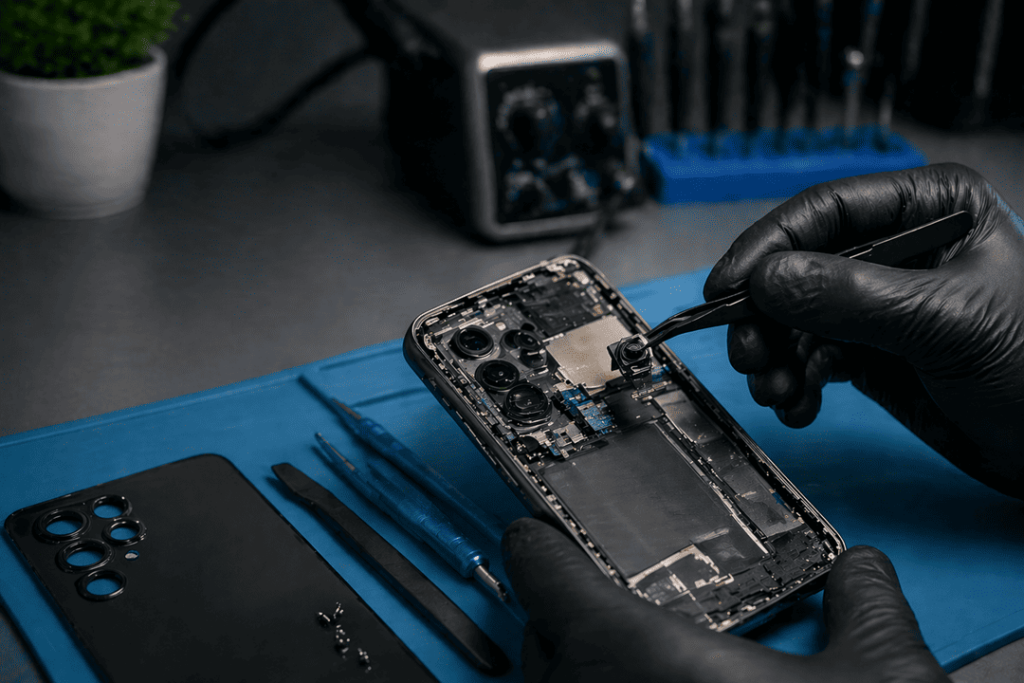
Gone are the days when a smart phone camera was just an option — it became your device that you use every day to capture life, work, moments. This stuff is wonderful and a pain in the neck when it works well. As it turns out, if your camera has been shaking or showing a black screen — you are not the only one. These are the issues that many common users face but thankfully, most of the causes and fixes are easily identifiable!!
In this guide, we will analyze the reasons why the phone camera shakes and why the camera black screen occurs and provide thorough, expert-supported repair directions for each case.
Common Causes of Camera Shaking
When your phone camera shakes, it’s usually not random. Several underlying issues may be responsible.
1. Faulty Optical Image Stabilisation (OIS)
Optical Image Stabilisation (OIS) is used by modern smartphones to mitigate the issues of blur. But if this mechanism is broken, your camera will be continuously vibrating or shaking.
Signs:
- Blurry images even in steady conditions
- Visible jitter in preview mode
- Buzzing sound near the camera module
2. Physical Damage
Internal phone components may have shifted if you dropped your phone lately. This means camera stabilisation hardware might not work properly anymore.
3. Magnetic Interference
External magnetic fields will divert your camera: is it a coincidence? Magnetic phone cases or mounts will possibly interfere with the camera’s sensors for example.
4. Software Glitches
Sometimes, the issue isn’t hardware-related. In this case, a buggy update or app conflict can lead to camera stumble mite issues. Get details on Mobile Repair in Caroline Springs.
Why Your Camera Shows a Black Screen
Black screen is another most common problem. But the why can be quite different.
1. App Malfunction
You may see a blank screen if your camera app crashes or takes too long to load. Most often, simply restarting the app does the trick.
2. Loose Camera Connection
Internal connectors will loosen after a long period. As a result, the phone does not communicate with the camera module and then you get a black camera screen.
3. Hardware Failure
A broken camera module can essentially wear out. This is most commonly seen after water exposure, or high shock.
4. Operating System Bugs
At times, a bug with the camera may develop as a result of system updates. That is why we need to have our phone updated. Looking for a Smart Phone Camera Repair in Caroline Springs?
Quick Troubleshooting Steps
Before seeking professional help, try these simple fixes:
| Issue | Quick Fix | Success Rate |
| Camera shaking | Remove magnetic case | High |
| Black screen | Restart device | Moderate |
| App crash | Clear camera app cache | High |
| Software glitch | Update OS | Moderate |
These steps often resolve minor issues quickly. However, if the problem persists, you may need expert intervention.
Expert Repair Solutions
When basic troubleshooting doesn’t work, professional repair becomes necessary.
1. Camera Module Replacement
Technicians replace the faulty camera lens module with a new one. This solution works best for hardware failures.
2. OIS Repair or Calibration
Specialised tools help recalibrate or replace damaged OIS components, restoring stability.
3. Internal Connector Fix
Experts inspect and reconnect loose internal cables, ensuring proper communication between components.
4. Software Reinstallation
If software is the culprit, technicians reinstall or repair the operating system to eliminate bugs. Get details on Smartphone Water Damage Repair in Caroline Springs.
DIY vs Professional Repair
It’s tempting to fix the issue yourself. However, not all repairs are safe to attempt at home.
| Repair Type | DIY Friendly | Risk Level | Recommendation |
| Restart / reset | Yes | Low | Try first |
| App troubleshooting | Yes | Low | Recommended |
| Camera replacement | No | High | Professional only |
| Internal repair | No | High | Avoid DIY |
Clearly, while minor fixes are manageable, hardware repairs require expertise.
How to Prevent Future Camera Issues
Prevention always saves time and money. So, consider these tips:
- Use a high-quality, non-magnetic phone case
- Avoid exposing your phone to moisture
- Keep your software updated regularly
- Handle your device carefully to prevent drops
By following these practices, you can extend the life of your smartphone camera. Looking for a Smartphone Software Problems Repair in Caroline Springs?
When Should You Seek Help?
You should consult a professional if:
- The camera continues shaking after troubleshooting
- The black screen persists across apps
- You hear unusual noises from the camera
- The issue started after physical damage
Ignoring these signs may worsen the problem over time.
Related Articles:
» iPhone Repair Service in Burnside
» iPhone Repair Service in Deer Park
» iPhone Repair Service in Ravenhall
» iPhone Repair Service in Cairnlea
» iPhone Repair Service in Albanvale
Restore Your Camera’s Clarity with Expert Care
The ultimate disrupted day; A shaking or black phone camera Identifying the problem gives you a direct line to fixing it, though. Quick fixes are okay for your minor glitches, but expert assistance is required for bigger problems. So, responding quickly is the best bet for your device and your pocket.
FAQs: Why Your Phone Camera Is Shaking or Black – Expert Repair Solutions
1. Why is my phone camera shaking suddenly?
This is usually caused by either OIS failure, physical damage or magnetic slab.
2. Can a software update fix camera shaking?
Yes, in some cases. Software bugs can cause instability.
3. What causes a black screen on the camera?
Frequent reasons include app crashes, hardware failure or loose connections.
4. Is camera shaking a serious issue?
If it persists, not always but can indicate internal damage.
5. How much does camera repair cost?
Expenses differ by model and problem seriousness.
6. Can I fix my camera at home?
You have simple options to troubleshoot, but you are better off with a repairman for hardware repairs.
7. Does dropping my phone damage the camera?
Correct, drops can affect internal parts and stabilisation elements.
8. Why does my camera work in some apps but not others?
Meaning it points to software rather than hardware failure.
9. Can water damage cause a black screen?
Absolutely. Moisture can damage the camera sensor.
10. How long does camera repair take?
Depending on the nature of the problem, most repairs require anywhere between 1–3 days
11. Will resetting my phone fix the camera?
If the problem is software related, it can help.
12. Should I replace my phone instead of repairing it?
When repair costs become exorbitant, replacement makes sense.
Pingback: iPhone 16 Pro Max Camera Blurry or Shaking? Fixes