
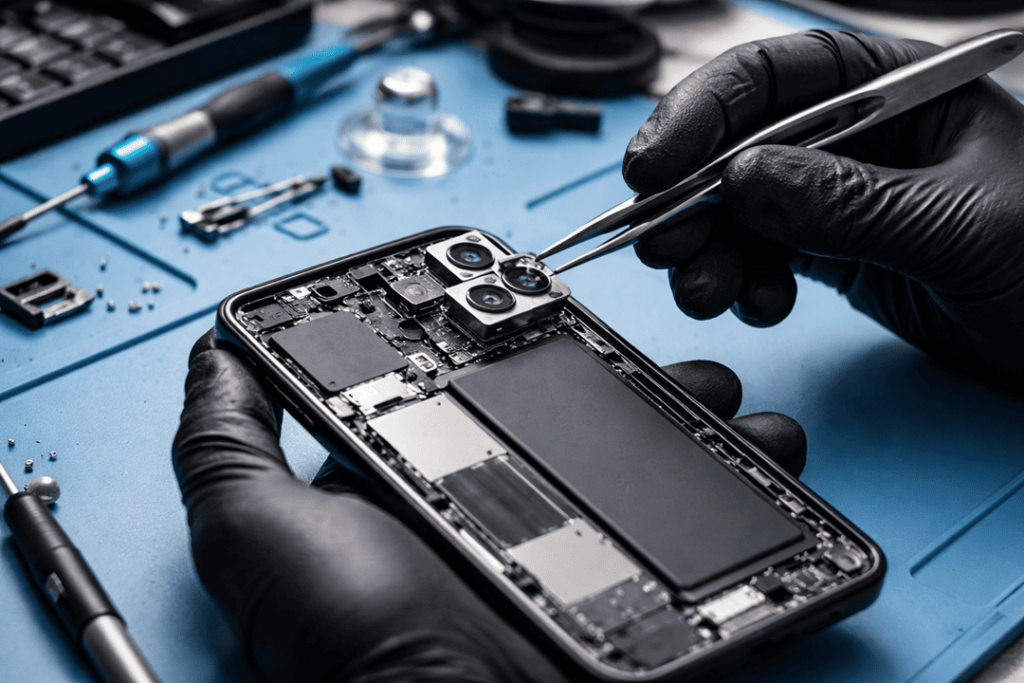
That phone camera does more than just take selfies. It assists you in scanning documents, capturing family memories and attending work calls and posting clear substance online. So when the camera begins to misbehave, it gets frustrating real quick. Sometimes the problem appears small at first. A fuzzy picture over here, a black screen over there. But those initial warnings are rarely the problem itself, as they usually indicate a deeper hardware or software issue.
At Katya Phone, we have found that customers are often leaving their phone camera repair to the last minute. That delay is forcing the problem to grow and complicating finding a fix that comes without cost. So if your camera misbehaves, it’s nice to get ahead of that.
In this guide, we’ll explain the top 7 signs that indicate your phone camera needs a repair, what may cause them, and when you should reach out to a technician.
Why camera problems should not be ignored
A broken camera is not necessarily always a camera problem. In a lot of phones the camera module links closely with the motherboard, lens housing, image stabiliser and software system. So if dust, moisture or impact damage continues to attack the phone, a small error can scatter into a bigger problem. Get details on Mobile Repair in Caroline Springs.
Here’s a quick look at common symptoms and what they may mean:
| Camera Problem | Possible Cause | Should You Repair It Quickly? |
| Blurry photos | Scratched lens, focus failure, internal damage | Yes |
| Black camera screen | Camera module failure, app crash, board issue | Yes |
| Shaky image | OIS failure or loose lens | Yes |
| Camera app freezing | Software glitch or hardware conflict | Yes |
| Spots on photos | Dust inside lens or sensor damage | Yes |
| Flash not working properly | Flash circuit or camera sync issue | Usually |
| Rear camera not opening | Failed module or water damage | Yes |
1. Blurry photos even after cleaning the lens
This is one of the most common signs of phone camera damage. At first, you may think the lens is just dirty. So you wipe it. But the photos still look soft, foggy, or out of focus. That usually means the issue is deeper than a smudge.
In many cases, the cause may be:
- a scratched outer lens
- a damaged autofocus motor
- internal dust under the lens glass
- impact damage after a drop
If your phone once took crisp pictures and now every one is fuzzy, that’s a dead giveaway. If portrait mode no longer separates the background, it could be that the camera is not getting a good focal point. Looking for a Smart Phone Camera Repair in Caroline Springs?
2. The camera app opens to a black screen
A black screen when opening the camera is never a great sign. Sometimes it happens due to a momentary software bug. The issue might be hardware-related if restarting the phone does not work.
This can happen because:
- the rear camera module has failed
- the connection inside the phone has come loose
- water damage has affected the camera circuit
- the camera app is conflicting with the phone system
If both front and rear cameras stop responding, the fault may sit deeper in the board. On the other hand, if only one camera fails, the module itself may need replacement.
| Symptom | Likely Issue | Repair Type |
| Black rear camera only | Rear camera module fault | Module replacement |
| Black front camera only | Front camera fault | Module replacement |
| Both cameras black | Board or software issue | Diagnostic repair |
| Black screen after drop | Disconnected internal part | Internal reconnection or replacement |
3. Your camera shakes or vibrates while focusing
If your phone camera starts shaking, buzzing, or making a clicking sound, the image stabilisation system may be failing. Modern smartphones use tiny moving parts inside the camera module. Those parts help stabilise the shot. But after a drop or heavy impact, they can stop working properly.
You may notice:
- videos look shaky even when your hand is steady
- the camera makes a rattling noise
- focus jumps in and out
- close-up shots become difficult
Premium phones are susceptible to this issue more often, as they depend on the more advanced camera hardware. However, on many models it can happen.
No, do not neglect the vibration that was accumulating in your camera. As you continue to use it, that can cause even more stress on faulty parts. Get details on Smartphone Battery Replacement in Caroline Springs.
4. Photos show spots, haze, or strange marks
Have you begun noticing dots, cloudy patches or dark marks in the same spot on each of your pictures? If yes, there may be dust/moisture/internal contamination in the lens or sensor.
This often happens when:
- the phone has been exposed to humidity
- the back glass or camera ring cracked
- dust entered after a previous drop
- moisture built up inside the camera housing
Unlike a fingerprint on the lens, internal marks do not disappear after cleaning. In fact, they can become more obvious in bright light. Outdoor photos may look especially poor, which is annoying if you use your phone often for travel or social media.
So, if your images keep showing the same marks, it is likely time for a professional camera lens repair or internal cleaning.
5. The camera app keeps freezing or crashing
A camera app that freezes every time you switch modes is a strong sign something is wrong. Yes, apps can glitch from time to time. But repeated crashing usually points to a bigger issue.
Watch for these signs:
- the app closes on its own
- switching to video mode takes too long
- zoom stops responding
- the screen freezes during use
- the phone overheats while opening the camera
A software update sometimes fixes the problem. But if the issue persists after resetting the app, updating the system and rebooting the phone, it’s time to check the hardware.
This is particularly the case if the freezing was preceded by a drop, immersion in water or swelling of battery. In those situations, the camera system might be subject to physical stress as well as digital stress. Looking for a Smartphone Charging Port Repair in Caroline Springs?
6. Flash and camera stop working together properly
Your flash and camera should work smoothly as a pair. Therefore, when one stops syncing with the other, it can affect low-light photos badly.
You might notice:
- flash turns on but the photo stays dark
- flash does not activate at all
- camera lags during night shots
- torch works, but camera flash does not
This can point to:
- flash component failure
- camera software timing issue
- motherboard connection problem
- water or heat damage
Good coordination between camera sensor and flash is essential for low-light photography. If your night shots are all of a sudden looking dull or poorly timed however, your phone probably needs a visit to the doctor.
7. The camera stopped working after a drop or water exposure
This one should be obvious, but plenty of folks still wait too long. Get your phone checked instantly if you’ve dropped it or exposed it to water and the camera began behaving weirdly afterwards.
Even if the camera still works a little, internal damage may already be there. For example:
- the lens may have shifted
- the camera connector may be loose
- moisture may be sitting inside the module
- corrosion may start building on internal parts
Here’s a simple comparison:
| Cause of Damage | Common Result | Risk of Waiting |
| Phone drop | Focus issues, shaking lens, black screen | Damage may spread |
| Water exposure | Foggy lens, failure to open app | Corrosion may worsen |
| Dust entry | Spots, poor clarity | Permanent sensor damage |
| Heat exposure | App lag, module stress | Reduced camera lifespan |
So yes, even if the camera works “a bit”, it still needs attention. Get details on Smartphone Button Repair in Caroline Springs.
When should you book a phone camera repair?
You should book a repair when:
- basic cleaning does not fix image quality
- the issue keeps coming back
- the phone was recently dropped
- the camera fails during important use
- the app crashes again and again
At Katya Phone, trained technicians can inspect whether the problem is caused by the lens, camera module, software, or internal board connection. That matters, because the right diagnosis saves time and money.
Related Articles:
» iPhone Repair Service in Melton South
» iPhone Repair Service in Melton West
» iPhone Repair Service in Brookfield
» iPhone Repair Service in Kurunjang
» iPhone Repair Service in Cobblebank
Time to Take Action: Fix Your Phone Camera Now
Your phone camera gives warning signs before it fails completely. So, if you notice blurry photos, a black camera screen, camera shaking, strange marks, or app crashes, don’t brush it off. Small camera faults can turn into larger repairs if they are left untreated.
The good news is many camera issues can be fixed fast when diagnosed early. Therefore, if your phone is no longer taking the clear, sharp photos it should, it may be time to book a professional phone camera repair.
FAQs About Phone Camera Repair
1. How do I know if my phone camera is damaged?
2. Why is my phone camera blurry even after cleaning?
This kind of fault is likely to be found inside the lens or camera modules rather than on the surface. Causes include scratching, dust and focus failure.
3. Can a dropped phone damage the camera only?
4. Why does my camera shake when I open it?
5. Is a black camera screen a hardware problem?
6. Can water damage affect the phone camera later?
7. Why does my phone camera app keep crashing?
8. Can dust inside the camera be removed?
9. Is it better to repair or replace a damaged phone camera?
10. How long does phone camera repair usually take?
It all depends on the model and the fault to be fixed, however most routine camera repairs can end up being quickly completed from diagnosis.
11. Can software updates fix camera issues?
Sometimes they can fix app bugs or performance issues. However, they will not repair physical lens or module damage.
12. Should I keep using my phone if the camera is faulty?
You can, but it is not ideal. Continued use may worsen some faults, especially after drops or water exposure.