
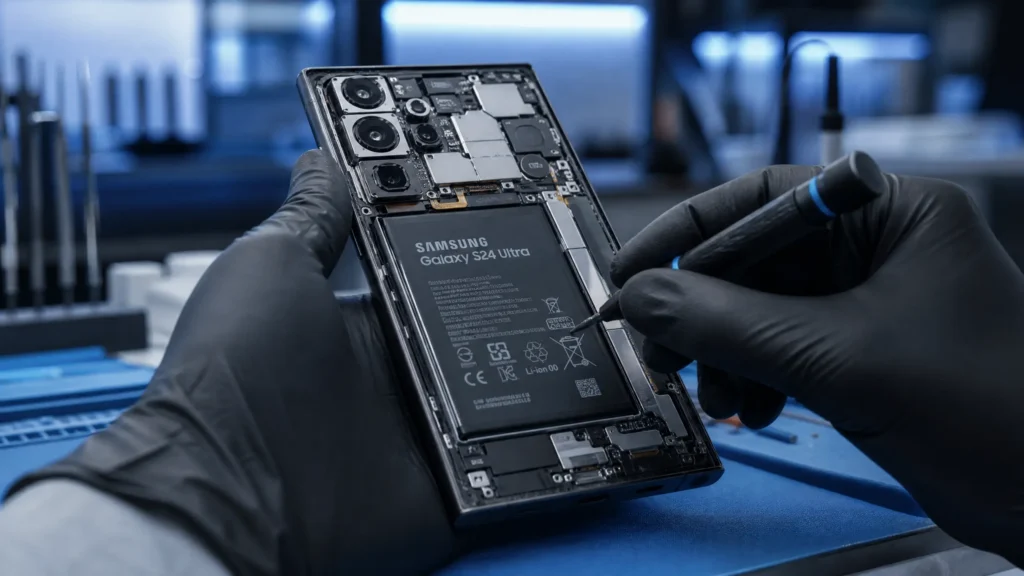
We rely on our Samsung smartphones for everything. So, when your screen shatters, it can feel like your world has come to a halt. At Katya Phone, we see these “heart-stopping” moments every day. The first question our customers ask is: “Can I fix this myself, or do I need a professional samsung phone repair?”
As a technician with over 15 years of experience, I’ve seen many DIY attempts go wrong. In this guide, we will compare the risks of DIY vs. professional service to help you make the best choice for your Galaxy device.
The Complexity of Modern Samsung Devices
Samsung is a leader in display technology, but that innovation comes with complexity. Modern Galaxy devices use curved AMOLED screens, industrial adhesives, and tightly packed internal components. Unlike older phones with removable backs, opening a new Samsung requires specialized heat tools and steady hands—services we specialize in at our Mobile Repair in Caroline Springs center.
Common Causes of Samsung Hardware Issues
Most repair needs stem from a few common scenarios:
Accidental Impacts: Dropping your phone on a hard surface, leading to cracked glass or “bleeding” OLED panels.
Charging Port Debris: Pocket lint and dust accumulating in the USB-C port, preventing a solid connection.
Battery Degradation: Chemical aging over 2–3 years, causing the phone to shut down unexpectedly.
Liquid Exposure: While many models are water-resistant, seals can wear out over time, leading to internal corrosion.
Signs Your Samsung Needs Attention
Before deciding on a repair path, look for these symptoms:
Vertical Lines on Screen: Often green or pink lines that indicate a damaged display connector or panel.
Ghost Touching: The phone opens apps or types on its own without you touching it.
Overheating While Charging: This can signal a failing battery or a short circuit in the charging assembly.
Muffled Audio: Dust in the speaker grilles or a failing earpiece speaker.
DIY vs. Professional: A Step-by-Step Approach
Step 1: Basic Software Fixes (Safe for Everyone)
Before opening the phone, always try a Force Restart. Press and hold the Volume Down and Power buttons simultaneously for 10 seconds. This can often resolve “frozen” screens or software-related charging issues.
Step 2: Minor External Cleaning
If your phone isn’t charging, use a non-conductive tool (like a plastic toothpick) to gently clear the charging port. Never use metal needles, as they can short out the pins.
Step 3: Advanced Hardware Repair (The Risk Zone)
If the screen is cracked, DIY repair involves:
Heating the back glass to soften the adhesive.
Using suction cups and thin picks to pry the glass open without snapping it.
Disconnecting delicate ribbon cables.
Pro Tip from a Technician: Samsung uses very strong adhesive. Without a controlled heat source, it is incredibly easy to crack the back glass while trying to reach the battery or screen.
Why Professional Service is Usually Safer
While DIY kits are available online, here is why a professional samsung phone repair is often the better investment:
| Feature | DIY Repair | Professional Service |
| Tools | Basic screwdrivers/picks | Precision heat mats & specialized jigs |
| Risk | High (Potential for further damage) | Low (Technicians are insured/trained) |
| Parts | Often low-quality aftermarket | OEM or High-Quality Soft OLED |
| Warranty | None (You break it, you pay more) | 3–12 month guarantee on parts/labor |
When to See a Professional Immediately
Don’t attempt a DIY fix if:
The Battery is Swollen: If the back of your phone is lifting or feels “puffy,” this is a fire hazard. Seek professional help immediately.
The Screen is Completely Black: This suggests internal motherboard damage or a failed OLED, which requires professional diagnostics.
Water Damage: Putting your phone in rice is a myth; a technician needs to clean the board with ultrasonic tools to stop corrosion.
Tips to Prevent Future Damage
Use a Case with Corner Protection: Samsung screens are most vulnerable at the corners.
Avoid Fast Charging Overnight: This can reduce heat stress on the battery over time.
Keep the Port Clean: A simple silicone dust plug for your charging port can prevent 90% of charging issues.
Conclusion: Protect Your Investment
A Samsung phone is a high-performance machine. While fixing it yourself might seem like a way to save money, the risk of permanent damage often outweighs the savings. Choosing a professional samsung phone repair ensures that your device’s features—like water resistance and Face ID—remain intact.
Is your Samsung acting up? Don’t risk a DIY disaster. Contact an expert technician today for a safe, reliable, and guaranteed repair that gets you back online in no time!
Related Articles:
» Smartphone Charging Port Repair in Caroline Springs
» Smartphone Power Button Repair in Caroline Springs
» Samsung Smartphone Repair Service in Caroline Springs
» Smartphone Software Problems Repair Service in Caroline Springs
» Smartphone Water Damage Repair Service in Caroline Springs
Frequently Asked Questions (FAQs)
A: Generally, no. However, it is a professional standard to back up your data before any hardware repair.
A: OEM (Original Equipment Manufacturer) screens provide the exact brightness and color accuracy you are used to. Budget aftermarket screens (LCD/Hard OLED) may appear dimmer or have less vibrant colors.
A: Most professional shops can complete a screen or battery replacement in 1 to 2 hours.