
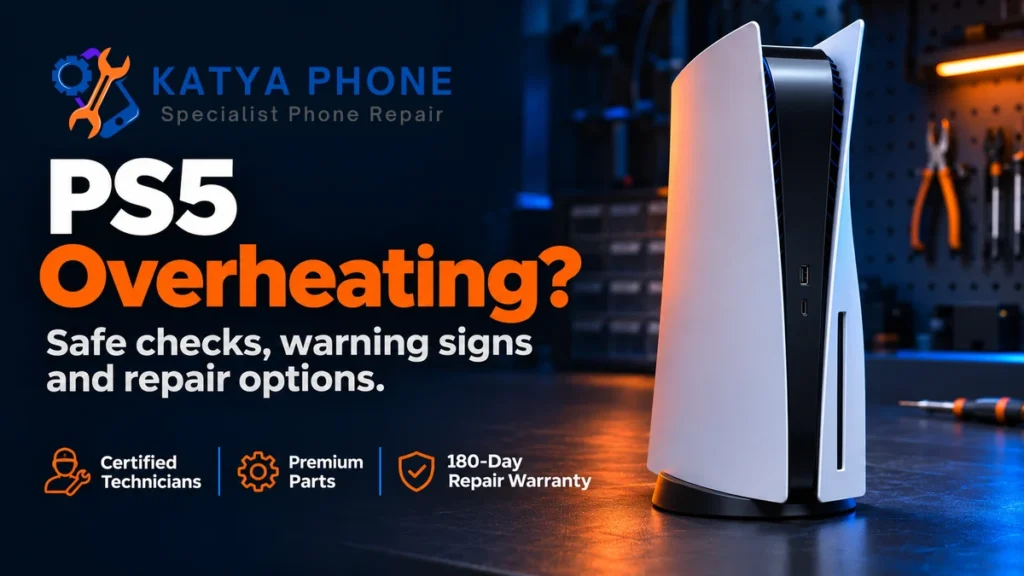
If your PS5 displays a high-temperature warning, turn it off and let it cool before using it again. Check its position and visible vents once it is safe to handle. Repeated warnings or shutdowns need assessment, even if the outside looks clean. A fan getting louder during a demanding game can be normal, so fan noise alone does not establish a PS5 overheating fault.
Katya Phone offers game console repairs in Caroline Springs, including assessment of PS5 overheating and power problems. These checks can help you describe what is happening and decide when to bring the console in.
Is your PS5 overheating or getting warm during use?
Start with the message on the screen and what the console does. Touching the case or listening to the fan cannot tell you which internal component needs attention.
| What you notice | What to do |
|---|---|
| The fan becomes louder during some games, with no warning or interruption. | Check the console has clear ventilation. Sony explains that temporary increases in fan speed can be normal. |
| An on-screen message says the PS5 is too hot. | Turn it off and wait for it to cool. Check the location and vents before further use. |
| The console loses power while playing. | Record whether a temperature warning appeared. A shutdown also needs power-fault troubleshooting. |
| One game closes and returns you to the home screen. | Record the game and error code. A game crash alone does not confirm overheating. |
What to do when a PS5 shows a temperature warning
- Stop playing and turn the console off. Follow the warning rather than trying to finish the session. Let it cool naturally.
- Wait before moving or cleaning it. For routine cleaning, allow the power indicator to turn off, then disconnect the power cable. Keep your hands away from parts that remain hot.
- Check the space around it. Move it out of a cramped cabinet and onto a stable surface. Keep at least 10 cm of free space around each side and leave its vents unobstructed.
- Arrange assessment if the warning returns. Repeatedly restarting the console to see how long it lasts is not a useful home test.
A burning smell, smoke or unusual electrical behaviour calls for an immediate stop. Disconnect power if safe and leave the console off for assessment.
Why does my PS5 keep overheating?
Restricted ventilation and dust
A crowded TV unit, nearby objects or long-pile carpet can obstruct ventilation. Dust around the vents is another reason to check the setup. An open shelf gives you room to inspect the console and keep the surrounding area clear.
A hot location
Keep the PS5 away from direct sun and heat sources. Moving it to a better position after it cools is a sensible first step. If the same warning returns in an open location, describe that change when requesting an assessment.
A recently fitted storage expansion
If the issue started after an M.2 SSD upgrade, include that detail. Sony requires compatible expansion drives to have suitable heat dissipation, such as a heatsink. That requirement concerns the added drive; a recent upgrade by itself does not prove the cause of a whole-console fault.
A fault that needs inspection
When basic checks do not resolve the symptom, the next step is to establish the fault before choosing repair work. Requesting a specific part replacement from an online symptom list can lead you towards work the console may not need.
If you have already changed the location and cleared accessible vent dust, ask Katya Phone about a PS5 assessment. Explain what changed and whether the warning still appears.
How much cleaning is safe at home?
Sony recommends a low-powered vacuum cleaner for accumulated dust in and around the air vents, with power disconnected first. Start with that accessible exterior care. Keep cleaning liquids out of the console.
Cover removal differs between PS5 models. If you choose to remove a user-removable cover, follow Sony’s instructions for your exact console and let it cool first. Refit covers correctly before use. Leave deeper dismantling and internal cooling work to someone equipped to assess the fault.
A clean exterior does not establish that the console is repaired. If the original warning or power loss continues, tell the repairer exactly what you cleaned. There is no benefit in repeating the same cleaning step after each shutdown.
Will changing position or updating software fix it?
Sony provides model-specific instructions for horizontal and vertical setups. Use the correct base, feet or stand for your console. A change of orientation should not be treated as proof that a recurring temperature fault has been resolved.
For a game that crashes without a temperature warning, check the game and system software updates when the console can run safely and reliably. Keep the error code. Sony has separate troubleshooting for game crashes and power loss, so avoid assuming every interruption has the same cause.
A factory reset is not a first step for a heat warning. Reset PS5 and reinstall-system-software options delete user data. Get advice before choosing a destructive troubleshooting option.
When to seek PS5 overheating repair
Arrange an assessment when warnings return after the basic setup checks, the console repeatedly loses power, or you cannot safely complete those checks. You can bring useful information without recreating the failure:
- The PS5 model number and whether storage or other hardware was recently changed.
- The exact warning or error code, ideally from an existing photo.
- Whether the whole console turns off or only the game closes.
- When the issue started and the placement or cleaning steps already tried.
If it can run reliably without warnings, back up important saved data before repair. Sony offers PS5 USB backup and restore, but warns that interrupting a backup can cause data loss. Tell the repairer if the console shuts down too quickly to back up; do not keep it running through a heat warning for that purpose.
What affects the repair quote?
The quote depends on the exact model, the fault found, required parts and whether further damage is present. There is no single price or turnaround that fits every overheating complaint. Ask what the assessment found and what work is proposed before agreeing to the repair.
Katya Phone provides free assessment and honest advice on whether repair is practical. Under No Fix No Fee, no fee is charged when a device cannot be repaired. Repairs include a six-month warranty, excluding water damage and subsequent physical damage. Walk-ins are welcome; calling ahead helps confirm your model and available repair options.
Related Articles
For the console services available locally and what to expect when requesting an assessment:
Serving nearby suburbs too
Katya Phone is based in Caroline Springs. These local phone-repair pages provide information for nearby customers:
PS5 Overheating – Frequently Asked Questions
How do I know if my PS5 is overheating?
An on-screen high-temperature warning is a clear reason to stop using the console and let it cool. Fan noise, a warm case or a game crash alone cannot establish the cause. Record the warning and whether the console loses power when arranging an assessment.
Why is my PS5 fan loud when I play certain games?
Sony explains that the fan can temporarily run faster during some games and applications. Check that the vents are clear and the console has breathing room. A recurring warning or interruption needs further investigation.
How long should I leave an overheating PS5 off?
Wait until it has cooled before using it again. Sony’s temperature-warning guidance does not give one fixed waiting time for every situation. A warning that returns after cooling and basic setup checks needs assessment.
Can I keep playing after the PS5 temperature warning?
Turn the console off when the high-temperature warning appears. Continued use against that warning can leave the console non-operational. Avoid repeated gaming tests to reproduce the problem.
Does a PS5 turning off mean it is overheating?
A shutdown needs investigation and does not identify the fault by itself. Tell the repairer whether a temperature warning appeared first, which game was running and whether the console has recently been changed. Sony provides separate troubleshooting for PS5 power loss.
Can I vacuum the dust from my PS5?
Sony recommends a low-powered vacuum cleaner for dust in and around the air vents after disconnecting power. Follow the model-specific instructions if removing a user-removable cover. Internal dismantling is a separate task and is best left for assessment.
Should I put my PS5 horizontally to stop overheating?
Follow Sony’s setup instructions and use the correct support for your model and chosen position. Both horizontal and vertical setups have model-specific requirements. A position change does not confirm that an ongoing fault has been fixed.
Why does my PS5 keep overheating after cleaning?
Accessible vent cleaning may not resolve the underlying problem. If the warning returns, arrange assessment and explain what you cleaned and how the console is positioned. The symptom alone cannot identify the part or work required.
Will resetting my PS5 fix overheating?
A reset does not address blocked ventilation and should not be the starting point for a temperature warning. Reset PS5 and reinstall-system-software options delete user data. Get advice about the specific symptom before choosing them.
How much does PS5 overheating repair cost?
The cost depends on the model, fault and parts or work required. Katya Phone offers free assessment in Caroline Springs and explains the repair options before you decide. Timing is confirmed for the individual job.
Get a recurring PS5 heat warning checked
Give your console clear ventilation and follow Sony’s safe cleaning guidance. If the warning returns or the PS5 keeps losing power, leave it off and arrange an assessment. Call Katya Phone in Caroline Springs on 0451 041 090 or request a PS5 assessment with your model and symptoms.