
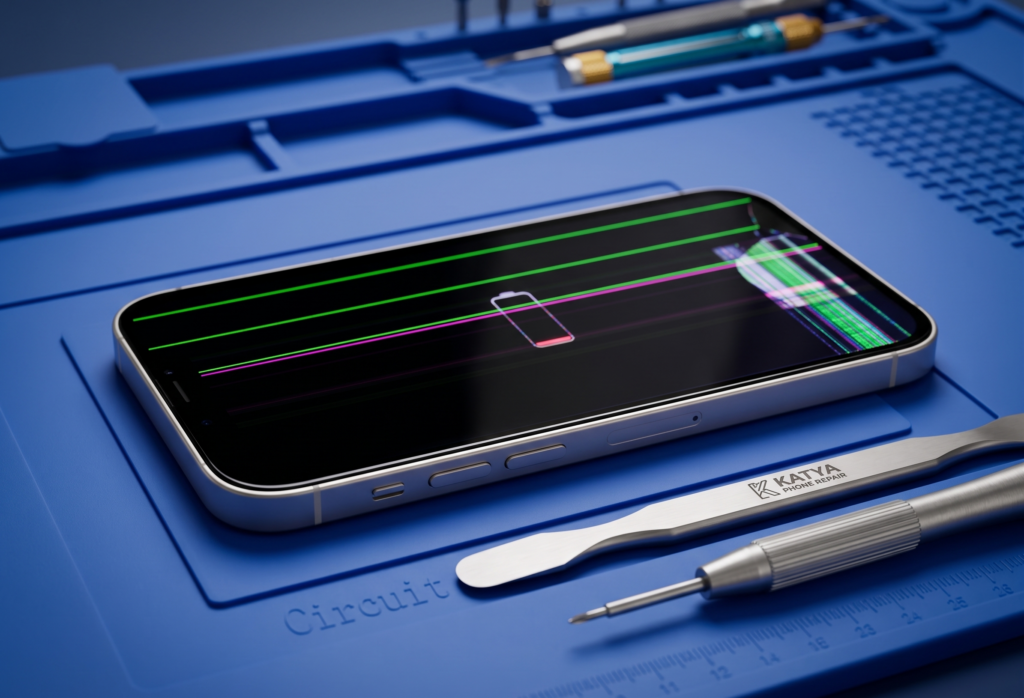
We have all been there. You reach for your phone, it slips through your fingers, and for a split second, time stands still. Then comes the sound—that sharp crack against the pavement. You pick it up, only to find a spiderweb of shattered glass staring back at you. If you are currently searching for phone screen repair near me, you aren’t just looking for a quick fix—you are looking for a technician you can trust to restore your digital lifeline.
A broken screen is more than just an eyesore; it’s a disruption to your life. From checking emails to navigating GPS, a damaged display makes every task a struggle. Finding the best phone screen repair near me is the first step toward getting your device back to perfect condition quickly and affordably. In this guide, we’ll explain everything you need to know about screen damage, the different qualities of replacement parts, and how to choose the right repair service for your needs.
Understanding the Damage: It’s More Than Just Glass
When we talk about a “broken screen,” it’s important to understand that your phone’s display is actually made of several layers. Depending on which layer is damaged, your repair needs might change:
- The Outer Glass: This is the top layer you touch. If the glass is cracked but the picture looks perfect and the touch still works, you might only have “glass damage.”
- The Digitizer: This is the invisible layer that senses your touch. If your phone looks fine but doesn’t respond to your fingers, the digitizer is likely broken.
- The LCD/OLED Panel: This is the layer that creates the image. If you see black spots, vertical lines, or a completely black screen, the internal panel is damaged.
Common Causes of Screen Damage
While a “drop” is the most frequent culprit, screens can break for several reasons:
- Direct Impact: Dropping the phone face-down on a hard surface like concrete or tiles.
- Pressure Damage: Sitting on your phone while it’s in your back pocket or leaving it under heavy objects.
- Extreme Temperature Shifts: Rapidly moving a phone from a very cold environment to a hot one can occasionally cause micro-cracks to expand.
- Bending: Modern smartphones are thin; if the frame bends even slightly in a bag or pocket, the glass can snap.
Signs You Need Immediate Screen Repair
Sometimes the damage isn’t a massive crack. Watch out for these symptoms that indicate your screen is failing:
- Ghost Touching: Your phone starts opening apps or typing messages by itself.
- Dead Pixels: Small black or colored dots that don’t go away.
- Ink Blots: Large black spots that seem to “bleed” or grow across the screen over time.
- Flickering: The display brightness or image jumps and stutters.
- Glass Splinters: Small shards of glass coming off the screen (this is a safety hazard for your fingers and ears!).
The Pro Technician’s Secret: Not All Screens Are Equal
When you look for phone screen repair near me, you will notice different price points. As a professional technician, I always tell my customers that you get what you pay for. At Katya Phone Repair, we categorize our screens into three distinct tiers so you can choose what fits your budget:
1. Standard Screen
- Best for: Budget-conscious users or older phone models.
- The Reality: These are high-quality aftermarket screens. They work great, but the colors might be slightly less vibrant than the original, and the glass may be slightly thicker.
2. Premium Screen
- Best for: Most users who want a balance of quality and price.
- The Reality: These use high-end components that closely mimic the original manufacturer’s brightness, touch sensitivity, and color accuracy.
3. Original Screen
- Best for: Users who want their phone to feel exactly like it did the day they bought it.
- The Reality: This is the gold standard. It features an original LCD/OLED panel, providing the best possible resolution and durability.
Step-by-Step Solutions: From First Aid to Professional Fix
Phase 1: Temporary Fixes (The Band-Aid)
If you can’t get to a shop immediately:
- Back Up Your Data: A cracked screen can fail completely at any second. Back up your photos and contacts now.
- Clear Packing Tape: Gently place a piece of clear tape over the cracks. This prevents glass splinters from cutting your fingers and keeps moisture from entering the cracks.
- Avoid Liquids: Even a small drop of water can now seep through the cracks and cause a short circuit.
Phase 2: Seeing a Professional Technician
Screen repair is a high-precision task. Modern phones use heavy adhesives and delicate ribbon cables that are easily torn. A professional will:
- Disassemble the device using specialized heat maps to soften the glue.
- Transfer sensitive components like the Face ID sensors or home buttons to the new screen.
- Clean the internal frame to ensure the new screen sits perfectly flush.
Tips to Prevent Future Screen Damage
- Tempered Glass Screen Protectors: Think of this as a “sacrificial” layer. It absorbs the impact so your actual screen doesn’t have to.
- Raised-Edge Cases: Look for a case that has a “lip” or raised edge around the screen. This ensures the case hits the ground first, not the glass.
- Avoid the Back Pocket: It is one of the most common ways frames get bent and screens get crushed.
Conclusion
A broken screen doesn’t have to be the end of your phone’s life. By acting quickly, you prevent further issues like “ink bleeding” or internal dust damage. Whether you need a quick phone screen repair near me or a deep diagnostic of your display’s health, we are here to help.
Ready to see your phone look like new again? Visit Katya Phone in the Melbourne and Caroline Springs region. We offer fast, reliable service with Standard, Premium, and Original screen options to suit every need.
Related Articles:
» Smart Phone Camera Repair in Caroline Springs
» Samsung Smartphone Repair in Caroline Springs
» OPPO Phone Repair Service in Caroline Springs.
» Smartphone Button Repair in Caroline Springs
» Samsung Smartphone Repair in Caroline Springs
» iPhone Repair Service in Deer Park
» iPhone Repair Service in Ravenhall
Frequently Asked Questions (FAQ)
In most cases, we can complete a screen replacement in 30 to 60 minutes, depending on the model.
No, a screen repair does not affect your data. However, as a precaution, we always recommend backing up your device before any service.
Yes. Cracks weaken the structural integrity of the glass. A tiny crack today can become a full-screen shatter with the slightest bump tomorrow.
We advise against it for modern smartphones. The cables for Face ID and Touch ID are thinner than a human hair and very easy to break, which could permanently disable those features.