
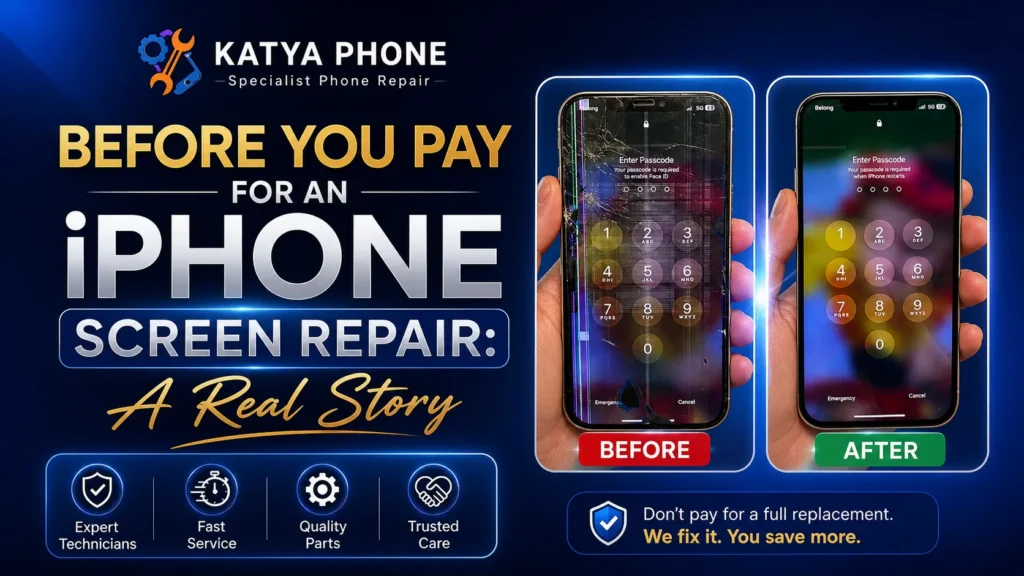
Last Wednesday, a woman walked through our door holding her iPhone 13 Pro Max with that particular look people get when they’ve already mentally written off a few hundred dollars. The screen was completely unresponsive — no taps, no swipes, nothing. But the glass was perfect. Not a mark on it.
“I think I need a new screen,” she said. “How much will that cost?”
Consequently, I’ve heard that exact sentence more times than I can count over 15 years of repairing phones in Caroline Springs.
I took the phone, pressed a few buttons in sequence, and handed it back to her 30 seconds later — fully working. No parts. No bench time. No charge. The look on her face said everything.
Here’s the thing: a lot of what people assume is a broken screen isn’t actually a screen problem at all. Therefore, before you pay for an iPhone screen repair, there are a few things worth knowing. This article walks you through exactly what to check first — and could save you anywhere from $150 to over $500.
What Actually Causes iPhone Screen Problems?
When your touchscreen stops responding, the natural assumption is that the screen is broken. However, the display is just one part of a system — and it’s often not the part that’s failed. After 15 years of repairs, here’s what we actually see causing touchscreen problems.
Common Internal Hardware and Software Glitches
Software freeze or crash: The touchscreen controller — the chip that translates your taps into actions — can get stuck after an iOS update or a heavy processing load. Fortunately, the screen looks fine because it is fine, and a quick restart clears the freeze completely. This is the most common cause we see, and it’s what happened with the customer above.
Loose or unseated display connector: The cable connecting your screen to the logic board runs along a small connector clip. For example, after a drop — even one that left no visible damage — that connector can shift slightly. As a result, touch stops working, or works only sometimes. We reseat connectors regularly at our bench, and it costs a fraction of a full replacement.
Environmental and External Factors
Moisture damage: Water doesn’t always kill a phone on contact. Instead, it corrodes connectors and components slowly. We see phones come in weeks after a single splash, showing flickering or dead touch zones that look exactly like screen failure.
Display IC failure: The display integrated circuit on the logic board can fail without any drop or impact. In this case, the screen goes dark or unresponsive, and no restart will fix it. This one definitely needs professional diagnosis.
Pressure or flex damage: Sitting on your phone or keeping it in a tight back pocket creates slow, cumulative stress on internal connectors. Consequently, symptoms show up gradually and intermittently.
Low-quality screen protectors: A surprising but frequent issue. Thick or poorly fitted tempered glass protectors can interfere with touch calibration. In fact, we see this every week causing ghost touches.
Does Your iPhone 13 Pro Max Actually Need a New Screen?
Not every unresponsive touchscreen needs a replacement. Therefore, it is vital to read the signs before you book anything.
🟢 These usually mean you do NOT need a new screen:
The glass looks completely intact and the problem started out of nowhere.
Touch stopped working right after an iOS update.
The screen works sometimes but not others — especially after the phone warms up.
Only one app is causing problems (that’s the app, not the screen).
Real Example: A customer put it perfectly last month: “It just stopped working overnight and I hadn’t dropped it” — that was a software freeze, fixed with a simple restart.
🔴 These usually mean you should come in for a repair:
Visible cracks, shattered glass, or dark ink bleeding under the display.
Large areas permanently unresponsive after you’ve already tried troubleshooting.
The screen flickers or shows strange colours constantly — not just occasionally.
The display has physically separated from the phone body.
Touch died immediately after a drop.
💡 Quick rule from the bench: If the screen looks perfect and the problem appeared suddenly — restart first, always. You’d be amazed how often that’s the entire solution.
What to Try Before You Pay for Anything
These steps are safe, take under 10 minutes total, and frequently resolve the majority of “broken screen” complaints we see.
Step 1 — Force Restart Your iPhone 13 Pro Max (2 Minutes)
This is the single most effective first step. However, the sequence matters:
Press and quickly release Volume Up.
Press and quickly release Volume Down.
Press and hold the Side button until the Apple logo appears — then release.
Wait for the phone to fully boot before testing touch.
Note: Don’t just hold the side button on its own — the three-step sequence is what triggers the force restart on this model.
Step 2 — Update iOS (5 Minutes)
Go to Settings → General → Software Update and install anything available. iOS touch bugs are more common than Apple advertises, and they’re usually patched within a version or two. If your problem started after an update, the next update often fixes it.
Step 3 — Remove Your Screen Protector (1 Minute)
Peel it off and test touch directly on the glass. If the problem disappears, the protector was the issue — not the screen. We see this constantly with thick or budget-brand tempered glass.
Step 4 — Isolate the Problem (2 Minutes)
Try swiping down from the top-right corner for Control Centre. Open Notes and try typing. If only one app is causing issues, it’s an app problem, not a screen problem. Delete and reinstall that app first.
Step 5 — If Nothing Works, Get a Free Diagnostic
Don’t try to open the phone yourself. iPhone 13 Pro Max has delicate flex cables and Face ID components that are easy to damage during disassembly. In addition, it is very expensive to fix if you do. Bring it in, and we’ll tell you exactly what’s wrong before touching anything.
📍 Katya Phone in Caroline Springs offers free diagnostics — no appointment needed.
What We Commonly See at Katya Phone
After 15 years of repairs in Caroline Springs, certain things show up at our bench again and again. This is the real-world stuff the manufacturer FAQs don’t cover.
The Restart Problem vs. Component Alignment
The most common scenario we see: someone brings in a phone with an unresponsive screen, having been told (or assuming) they need a replacement. We do a restart at the counter. The phone works. End of visit.
The uncomfortable truth is that some repair shops take a phone like this into the back, do a restart privately, and then tell the customer their screen was replaced. We’ve had customers come to us after paying $300 elsewhere for a “new screen” — and the original factory sticker is still on the back of the display.
At Katya Phone, if a restart fixes it, we tell you it was a restart. Furthermore, we show you how to do it yourself, and we don’t charge you for it.
Deeper Internal Issues and Loose Elements
Cheap screen protectors causing ghost touches: The ultra-thick protectors you find online for $5 can create interference between the glass and the touch sensor. Customers come in convinced their screen is broken, we peel off the protector, and touch works perfectly. Free fix, five seconds.
iOS update regressions: After major iOS releases, we typically see 10–15 customers in the following two weeks with touch issues that started exactly when they updated. The touchscreen driver can conflict with new iOS versions temporarily. Updating to the latest patch release almost always resolves it.
Water damage that shows up weeks later: “It got wet but it was fine.” We hear this multiple times a week. Moisture corrodes connectors gradually. Consequently, the phone works for a while, then develops flicker, dead zones, or total unresponsiveness — sometimes a month after the original exposure. Early inspection after any water contact can save a device.
The connector reseat: Intermittent touch — works sometimes, stops after the phone gets warm or gets bumped — is almost always a display connector issue. The clip loosens slightly after drops or over time. Reseating it takes about 20 minutes and costs far less than a full screen replacement. We do this regularly.
Why DIY Screen Replacement on an iPhone 13 Pro Max Is a Gamble
We understand why people try it. The tutorials look straightforward, the parts are available online, and the potential saving seems real. But here’s what those videos don’t show you:
Face ID can be permanently disabled: The TrueDepth camera system is calibrated to the original screen. Non-certified replacement screens can cause Face ID to stop working entirely — and it can’t be recalibrated outside an Apple authorised facility.
The flex cables are fragile: The display connector cables run close to the frame and can be niced or torn during prying. A damaged flex cable means a more expensive repair than the one you were trying to avoid.
Waterproofing is destroyed: iPhone 13 Pro Max has an IP68 water resistance rating from the factory. Opening the phone without the right adhesive and resealing equipment removes that protection permanently.
Cheap screens have real problems: Budget replacement screens available online commonly have reduced brightness, inaccurate colour, and lower touch sensitivity right out of the box. Some fail within weeks.
No warranty: If something goes wrong during or after a DIY repair, you’re on your own. A professional repair includes a warranty on parts and labour.
Therefore, the savings from DIY rarely hold up once you factor in the financial risks.
What Affects Repair Cost? An Honest Breakdown
Any shop that gives you a firm price before seeing the phone should give you pause. Here’s what actually drives the cost of iPhone screen repair in Melbourne:
| Repair Type | What It Involves | Approx. Price (AUD) |
| Software / Connector Fix | Restart, connector reseat, software troubleshoot | Free – $80 |
| Aftermarket Screen Replacement | Quality non-OEM display assembly | $109 – $200 |
| OEM-Quality Replacement | Manufacturer-equivalent parts, full assembly | $179 – $250 |
| Genuine Apple Service Pack | Apple-certified parts, full display assembly | $549 – $629 |
| Complex / Water Damage Repair | Component-level work, IC repair, corrosion treatment | $150 – $350+ |
Note: Prices are approximate ranges for iPhone 13 Pro Max screen repair in Melbourne, Australia. Final cost depends on what the diagnostic finds. Always get a quote before authorising any work.
The honest starting point: come in for a free diagnostic. You might leave without paying anything. If you do need a repair, you’ll know exactly what you’re paying for and why.
How to Prevent Screen and Touch Problems
The repairs we see most often are preventable. Based on 15 years of seeing what damages phones, here is what actually works to protect your device.
Physical Protection Strategies
Use a case with raised edges around the screen — a flat, slim case offers almost no protection when the phone lands face-down. The bezel needs to clear the ground.
Replace a cracked screen protector immediately — a shattered protector sitting on the glass provides zero protection and can interfere with touch sensitivity.
Avoid back pockets — the flex and pressure from sitting down is a slow, cumulative killer of display connectors. Side pocket or bag is always better.
Environmental and System Care
Power off immediately if the phone gets wet — don’t keep using it, don’t plug it in to charge, and bring it in for a moisture inspection as soon as possible.
Restart your phone once a week — this one surprises people. Regular restarts clear cached processes that can cause the touchscreen controller to freeze. It’s the simplest preventive step there is.
Update iOS regularly — most touch and display bugs are patched quickly. Staying current costs nothing.
Use quality charging cables — a damaged charging circuit can, in rare cases, cause the logic board to misread touch input. Use Apple-certified or reputable third-party cables.
Act on cracks early — a small crack that doesn’t affect touch will spread. Moisture, dust, and pressure work their way in through fractures. Repair it before it becomes a bigger problem.
Why Customers in Caroline Springs Choose Katya Phone
We’ve been repairing phones in Caroline Springs since 2010, serving customers from Burnside Heights, Deer Park, Taylors Hill, Sydenham, Hillside, Ravenhall, Taylors Lakes, Plumpton, and across Melbourne’s western suburbs.
Our team diagnoses first — every time: We don’t open your phone or order parts until we know what’s actually wrong. That’s why a customer walked out last Wednesday without paying a cent.
We explain everything clearly: No jargon, no vague explanations. You’ll know exactly what the problem was and what fixed it — whether that’s a restart, a connector reseat, or a new screen.
We give you real options: Genuine Apple parts vs. quality aftermarket — we explain the actual difference and let you decide. No pressure either way.
We warrant our work proudly: If something we repaired fails, we fix it. No argument, no runaround.
We respect your data privacy: Screen repairs don’t require access to your apps or personal content. We don’t need your passcode, and we won’t ask for it.
📍 Drop into Katya Phone in Caroline Springs — no appointment needed for a free diagnostic.
📞 0451 041 090 | 🌐 katyaphone.com.au
Don’t Panic — But Don’t Ignore It Either
Most “broken screen” calls we get turn out to be something simpler. Software glitches, loose connectors, a screen protector causing interference — these are quick fixes that cost little or nothing. But when there’s actual hardware damage or moisture involved, waiting makes it worse.
Before you pay for an iPhone screen repair, follow the checklist above and get a free diagnostic.
Try the steps in this article first. If they don’t solve it, bring the phone to us in Caroline Springs for a free look. We’ll tell you honestly what’s wrong, what it will cost to fix, and whether it’s worth fixing at all.
You Might Also Find These Helpful
FAQ: Common Questions About iPhone Screen Repairs
Not always. If the screen looks intact and the problem appeared suddenly, try a force restart and an iOS update first — these resolve the majority of unresponsive screen complaints. If the screen is physically damaged, cracked, or showing ink bleed, book a diagnostic promptly. Delaying on genuine hardware damage usually makes it worse and more expensive.
Most screen replacements are completed within 30 to 60 minutes. If the issue turns out to be software or a connector reseat, it can be much faster — sometimes done at the counter. We'll give you an honest time estimate when you bring the phone in.
No. A screen replacement doesn't affect your phone's storage or require a factory reset. Your photos, messages, apps, and settings remain untouched. We always recommend backing up your phone before any repair as a precaution — not because we'll wipe it, but because it's good practice.
We'd recommend against it. The iPhone 13 Pro Max has a complex internal layout — Face ID calibration, fragile flex cables, and IP68 waterproofing that can't be properly restored without the right equipment. DIY repairs risk permanent Face ID failure, damaged cables, and loss of water resistance. The cost of fixing a DIY mistake usually exceeds what a professional repair would have cost.
Genuine Apple screens (Service Pack parts) exactly match the original colour accuracy, brightness, and touch sensitivity. Quality aftermarket screens offer excellent results at a lower price point and are suitable for most users. Budget screens from unknown suppliers typically have noticeably worse colour, lower brightness, and touch sensitivity issues from day one. We stock quality aftermarket and can source genuine parts — we'll explain both options honestly.
You can, but we wouldn't recommend it long-term. A cracked screen allows moisture and dust to enter the phone, and the glass continues to spread under normal pressure and temperature changes. Small cracks become large cracks. The sooner it's repaired, the lower the final cost tends to be.
It depends on your policy. Many Australian phone insurance plans — including those offered through Telstra, Optus, and third-party providers — cover accidental screen damage. Check your policy details. If you need documentation of the fault or repair for a claim, we can provide a written assessment.
A small dead zone on an otherwise working screen is usually caused by a cheap or poorly fitted screen protector, a minor connector issue, or localised pressure damage. Remove the screen protector first and test. If the problem persists, it's worth a quick look — this is usually a fast and inexpensive fix.
We're based in Caroline Springs and see customers from Burnside Heights, Deer Park, Taylors Hill, Sydenham, Hillside, Ravenhall, Taylors Lakes, Plumpton, Deanside, Melton, Cairnlea, Truganina, and across Melbourne's western suburbs. Most customers walk in — no appointment needed.
Not necessarily. A black screen with audio working is often a display connector issue or a software crash — not a failed screen. Try a force restart first (Volume Up → Volume Down → hold Side button). If the screen comes back, it was a software freeze. If it stays black after the restart, bring it in — this is typically a connector or display IC issue that we can diagnose quickly.