
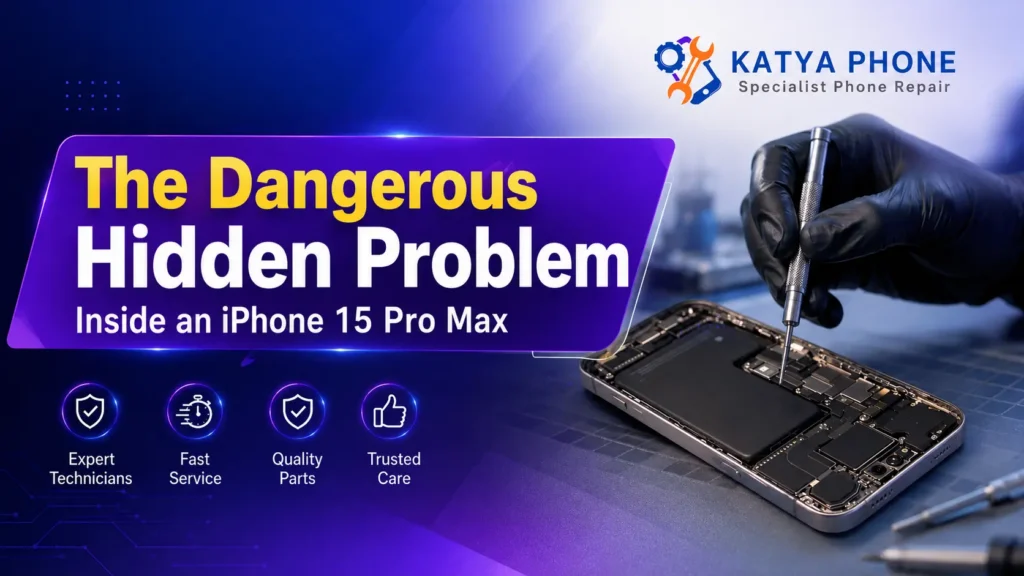
Last Tuesday, a customer walked into Katya Phone in Caroline Springs searching for a reliable iPhone battery replacement. They had a frustrated look we see too often because their iPhone 15 Pro Max was turning off randomly throughout the day—sometimes after just 20 minutes of use, and sometimes mid-conversation.
The obvious culprit? A cracked back glass panel. The customer assumed the physical damage had somehow triggered the shutdowns, leading them to wonder if the device was even worth saving.
But here’s what surprised us: once we opened the device for inspection, the real problem became immediately clear. And it’s something that might be happening to your iPhone right now without you even knowing it.
If your phone keeps dying or switching off unexpectedly, this article could save you hundreds of dollars and prevent a much bigger problem down the track.
What Causes Random iPhone Shutdowns? The Battery Problem Nobody Talks About
When an iPhone suddenly powers off—even when the battery percentage shows 40%, 60%, or higher—most people assume a software glitch or a faulty charger.
The truth is much simpler, and honestly, it’s one of the most common issues we see at our Caroline Springs repair workshop.
The culprit? A swollen battery.
How it happens:
Lithium-ion batteries (the ones inside every modern iPhone) are designed to expand and contract slightly during normal charge cycles. But when a battery ages, gets repeatedly overcharged, overheats, or experiences physical stress, it can swell beyond its normal size.
Battery swelling is a warning sign of internal cell failure and should be treated seriously—it means something has already gone wrong inside the cell and the battery needs professional attention.
A swollen or degraded battery can develop unstable voltage delivery under load, even when the displayed charge percentage looks fine. Your iPhone detects this instability and shuts itself down as a safety measure.
In the case we worked on, the iPhone 15 Pro Max’s swollen battery was causing random shutdowns several times a day. The customer didn’t realise the battery was the problem because the back glass damage was so obvious—it was easier to blame the visible damage than suspect the invisible problem.
This is more common than you’d think.
Most Common Signs and Symptoms of a Swollen Battery
Not sure if your iPhone has a battery problem? Watch for these real warning signs we see at Katya Phone:
🔴 Critical Warning Signs:
Random shutdowns at any battery percentage (not just when it’s “dead”).
Sudden, rapid battery drain — losing 5-10% per minute.
Phone refusing to turn on even after charging for hours.
The phone feels warm or hot, especially around the bottom half of the device.
Unresponsive to charging — you plug it in, but nothing happens.
The back panel feels slightly swollen or puffy — if you look at the phone from the side, it might not sit flat on a table.
Screen separation — sometimes the display starts lifting away from the chassis.
🟡 Softer Warning Signs:
The phone freezes during heavy use.
Apps crash unexpectedly.
The screen flickers when you’re using the camera.
Battery percentage jumps erratically (30% to 5% instantly).
If you’re seeing even two or three of these, it’s time to get a professional inspection. Don’t wait—a swollen battery can potentially damage other components inside your phone if it’s left unaddressed.
Why This Hidden Problem Went Unnoticed
Here’s something important: the customer’s cracked back glass actually masked the real problem.
When the back panel is damaged or cracked, you can’t easily see if the inside of the phone is slightly bulging. The glass damage draws all the attention, so a swollen battery can go completely undetected.
This is why we always recommend a full internal diagnostic whenever someone brings in a phone with physical damage. What looks like one problem on the outside might be hiding another problem on the inside.
We’ve seen it countless times: a customer comes in worried about a cracked screen, and during our inspection, we discover the battery is shot. Or they mention occasional shutdowns, and the diagnostics reveal a failing motherboard component.
That’s why a proper inspection is so valuable.
Step-by-Step: What to Try Before Professional Repair
Before you book an iPhone battery replacement, here are some beginner-friendly troubleshooting steps:
1. Force Restart Your iPhone
Sometimes a software glitch mimics a battery problem.
iPhone 15 Pro Max: Press and quickly release the Volume Up button, then press and quickly release the Volume Down button, then press and hold the Side button until the Apple logo appears.
Older iPhones: The process varies, but generally involves holding Home + Top (or Side) button until the Apple logo appears.
When this helps: If your phone was freezing or lagging, a force restart often solves random shutdowns.
When it doesn’t help: If the phone keeps shutting down even after a fresh restart, you likely have a hardware issue, not a software one.
2. Update to the Latest iOS
Apple regularly releases battery management updates that improve power delivery stability.
Go to Settings > General > Software Update.
Wait for any pending updates to install.
Restart the phone afterward.
Important: Do this on WiFi, with at least 50% battery. Never update on low battery.
3. Check Battery Health
Your iPhone will show you a percentage.
Go to Settings > Battery > Battery Health.
Anything below 80% is starting to decline. Below 50%? Your battery is seriously degraded.
What this means: If your battery is at 30% health or lower, replacement is the right call. The battery isn’t delivering power efficiently anymore.
4. Use Smart Charging Habits
Overnight charging itself isn’t dangerous—modern iPhones stop charging once full and use Optimised Battery Charging to reduce time spent at 100%. But heat and long periods sitting at full charge do add extra wear over time.
Turn on Optimised Battery Charging (Settings > Battery > Battery Health) or set a Charge Limit if your iPhone 15 model supports it.
Avoid letting it drain completely to 0% regularly.
Keep your phone out of hot environments while charging.
Real talk: These habits help slow down normal wear, but if your battery is already swollen, prevention won’t fix it—replacement will.
When DIY Fixes Won’t Work: It’s Time for Professional Help
If you’ve tried the above and your iPhone is still shutting down, congratulations—you now know it’s not a software problem. It’s a hardware issue, and it needs professional attention.
Here’s why DIY battery replacement is genuinely dangerous:
⚠️ The Risks of DIY:
Lithium fires: A swollen battery can catch fire if punctured during removal. Professional technicians use proper safety protocols.
Motherboard damage: Forcing a swollen battery out can damage delicate ribbon cables and motherboard components.
Water damage: Opening your iPhone without proper tools and expertise lets moisture inside, killing other components.
Warranty risk: Damage caused during an unauthorised DIY repair may not be covered by Apple’s warranty or AppleCare, though your Australian Consumer Law rights are separate and still apply.
🛠️ What We Do Instead at Katya Phone:
Power down the device safely and let it cool.
Open the back panel using precision tools designed for this exact phone model.
Disconnect the battery connector before removing anything.
Carefully extract the swollen battery using gentle pressure and proper extraction tools.
Inspect the motherboard for heat damage or component failure.
Install a high-quality replacement battery with proper certification.
Run full diagnostics to ensure everything works perfectly.
Test extensively before handing the phone back to you.
The whole process takes about 90 minutes for an iPhone 15 Pro Max. You get your phone back working like new.
What We Commonly See at Katya Phone
After opening thousands of iPhones in our Caroline Springs workshop, we’ve noticed patterns that might help you avoid these problems:
The battery problem is almost always preventable: Most batteries we replace are between 18-36 months old. The customers almost always say the same thing: “I didn’t realise the battery could fail that quickly.” The truth? Batteries don’t fail overnight. The signs were there—slower performance, longer charging times, occasional shutdowns. But people ignore these little warning signs hoping the problem will go away. It never does. It gets worse.
Cheap chargers and cables cause more problems than you’d think: We see a lot of customers using non-Apple chargers or damaged third-party cables. These chargers often don’t properly regulate voltage, which stresses the battery and ages it faster. We had one customer whose iPhone 12 Pro Max was dying after just 14 months—abnormally fast. During our inspection, we found the motherboard had burn marks from a cheap third-party charger that was delivering inconsistent power.
Broken back glass hides bigger problems: Like the case in this article, a cracked back panel often masks serious internal issues. We always recommend checking the entire phone during any repair—never just fix what you can see.
Ignoring “slight” overheating is a mistake: When customers mention “it gets a bit warm sometimes,” that usually means the battery is already struggling. Heat is a battery’s enemy. If your phone is warm to the touch during normal use, get it checked before it becomes an emergency.
Water damage plus battery problems = disaster: If your iPhone got wet AND is now shutting down, the battery problem might be connected to the water damage. The moisture is causing electrical shorts, which ages the battery rapidly. This requires urgent professional repair.
Why Professional iPhone Battery Replacement Matters
Replacing an iPhone battery isn’t just about getting it working again—it’s about doing it safely and correctly. Here’s what separates professional repairs from dangerous DIY attempts:
Quality Parts Make a Massive Difference:
Genuine Apple batteries, which we use whenever they’re available for your model, hold a proper charge and match original specs exactly.
High-quality certified aftermarket batteries, which we use when genuine stock isn’t available for a specific model, still meet strict certification standards and come with warranty coverage.
Cheap generic batteries found online are often clones or refurbished cells—they fail faster and sometimes catch fire.
We had a customer come in last month whose iPhone worked perfectly after we replaced the battery. He asked, “What’s the difference between your battery and the $20 batteries I saw on eBay?” The answer: reliability and safety. That cheap battery might work today, but in 6 months, it might swell again or fail completely. Ours comes with a 6-month warranty because we trust the quality.
Professional Diagnostics Prevent Future Problems:
When we open your iPhone, we check everything:
Motherboard for heat damage
Charging port for corrosion
Display connector for loose cables
Speaker and microphone quality
Water damage indicators
A DIY replacement misses all of this. You might fix the battery but leave other problems brewing.
iPhone Battery Replacement Cost: What to Expect
The price of battery replacement varies depending on several factors. Here’s a realistic breakdown based on what we see at Katya Phone:
Cost Comparison Table (AUD)
| Repair Type | Cost Range (AUD) | Timeframe | What’s Included |
| Minor Battery Issue (slow charging) | $89 – $119 | 60 mins | Battery replacement + basic testing |
| Standard Battery Replacement | $149 – $189 | 90 mins | Full diagnostic + battery replacement + complete testing |
| Premium Battery Replacement | $199 – $249 | 120 mins | Full internal cleaning + battery replacement + motherboard inspection + extensive testing |
| Severe Damage (swollen + heat damage) | $299 – $599+ | 2-3 hours | Battery replacement + full motherboard diagnostic, with honest advice on next steps if board-level repair is needed |
Real example: The iPhone 15 Pro Max case from this article cost $189. If you need an exact quote tailored to your device, popping into our Caroline Springs shop is the best way to get a free, upfront diagnostic inspection.
Pro Tip: If you need a quote, pop into Katya Phone in Caroline Springs or contact us for a free diagnostic inspection. We’ll show you exactly what’s wrong and give you an honest price before we start work.
Prevention Tips: Keep Your iPhone Battery Healthy Longer
You can’t prevent all battery failures, but you can dramatically extend your battery’s lifespan:
🌡️ Temperature Management:
Keep your phone cool: Avoid leaving it in hot cars, direct sunlight, or near heat sources.
Don’t use it while charging: Heat + charging = accelerated aging.
Store in cool places: A room temperature of 16–22°C is ideal for battery health.
Air out your phone: If it feels warm, give it a break for 15 minutes.
⚡ Smart Charging Habits:
Use Apple chargers or certified third-party chargers (like Anker or Belkin).
Turn on Optimised Battery Charging or set a Charge Limit if your model supports it.
Don’t let it drain to 0% regularly—aim to keep it between 20–80%.
Use low power mode once battery drops to 20%.
📱 Physical & Software Protection:
Use a protective case (not overly thick—this traps heat).
Avoid dropping your phone, especially on the back panel where the battery sits.
Update iOS regularly for battery management improvements.
Close unnecessary background apps via Background App Refresh settings.
Why Choose Katya Phone for Your iPhone Battery Replacement
We’re a local repair shop in Caroline Springs, and we’ve been fixing iPhones since the iPhone 6. If you’re looking for iPhone battery replacement near Caroline Springs, here’s why local customers trust us with their repairs:
Local, face-to-face service: You can walk in, explain your problem, and get an honest assessment. No shipping, no waiting weeks for a mail-in repair. You’ll likely get your phone back the same day.
Speed without compromise: Most iPhone battery replacements take 90 minutes. You can drop it off, grab a coffee, and come back to a working phone.
We use quality parts: Depending on the model and availability, every battery we install is either a genuine Apple part or a high-quality certified aftermarket battery—never a cheap clone. We stand behind our work with a 6-month warranty on the battery itself.
Experienced technicians: Our team has opened and repaired hundreds of iPhones. We’ve seen every problem and know what to look for during diagnostics.
Honest pricing: We don’t upsell repairs you don’t need. If your phone just needs a battery, we’ll replace the battery.
Conclusion: Don’t Ignore the Warning Signs
That iPhone 15 Pro Max we opened was a perfect example of how hidden problems can disguise themselves as something else entirely.
The customer thought a cracked back panel was the worst of their problems. In reality, a swollen battery was the urgent issue—one that could have gotten worse and caused serious damage to the motherboard.
If your iPhone is:
Shutting down randomly
Draining battery impossibly fast
Refusing to turn on
Feeling warm when it shouldn’t be
Don’t wait. Get a professional inspection today. A battery replacement now costs $150–$200. Left untreated, a swollen battery can damage the motherboard—a far more serious and expensive problem to fix. The choice is clear.
Get your free iPhone battery inspection at Katya Phone in Caroline Springs. We’ll diagnose the problem, show you exactly what’s wrong, and give you an honest quote before we start any work.
Related Articles:
» Oppo Phone Service Centre in Caroline Springs
» iPhone Service Centre in Caroline Springs
» iPhone Repair Service in Deanside
» Samsung phone Service Centre in Caroline Spring
» Smart Phone Camera Repair in Caroline Springs
» iPhone Repair Service in Ardeer
Frequently Asked Questions
A: At Katya Phone, most iPhone battery replacements take 60–90 minutes, depending on the model and whether we find additional issues during inspection. You'll get your phone back the same day in most cases.
A: Yes, Apple will replace batteries, but it typically costs more ($99–$119 in Australia) and takes longer. Apple doesn't always do same-day repairs, and you might need an appointment days in advance. Local shops like Katya Phone are usually faster.
A: High-quality third-party batteries (certified ones from reputable suppliers) are nearly identical to Apple batteries in performance. The difference is marginal. Cheap knockoff batteries, however, are unreliable and dangerous.
A: Swollen batteries can catch fire or ignite if damaged or exposed to extreme heat, but they rarely explode spontaneously. However, the risk increases if the battery is ignored. This is why professional removal is important.
A: A swollen or failing battery can develop unstable voltage delivery, even if it technically has charge remaining. Your iPhone detects this instability and shuts down as a safety mechanism.
A: Most iPhone batteries are designed to retain 80% of their capacity after 1,000 full charge cycles. That's typically 18–24 months of normal use. By 3 years, most iPhone batteries need replacement.
A: No. iPhones are sealed devices. Opening requires precision tools and training. Attempting DIY replacement risks fire, electrical damage, and damage to other components. Always get professional help.
A: Stop using it immediately and let it cool for 15–20 minutes. Don't charge it while it's hot. If it continues to feel warm during normal use (not gaming or video), get it inspected.
A: Yes. At Katya Phone, we provide a 6-month warranty on all battery replacements. If the battery fails within that period, we'll replace it free of charge.
A: Between $89–$249 for High Quality service in Caroline Springs, depending on your iPhone model and whether additional repairs are needed. We offer a free diagnostic to give you an exact quote before work begins.
A: If your iPhone is still within Apple's standard warranty or an active AppleCare+ plan, and Apple determines the swelling is due to a manufacturing defect (not physical damage or age-related wear), it's usually covered at no cost. Outside of warranty, Apple will quote you a paid replacement. Either way, don't keep using a swollen battery while you sort out coverage — bring it in for inspection first.
A: Under Australian Consumer Law, goods sold in Australia must be of acceptable quality, and this protection exists independently of the manufacturer's warranty period. If a battery swells due to a genuine manufacturing fault on a relatively new device, you may have a case for a free repair, replacement, or refund from the retailer. We're not lawyers, so for a specific case we'd recommend checking the ACCC's guidance or contacting the retailer directly — but we're always happy to do a free diagnostic to help you document the issue.
A: As of now, Apple has not issued an official recall for iPhone 15 Pro Max battery swelling. There have been scattered individual reports online since the phone's launch, but these appear to be isolated manufacturing or ageing issues rather than a widespread recall-level fault. That said, if your device shows any signs of swelling, treat it as urgent regardless of recall status — get it inspected as soon as possible.
A: Never throw a swollen battery in household rubbish or a regular recycling bin — lithium-ion batteries can catch fire if crushed or punctured. Power the device off, avoid pressing on the swollen area, and take it to a certified battery/e-waste drop-off point (many Officeworks stores and local council e-waste facilities accept them) or bring it to us at Katya Phone — when we replace your battery, we handle the old one's disposal responsibly and safely.
A: To be upfront: no, Katya Phone is an independent repair shop, not an Apple Authorised Service Provider. What we do offer is over a decade of hands-on experience repairing iPhones (since the iPhone 6), same-day local service, quality parts, and a 6-month warranty on our work. Many customers choose us over Apple specifically because we're faster and more affordable for battery replacements.
A: We've built our reputation in Caroline Springs on honest diagnostics and same-day fixes, including plenty of swollen-battery cases like the one in this article. You can read verified customer reviews on our Google Business Profile to see real feedback from local customers before you book.
Pingback: iPhone 15 Pro Max Overheating: Is It Normal? (2026)
Pingback: iPhone 16 Pro Max Battery Draining Fast? Causes & Fixes