
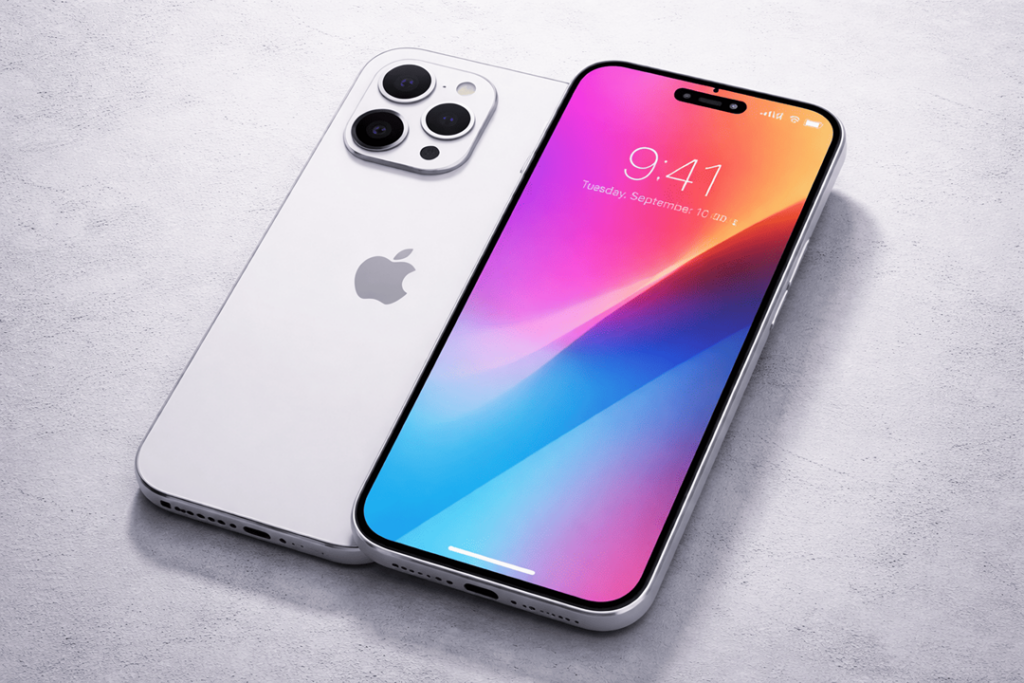
If your iPhone 16 battery drains fast all of a sudden, it’s annoying… and honestly it can feel a bit scary too. One day you’re ending the day at 30%, and the next day you’re hunting for a charger by lunchtime. The good news is: most fast-drain problems come from a few repeat causes—settings, apps, signal, heat, or a battery that’s starting to give up.
In this guide (written for real humans, not robots), you’ll learn how to diagnose iPhone 16 battery drain, how to tell software issues from hardware issues, and when iPhone 16 battery replacement is the smartest fix. Let’s get your battery life back.
First, what counts as “draining fast” on iPhone 16?
Before we point the finger at the battery, let’s do a little reality check:
- And if you’ve recently updated iOS, your phone might need time to re-index photos, rebuild caches and sync in the background for 24 to 48 hours. So, yes, the drain itself can temporarily look worse.
- If you move to a low-signal area, your phone works harder to stay connected, and battery drops faster.
- If you use hotspot, GPS navigation, gaming, or 5G streaming, the battery will drop quicker—normal.
However, if your iPhone drops from 15–25% in an hour’s time with minimal usage (messages + browsing), or loses 10%+ overnight with the phone off, it’s not okay. Get details on Mobile Repair in Caroline Springs.
Quick 10-minute diagnosis (do this before you replace anything)
1) Check Battery Usage: it tells you the truth
Go to Settings → Battery.
Look at:
- Battery Usage by App (Last 24 Hours / Last 10 Days)
- Screen Active vs Screen Idle
- Any app with unusually high “Background Activity”
If one app sits at the top daily, that’s your prime suspect. Also, if “Screen Idle” still shows heavy drain, background processes are likely the issue.
2) Look for a rogue app (the most common cause)
Apps that often cause big drain:
- social apps (video autoplay)
- navigation/maps (location always on)
- VPN apps
- shopping apps with tracking
- some camera or editing apps
Try this: uninstall the worst offender for one day. Not “offload”—fully uninstall. Then compare the battery.
3) Signal strength check (silent battery killer)
When you see 1–2 bars regularly, especially on 5G, your phone is burning power hunting for that sweet spot of a stable connection.
Try:
- Toggle Airplane mode ON for 30 seconds, then OFF
- Switch 5G Auto to LTE for one day: Settings → Cellular → Cellular Data Options
If the battery improves, the drain was mostly network-related.
4) Heat = faster drain, always
If the iPhone 16 feels warm while doing “nothing,” you likely have:
- background syncing
- heavy widgets/live activities
- camera usage + heat
- charging with a high-watt adapter while using it
Heat doesn’t just drain the battery today—it also ages the battery faster. So, it’s a double problem.
5) Check iOS update status
Go to Settings → General → Software Update.
Once and while a small iOS patch will correct a battery draining bug. A new update, however, can also cause re-indexing so it’s possible you’ll want to wait a day or two. Looking for a iPhone Repair Service in Caroline Springs?
Battery drain symptoms → likely causes (fast troubleshooting table)
| What you notice | Likely cause | Quick test | Best fix |
| Drops fast even when idle | Background app activity, iCloud sync, push mail | Check Settings → Battery “Screen Idle” | Disable background refresh + push, update apps |
| Battery falls overnight | Notifications, poor signal, VPN, Bluetooth devices | Sleep with Airplane mode ON once | Fix signal settings, remove VPN, reduce push |
| Phone gets warm in pocket | App stuck, location always on | Check top app + location usage | Force close, reinstall app, reset location settings |
| Sudden drain after update | Indexing, bugs | Wait 24–48 hrs, then compare | Update iOS, reboot, reset settings if needed |
| Fast drain + random shutdown | Battery health issue or hardware | Check battery health + logs | iPhone 16 battery replacement |
The best settings to fix iPhone 16 battery draining fast
You don’t need to turn your iPhone into a “basic phone.” Instead, change what matters.
1) Turn off Background App Refresh (for most apps)
Settings → General → Background App Refresh
Set to OFF, or keep it ON only for essentials (messaging, maps if you really need it).
2) Limit Location Services
Settings → Privacy & Security → Location Services
For many apps, switch to:
- While Using the App (not “Always”)
- Turn off “Precise Location” where it isn’t needed
3) Reduce Push Mail + Fetch frequency
Settings → Mail → Accounts → Fetch New Data
Turn off Push for non-urgent accounts, and set Fetch to 30 minutes or hourly.
4) Check Display settings
Display power matters a lot:
- Lower brightness slightly
- Disable “Always On Display” if you don’t use it much (if available on your model/settings)
- Reduce motion: Settings → Accessibility → Motion
5) Stop battery-eating habits (small changes, big win)
- Avoid charging and gaming at the same time
- Don’t keep 20+ widgets updating constantly
- Disable unnecessary Bluetooth scanning
Meanwhile, keep Low Power Mode for “emergency” use, not permanent life support. Get details on Smartphone Battery Replacement in Caroline Springs.
How to tell if you need iPhone 16 battery replacement
Settings fixes help when software causes the drain. But if hardware is the issue, you’ll keep chasing your tail.
Here are strong signs you may need iPhone 16 battery replacement:
Signs it’s time to replace
- Battery percentage drops in big jumps (e.g., 54% → 41% quickly)
- Phone shuts down even with 10–20% left
- Battery drains fast even after a clean iOS reinstall
- iPhone heats up quickly with light usage
- Battery health (if shown) indicates reduced capacity
- You’ve had heavy daily fast charging + heat exposure for months
One more clue: “Screen Idle” drain stays high
If the screen is OFF and the battery still melts, and you have already removed rogue apps, the battery itself may not hold voltage properly anymore.
iPhone 16 battery health: what you can check (and what it doesn’t show)
Go to Settings → Battery → Battery Health (wording can vary by iOS version).
You’ll typically see:
- Maximum capacity (approx.)
- Performance capability messages (if the system detects issues)
Even if the capacity looks “okay,” you can still have a weak battery under load. Capacity is only one part. Voltage stability matters too, and iOS doesn’t always show that clearly.
If you want a clean test: do a “soft reset” and observe
Do this before booking replacement:
- Restart the iPhone (simple but effective).
- Update all apps (App Store → profile → Update All).
- Remove 1–2 suspicious apps for 24 hours.
- Monitor battery again.
If the drain continues strongly, move to replacement discussions. Because at that point, you’re not guessing—you’re confirming.
iPhone 16 battery replacement: what happens, how long it takes, and what you should ask
A proper battery replacement for iPhone 16 is more than “swap and go.” A good repair shop will:
- run battery diagnostics first (so you don’t replace the wrong part)
- replace the battery safely (no bending, no damage)
- test charging, temperature, and current draw after replacement
- seal the device properly to protect against dust/moisture as much as possible
Typical service time
Many replacements take 30–90 minutes, depending on workload, parts availability, and testing. In addition, if the phone needs extra calibration checks, it may take longer.
Will you lose data?
No—battery replacement normally does not erase data. Still, back up to iCloud or a computer first, because life happens and phones are delicate. Get details on Smartphone Battery Replacement in Caroline Springs.
What about water resistance?
Anytime a phone is opened, water resistance can change. A careful technician can re-seal properly, but it won’t become “brand new factory seal” again. So, avoid water exposure after repair. Simple.
Replacement options compared
| Option | Pros | Cons | Best for |
| Authorized/OEM-style service | Highest trust, proper testing | Often costs more | People who want maximum peace of mind |
| High-quality third-party battery + expert install | Good value, fast turnaround | Quality depends on shop | Most users who want balance |
| Cheapest battery you find | Low price | Can swell, drain, or fail early | Not recommended (seriously) |
If a shop can’t explain the battery’s quality and warranty clearly… walk away.
“How much does the iPhone 16 battery replacement cost?”
Prices vary by country, parts quality, and whether you choose authorized service. Still, you can estimate based on these factors:
- battery type/quality
- labour and testing
- warranty period
- same-day service availability
- whether the phone has prior repairs/damage
A trustworthy shop will give a clear quote and explain what’s included (diagnosis + install + testing + warranty). If they only say “battery change cheap,” that’s a red flag.
Related Articles:
» iPhone 16 Pro screen flickering fix: Causes & Repair options
» Galaxy S26 overheating: Battery vs Motherboard Faults
» Galaxy A56 Battery Replacement: How long it takes
» Galaxy A55 Water Damage Repair: What to Do First
» OPPO Speaker Not Working: Water and Dust
How Katya Phone approaches battery drain
At Katya Phone, a good battery job starts with the correct diagnosis. So, we first check what’s actually draining power—apps, signal, iOS bugs, or the battery itself. Then, if you truly need it, we recommend iPhone 16 battery replacement with proper testing after installation. Because otherwise you waste time and money, and nobody wants that.
FAQs: iPhone 16 battery draining fast
1) Why is my iPhone 16 battery draining fast all of a sudden?
Usually a recent iOS update, a rogue app running in the background, weak signal, or heat. Start with Settings → Battery to find the top drain.
2) How do I diagnose iPhone 16 battery drain quickly?
Check Battery Usage (Last 24 Hours), look at Screen Idle drain, and uninstall the top suspicious app for one day.
3) Does 5G cause battery drain on iPhone 16?
Yes, especially in areas with unstable 5G. Switching to LTE for a day can confirm it.
4) Why does my iPhone 16 lose battery overnight?
Push notifications, poor signal, VPN, Bluetooth accessories, or background refresh. Try one night with Airplane mode ON to compare.
5) Will updating iOS fix battery drain?
Often yes, because bug-fix updates help. However, right after updating, indexing can increase drain temporarily.
6) What settings improve iPhone 16 battery life the most?
Background App Refresh, Location Services set to “While Using,” and reducing Push Mail frequency.
7) How do I know if I need an iPhone 16 battery replacement?
If the battery drops in jumps, shuts down early, heats up easily, or drains continues after app and settings fixes, replacement makes sense.
8) Can a bad charger cause fast battery drain?
A poor-quality charger can cause heat and inconsistent charging. Use a certified charger and cable.
9) Is it safe to replace the iPhone 16 battery?
Yes, when a trained technician installs a quality battery and tests properly. DIY can be risky due to adhesives and internal components.
10) Will battery replacement erase my data?
Normally no. Still, back up first because it’s the smart move.
11) How long does the iPhone 16 battery replacement take?
Often 30–90 minutes, depending on testing and shop workload.
12) How can I prevent battery drain after replacement?
Avoid heat, don’t game while charging, keep apps updated, and limit “Always” location access. Small habits help a lot.