
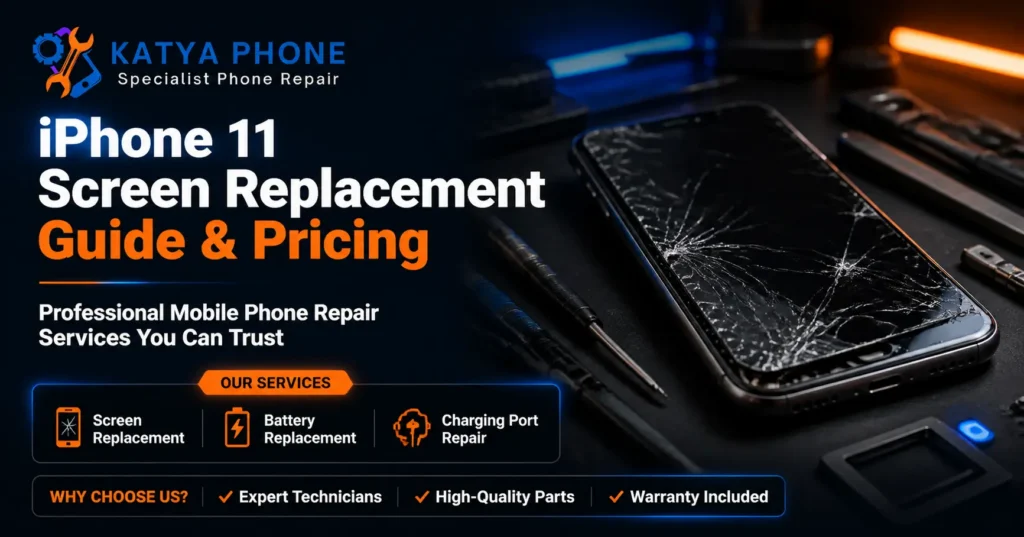
We commonly see iPhone 11 Screen Replacement cases where the customer walks in thinking the whole phone is gone. The screen is cracked, the touch jumps around, and sometimes the display has black patches or green lines after one hard drop in a car park, driveway, school bag or worksite.
Most of the time, the phone is not dead. The screen assembly has taken the hit, and the frame, battery and board still need a careful look before anyone spends money. After 15 years at the repair bench, we have learned that the expensive mistake is not cracking the screen. It is using the phone too long afterwards and letting the damage spread.
This guide explains what causes a cracked iPhone 11 screen, what your repair options are, what the iPhone 11 screen replacement cost may be in Caroline Springs, and which mistakes to avoid before you book anything.
What Actually Causes iPhone 11 Screen Damage?
An iPhone 11 screen usually breaks because impact travels through the glass, frame or corner of the device. Even when the crack looks small, the display underneath can be under pressure.
- Corner drops: The iPhone 11 often lands on a corner first. That impact can twist the frame slightly and push force into the screen edge.
- Pressure in bags or pockets: We see phones that were not dropped at all. A tight jeans pocket, packed school bag or car seat pressure can crack the glass or damage the display layer.
- Old screen protectors: A worn protector can hide small cracks. Customers often remove it and find the real glass underneath has already split.
- Cheap cases with weak corners: Some thin cases look neat but leave the corners exposed. That is where many iPhone 11 screen repair jobs begin.
- Previous low-quality repair work: If a screen has been fitted poorly before, pressure points can build around the edges and cause later touch issues.
- Moisture after cracking: A cracked iphone 11 screen can let moisture, dust and pocket lint reach areas that should stay sealed.
In 15 years of repairs, the surprising one is pocket pressure. The customer swears the phone was never dropped, and they are probably right. The screen can still fail if enough pressure hits the glass at the wrong angle.
Signs You Might Not Need an iPhone 11 Screen Replacement
Signs it is probably not a hardware issue
- The screen looks normal, but one app freezes or behaves strangely.
- Touch only fails after the phone gets very hot.
- The display works again after a restart.
- A thick or dirty screen protector is making touch feel delayed.
A common situation involves someone thinking the screen has failed because typing feels slow. We remove a cheap cracked protector, clean the glass properly, restart the phone, and the touch responds normally again.
Signs you probably do need a professional repair
- There are black spots, green lines or flickering across the display.
- The glass is cracked and pieces are lifting near the ear speaker or edges.
- Touch works in some areas but not others.
- The phone opens apps by itself or types without being touched.
- The screen has separated slightly from the frame.
Another common case is a customer using the phone for weeks after a crack appears. By the time they come in, the original glass damage has turned into touch problems because the display has kept flexing during daily use.
Step-by-Step Checks Before Repair
Before paying for an iPhone 11 Screen Replacement, do a few safe checks first. These steps will not fix broken glass, but they can help rule out simple problems.
- Step 1: Restart the iPhone 11. Press and hold the side button and either volume button, then slide to power off. Turn it back on after 30 seconds.
- Step 2: Remove the screen protector if it is cracked, lifting or full of dust around the edges.
- Step 3: Clean the screen with a soft, dry microfibre cloth. Do not use sprays directly on the phone.
- Step 4: Check if touch problems happen everywhere or only inside one app.
- Step 5: Back up your data if the phone still responds. Use iCloud or a computer before the display gets worse.
- Step 6: Avoid pressing down on black spots or cracked areas. That can make the display bleed spread.
Do not heat the screen with a hair dryer, push glass back into place, or keep using the phone if shards are loose. If none of these work, get a free check before spending anything.
If you are nearby, you can book or ask about iPhone repair in Caroline Springs before deciding what to do next.
What We Commonly See at Katya Phone
Common iPhone 11 Screen Damage Patterns
The most common iPhone 11 issue we see is a corner crack that gradually develops into touch problems. At first, the phone still works normally — calls, messages, and scrolling are all fine. However, within days, the screen may start missing taps around the keyboard or become unreliable when swiping.
Common Customer Mistakes After a Screen Crack
One frequent mistake is applying a new screen protector over already cracked glass. While it may feel safer temporarily, it does not relieve pressure from the damaged display. It can also trap tiny glass fragments and dust inside the cracks, making the condition worse over time.
Another common mistake is switching to a low-quality or very cheap case after the first drop. Although it creates a sense of protection, it often fails to protect the weak impact points that caused the original damage.
Hidden Frame Damage Issues
In some cases, the problem is not only the screen. The iPhone frame may have a slight bend after impact, even if it is not clearly visible. If this is not checked properly, a new screen can be installed under tension, which may lead to future touch issues or premature damage.
What Experienced Technicians Look For
With over 15 years of hands-on repair experience, we carefully inspect the phone’s edges, speaker area, and adhesive marks. These small details help identify whether the device has suffered from a clean drop, previous repair work, moisture exposure, or long-term pressure damage.
Why DIY Screen Repair Is Risky
DIY screen kits can look simple online, but the iPhone 11 is easy to damage if you have not opened many phones before. The screws are tiny, the cables are delicate, and the display sits close to parts that affect Face ID, sound and touch.
- Cable damage: Pulling the screen the wrong way can tear a flex cable.
- Face ID risk: The sensor area needs careful handling. Damage there can be expensive.
- Wrong parts: Some low-cost screens have poor brightness, weak touch response or thicker glass.
- Dust under the screen: Small particles can sit inside the phone if the work area is not clean.
- Battery puncture risk: Metal tools near the battery can create a serious safety problem.
The savings rarely outweigh the risk of turning a minor fix into a major one.
iPhone 11 Screen Replacement Cost Factors
The iPhone 11 screen replacement cost in Melbourne’s west usually depends on screen quality, the phone’s condition and whether other parts were affected. A proper free assessment should happen before work starts.
| Repair situation | Approximate 2026 AU price range | What affects the price |
|---|---|---|
| Standard iPhone 11 screen replacement | $119 to $189 | Screen quality option, touch condition and glass damage level |
| Screen replacement with frame pressure issues | $149 to $229 | Extra care needed if the frame is bent or edges are tight |
| Screen plus protector fitting | $139 to $219 | Protector type and whether the screen area needs extra cleaning |
| Screen issue with possible moisture exposure | $149 to $249+ | Free check needed first because internal condition can change the work required |
Prices are approximate ranges for iPhone 11 in Caroline Springs and Melbourne’s west, Australia. Final cost depends on the device’s condition. Always request a free check before authorising any work.
If you want a price before visiting, contact Katya Phone through the phone repair booking and contact page.
Prevention Tips
- Choose a case with raised corners: The corners usually take the first hit, so thin decorative cases are not enough for many people.
- Use a quality tempered glass protector: It should sit cleanly and not lift at the edges.
- Replace cracked protectors early: A broken protector can hide real screen damage and make touch feel worse.
- Avoid back-pocket pressure: Sitting on the phone bends the frame slightly over time.
- Keep sand and grit away: Tiny particles in bags can scratch glass and work into cracks.
- Do not charge a wet or cracked phone: Moisture and electricity are a bad mix.
- Check the case after a drop: If the corner has split, replace the case before the next fall.
- Do not ignore small black spots: They often grow once the display layer is damaged.
Why Choose Katya Phone
Katya Phone is a local repair shop in Caroline Springs with hands-on experience across iPhone screen repairs, battery replacements and everyday phone damage. We take a look first, explain what we find, and give you options before work starts.
We help customers from Burnside, Deer Park, St Albans, Sunshine, Melton and Taylors Lakes who want straight answers without pressure. If your iPhone 11 only needs a simple fix, we will say so. If it needs a screen, we will explain the part options clearly.
Drop in or call us. No appointment is needed for a free check.
Need an iPhone 11 Screen Replacement in Caroline Springs?
If your iPhone 11 screen is cracked, flickering or not responding properly, do not wait until the damage spreads. Visit Katya Phone for a free check and clear quote before you spend anything.
Katya Phone | 0451 041 090 | https://katyaphone.com.au
Related Articles:
» iPhone Repair Service in Kings Park
» OPPO Phone Repair in Caroline Springs
» Xiaomi Phone Repair in Caroline Springs
FAQs
iPhone 11 Screen Replacement usually costs around $119 to $189 in Melbourne’s west, depending on screen quality and phone condition. Get a free check first so you know whether the display, frame or another part is involved.
Most iPhone 11 screen repair jobs can be completed the same day if parts are available and there is no extra internal damage. Timing can change if the frame is bent, moisture is present or the phone needs extra care.
Your data usually stays on the phone during a screen replacement. Still, it is smart to back up your iPhone before any repair if the screen still works well enough to do it.
You can sometimes keep using a cracked iphone 11 screen, but it is risky. Cracks can spread, touch can fail, and moisture or dust can enter through damaged glass.
DIY repair is usually not worth the risk unless you already have phone repair experience and the right tools. A small cable tear or sensor mistake can turn a screen job into a much larger repair.
No, replacement screens vary in brightness, touch feel, colour and durability. Ask what part options are available before approving the repair.
Phone insurance may cover a cracked screen if accidental damage is included in your policy. Check the excess amount first, because a local repair may sometimes cost less than making a claim.
Yes, Katya Phone helps customers from Caroline Springs, Deer Park, Burnside, St Albans, Sunshine and nearby western Melbourne suburbs. You can call ahead or drop in for a free check.
Yes, a fresh tempered glass protector is a good idea after screen replacement. It helps absorb small impacts and reduces surface scratches from keys, grit and daily use.
Pingback: MacBook Screen Replacement Cost | Melbourne's West
Pingback: OLED vs LCD iPhone Screen: Which Replacement Is Better?