
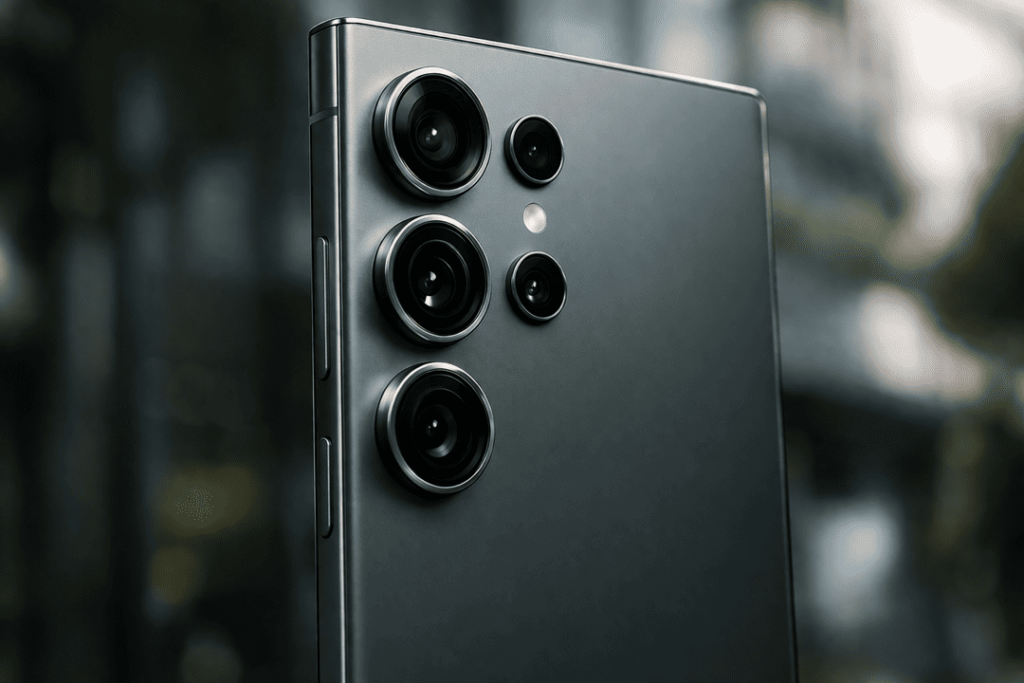
If your Galaxy S25 camera focus problem has begun spoiling images, you are not the only one. Open the camera app and a phone camera that is always hunting for focus, blurs at close range or shakes can be annoying. And for many users, the trouble begins small. The rear camera did have a slight lag in lock focus at first. Everything gets soft over time, videos become wobbly and tapping the screen to focus does almost nothing.
At Katya Phone, this is a repair we typically encounter after a drop, internal wear and tear, exposure to moisture or simply a fault within the camera assembly.In many cases, a camera module replacement is the most reliable fix. While software glitches can sometimes affect focus, damaged hardware usually needs proper hands-on repair.
This guide explains what causes the issue, how to spot the warning signs, and when a Galaxy S25 camera module replacement makes sense.
Why the Galaxy S25 camera may stop focusing properly
A cellphone camera has moving parts, little moving parts. The autofocus system shifts the lens a tiny distance, but it has to do so quickly and accurately. So when an internal bit gets damaged, the camera can fail to lock onto subjects.
Common reasons include:
- Drop or impact damage
- Dust or moisture entering the camera housing
- Autofocus motor failure
- Loose internal connection
- Faulty camera stabilisation unit
- Wear in the camera lens assembly
- Software conflict after an update
Even though some focus issues begin with software, repeated blur or rattling often points to hardware trouble. That is why a proper inspection matters first. Get details on Mobile Repair in Caroline Springs.
Common signs of a Galaxy S25 camera focus issue
You do not always need advanced testing to notice a failing module. Usually, the phone gives clear signs.
Watch for these symptoms
- Rear camera stays blurry at all distances
- Focus keeps jumping in and out
- Macro or close-up shots look smeared
- Camera app shakes or vibrates during use
- Tapping to focus does not respond properly
- Videos look soft even in good daylight
- You hear a faint clicking noise near the camera
If your phone shows more than one of these signs, there is a good chance the Galaxy S25 camera module needs attention. Looking for a Samsung Smartphone Repair in Caroline Springs?
Software issue or hardware issue?
Before replacing the camera, it helps to rule out simple software causes. Sometimes the fix is easier than expected.
| Problem Type | Typical Signs | Possible Fix |
| Software glitch | Focus issue started after update, no physical damage | Restart phone, clear camera cache, update software |
| App conflict | Camera works badly in one app only | Test in stock camera app, uninstall problematic apps |
| Hardware damage | Blur stays constant, clicking noise, after drop | Internal inspection, likely module replacement |
| Moisture-related fault | Foggy lens, random focus failure | Device cleaning, part testing, possible replacement |
If the camera remains blurry after restart, update, and app testing, the issue probably sits inside the hardware.
When module replacement becomes the best option
A camera module replacement guide should always be practical. In real repair cases, replacing the full module is often more effective than trying to repair tiny internal camera parts one by one. That is because the autofocus motor, lens group, and sensor unit are built into a compact assembly.
Replacement is usually the better option when:
- The phone has been dropped
- The lens cannot stabilise correctly
- Autofocus motor has failed
- Camera shakes on launch
- Focus works only sometimes
- Internal camera parts are physically damaged
For everyday users, full module replacement is more dependable, faster, and usually safer than attempting micro-level repair. Get details on Smartphone Software Repair in Caroline Springs.
How a technician diagnoses the issue
At a repair shop, diagnosis should happen before any part is replaced. A good technician will not just swap parts blindly.
A proper check often includes:
- Testing focus in photo and video mode
- Checking for lens vibration or clicking
- Inspecting the outer lens for cracks or scratches
- Running software and camera app tests
- Opening the phone to inspect connections
- Testing the rear camera module directly
This process helps confirm whether the issue is with the main camera, stabilisation system, flex cable, or motherboard connection.
Galaxy S25 camera module replacement process
The exact repair steps can vary by model design, but the general process is usually similar.
Typical replacement steps
- Power off the phone fully
- Heat and remove the back cover carefully
- Disconnect the battery for safety
- Remove internal shields and screws
- Access the rear camera assembly
- Disconnect the damaged camera module
- Install a tested replacement module
- Reassemble the phone
- Test focus, zoom, portrait mode, and video stability
This is a job that requires some care, the right tools and a steady hand. Most Samsung phones today are relatively small, with the internals packed close together. That means that DIY repair can do more harm than good, if attempted by someone inexperienced. Looking for a Smart Phone Camera Repair in Caroline Springs?
Why professional repair is often the safer choice
It is tempting to attempt a home repair after watching several videos online. But flagship phones are not easy to simply open up and reseal. A screw stripped here and a fallen edge there can damage the back glass, flex cables, wireless charging coil or even water-resistant seals.
Here is a quick comparison:
| Repair Option | Benefits | Risks |
| DIY camera replacement | Lower upfront cost, personal control | Can damage screen, back glass, or connectors |
| Professional repair | Accurate diagnosis, proper tools, testing included | Slightly higher service cost |
| Ignore the issue | No immediate spend | Poor photo quality, fault may worsen |
For most people, professional repair gives better value in the long run. It saves time too, and it reduces the risk of turning a camera fault into a bigger motherboard or housing problem.
Can you prevent camera focus issues in future?
Yes, not every problem is preventable, but a few habits can help.
- Use a shock-resistant case
- Avoid exposing the phone to moisture
- Clean the camera lens gently
- Do not place the phone in overfilled bags or tight pockets
- Update software regularly
- Get the phone checked after a drop, even if the damage looks minor
A lot of users keep using the phone after impact because everything “seems okay”. Then a week later, the camera starts playing up. So early inspection can help catch hidden internal damage.
Related Articles:
» Smartphone Battery Replacement in Caroline Springs
» Mobile Screen Replacement in Caroline Springs
» Smartphone Charging Port Repair in Caroline Springs
» Smartphone Power Button Repair in Caroline Springs
» Mobile Back Glass Replacement in Caroline Springs
Why fast camera repair matters
A blurry camera can no longer be seen as a minor inconvenience. We use phones for family photos, work images, video calls, online selling, scanning documents and social content. If your camera is losing its focus on the Galaxy S25 and causing you deepening frustration, hanging onto it is going to hinder your day-to-day life more than you might think.
At Katya Phone, we suggest take action early if the autofocus starts to fail. In many instances, by replacing the damaged module you can restore image sharpness, stabilisation and camera work to a standard state. And honestly, once you repair it correctly, these phones tend to feel normal.
FAQs: Galaxy S25 camera focus issue
1. What causes a Galaxy S25 camera focus issue?
Most of the time, this occurs due to drop damage, a faulty autofocus motor, moisture or camera module damage.
2. Can software updates cause focus problems?
Yes, sometimes they can. But if the blurring persists beyond updates and resets, it could be a hardware problem.
3. How do I know if the camera module needs replacement?
If you still find the camera blurry, shake, click or not focusing correctly after trying these tips, a module replacement may be needed.
4. Is it safe to keep using the phone with a focus issue?
Yes — but you’ll probably notice image quality deteriorating and the defect may worsen over time.
5. Will replacing the module fix blurry photos completely?
If the module is the actual cause, replacement usually restores normal focus and image clarity.
6. Can a cracked lens affect focus?
Yes. A damaged lens cover can lower sharpness and interfere with autofocus.
7. Is DIY camera module replacement recommended?
Not for most users. The repair requires the right tools and a delicate touch, and those are easy to damage nearby.
8. How long does camera module replacement usually take?
It varies based on the condition of the phone and availability of parts, but many repairs are done same-day.
9. Can moisture damage the autofocus system?
Yes, moisture can get in and ruin the lens assembly, motor and internal connectors.
10. Will replacing the module keep all camera features working?
A quality replacement and correct installation should restore normal core camera functions, including focus and video use.
11. Does a focus issue always mean the main camera is broken?
Not always. Sometimes the issue comes from software, the lens cover, or a loose internal connector.
12. Where can I get help for a Galaxy S25 camera repair?
A trusted phone repair shop like Katya Phone can inspect the issue and recommend whether a camera module replacement is the right fix.