
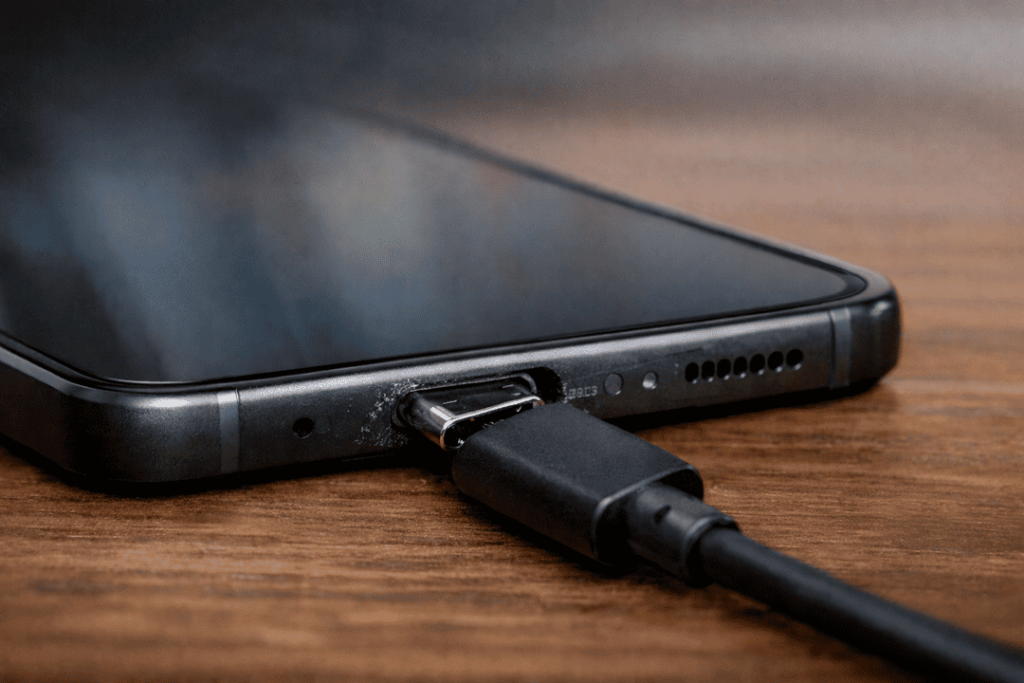
A loose Galaxy S24 charging port can start as a small annoyance, then turn into a proper headache. One day your phone charges fine, and next day you’ve got to hold the cable in a weird angle just to get a few percent. It’s not only frustrating, it can also lead to more damage if it’s left too long.
At Katya Phone, this is one of those issues we see often. A customer comes in saying, “My phone charges sometimes, but not always.” Then after a quick check, the real cause is usually the port itself. In some cases, the port can be repaired. In others, replacement is the better option. It really depends on what’s happened inside there.
This guide explains in English so you can better understand what might be wrong with your Samsung Galaxy S24 charging port, and which fix is best.
Samsung Galaxy S24 Charging Port Issues: What Usually Goes Wrong?
Common Samsung Galaxy S24 charging port issues include a loose USB-C connection, a cable that falls out, charging that starts and stops, slow charging, or a phone that is not detected by a computer. These symptoms can come from packed lint, a worn cable, damaged pins, moisture or a fault in the charging-port assembly.
- The USB-C cable no longer clicks firmly into place
- The Galaxy S24 charging port is not working consistently
- Charging connects and disconnects when the cable moves
- The phone charges slowly with more than one compatible charger
- A computer does not recognise the phone through USB
These signs do not automatically mean the port needs replacement. Testing another compatible cable and charger first helps separate an accessory problem from a fault inside the phone.
What causes a Galaxy S24 charging port to feel loose?
Used virtually every day — charging port As a result, the time depreciation is as expected. Even a flagship phone like the Galaxy S24 can develop a loose or flaky USB-C port.
A few common reasons include:
- Dust and pocket lint packed inside the port
- Repeated plugging in and unplugging
- Pulling the cable out at an angle
- Using poor-quality charging cables
- A drop while the charger was connected
- Moisture or light corrosion inside the port
Sometimes the port is not broken at all. It’s just dirty. A lint build-up can prevent the charger from sitting in a proper way that makes it feel loose. Other times, however, the metal contacts or the inner housing have worn out and that’s when it gets serious. Get details on Mobile Repair in Caroline Springs.
Signs your Galaxy S24 charging port may be damaged
A loose charging port does not always fail all at once. Usually, it gives warnings first.
Common signs include:
- The charger slips out too easily
- Charging starts and stops by itself
- The cable only works in one position
- The phone charges slowly
- The device does not connect properly to a computer
- You need to push the cable in firmly every time
- Charging feels inconsistent from day to day
If the phone is so hot or you smell something burning, stop using it right away. That might suggest electrical damage, and that is not to be taken lightly. Looking for a Samsung Smartphone Repair in Caroline Springs?
Galaxy S24 Charging Port Not Working: Port, Cable or Charger?
If your Galaxy S24 charging port is not working, begin with the simplest checks. Test a known-good USB-C cable, a compatible charger and a different power outlet. If only one cable fails, the accessory is the likely cause. If several cables feel loose or charging cuts out when the plug moves, the port needs inspection.
- Cable or charger issue: another compatible cable and charger work normally.
- Lint or debris: the plug does not sit fully inside the USB-C port.
- Damaged charging port: several cables are loose, disconnect or work only at an angle.
- Battery or board fault: the connection feels secure but the phone still will not charge correctly.
Do not force the cable or repeatedly twist it to restore charging. That can damage the internal pins and turn a smaller fault into a full port replacement.
Repair vs replacement: what’s the actual difference?
A lot of people hear both terms and think they mean the same thing. They don’t.
Charging port repair
A repair usually means the original port is kept, and the fault around it is corrected. That could involve:
- Removing compacted dirt and lint
- Cleaning corrosion from the connector
- Re-securing a loose contact point
- Fixing a minor connection issue
This is usually the simpler and more affordable option, but only when the damage is small.
Charging port replacement
A replacement means the damaged charging port part is removed and a new one is installed. This is often needed when:
- The port is physically worn
- The cable no longer locks in properly
- Pins are bent or broken
- There is visible corrosion
- The port has become unreliable for a long time
So yes, repair is good for minor issues. Replacement is better when the part itself has worn out. Get details on Smartphone Software Problems Repair in Caroline Springs.
Does This Repair Apply to the Galaxy S24 Ultra and S24+?
Yes. The same first checks apply when an S24 Ultra charging port is loose or an S24+ has USB-C charging problems. However, the charging-port assembly, labour, part availability and final price can differ between the Galaxy S24, S24+ and S24 Ultra.
Confirm the exact model in Settings > About phone before requesting a quote. A technician should test the cable fit, charging performance, data connection and internal condition of that specific model before recommending repair or replacement.
When a repair is enough
Not every loose charging port needs a full replacement. In some phones, the issue is just trapped lint or minor internal movement. Once cleaned and checked by a technician, the port may work normally again.
A repair may be enough when:
- The looseness started recently
- The phone still charges, but connection drops now and then
- The charging port is blocked with debris
- No internal pins are broken
- There’s no sign of heavy corrosion
This can be the quicker solution, and often the cheaper one too. Still, the phone should be inspected first. Guessing rarely helps.
When replacement is the better choice
Sometimes a repair will only buy a little time. If the physical port has worn down, replacement is usually the more reliable fix.
Replacement is often best if:
- The charger falls out with almost no grip
- The port feels wide or worn
- Charging cuts in and out daily
- Pins inside the port are damaged
- The phone has had moisture damage
- The issue came back after cleaning
In those cases, fitting a new charging port usually makes more sense than trying to patch up the old one. Looking for a Smartphone Software Problems Repair in Caroline Springs?
Quick comparison table
| Condition | Repair | Replacement | Best choice |
| Dust or lint inside port | Yes | No | Repair |
| Minor connection issue | Yes | Sometimes | Usually repair |
| Bent or broken pins | No | Yes | Replacement |
| Corrosion from moisture | Sometimes | Yes | Usually replacement |
| Worn port with poor cable grip | Rarely | Yes | Replacement |
| Ongoing charging drop-outs | Sometimes | Yes | Depends on inspection |
How technicians check the problem
Before deciding between Galaxy S24 charging port repair and replacement, the phone needs a proper check. A good technician won’t just look at the outside and make a guess.
They usually inspect:
- How the cable fits inside the port
- Whether dirt is packed in the connector
- The condition of the internal charging pins
- Charging speed and power flow
- Signs of liquid damage
- Any issue affecting the charging board
That part matters more than people think. Sometimes the charging port is not the only issue. A damaged cable, charging accessory, battery fault, or board issue can also cause similar symptoms. Get details on Smartphone Water Damage Repair in Caroline Springs.
Estimated repair and replacement costs
Prices vary depending on the damage and the parts used, but this table gives a rough guide for Australian customers.
Samsung Galaxy S24 USB-C Port Replacement Cost
The Samsung Galaxy S24 USB-C port replacement cost depends on whether the fault is limited to the connector or involves the charging board, corrosion or other internal damage. The S24+ and S24 Ultra may use different parts and can require a separate quote. The figures below are a guide; inspection confirms the suitable repair and final price.
| Service | Estimated Cost | Typical Turnaround |
| Port cleaning or minor repair | $49 – $89 | Same day |
| Galaxy S24 charging port replacement | $99 – $179 | Same day to next day |
| Board-level charging repair | $149 – $249+ | 1–3 days |
These are general figures only, but they show the difference clearly. In many cases, if the port is badly worn, replacement gives better value over time.
Can you fix a loose charging port at home?
You can check a few things yourself before booking a repair, but you need to be careful.
Safe checks you can try
- Test another USB-C cable
- Try a different charger
- Look inside the port under bright light
- Back up your phone
How to Check and Clean an S24 Charging Port Safely
Power off the phone and inspect the port under a bright light. If loose surface dust is visible, avoid pushing it deeper. Do not insert needles, metal tools or liquids into the USB-C port. Compacted lint, bent pins or corrosion should be handled professionally because the contacts are small and easy to damage.
Why Does the USB-C Cable Keep Falling Out of My Galaxy S24?
A cable that will not stay connected is often blocked by lint that prevents the plug from seating fully. It can also mean the cable tip is worn or the port has lost its internal grip. Test another compatible cable first. If several cables fall out or move excessively, stop forcing them and have the charging port inspected.
What not to do
- Do not use a needle or knife inside the port
- Do not force the charger in
- Do not spray liquid into the connector
- Do not keep twisting the cable to “make it work”
A lot of ports get worse because of DIY attempts. What starts as lint inside the port ends up becoming bent pins and then a more expensive repair. Happens more than people think. Looking for a Smartphone Charging Port Repair in Caroline Springs?
Why it’s worth fixing early
A loose port rarely fixes itself. In fact, it usually gets worse. As the charger moves around inside the port, more pressure gets placed on the connector. Over time, charging may stop completely.
That can affect more than battery life. Your phone is used for work, calls, banking, photos, directions, and everyday stuff. Once charging becomes unreliable, the whole device becomes unreliable too.
So yes, it’s a small part. But it’s an important one. Get details on Smartphone Battery Replacement in Caroline Springs.
Why choose Katya Phone
At Katya Phone, the goal is to find the real problem first, then recommend the fix that actually makes sense. Some phones need only a careful clean and repair. Others need a fresh charging port fitted. Either way, you should know what you’re paying for and why.
People usually want three things when they bring in a phone with charging trouble:
- Honest advice
- Fair pricing
- Fast turnaround
That’s what matters, really.
Related Articles:
» Phone Repair Service in Taylors Hill
» Phone Repair Service in Hillside
» Phone Repair Service in Sydenham
» Galaxy S25 Data Recovery After Water Damage
» Galaxy A55 microphone not working: repair options
» Galaxy A54 Screen Replacement: What’s the best option?
» Galaxy A55 Charging Port Repair
» Galaxy S26 Camera Glass Replacement
» Samsung Screen Replacement Caroline Springs
Restoring Your Galaxy S24 Charging Performance
So, if your Galaxy S24 charging port is loose, don’t be patient enough to wait until the phone stops charging. In some cases you can quickly fix a minor problem. But if the port is worn, damaged or no longer holding the cable securely, replacing it is usually the better choice in the long run.
The best thing to do is have the phone looked at properly. Once you confirm the cause, you decide whether repair or replacement yields a better result.
FAQs: Galaxy S24 Charging Port Loose
1. Why is my Galaxy S24 charging port loose?
Lint build-up, worn internal parts, damaged pins or repeated strain from daily charging could be to blame.
2. Can a loose charging port be repaired?
Yes, if the issue is minor. If the port itself isn’t severely damaged, cleaning or a minor repair might fix it.
3. When does a Galaxy S24 charging port need replacement?
Replacement is usually needed when the port is worn out, bent, corroded, or no longer grips the cable properly.
4. Why does my charger only work at one angle?
That usually signifies dirt inside the charging port, loose internal contact or physical damage.
5. Is it safe to keep using a loose charging port?
Not always. Continued use may make the damage worse, and if heat or a burnt odor occur, stop using them immediately.
6. Can lint make the charging port feel loose?
Yes. Packed lint can stop the cable from going in fully, which makes the connection feel unstable.
7. How much does Galaxy S24 charging port repair cost in Australia?
A minor repair might run you $49 to $89, with replacement generally about $99 to $179 based on damage.
8. How long does charging port replacement take?
In many instances, the job can be done same-day or next-day.
9. Will changing the cable fix the issue?
Sometimes. Replacing the cable may help if it is damaged. If the port is worn, however, the problem will persist.
10. Can I clean the charging port myself?
It’s better to avoid DIY cleaning with sharp tools. You can easily damage the internal pins.
11. Does wireless charging mean I can ignore the port problem?
No, Wireless charging may keep the phone going, but the damaged port can still worsen over time.
12. Where can I get my Galaxy S24 charging port checked?
A professional phone repair shop like Katya Phone can inspect the device and tell you whether repair or replacement is the better option.