
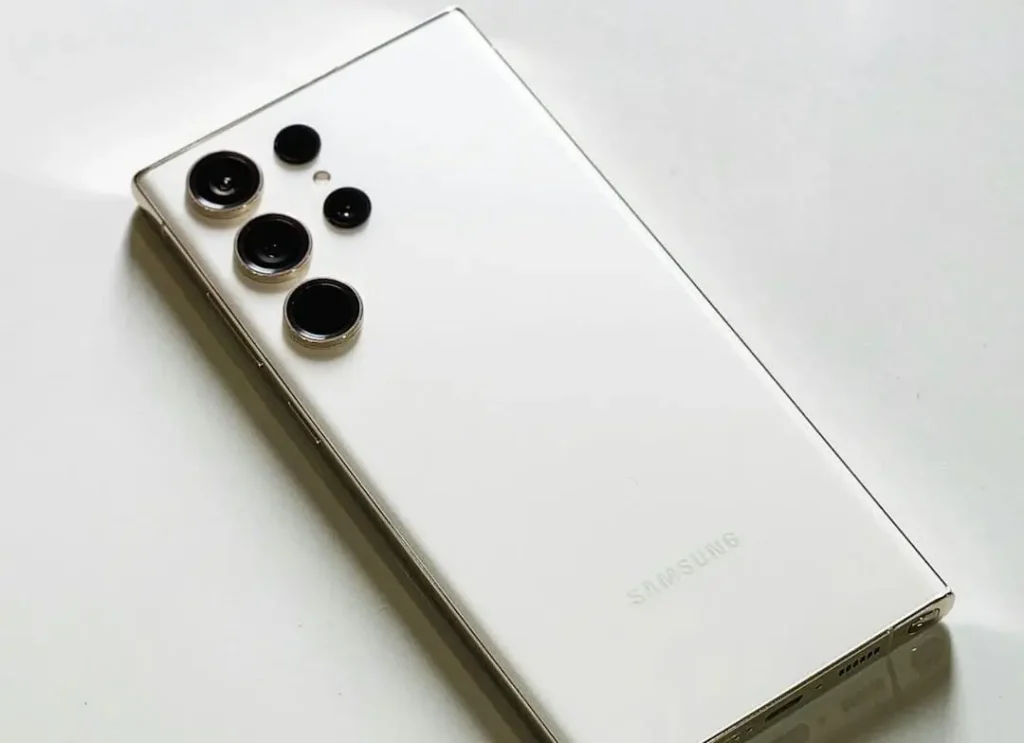
If you are looking for “Galaxy A56 battery replacement: how long it takes” then you’re most likely in one of two situations. Maybe your phone’s battery is wonky and it suddenly drops from 40% to 12% in a matter of minutes, or maybe you’re just looking at what the day ahead holds and don’t want to be left without a phone for several hours.
Fair question. Your phone is your wallet, your maps, your chats, and your work tool. So, let’s keep this real and simple.
At Katya Phone, most Galaxy A56 battery replacement jobs are a same-day repair, and the actual hands-on work often fits inside 45 to 90 minutes. However, the total time can stretch closer to 1–2 hours, because a good shop doesn’t just “swap and send you away.”They also test charging, check temps, and ensure the phone is functioning normally before returning it.
So, yes — a lot of people can do it over lunch. Yet there are a few common things that can slow the job up, and you’re entitled to know what they are.
Quick timeline: how long a Galaxy A56 battery replacement takes
Here’s the realistic breakdown most people experience:
- Battery replacement (hands-on repair): 45–90 minutes
- Check-in + testing + reseal time: 60–120 minutes total
- Same-day pickup: Usually yes (especially if the part is in stock)
That’s the practical answer. Now, let’s talk about what happens behind the counter, because that explains why the time varies. Get details on Mobile Repair in Caroline Springs.
What happens during a Galaxy A56 battery replacement
A proper Samsung Galaxy A56 battery replacement isn’t just a “pop the back off” job.Recent Galaxy phones are glued shut. That’s good for daily durability, but it just means you need to take care when working around the screen, frame and internal cables.
Here’s what a normal repair looks like:
1) Check-in and quick questions (5–10 minutes)
First, the technician will ask what you’re experiencing:
- fast battery drain
- random shutdowns
- overheating
- slow charging
- battery stuck at a certain percentage
This part is quick, but it matters.The symptoms can help you confirm whether the problem is, indeed, the battery or something else (such as a charging port issue or software drain).
2) Health check and basic diagnostics (5–10 minutes)
Next, the tech may run a short diagnostic check to confirm the battery’s behaviour. Sometimes the battery is weak. Other times, one app is secretly eating power all day long. Either way, this step saves you money and avoids “guess repairs.”
3) Safe opening and adhesive work (15–30 minutes)
This step often decides the timeline.
The phone is adhesive held, so some care should be used when separating the back cover. If the adhesive is stubborn, or if the phone has been repaired before, you may need to spend some additional time on this step. What’s more, if the phone has been exposed to heat or moisture in the past, opening it becomes more Fragile.
4) Battery removal and install (10–25 minutes)
Once the phone is open, the repairman will unplug power, safely remove the old battery, clean everything off and install the new battery appropriately. A technician won’t immediately be so aggressive if the old battery is swollen.
5) Reseal and alignment (10–20 minutes)
After the new battery is installed, the phone needs correct resealing and alignment. A sloppy reseal can cause gaps, dust entry, or back cover lifting later. A careful reseal takes a little longer—but it’s worth it.
6) Charging + performance testing (15–30 minutes)
Finally, the phone is tested:
- Does it charge normally?
- Is the battery percentage stable?
- Does the phone heat up unusually?
- Does it reboot under load?
This process is often why a pro battery replacement on a Galaxy A56 appears to go much smoother than the job of someone in a hurry. Looking for a Mobile Screen Replacement in Caroline Springs?
What makes the repair faster (and what slows it down)
The battery swap itself may be quick but the turnaround does depend on a few real-world factors.
1) Parts availability
If the correct Galaxy A56 replacement battery is in stock, you’re already ahead. If it isn’t, you might need a return visit. Many shops try to keep popular models covered, but stock still changes.
2) Walk-in queue vs appointment
Walk-ins are welcome, but timing depends on how busy the bench is. In contrast, bookings usually cut waiting time.
3) Swollen battery or back cover damage
If the battery is swollen or the back cover is cracked, the technician needs extra care. That can add time, because safety comes first.
4) Extra issues (charging port, heat, or software drain)
Sometimes the battery is only part of the story. If your phone also has:
- slow charging
- charging cuts in/out
- heavy heating during simple tasks
- battery drain even in airplane mode
…then the technician may recommend extra checks. That can extend the visit, but it also prevents a “new battery, same problem” situation.
5) Previous repair history
If the phone was opened before (even once), adhesives and seals may behave unpredictably. That doesn’t always mean delays, but it can. Get details on Mobile Back Glass Replacement in Caroline Springs.
Signs your Galaxy A56 battery actually needs replacement
Not every battery complaint means the battery is dead. Still, these signs are strong clues:
- Battery drops fast even with light usage
- Phone shuts down at 20–30%
- Phone gets hot doing simple tasks
- Charging is weird (stuck, slow, or jumping percentages)
- Battery swelling (back cover lifting or screen pressure marks)
- Battery drains overnight even when you’re not using the phone
If you’re seeing two or more of these, a battery replacement usually makes a noticeable difference. Get details on Smartphone Battery Replacement.
How to prepare before you bring the phone in
You can save time (and avoid stress) with a few quick steps:
- Back up your data (cloud or computer)
- Bring your passcode (or be ready to unlock the phone for testing)
- Remove your case and any accessories
- Tell the technician your exact symptoms (don’t just say “battery bad”)
- If possible, bring the phone in with 20–50% charge so testing feels realistic
Also, if your phone is swelling or the back is lifting, don’t press it down. Instead, power it off and bring it in safely. Get details on Smartphone Charging Port Repair.
After replacement: what you’ll notice in the first 1–2 days
A new battery usually feels better immediately. Still, the phone may take a day to “settle,” especially as background apps and updates run.
In the first 24–48 hours, you should notice:
- fewer random shutdowns
- more stable percentage drop
- better standby time
- more predictable charging
If the phone still heats badly or drains fast after replacement, the cause might be software, a charging issue, or another hardware fault. A good shop will help you narrow that down.
Related Articles:
» iPhone 16 Pro screen flickering fix: Causes & Repair options
» iPhone 16 battery draining fast: diagnosis + battery replacement
» Galaxy S26 overheating: Battery vs Motherboard Faults
» Galaxy A55 Water Damage Repair: What to Do First
» OPPO Speaker Not Working: Water and Dust
Why choosing the right battery matters
Not all batteries perform the same. A quality Galaxy A56 battery replacement should focus on:
- safe fit and proper adhesive handling
- stable charging behaviour
- reliable capacity over time
- proper resealing and testing
In other words, you want a repair that lasts—not a quick fix that returns in three weeks.
FAQs: Galaxy A56 battery replacement
1) How long does a Galaxy A56 battery replacement take?
Most jobs take 45–90 minutes for the repair, and 1–2 hours total including testing and resealing.
2) Can I wait in-store while the battery is replaced?
In many cases, yes. If the shop isn’t overloaded and the part is ready, it’s often a while-you-wait repair.
3) Is Galaxy A56 battery replacement the same day?
Usually, yes—especially if the battery is available and the phone doesn’t have extra damage.
4) Will replacing the battery delete my photos or data?
Normally, no. But backing up is still a good idea as with many things in electronics anything can happen.
5) Why does my Galaxy A56 shut down at 20% or 30%?
That’s a common result when the battery can’t maintain voltage under load. This is usually corrected with a new battery.
6) How do I know if the battery is swollen?
Watch for a popping back cover, screen pressure spots or a phone that doesn’t sit flat. If you think its swollen, stop charging and have it checked.
7) What makes a battery replacement take longer than expected?
Crushed line, sticky problem, bloated battery and additional diagnostics (such as charging) could add time.
8) Will my phone still be water-resistant after battery replacement?
A reseal helps, but no one should expect factory-quality water resistance after any phone is opened.
9) Should I replace my charger first instead of the battery?
If charging is flaky, charger/cable check is in order. Still, if your phone’s juice is rapidly draining and it powers down early, the battery is often the true problem.
10) How long should a new Galaxy A56 battery last?
With typical use and good charging behaviors, an aftermarket replacement battery will last more than a year and often longer.
11) Do I need to “calibrate” the new battery?
Not usually. But a pair of full charge cycles (that does not involve an over-heating of the device) might assist in getting the percentage figure to stabilise a bit.
12) What can I do to extend my new battery’s life?
Avoid excessive heat, no gaming and charging at the same time, quality chargers only and rein in background apps.