
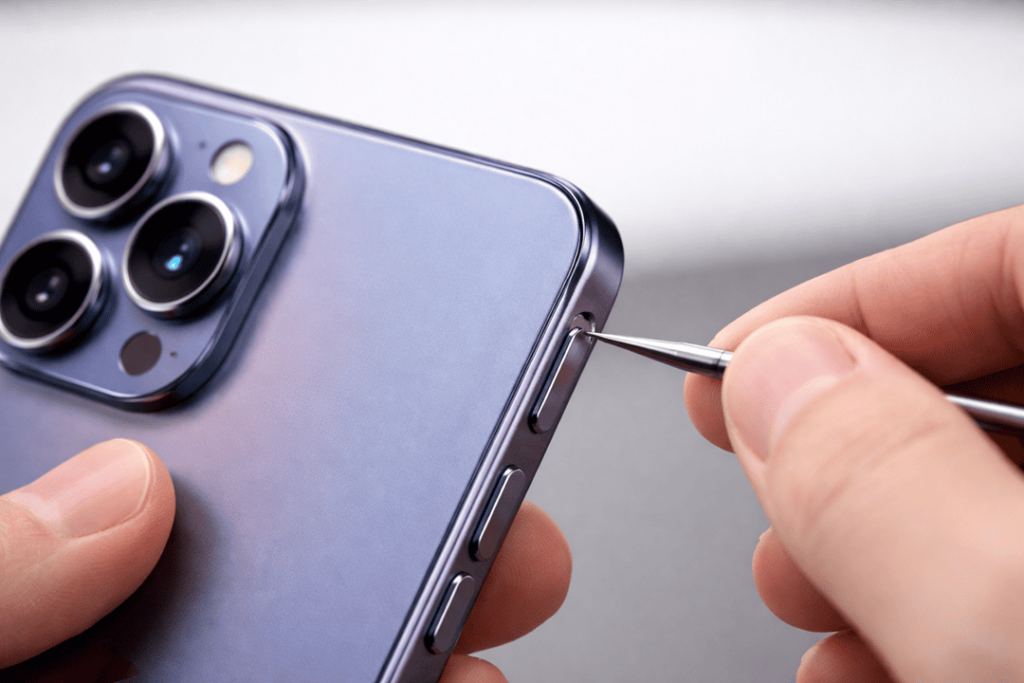
When the power button (or side button, as it’s also known) on your iPhone 16 gets stuck, it can feel like your phone is not usable. You may not be able to lock the screen right; you may have trouble restarting, and even features like Apple Pay or Siri shortcuts could stop working smoothly. The good news is that many are mild cases that can be resolved with at-home precautions. But if the button is damaged and or flex cable is worn, a power button replacement will be your best bet to keep it lasting.
In this guide from Katya Phone, you’ll discover quick fixes, what not to do, how to tell if it is hardware or software damage and at the very end – when repair is your best option!
Why Your iPhone 16 Power Button Gets Stuck
Before you attempt any sort of fix, it helps to understand what’s going on. Typically, iPhone 16 power button is stuck because of:
- Dust, lint, or pocket debris building up around the button edges
- Sticky residue from sweat, spills, or phone cases
- A tight or warped case pressing the button constantly
- Minor impact damage that shifts the button bracket
- Internal wear on the button mechanism or flex cable
- Moisture exposure causing corrosion or swelling
So, while the issue may look small, the cause can be simple—or internal. Get details on Mobile Repair in Caroline Springs.
First Check: Is It the Case or Screen Protector?
This step is quick, and it often works.
- Remove the case.
- Press the button 10–15 times gently.
- Check if the button “click” feels returned.
Some cases sit too tightly on newer models and keep pressure on the iPhone 16 side button, which makes it feel stuck. Also, poorly fitted screen protectors can sometimes overlap the frame and restrict movement.
If the button feels normal without the case, you’ve already found your fix.
Quick Fixes for an iPhone 16 Power Button Stuck
1) Clean Around the Button (Safely)
If debris is the problem, cleaning helps a lot.
- Use a soft dry toothbrush or a clean anti-static brush
- Brush gently around the button edges
- Use compressed air from a slight distance (short bursts only)
Do not use needles or razors. A small scratch on your underwater communication device could lead to a damaged seal or button housing.
2) Use 70% Isopropyl Alcohol (Only a Tiny Amount)
If the button is sticky, alcohol can break down grime.
- Use 70% isopropyl alcohol (not water-based cleaners)
- Put one small drop on a cotton bud
- Wipe carefully around the button (don’t soak it)
- Press the button repeatedly to loosen residue
This works well when the button feels “gummy” rather than “jammed.”
Important: Never pour liquid directly into the button gap. Looking for a Smartphone Button Repair in Caroline Springs?
3) Light “Button Exercise” Technique
Sometimes the mechanism needs to loosen up, especially after dust buildup.
- Press and release the button repeatedly for 30–60 seconds
- Rotate finger pressure slightly: top edge, middle, bottom edge
- Don’t force it—steady and gentle is best
If the click improves, you likely avoided a repair.
4) Restart Your iPhone 16 (Even If the Button Is Acting Up)
If the button works sometimes, but feels unreliable, restarting could also help if manual software gestures are responding sluggishly.
If the button won’t cooperate, use AssistiveTouch:
- Go to Settings → Accessibility → Touch → AssistiveTouch
- Switch it on and lock, restart or capture the screen using the on-screen menu
This isn’t a fix for hardware, but it allows you to use your phone and decide the next step. Get details on Smartphone Power Button Repair in Caroline Springs.
Signs You Probably Need a Power Button Replacement
Quick fixes won’t solve everything. You likely need an iPhone 16 power button replacement if you notice:
- No click sound or feel at all
- The button stays pressed in permanently
- The phone keeps locking/unlocking randomly
- The button works only from one angle
- It got worse after a drop
- You notice frame dents near the button area
- Phone got wet its now hard to press the button
n these instances the internal flex cable or bracket can be damaged and you can do more damage by pressing harder.
What NOT to Do (Common Mistakes)
To avoid turning a small issue into a big repair, don’t do these:
- Don’t use oil, WD-40, or household lubricants
- Don’t insert needles, knives, or metal tools near the button
- Don’t spray cleaner directly into the button gap
- Don’t press the button aggressively “until it pops out”
- Don’t heat the side of the phone with a hair dryer
These shortcuts can damage seals, speakers, or internal components. Looking for a iPhone Repair in Caroline Springs?
How Katya Phone Fixes a Stuck iPhone 16 Power Button
At Katya Phone, we diagnose the issue properly before replacing parts. That matters because sometimes it’s just debris, while other times it’s a damaged flex.
A typical repair flow includes:
- External inspection (frame pressure, dents, case fit)
- Safe cleaning and testing first
- Button mechanism test (click response and function test)
- If needed, power button flex replacement with proper fitting
- Final testing: lock function, Siri, Apple Pay button access, and responsiveness
So, you don’t waste money on replacement if cleaning solves it—but you also don’t leave a failing button untreated.
Related Articles:
» iPhone 15 Battery Replacement: Signs You Need It
» iPhone 13 Camera Black Screen: Repair Checklist
» iPhone 15 Back Camera Glass Cracked: Fix Without Replacing the Camera
» iPhone 16 Pro screen flickering fix: Causes & Repair options
» iPhone 16 battery draining fast: diagnosis + battery replacement
Preventing the Power Button from Getting Stuck Again
Once fixed, prevention keeps it smooth:
- Use a quality case that doesn’t “pinch” the side button
- Avoid pockets with lint (especially jeans coin pockets)
- Wipe the frame weekly with a dry microfiber cloth
- Keep the phone away from moisture and sticky environments
- Don’t press the side button with nails or hard edges
Small habits make a big difference over time.
FAQs: iPhone 16 Power Button Stuck
1) Why is my iPhone 16 power button stuck suddenly?
Usually lint, sticky residue, or a tight case. However, drops can also shift the button mechanism.
2) Can I fix a stuck iPhone 16 power button at home?
Yes, usually some light cleaning with compressed air and careful wipes of alcohol.
3) Is it safe to use alcohol near the power button?
Yes, if it’s 70% isopropyl alcohol and used in tiny amounts—never soaking.
4) What if my iPhone 16 power button won’t click at all?
That often means mechanical damage or a worn flex cable, so I would guess you need to replace that as well.
5) Will a phone case cause the button to stick?
Yes, especially tight cases that keep pressure on the side button.
6) My button works sometimes—does it still need repair?
Intermittent function can mean early hardware failure, so it’s best to get it checked.
7) Can software cause a stuck power button?
Software doesn’t lodge the button physically, but programming glitches can make the response seem slow.
8) How can I lock my iPhone 16 if the button is stuck?
As a temporary fix, operate AssistiveTouch from Accessibility settings.
9) Is a stuck power button an urgent issue?
If it’s stuck “pressed in,” yes—because it can trigger random locking or restart issues.
10) Does moisture make the iPhone 16 power button stiff?
Yes. Corrosion from moistureleaking can come into play and the button may feel sticky or stuck.
11) Can pressing harder fix it?
No—pressing harder can damage the bracket or cable and increase repair cost.
12) When should I replace the iPhone 16 power button?
Replace it when cleaning doesn’t help, the click is gone, or the phone shows random locking/press behaviour.