
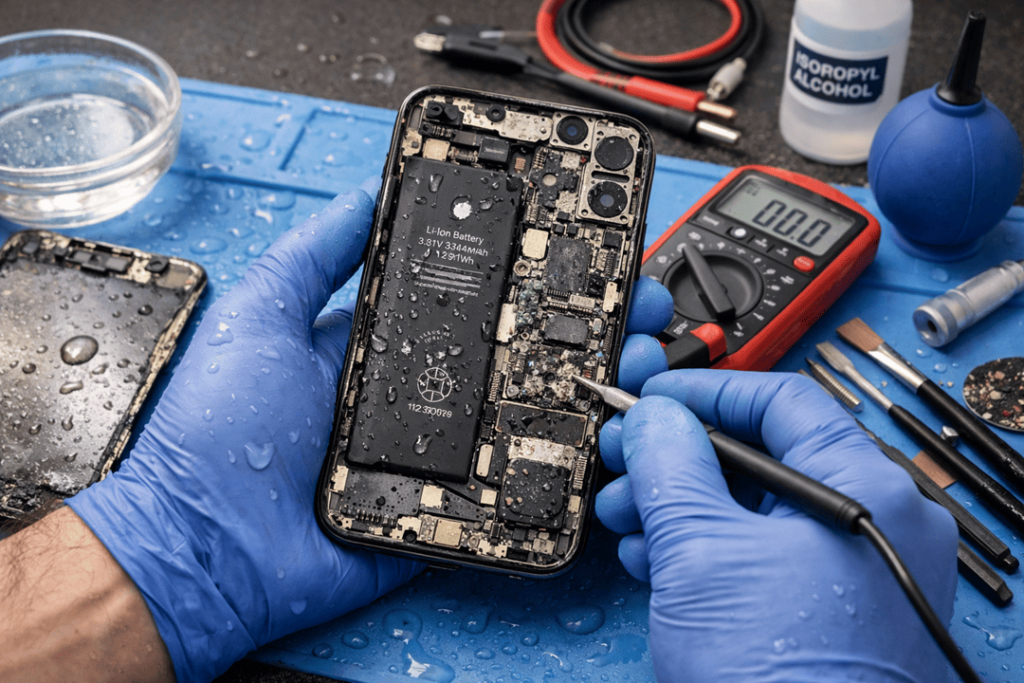
Water and iPhones don’t mix. Still, spills happen, pools happen, and sometimes a phone takes a surprise swim at the beach. If you’re reading this, your iPhone 16 water damage moment has already happened — and now the big worry is the same for everyone: Can I get my photos, chats, notes, and files back?
The good news is this: iPhone 16 data recovery after water damage is often possible, especially if you act fast and avoid the common mistakes. Even when an iPhone won’t turn on, a professional repair and recovery process can sometimes bring your data back. At Katya Phone, we see this weekly across Australia — and the difference between “recovered” and “gone” is usually what you do in the first few hours.
First, what water damage really does to an iPhone 16
Water damage isn’t just “it got wet.” Inside the phone, moisture can cause:
- Corrosion on tiny connectors and chips
- Short circuits when power is still running
- Battery issues and unstable voltage
- Damage to the logic board, which is where your data access depends
So, even if the screen looks fine, the inside might already be getting worse. And yes — sometimes it still works for a day… then suddenly dies. That delayed failure is super common. Get details on Mobile Repair in Caroline Springs.
The biggest mistakes that destroy iPhone 16 recovery chances
If you want the best chance of iPhone 16 data recovery, avoid these (seriously):
1) Turning it on “just to check”
This is one of the worst moves. Power + moisture = shorts. Even one boot attempt can push damage deeper.
2) Charging it
Charging a wet phone is basically inviting a short circuit. It can take a “recoverable” device and make it “board-level failure.”
3) Rice, heat guns, hair dryers
Rice doesn’t pull moisture from under shields or inside connectors. Heat can warp seals and bake corrosion in place. So, yeah, it feels helpful — but it usually isn’t.
4) Opening SIM tray and poking around
A bit of airflow is okay, but poking can push water into places it wasn’t even in yet. Looking for a iPhone Repair in Burnside?
Do this immediately: iPhone 16 water damage first aid (the safe way)
If your iPhone 16 was exposed to water, do these steps right now:
- Power it off immediately (if it’s still on)
- Do not charge it
- Remove the case and wipe the outside dry
- If you can, remove the SIM tray (don’t force it)
- Keep it upright and dry in a cool place
- Get it to a repair shop fast — ideally same day
This isn’t about panic. It’s about giving the tech a phone that’s still recoverable. Get details on iPhone Repair in Deer Park.
How iPhone 16 data recovery works after water damage
Let’s talk reality: data recovery depends on whether we can safely access the storage and the phone’s critical circuits.
Scenario A: iPhone turns on and functions
Best-case situation. We’ll usually suggest:
- Back up immediately to iCloud or a computer
- Check for hidden issues (battery, charging port, cameras, Face ID)
- Clean and treat any early corrosion before it spreads
If you can still unlock it, your chances are high — but don’t wait. A phone can “seem okay” and still fail later.
Scenario B: iPhone turns on but no touch / no display
Still a strong recovery case. We can often:
- Replace or temporarily fit a working screen
- Use safe power checks
- Access the phone for backup and data transfer
This is common after splashes where the display connector is affected.
Scenario C: iPhone does not turn on (dead phone)
This is where professional work matters most. Data recovery may still be possible through:
- Board-level diagnostics (checking shorts, lines, and power rails)
- Proper ultrasonic cleaning and corrosion treatment
- Micro-soldering repairs to restore boot / data communication
- Temporary repair just long enough to create a backup
In many cases, the goal isn’t to “make it perfect.” The goal is to bring it alive safely long enough to extract your data. Looking for a iPhone Repair in Cairnlea?
What affects your best chances of recovery?
1) Time since water exposure
Same-day attention = better results. After a few days, corrosion gets nasty.
2) Type of liquid
- Fresh water is usually easier than salt water
- Salt water is aggressive and fast
- Coffee, soft drink, and sugary liquids can leave sticky residue and speed corrosion
3) Whether it was powered or charged while wet
If it was used or charged, there’s a higher chance of short damage.
4) The level of board corrosion
Light corrosion can be cleaned and repaired. Heavy corrosion may block access to the storage system.
5) Your passcode and device security
For modern iPhones, encryption means the easiest data recovery is still through the phone itself. That’s why a proper board repair is often the best path. Get details on iPhone Repair in St Albans.
“Can you recover photos if the iPhone 16 is dead?”
Often yes — if the internal storage system is intact and we can restore the phone’s ability to boot (even temporarily).
However, if the phone is heavily damaged and cannot communicate properly with storage, recovery can become extremely difficult. That’s why immediate action matters so much.
Also, if your photos were syncing to iCloud, recovery becomes far easier. Even then, the phone may contain content not yet synced (recent videos, WhatsApp files, downloads), so it’s still worth attempting recovery.
iCloud, backups, and the “hidden win” people forget
Before we even touch hardware recovery, we check:
- iCloud Photos sync status (when possible)
- iCloud Drive
- iMessage syncing
- WhatsApp backup settings
- Previous computer backups (Finder/iTunes)
Sometimes the phone is badly damaged but your data is already mostly safe — and you didn’t even know. That’s a big relief, honestly. Looking for a iPhone Repair in Ardeer?
How Katya Phone handles water damage recovery (what to expect)
At Katya Phone, we focus on a “protect the data first” approach:
- Initial inspection and moisture/corrosion check
- Safe disassembly (without forcing power)
- Proper cleaning and treatment
- Board-level testing if it doesn’t boot
- Temporary repair for data extraction
- Then, if you want, full repair options and prevention tips
We’ll also be upfront: sometimes recovery is possible, sometimes partial, and sometimes not. But the best odds come from doing it the right way instead of trial-and-error at home.
Tips to improve your future chances
Once you’ve recovered your data (or while your phone is being checked), do these:
- Turn on iCloud Backup
- Enable iCloud Photos (if storage allows)
- Back up WhatsApp properly (most people don’t)
- If you travel or work outdoors a lot, consider a water-resistant case
- Avoid charging in damp environments (bathroom steam is sneaky)
It’s boring advice, yeah — but it saves people big time.
Related Articles:
» iPhone Repair Service in Braybrook
» iPhone Repair Service in Tottenham
» iPhone Repair Service in Albion
» iPhone Repair Service in Deanside
» iPhone Repair Service in Kings Park
Your best chances are in the first day
If your iPhone 16 has suffered submersion damage and you want to save its data, the best advice is straightforward: Stop using it, don’t charge it and consult a pro as soon as possible. The earlier it is treated, the better the chances of recovery.
FAQs: iPhone 16 Data Recovery After Water Damage
1) Can iPhone 16 data be recovered after water damage?
Yes, data recovery from iPhone 16 after water damage is usually achievable if the phone is properly treated and not charged while wet.
2) What should I do first if my iPhone 16 gets wet?
Power it down, don’t charge it, dry the exterior and bring it to a repair shop as soon as possible.
3) Does putting an iPhone 16 in rice help?
Not really. Rice doesn’t remove moisture from deep inside the device, and it can delay proper treatment.
4) My iPhone 16 still works after water exposure. Am I safe?
Not always. Corrosion can develop later. It’s best to back up immediately and have it checked.
5) Can you recover data if the iPhone 16 won’t turn on?
Often yes, depending on board damage. A board-level repair may restore boot long enough to extract data.
6) Is salt water worse than fresh water?
Yes. Salt water corrodes faster and can cause serious internal damage quickly.
7) Is it worth repairing the Galaxy A54?
It can. Charging increases the chance of short circuits and can reduce recovery odds.
8) Can photos be recovered if the screen is dead?
Usually yes. A temporary screen replacement can allow access for backup and transfer.
9) What if I forgot my passcode — can data still be recovered?
Modern iPhones are encrypted, so passcodes matter a lot. Recovery is far harder without the correct access.
10) How long should I wait before trying to turn it on again?
Ideally, don’t guess. Get it inspected first. Turning it on too early can cause more damage.
11) Can Face ID fail after water damage?
Yes, it can. Water can affect Face ID components, and repairs can be limited depending on damage.
12) What gives the best chance of iPhone 16 water damage recovery?
Fast action, no charging, no heat, and professional cleaning/diagnostics — that’s your best path.