
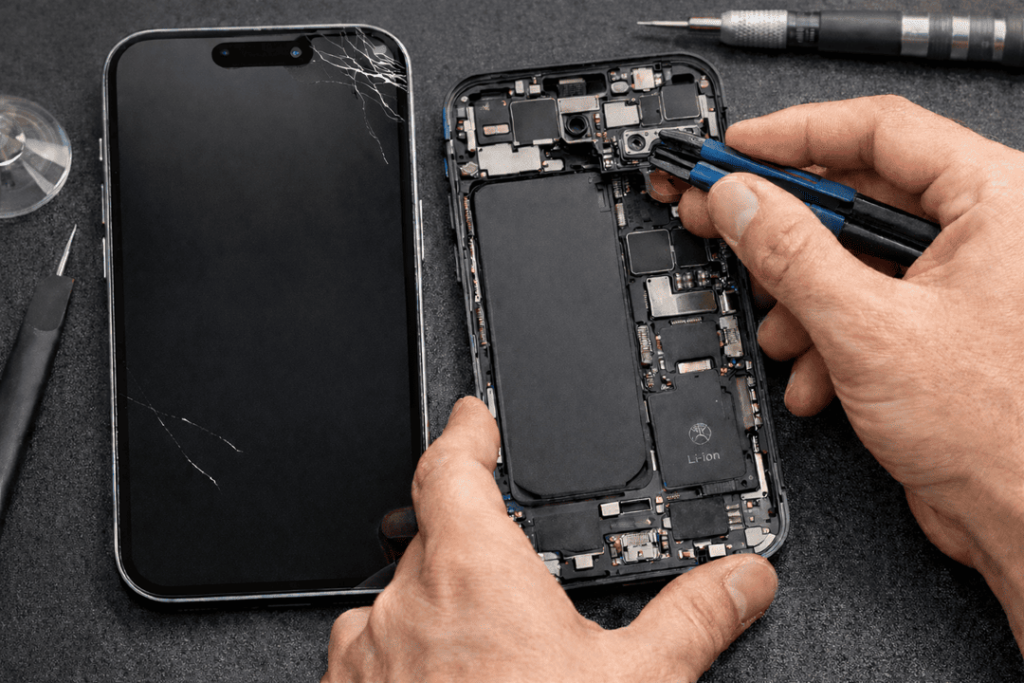
When your iPhone 15 proximity sensor isn’t working properly, it can be like the phone has a mind of its own. You’re on a call, and the screen doesn’t dim while you’re babbling away, cheek-tapping buttons. Second later and the screen has gone to sleep, and you pull it out of your handbag but the thing refuses to wake up. Either way, it’s frustrating — and frequently occurs after a screen replacement.
We see a lot of this at Katya Phone. Often, the sensor isn’t a “dead” one. Something during the process of repair has thrown off how the sensor reads, or perhaps because the replacement parts do not meet Apple’s expected tolerances. So let’s get down to what is actually happening, what mistakes are responsible, and how you can future-proof your iPhone 15 against a costly rework.
What the Proximity Sensor Does on iPhone 15 (And Why You Notice When It Fails)
The proximity sensor assists your iPhone determine when your face is near the screen. The display turns off during calls to avoid accidental taps. It also operates with other pieces within the top assembly, like the ambient light sensor and components related to Face ID hardware.
So, when the iPhone 15 proximity sensor not working properly, you’ll usually notice:
- Screen doesn’t turn off during calls (random button presses)
- Screen stays off after you move the phone away
- Call audio may cut out if you accidentally mute or hit speaker
- The phone feels “glitchy” only during calls or voice notes
But here’s the key thing: in many of these cases, people have had a screen repair and then experienced these issues for the first time — even if their iPhone worked perfectly fine before. Get details on Mobile Repair in Caroline Springs.
Common Symptoms After Screen Replacement
After a repair, look out for these clear warning signs:
1) Screen stays on during calls
This typically indicates that the sensor is obstructed, misaligned, or reading through incorrect glass type.
2) Screen goes black and won’t come back on quickly
This can occur if the sensor believes your face is still present due to glue, dust or from not being properly fitted.
3) Problems only started after a new display was fitted
That’s a big clue. It points to a screen replacement pitfall rather than a sudden sensor failure. Looking for a iPhone Repair Service in Caroline Springs?
Why Screen Replacement Can Trigger iPhone 15 Proximity Sensor Issues
Even though the proximity sensor isn’t the screen itself, it relies on correct positioning, clean optical pathways, and proper reassembly of the top module area. Screen replacement touches all of that.
Here are the real-world causes we see most often.
Screen Replacement Pitfall #1: Poor-Quality Aftermarket Displays
Not all replacement screens are built the same. Some cheaper panels have:
- different glass thickness
- darker tint around the top area
- imperfect cut-outs or sensor windows
- inconsistent lamination layers
That matters because the proximity sensor sends and receives signals through the top area of the display. If the glass or layers distort that path, the sensor reads incorrectly.
So yes, you can end up with proximity sensor issues after screen replacement even when the sensor is technically fine.
Tip: If the price looks too good to be true, it usually is. And later you pay twice.
Screen Replacement Pitfall #2: Misaligned Ear Speaker / Sensor Bracket
The top assembly area is tight. During screen replacement, the earpiece speaker bracket and sensor housing must sit exactly where they belong. If the bracket is:
- slightly twisted
- not screwed evenly
- clipped in wrongly
…the sensor can shift by a millimetre. That’s enough to cause weird behaviour, especially on calls.
And honestly, this is where rushed repairs cause trouble. A fast job isn’t always a careful one. Get details on Phone Camera Repair Service in Caroline Springs.
Screen Replacement Pitfall #3: Adhesive, Dust, or Fingerprints Blocking the Sensor
Even a tiny smudge can throw sensor readings off. In repairs, pressure sensitive tapes and gaskets are employed. Any of the excess adhesive in the top could have partially blocked the sensor window.
Also, dust inside the top area can scatter the sensor’s signal. In simple words: it “sees” wrong.
So, if your iPhone 15 screen was replaced and now the proximity is broken, it might just need correct cleaning and reseating — not a whole new sensor.
Screen Replacement Pitfall #4: Incorrect Transfer of the Original Top Components
A proper screen repair often requires transferring certain parts from the original screen to the new one. If the technician:
- forgets a spacer
- uses the wrong foam padding
- damages a flex cable
- installs a bracket from another model
…you can end up with sensors not reading properly. And sometimes the phone will “work”, but poorly — which is the worst kind of problem because it’s inconsistent.
Screen Replacement Pitfall #5: Face ID and Front Sensor Area Damage (From Handling)
The top area near the notch / Dynamic Island is sensitive. Too much pressure, prying, or heat can damage nearby components or flex connections.
Even if Face ID still works, the proximity sensor performance can degrade if the assembly isn’t seated correctly.
That’s why we always say: quality repair isn’t just the part — it’s the technique. Looking for a Smartphone Button Repair in Caroline Springs?
How Katya Phone Diagnoses Proximity Sensor Problems (Before Replacing Anything)
When you come in with iPhone 15 proximity sensor issues, we don’t jump straight to “replace the sensor”. Instead, we:
- Test the behaviour in calls and sensor checks
- Inspect the top assembly alignment
- Check for adhesive bleed and dust
- Confirm screen type and fitment
- Re-seat the top bracket properly
- Confirm software settings and rule out iOS glitches
Because if a screen was installed incorrectly, changing the sensor won’t fix the real cause.
Quick Checks You Can Try First
Before you book in, you can try these:
- Restart the iPhone (simple but helps sometimes)
- Remove thick screen protectors (some cheap ones interfere)
- Test the sensor by calling voicemail and covering the top area with your finger
- Clean the top edge of the screen gently with a microfiber cloth
- Update iOS (rare, but sensor behaviour can be bugged after updates)
If it started right after a repair, though, don’t waste too long. It’s usually hardware fitment. Get details on Smartphone Water Damage Repair in Caroline Springs?
How to Avoid Proximity Sensor Problems When Replacing an iPhone 15 Screen
If you’re planning a screen replacement, these choices help a lot:
Choose the right screen quality
A proper iPhone 15 screen replacement should match optical properties closely. Cheap screens can look fine visually but fail sensor-wise.
Go to a technician who reassembles the top area properly
The sensor area needs clean handling, exact alignment, and correct torque on screws.
Ask about warranty for call/sensor issues
A good repair shop won’t dodge follow-up checks.
At Katya Phone, we stand by the work — because a repair should fix the issue, not create a new one. Get details on Smartphone Software Problems Repair in Caroline Springs.
When It’s Not the Screen: Other Causes (Less Common, But Real)
Sometimes the problem is not the display at all:
- Water or moisture near the top assembly
- Drop damage affecting the front sensor flex
- Loose connector on the board
- Internal frame bend causing pressure on the module
Still, even these are diagnosed properly before any big replacements.
Related Articles:
» iPhone 15 Battery Replacement: Signs You Need It
» iPhone 14 Back Glass Replacement: What to Expect?
» iPhone 16 battery draining fast: diagnosis + battery replacement
» iPhone 16 Pro screen flickering fix: Causes & Repair options
» iPhone 13 Camera Black Screen: Repair Checklist
iPhone 15 Proximity Sensor Troubleshooting
To wrap it up, iPhone 15 proximity sensor issues are often a screen replacement pitfall, not a random sensor failure. The fix can be as simple as reseating the bracket or cleaning adhesive — but only if it’s handled properly.
If your screen was replaced and calls feel messy, don’t just live with it. Get it checked before the problem turns into damaged cables or repeated repairs.
FAQs: iPhone 15 Proximity Sensor Issues & Screen Replacement
1) Why is my iPhone 15 screen not turning off during calls?
Usually the proximity sensor is blocked or misaligned, commonly after a screen replacement.
2) Can a screen protector cause proximity sensor problems?
Yes, some thick or low-quality protectors can interfere, especially if they cover the top sensor area.
3) Does a cheap replacement screen affect the proximity sensor?
Yes. Poor-quality displays can change how the sensor reads through the glass layers.
4) My iPhone 15 screen stays black after calls — what’s happening?
The sensor may think your face is still near the display due to adhesive, dust, or alignment issues.
5) Will resetting settings fix proximity sensor issues?
Sometimes it helps, but if the issue started after repair, it’s usually hardware fitment.
6) Is the proximity sensor part of Face ID?
They’re in the same top area, but they’re different functions. However, damage or misfit in that area can affect both.
7) Can a technician fix this without replacing parts?
Often yes. Reseating the top bracket and cleaning adhesive can solve it.
8) How do I test the iPhone 15 proximity sensor?
Call voicemail or a friend and cover the top area; the screen should go dark quickly.
9) Why did the problem start only after screen replacement?
Because the repair process affects sensor alignment, cleanliness, and screen optical properties.
10) Can water damage cause proximity sensor issues?
Yes, moisture near the top assembly can affect sensor readings or corrode connectors.
11) Is it safe to keep using the phone with this issue?
You can! But it’s annoying and risks muting or butt-dialling.
12) What should I ask before getting an iPhone 15 screen replaced?
Ask about screen quality, sensor testing after installation, and warranty covering call/sensor behaviour.