
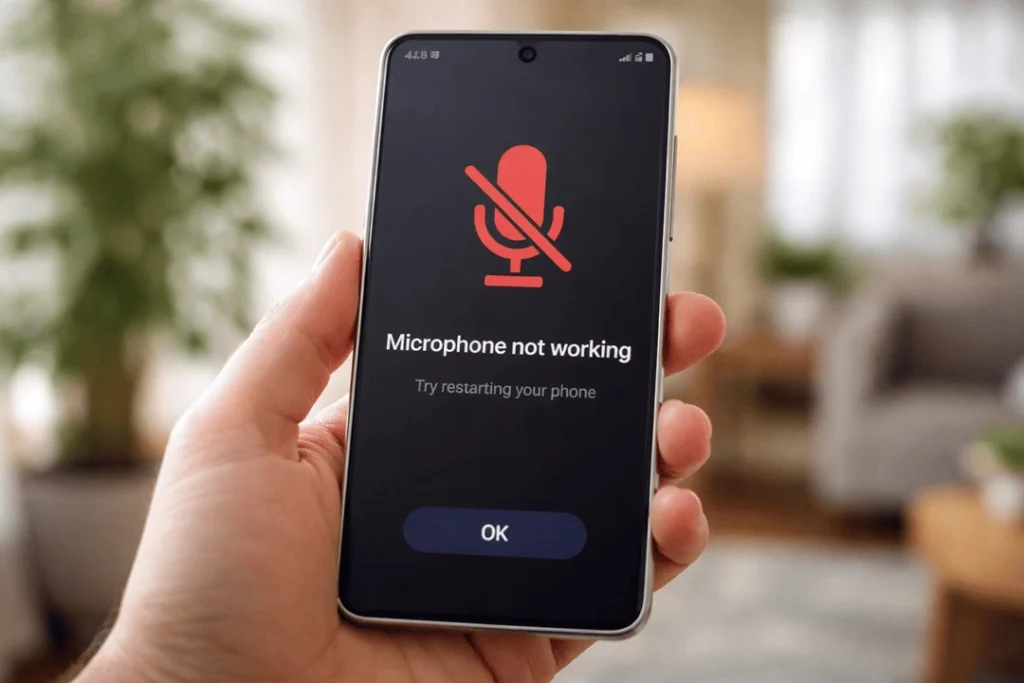
If you have a Samsung Galaxy A55 and the microphone is no longer working, then it can be really frustrating to have nothing but silence. And suddenly calls become one-way, while voice notes refuse to go through and video audio grows patchy. But, no worries — in many instances, the solution is simple. Sometimes it’s a simple setting. Other times, it is a blocked mic port, moisture damage or a damaged flex cable that requires some actual phone microphone repair.
Here’s a helpful (Aussie-style) breakdown guide to assist you in understanding what is happening and which Galaxy A55 microphone repair option fits perfectly.
Common signs your Galaxy A55 mic isn’t working
You might notice one or more of these:
- People can’t hear you on calls, or they say you sound far away
- Speakerphone works but normal calls don’t (or the other way around)
- Voice recorder captures no sound, or sound cuts in and out
- Videos have no audio, or only loud static
- Google Assistant / voice typing won’t pick up your voice
- Only one app has the problem (e.g., WhatsApp voice notes only)
Because A55 uses multiple mics (main mic, noise-cancelling mic and sometimes a mic near the top) how each of them behave might be different. Get details on Mobile Repair in Caroline Springs.
Quick checks you can do first (before repairs)
1) Restart, then test in two apps
First, restart the phone. Then test:
- Voice Recorder
- A call (normal + speakerphone)
If it fails in all locations, that’s usually system software or hardware. If it only doesn’t work in one app, typically either permissions or app settings.
2) Check microphone permissions
Go to Settings → Apps → (your app) → Permissions → Microphone → Allow.
Also check Settings → Privacy → Permission manager → Microphone.
If permissions were off, that’s often the whole issue.
3) Turn off Bluetooth (important)
Sometimes audio is going to a Bluetooth headset or car system.
- Swipe down → turn Bluetooth off
- Make a test call again
4) Clear the app cache (for the app that fails)
For example WhatsApp:
- Settings → Apps → WhatsApp → Storage → Clear cache
Then test again. This fix is boring, but it works more often than people think. Looking for a Samsung Smartphone Repair in Caroline Springs?
Check for physical blockage (the sneaky cause)
That blocked microphone port — it’s a classic. Pocket lint, makeup dust or other debris can clog the little hole and render your voice either muffled or gone altogether.
What you can do safely:
- Use a soft brush (clean, dry toothbrush) gently over the mic area
- Use a small puff of air (not too close, not too strong)
What not to do:
- Don’t poke the mic hole with pins or metal tools
- Don’t drip alcohol or liquid into ports
- Don’t blast high-pressure air straight into the hole (can push lint deeper)
If your phone recently had a “quick clean” with liquid, or got wet, the mic can also fail due to moisture corrosion — and that usually needs a technician.
Software causes (and fixes that won’t wreck your phone)
Update your phone
Go to Settings → Software update → Download and install.
Also update apps in the Play Store.
Safe Mode test (to rule out third-party apps)
Safe Mode disables downloaded apps temporarily.
- Hold power button
- Press and hold “Power off”
- Tap Safe mode
Then test mic again (Voice Recorder + call).
If the mic works in Safe Mode, a third-party app is interfering. Uninstall recent audio/recording/call apps one by one.
Reset settings (not a full factory reset)
Try:
- Settings → General management → Reset → Reset all settings
This can fix weird audio routing issues without deleting your photos. Get details on Smartphone Button Repair Service in Caroline Springs.
When it’s probably hardware (and you should stop DIY)
If you notice any of these, it’s likely hardware:
- Mic fails in all apps even after Safe Mode
- Phone was dropped recently
- Phone had water exposure (even “a little splash”)
- Calls work only on speakerphone (or only on normal mode) consistently
- You hear crackle/static or “robot” voice recording
- The mic cuts in and out when you move the phone
Hardware problems on a Galaxy A55 commonly come from:
- Damaged microphone module
- Faulty charging port flex (on many phones, the main mic connects here)
- Water/corrosion on connectors
- Impact damage to the board
At that point, the best option is a proper Samsung Galaxy A55 microphone repair with testing — not guesswork. Looking for a Smartphone Software Problems Repair in Caroline Springs?
Galaxy A55 microphone repair options (what a repair shop can do)
At Katya Phone, we normally run a quick diagnostic first so you’re not paying for the wrong part. Then we match the fix to the fault.
Option A: Microphone port cleaning + acoustic mesh check
If lint or a clogged mesh is the problem, a professional clean can restore volume fast. It’s the cheapest win, and it’s worth trying early.
Best for: muffled voice, phone used in dusty workplaces, pocket lint build-up.
Option B: Charging port / sub-board replacement (common fix)
On many modern phones, the main microphone is tied to the charging port assembly or a lower flex board. If that flex is damaged, the mic fails even though the “mic itself” is fine.
Best for: no audio in Voice Recorder + call mic dead, phone charging issues, or after a drop.
Option C: Microphone module replacement
If the mic component is faulty, replacement restores normal pickup and noise cancelling.
Best for: mic dead across apps, distortion/static, or mic tests show failed hardware.
Option D: Liquid damage treatment + component repair
If water has reached the mic path or connectors, cleaning corrosion and repairing damaged components may be needed.
Best for: phone exposed to rain, spills, bathroom steam, or “it was fine for a week then died”.
Option E: Board-level repair (for rare cases)
If the audio IC / board path is damaged, the solution can be a board repair job. This is less common, but it happens after heavy impact or water corrosion.
Best for: repeated mic failure after parts replacement, or multiple audio functions failing. Get details on Smartphone Water Damage Repair in Caroline Springs.
Typical repair time and cost in Australia (guide only)
Prices vary depending on the exact fault and parts availability, but here’s a realistic guide for Galaxy A55 mic repair in Australia.
| Repair type | What it includes | Typical turnaround | Indicative cost (AUD) |
| Diagnostic + mic testing | App tests, hardware checks, inspection | Same day | $0–$49 |
| Professional mic port clean | Safe clean + mesh inspection | Same day | $29–$79 |
| Charging port / sub-board replacement | Parts + install + testing | Same/next day | $99–$189 |
| Microphone module replacement | Parts + install + testing | Same/next day | $109–$219 |
| Liquid damage treatment | Strip-down + cleaning + repair attempt | 1–3 days | $89–$249 |
| Board-level repair | Advanced diagnostics + micro-soldering | 2–7 days | $199–$449 |
Tip: A good shop will confirm the fault before quoting final price. Otherwise you might pay for a mic, when it’s really a charging port flex.
Warranty, Australian Consumer Law, and what to check
If your Galaxy A55 is still under manufacturer warranty, check if the device has signs of liquid damage or impact — those can void warranty claims. Under Australian Consumer Law, you may still have rights depending on the issue and how long you’ve owned the phone. In practice, if you need the phone working today, local repair is often the faster route.
Before you bring it in: 3 smart prep steps
- Back up your data (Samsung Cloud or Google)
- Test a voice note + call and note what fails (speakerphone vs normal)
- Remove any thick case or screen protector that might be blocking ports
This makes diagnosis faster, and it can save you money too.
Related Articles:
» Galaxy S26 overheating: Battery vs Motherboard Faults
» Galaxy A55 Water Damage Repair: What to Do First?
» Galaxy A56 Battery Replacement: How long it takes?
» Galaxy S25 Data Recovery After Water Damage
» Galaxy S25 Ultra Green Line on Screen: Repair Options
When to book a repair immediately
Don’t wait if:
- The mic is totally dead and you rely on calls for work
- There’s water exposure (corrosion gets worse over time)
- The phone was dropped and the issue started right after
- You need clear audio for business, uni, or travel
A quick check now can prevent a bigger repair later.
FAQs: Galaxy A55 microphone not working
1) Why can’t people hear me on my Galaxy A55 calls?
Usually it’s mic blockage, permissions, Bluetooth routing, or hardware failure on the mic/charging flex.
2) My mic works on speakerphones but not normal calls — why?
Your phone may be using a different microphone for the speakerphone. One mic can fail while the other still works.
3) WhatsApp mic not working but calls are fine — what’s happening?
That’s often app permission, cache, or an app bug. Check microphone permission first.
4) Can dust really stop a microphone completely?
Yes. A tiny layer of lint over the mic mesh can drop volume massively, and sometimes it sounds like total failure.
5) Is it safe to clean the mic hole with a pin?
No. It can damage the mic membrane. Use a soft brush or get a professional clean.
6) Will a software update fix microphone issues?
Sometimes. If it’s a firmware or audio routing bug, updates can solve it.
7) How do I test the mic on a Galaxy A55?
Use Voice Recorder and record in a quiet room. Also test a normal call and speakerphone call.
8) What if the mic stops working after water exposure?
Book a repair quickly. Corrosion can spread, and the fix becomes harder the longer you wait.
9) Do I need a full factory reset?
Not usually. Try Safe Mode and “Reset all settings” first.
10) How long does a Galaxy A55 microphone repair take?
Many fixes are the same day or next day, depending on parts and the exact fault.
11) Will I lose my data during mic repair?
Most mic/charging flex repairs don’t erase data. Still, backing up is smart (just in case).
12) What’s the most common repair for Galaxy A55 mic problems?
A proper diagnostic often points to the charging port/sub-board assembly or a blocked mic port — both are common.