
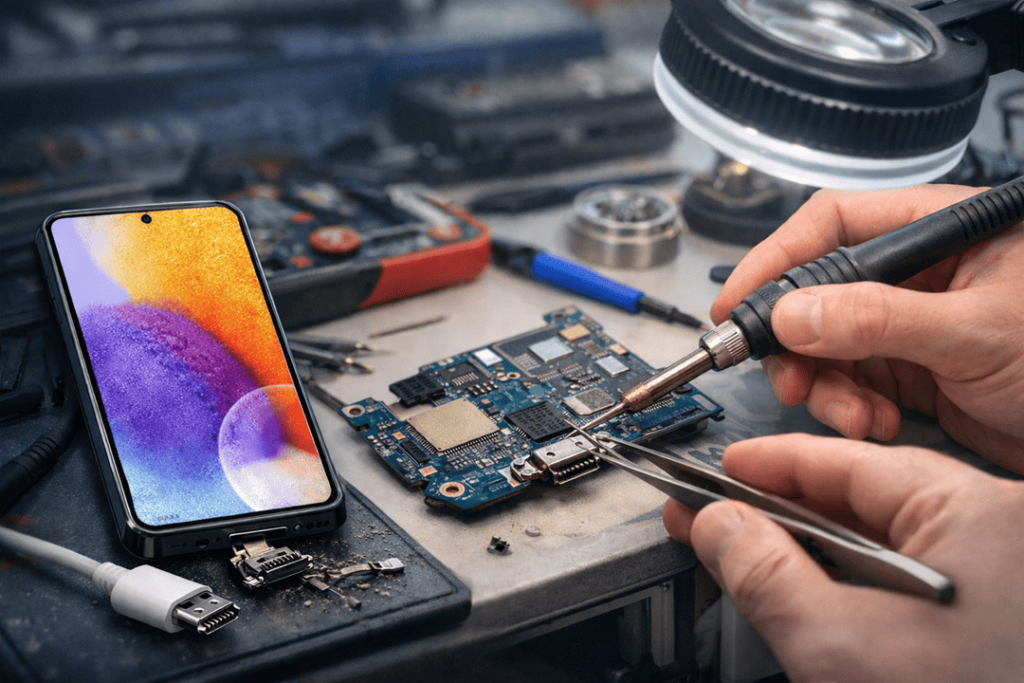
A phone that won’t charge proper can ruin the whole day. You plug it in before bed, wake up, and somehow it is still sitting on 9%. Or it starts charging, then stops, then starts again if you move the cable a bit. That kind of issue is very common with the Samsung Galaxy A55, and in many cases the problem comes back to one thing — the charging port.
At Katya Phone, we see this sort of fault more often than people think. Many customers first assume the battery is gone. Others think the charger is cheap and that’s the full reason. Sometimes that is part of it, sure. But most of the time, the actual problems are right inside the port itself. It gets worn out, dirty, bent or damaged due to daily use. It occurs gradually, then suddenly.
Certainly, if your Galaxy A55 charging port has started to act strange, it is smart to figure out what typically goes wrong and what not to ignore.
Why charging port problems happen
The charging port is among the hardest-working components of any phone. You use it every day. Some use it multiple times a day. So naturally it has a high amount of wear and tear over the years.
However, wear and tear isn’t the only reason. Pocket lint, moisture, rough handling, using poor quality chargers and the pressure from cables placed on your phone all have a hand in failing a charging port — as does simply using the phone while it’s in charge. Little things, daily habits that seem irrelevant at first. But after a week or two, or three, they become issues.”
Of course the Galaxy A55 USB-C port is designed for everyday use, but it’s a little tiny and maybe fragile. Likewise if dirt gets trapped inside it or the internal pins are bent, it won’t be as reliable when charging. That’s typically when folks begin bending the cable and crossing fingers. In fact, it makes things a lot worse. Get details on Mobile Repair in Caroline Springs.
Common Galaxy A55 charging port failures
1. Loose charging connection
This is probably the most common issue. You plug in the charger, but it doesn’t feel firm anymore. Maybe it slips out easier than before. Maybe it only works when the cord sits in one exact angle.
That usually points to wear inside the port or damage to the connector. In some cases, lint stuck at the bottom of the port stops the cable from clicking in fully. In other cases, the port itself has become loose from repeated use.
A loose charging connection should never be ignored, because it rarely fixes itself.
2. Dust, lint, and pocket debris
This one catches so many people out. Phones spend half their life in pockets, bags, work benches, and car seats. So, over time, dust and lint accumulate in the port. Even a little bit can prevent the charger from sitting right.
The result? The phone might charge intermittently, charge slowly or not charge at all. Some people may assume that the charger is broken, purchase a new one, and discover later on that they are experiencing the same problem.
And yes, people sometimes attempt to clean out the port with pins, needles or bits of metal. That’s risky. A single misstep and you can scratch or bend the internal contacts. Then, what would have been a simple clean, is a full charging port repair.
3. Moisture or water exposure
Most Samsung phones have some degree of water resistance, but moisture can still get into the charging area. It doesn’t even have to be a full drop in the water, either. Steam from a bathroom, sweat after exercising or coming into contact with the splash zone around the sink, and humid air can each work to this effect.
Moisture in Galaxy A55 charging port leads to corrosion. Once that happens, the metal contacts start to deteriorate. The phone might display moisture warnings, it won’t charge or it’ll keep disconnecting.
Sometimes it gets dry and starts to work for a bit. Then the problem comes back. That’s pretty common actually. Looking for a Samsung Smartphone Repair in Caroline Springs?
4. Bent or damaged charging pins
Also within the port are small contact pins that assist in transferring power from the cable to your phone. If the pins get bent, worn down or broken, it is unreliable charging.
That can occur if the cable has been thrust into a phone too forcefully, if a phone has been dropped on its charger so that it dislodged and fell out, or someone continues to use a damaged charger. The damage might not be immediately apparent, but symptoms surface very quickly — weak connection, no charging or extremely slow charging.
Damaged pins usually require proper repair or matting of the port.
5. Slow charging or no fast charging
A typical complaint goes like this: the phone still charges, but so slowly. Or it no longer fast-charges even if the charger allows this.
This can occur due to the charging port in Galaxy A55 no longer making stable contact. The phone might still draw some power but not enough for fast charging to operate properly. The cable and adaptor should certainly be tested, too, but the port is usually a big part of the problem.
If your phone used to charge quickly and now plods, it’s worth getting the port checked.
6. Damage from using the phone while charging
Many people scroll, game or watch videos with the phone plugged in. Everybody does it once in a while. But when it turns into a regular habit, the charging cable gets tossed to and fros. That puts strain on the port.
Over the years if this is done repeatedly, can loosen the connector, weaken the solder and/or break out the housing around the port. The phone might still charge for a bit, but connection eventually deteriorates.
It’s one of those habits that seems harmless till it isn’t. Get details on Smart Phone Camera Repair in Caroline Springs.
Signs your Galaxy A55 charging port needs repair
Not every phone gives the same warning signs, but these are the common ones:
- Galaxy A55 not charging
- charger only works when held a certain way
- cable feels loose in the port
- charging cuts in and out
- fast charging has stopped
- phone gets warm near the charging area
- moisture warning keeps appearing
- data transfer to a computer fails as well
If one or more of these signs shows up, there is a fair chance the charging port needs attention.
Could it be the charger instead?
Yes, sometimes the charger or cable is the actual problem. A bad cable can mimic a bad port. A weak wall adaptor can also cause slow charging. That is why proper testing matters.
A good repair technician should check the cable, charger, battery behaviour, and charging port before deciding on the repair. Replacing parts without checking the cause properly just wastes time and money, and nobody wants that. Looking for a Smartphone Battery Replacement in Caroline Springs?
What happens during a charging port repair
First we will do diagnosis part to start the A55 charging port repair. The technician checks whether the issue is dirt, corrosion, loose connection or damage to hardware. The phone is then gently opened up, and the charging assembly inspected.
In some cases, the port can be cleaned and restored. In others, the damaged charging component needs replacement. If corrosion has spread or the board is affected, the repair can take a bit more skill and care.
After that, the phone should be tested properly — not just plugged in once and handed back. Charging speed, cable fit, connection stability, and general power flow all need to be checked.
Why early repair is the better move
A faulty right charging port initially is just an irritant. You jiggle the cable a little and it works, so you leave it. One day it takes five tries to even get up. Then it stops completely.
That’s the way it usually goes.
Getting it checked early can stop extra damage from happening. A loose or damaged port can affect the battery charging cycle, damage the charger tip, or in some cases lead to overheating around the connector area. It’s just better to deal with it before the phone goes fully flat and refuses to power back on. Get details on Smartphone Charging Port Repair in Caroline Springs.
How to reduce charging port damage
You can’t avoid all wear forever, but a few simple habits help a lot:
- use good-quality charging cables
- avoid forcing the charger in
- keep the phone away from moisture
- don’t clean the port with sharp metal objects
- try not to bend the cable while using the phone
- replace frayed or damaged chargers early
- keep pockets and bags reasonably clean
Small things, yes, but they matter more than people realise.
Related Articles:
» Galaxy A55 Water Damage Repair: What to Do First?
» Galaxy S25 Data Recovery After Water Damage
» Galaxy S25 Ultra Green Line on Screen: Repair Options
» Galaxy A55 microphone not working: repair options
» Galaxy A54 Screen Replacement: What’s the best option?
Restoring Charging Performance on the Galaxy A55
A faulty Galaxy A55 charging port can make a perfectly good phone feel useless. That might begin with slow charging, a loose cable or random drop outs during charging. And then eventually, the phone may stop charging altogether.
The good news is that most of these problems are fixable if caught early. Dust, bent pins, moisture or simply everyday wear and tear can all cause a failure, but taking a close look should generally tell you what failed. At Katya Phone this is the sort of issue that you want to get addressed sooner rather than later, as waiting can often make a minor repair into something more serious.
If your Samsung Galaxy A55 has started charging badly, acting fussy with the cable, or refusing to fast charge, there’s a strong chance the port needs attention. And really, it is better to sort it now than get stuck later with a dead phone and no charge at all.
FAQs – Galaxy A55 Charging Port Repair
1. Why is my Galaxy A55 charging on and off?
This typically occurs when the charging port is either loose, dirty or damaged on the inside.
2. Can pocket lint stop my Galaxy A55 from charging?
Yes. Lint and dust can prevent the charger from sliding all the way into the port.
3. How do I know if the charging port is damaged?
If the cable feels loose, only works at certain angles or pops out easily with little effort, the port may also be damaged.
4. Can moisture affect the charging port even without full water damage?
Yes. Charging related issues can still arise from atmospheric moisture like steam, humidity sweat or small splashes of water.
5. Why did fast charging stop working on my Galaxy A55?
If the charging port is damaged or worn down, that can affect the stable connection essential to fast charging.
6. Is it safe to clean the port with a needle or pin?
No. Sharp metallic instruments may damage internal contacts, worsening the issue.
7. Can a faulty charging cable damage the phone’s port?
Yes. Cheap or faulty cables can put stress on the port and damage it over time.
8. Is Galaxy A55 charging port repair worth it?
Yes, it is much cheaper than replacing the entire phone in most cases.
9. Can a charging port issue look like a battery problem?
Yes. Most charging port failures are misdiagnosed as battery failure at first.
10. How long does charging port repair usually take?
That will depend on the extent of damage, but several charging port repairs can be done within a day.
11. Will repairing the charging port fix the slow charging issue?
Yes, replacing or repairing the port can restore proper charging performance, assuming that slow charging is due to a problem with the charging port.
12. When should I get my Galaxy A55 checked?
As soon as you see slow charging, interrupted charging or loose charging, it is recommended to inspect.