
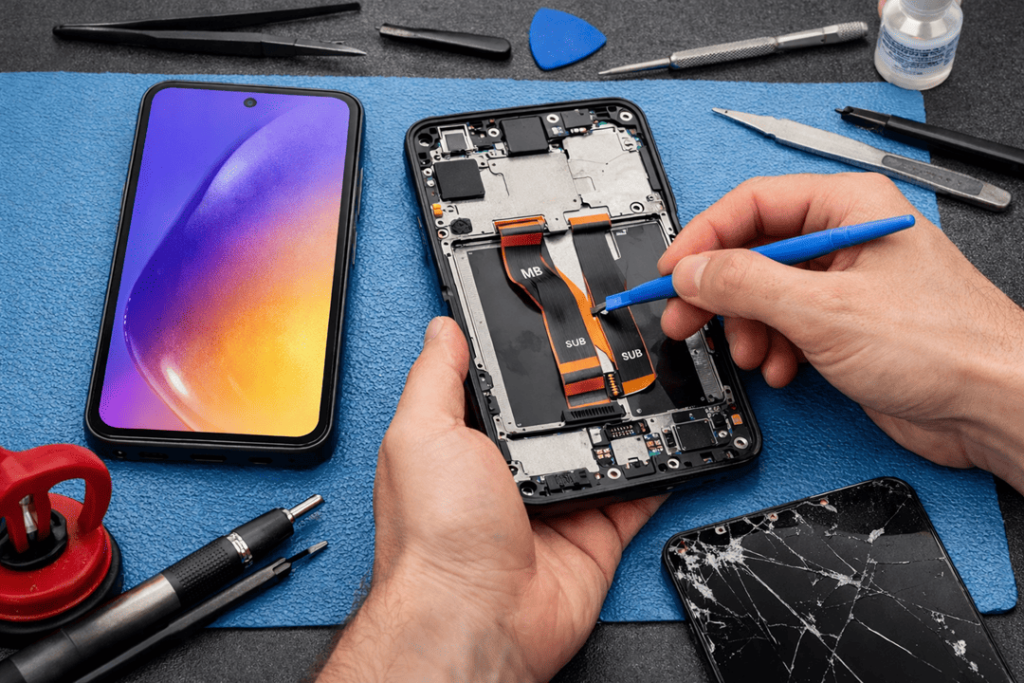
A cracked Galaxy A54 screen is one of those problems you can’t ignore for long. At first it’s “just a small crack”, then the touch starts acting up, the display gets a weird flicker, or the glass spreads like a spider web across the whole screen. Before you know it, you’re squinting at your phone like it’s a broken TV.
Still, you’ve got options—and not all of them are equal.
This guide breaks down the best Galaxy A54 screen replacement choices in plain English: authorised repair, local repair shops (like Katya Phone), insurance claims, and DIY kits. You’ll also learn what actually affects price, what questions to ask before paying, and how to avoid getting stuck with a cheap screen that looks “off”.
First up: what exactly is broken?
It sounds obvious, but it matters. Some people book a screen repair when they’ve actually got a different issue—like a damaged charging port or a loose display connector.
Signs you likely need a Samsung Galaxy A54 screen repair:
- Visible cracks in the glass (even if it still works)
- Black spots, purple marks, or “ink” spreading under the display
- Flickering, green lines, or random brightness changes
- Touch not responding in certain areas
- Screen goes black, but the phone still vibrates or rings
- The display lifts a little at the edge (usually after a drop)
If the phone doesn’t turn on, or isn’t charging, or restarts constantly, though — it’s probably not just a screen replacement job. So, good inspection saves time and money. Get details on Mobile Repair in Caroline Springs.
Why the Galaxy A54 screen is not a cheap fix
The Galaxy A54 uses a Super AMOLED display. That’s great for colour and clarity, but it also means the part itself costs more than standard LCD screens.
Also, Samsung screens are often replaced as a full assembly, not as “just glass”. So, you’re typically paying for:
- a premium display panel,
- careful removal and re-fitting,
- adhesives and sealing,
- testing so you don’t get ghost touch or dead pixels later.
That’s why the lowest quote isn’t always the best deal. If the part is rubbish, you’ll be back again soon—paying twice. Looking for a Samsung Smartphone Repair in Caroline Springs?
Option 1: Authorised Samsung service (official route)
If you want everything handled in the most “by-the-book” way, authorised service is the straight line.
Why people choose it
- Genuine parts (official supply chain)
- Repairs done to Samsung procedure
- Some level of warranty coverage (depends on situation)
But here’s the catch
- It’s usually the most expensive option
- Turnaround can be slower, especially if they’re booked out
- They may replace extra parts as part of their process
So yes, it’s safe. But it’s not always the most practical — especially when all you want is your phone back,quickly.
Option 2: Local repair shop (best balance for most people)
For many Australians, a trusted local repair shop is the sweet spot—fast, fairly priced, and you can actually talk to the person fixing it.
A good shop will clearly communicate your options and won’t pressure you to go with the most expensive choice if you don’t need it.
Why local repair often wins
- Faster turnaround (often same day)
- More flexible options for screen grades
- Better value compared to authorised centres
- You can ask questions and get honest answers
At Katya Phone, the main focus is simple: Galaxy A54 screen replacement that looks right, works properly, and comes with a clear warranty—no mystery parts, no vague promises. Get details on Smartphone Water Damage Repair in Caroline Springs.
Option 3: Insurance claim (only good if the numbers work)
If you’ve got cover through your telco, Samsung Care, or another provider, insurance can help. However, it depends on your excess and how painful the process is.
Pros
- You may pay less upfront
- It’s helpful if more than the screen is damaged
Cons
- Excess can be high (sometimes close to repair cost anyway)
- You may have to mail the phone away
- It can take days—or longer
- You’ll deal with forms, approvals, and waiting
So, if your excess is reasonable, it can be worth it. If not, local repair usually makes more sense.
Option 4: DIY kit (sounds cheaper… until it isn’t)
DIY screen replacement gets hyped online, but AMOLED phones are not beginner-friendly. There’s glue, heat, delicate cables, and plenty of ways to mess it up.
Common DIY problems
- Cheap screen with dull colours or low brightness
- Touch issues (ghost touches, dead zones)
- Dust under the display
- Broken connectors or damaged frame
- Poor sealing (so moisture/dust gets in easier)
- You crack the new screen during install (it happens a lot)
If you’ve repaired phones before, DIY is doable. If you haven’t, it’s risky—and it can become a much more expensive lesson. Looking for a Smartphone Button Repair in Caroline Springs?
The real difference: screen quality (this is where “best option” lives)
When people ask “what’s the best option?”, they’re usually asking about screen quality without realizing it.
1) Genuine / OEM-quality screen
This is closest to the original feel:
- better brightness
- accurate colour
- smooth touch response
- more consistent durability
2) High-quality aftermarket screen
Can still be a strong option if it’s from a proper supplier.
- good value
- solid performance
- saves money over genuine
But quality varies a lot. Some aftermarket screens look fine at first, then start acting up later.
3) Refurbished screen
Often an original panel with fresh glass fitted.
- can be great value
- can look very close to original
However, the workmanship matters. If it’s badly refurbished, you might find raised edges or weak adhesion after time. Get details on Mobile Back Glass Replacement in Caroline Springs.
Quick comparison: which option suits you?
| Option | Best for | Speed | Biggest downside |
| Authorised Samsung service | Official repairs + genuine parts | Medium | Higher cost |
| Local repair (Katya Phone) | Best value + fast turnaround | Fast | Quality depends on parts |
| Insurance claim | You already have cover | Slow–Medium | Excess + delays |
| DIY | Experienced DIY users | Varies | High risk of mistakes |
What a proper Galaxy A54 screen replacement should include
If you’re comparing quotes, ask what’s included—not just the price.
A good Galaxy A54 screen repair should include:
- display test (brightness, lines, dead pixels)
- touch test across the entire screen
- front camera check
- proximity sensor test (important for calls)
- charging and speaker checks
- clean fit with no raised edges
- a clear repair warranty
Also, ask about fingerprint function. Some screen swaps affect how the sensor behaves. A good shop tests it before handing the phone back. Looking for a Smartphone Battery Replacement in Caroline Springs?
Water resistance: keep expectations realistic
The Galaxy A54 has factory water resistance. Once a phone is opened, it won’t be exactly the same again. A skilled repairer can reseal it well, and it will handle normal life. Still, no one should promise “factory waterproof”.
So after repair, avoid swimming, heavy rain exposure, and beach trips with sand and saltwater. Better safe than sorry.
How long does the repair take?
Most screen replacements can be done same day, depending on:
- part availability
- how busy the shop is
- whether the frame is bent or damaged
If the phone has extra damage (like a bent chassis), the job may take longer because proper alignment matters. Get details on Smartphone Charging Port Repair in Caroline Springs.
How to stop it happening again
Once your screen is fixed, protect it properly:
- use a decent case with raised edges
- add a tempered glass or quality film protector
- don’t carry it loose with keys and coins
- if you drop phones often, use a grip or strap
Small steps now save you another screen later.
Related Articles:
» Galaxy S26 overheating: Battery vs Motherboard Faults
» Galaxy A55 Water Damage Repair: What to Do First?
» Galaxy A56 Battery Replacement: How long it takes?
» Galaxy S25 Data Recovery After Water Damage
» Galaxy S25 Ultra Green Line on Screen: Repair Options
So what’s the best option?
The best Galaxy A54 screen replacement option for most people is to pay a reputable local repair shop that uses quality screens and backs them with the right warranty. It’s the best combination of cost, speed and real-world reliability.
If you need official-only parts and processes, go authorised. If your insurance excess is low and you don’t mind the delay, claim it. If you’re considering DIY, think twice—AMOLED repairs aren’t forgiving.
FAQs: Galaxy A54 screen replacement
1) How much is a Galaxy A54 screen replacement in Australia?
It depends on screen type (genuine vs aftermarket) and any frame damage. The safest answer is an inspection-based quote.
2) Is the Galaxy A54 screen AMOLED?
Yes, it uses Super AMOLED, which is why replacement costs are higher than LCD phones.
3) Will a screen replacement delete my data?
Normally no. Still, backing up is smart if the phone is usable.
4) Can I keep using my phone with a cracked screen?
You can, but cracks spread, touch can fail, and moisture or dust can get inside.
5) Does replacing the screen fix touch issues?
If the touch issue is caused by screen damage, yes. If it’s board or connector related, additional repair may be needed.
6) Will the fingerprint still work after the repair?
Yes, generally, although it also depends on the quality of the screen and installation. Testing is important.
7) Is it worth repairing the Galaxy A54?
If the phone works well otherwise, If you know where to look, a quality aftermarket screen can even be a good deal.
8) How long does a Galaxy A54 screen repair take?
Same or next day service — Depending on parts availability & workshop load.
9) Does replacing the screen keep water resistance?
It can be sealed again reasonably well, but it won’t perfectly match what a factory would do. Avoid submerging the phone.
10) Which is better: genuine or aftermarket screen?
Genuine is the one closest to the original. If you know where to look, a quality aftermarket screen can even be a good deal.
11) What if the screen is black but the phone still turns on?
That typically indicates a display problem but a functioning phone — replacing the screen generally solves it.
12) Do screen repairs come with warranty?
They should. Always ask what the warranty covers (parts and workmanship).