
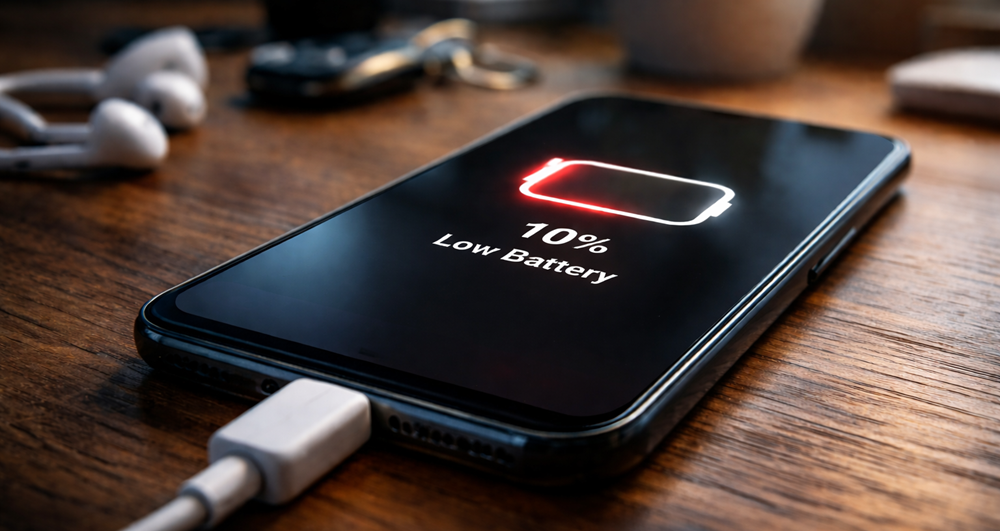
No one’s day should be ruined by a phone battery that drops too fast. You leave the house at 80% one minute and, somehow, by lunchtime it’s already pleading for a charger. For many, it is one of the most aggravating common phone problems because it hits work, travel, calls, maps and banking — everything in between. At Katya Phone, we encounter this problem often — the good news is that quick battery loss usually has a reason you can locate and remedy.
Sometimes it is minor, such as your screen brightness being set too high or unnecessary applications running in the background. In some cases, age has meant that the battery doesn’t charge as much as it once did. Whatever the case, once you learn to recognize the warning signs, it’s much easier to decide whether all you really need is a quick setting adjustment or an actual phone battery replacement.
Why Is My Phone Battery Draining So Fast?
There is no single cause for fast battery draining issues. And many small issues can pile up to make your phone feel worse than it is.
Here are the most common causes:
- High screen brightness
- Background app activity
- Old or worn-out battery
- Location services always turned on
- Poor network signal
- Software bugs or outdated apps
- Push notifications from too many apps
- Overheating during charging or gaming
When your phone keeps searching for signal, refreshing apps, and lighting up the screen every few minutes, the battery gets hammered. So, even a decent battery can feel weak. Get details on Mobile Repair in Caroline Springs.
Common Signs Your Battery Needs Attention
You should not ignore early signs. A weak battery often gives warnings before it fails badly.
Watch for these symptoms:
- Battery percentage drops suddenly
- Phone gets hot during normal use
- Device shuts down before reaching 1%
- Charging feels slow or inconsistent
- Battery lasts only a few hours
- Phone works better only when plugged in
If you notice two or more of these issues, your device probably needs a battery health check. Looking for a Smartphone Battery Replacement in Caroline Springs?
Quick Fixes You Can Try at Home
Before booking a repair, try a few practical steps. These won’t solve every problem, but they often improve phone battery life straight away.
1. Lower screen brightness
Your display uses a lot of power. So, set brightness to auto or keep it lower when indoors.
2. Turn off background app refresh
Many apps keep updating even when you are not using them. That drains battery and data too.
3. Check battery usage settings
Both Android and iPhone show which apps use the most power. If one app looks unusually high, update it or remove it.
4. Disable location for non-essential apps
Maps need location. Weather apps might need it sometimes. But games, shopping apps, and random tools often do not.
5. Use Wi-Fi when possible
A weak mobile signal forces the phone to work harder. Therefore, stable Wi-Fi can reduce drain.
6. Restart the phone
It sounds basic, but it works. A restart clears temporary glitches and background processes.
7. Update software
A system update may fix battery bugs, app crashes, or overheating issues. Get details on Smartphone Charging Port Repair in Caroline Springs.
Battery Saving Tips That Actually Help
Many people search for “how to save phone battery”, but not every tip makes a real difference. These ones usually do.
| Battery Saving Tip | How It Helps | Best Time to Use It |
| Lower screen timeout | Reduces display power use | All day |
| Enable battery saver mode | Limits background activity | When battery is below 30% |
| Turn off Bluetooth | Stops constant connection checks | When not using earbuds or car audio |
| Disable auto-sync | Reduces app refresh frequency | During work or travel |
| Close heavy apps | Stops battery-hungry processes | After gaming or video editing |
| Avoid overheating | Protects battery health long-term | During charging and summer days |
When the Battery Itself Is the Problem
The Battery Doesn’t Last Forever They wear out over time, and that is totally normal. For most modern smartphones, you’ll start to see performance degrade noticeably after a few hundred full charge cycles.
Here is a simple comparison:
| Battery Condition | Typical Performance | What You May Notice |
| New battery | Strong all-day use | Stable percentage and fast response |
| Moderately worn battery | Shorter daily life | More frequent charging needed |
| Heavily worn battery | Fast drain and heat | Shutdowns, lag, poor charging |
| Damaged/swollen battery | Unsafe performance | Bulging screen or back cover |
No settings trick will be a full fix if your battery health has dropped badly. If so, a professional replacement service is often the best route. Get details on Smart Phone Camera Repair in Caroline Springs.
Charging Habits That Can Make Things Worse
Many users ruin battery health without their knowledge. Bad charging habits don’t kill a battery in a day, but over months they can accelerate wear.
Avoid these mistakes:
- Using cheap, poor-quality chargers
- Charging while gaming heavily
- Leaving the phone in hot cars
- Letting the battery hit 0% too often
- Ignoring overheating warnings
Try to use quality charging accessories and keep the phone cool. That alone can improve long-term battery performance.
Could Another Phone Problem Be Causing Battery Drain?
Yes, absolutely. Sometimes the battery is not the main issue. Other phone faults can create battery symptoms.
For example:
- A damaged charging port may charge the battery poorly
- Water damage can affect power circuits
- Faulty apps may cause overheating
- A failing motherboard can trigger sudden shutdowns
- Screen issues can increase power usage
That is why proper diagnosis matters. Replacing the battery without checking the full device can waste time and money, honestly. Looking for a Mobile Back Glass Replacement in Caroline Springs?
When to Visit a Phone Repair Technician
Home fixes are useful, but they have limits. You should get professional help if:
- Your battery drains extremely fast every day
- The phone overheats even during light use
- The back cover is lifting or swollen
- The phone will not hold charge properly
- Charging percentage jumps up and down
- The device switches off randomly
At Katya Phone, we suggest getting an inspection before things worsen. Ignoring a small battery problem today can turn into a bigger repair down the road.
Related Articles:
» iPhone Repair Service in Albanvale
» iPhone Repair Service in St Albans
» iPhone Repair Service in Kings Park
» iPhone Repair Service in Deanside
» iPhone Repair Service in Sunshine
Why Fast Battery Drain Should Not Be Ignored
You can then diagnose whether you have a Bad Battery: A bad battery is not only annoying. It can influence performance, charging safety and device lifespan. Also, when a battery is failing, the phone can slow down, heat up and act weird. Which means your day is disrupted over and over again, and nobody wants that.
So, if your phone has stopped lasting the way it was designed, move quickly. Some clever configuration tweaks could offer relief. If the battery is worn out, though, a trusted repair is often what’s truly needed. And once the problem gets worked out, your phone seems trustworthy again, which is all most people want anyway.
FAQs: Battery Draining Fast? Common Phone Problems and Fixes
1. Why is my phone battery draining fast all of a sudden?
For the most part a malfunctioning app or software bug, background activity services run by your phone or an old battery is the culprit behind sudden drops in battery performance.
2. How do I check what is draining my phone battery?
Look for what apps are using your battery over in battery settings. This shows by which applications most power is used.
3. Does screen brightness affect battery life?
4. Is it normal for an old phone battery to drain quickly?
5. Can overheating damage my phone battery?
6. Should I close apps to save battery?
7. Does poor signal drain the phone battery?
Yes. A poor mobile signal can have the phone working much harder to stay connected and then consuming more battery as a result.
8. When should I replace my phone battery?
9. Can software updates improve battery life?
Sometimes, yes. Updates can include bug fixes and power management improvements.
10. Is fast charging bad for battery health?
11. Why does my phone battery drop from 20% to 5% quickly?
More often than not, that’ll be wear on the battery or bad calibration of it.